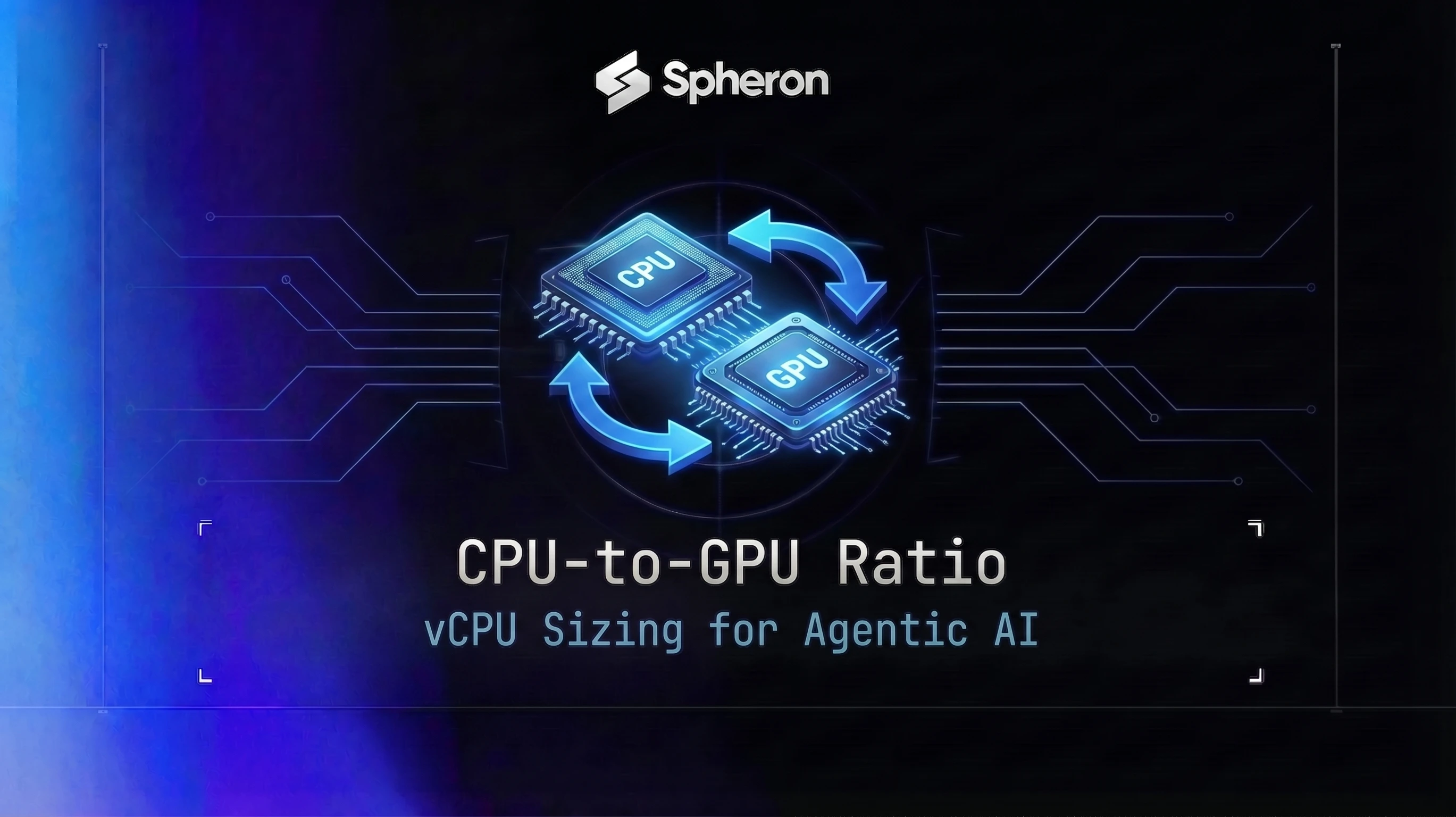
The standard assumption in GPU cloud sizing is that GPUs are the bottleneck and CPUs are cheap overhead. For batch training and simple inference, that assumption holds. For agentic AI pipelines, where every tool call, environment step, tokenization pass, and orchestration decision runs on CPU, it breaks down fast. This post covers where the CPU bottleneck appears, how to measure it, and how to pick the right vCPU-per-GPU ratio before you sign up for an instance that leaves your GPUs waiting.
TL;DR: CPU-to-GPU Ratio for AI Agent Workloads in 2026
Plain LLM inference needs 4-8 vCPUs per GPU, but agentic pipelines need 8-24, and RL rollouts up to 64, because tool calls and orchestration run on CPU.
| Workload (2026 starting point) | vCPUs per GPU | RAM per GPU |
|---|---|---|
| Single-model inference, batch ≤64 | 4-8 | 32-64 GB |
| Single-agent pipeline | 8-12 | 64 GB |
| Multi-agent, 10-50 agents | 16-24 | 128 GB |
| Multi-agent, 50-200+ agents | 32-48 | 256 GB |
| RL rollouts, 32-128 parallel | 32-64 | 256-512 GB |
Spheron H100 SXM5 instances run $2.65/hr on-demand as of 17 Sep 2026. Compare Spheron GPU configurations before sizing.
The Great Rebalance: Why Agentic AI Changes the CPU-GPU Equation
What changed with agentic workloads
Traditional batch inference is almost entirely GPU-bound. You send in a prompt, the GPU runs a forward pass, you get tokens back. CPU handles the request routing and tokenization, but those are fast enough that they never show up in profiling.
An agent step is different. Each step involves: tool call dispatch, an HTTP request to an external API, result parsing, re-tokenization with the new context appended, and KV cache update. The GPU runs only for the inference forward pass. Everything else runs on CPU. For a 10-step agentic task with 3 tool calls per step, you have 30 rounds of CPU-heavy orchestration work for every 10 GPU inference passes. The compute profile looks nothing like batch inference.
Infrastructure teams are increasingly flagging this pattern. CPU provisioning strategies designed for training workloads (4-8 vCPUs per GPU) hit their limits when agentic pipelines move to production at scale. Capacity that looked sufficient during inference-only testing starts to saturate once tool calls and agent coordination are added.
RL rollout loops as a concrete example
PPO and GRPO training loops expose this problem especially clearly. The rollout worker generates trajectories by running inference on the GPU, then scores each action against the environment or reward model on CPU. That environment step, whether it is a code sandbox, a game engine, or a tool-calling reward function, runs entirely on CPU.
On a standard 8-GPU node with 64 vCPUs (8 per GPU), a GRPO rollout job that calls a code-execution sandbox saturates all CPUs at around 32 concurrent rollout workers. GPUs sit waiting for scored trajectories while CPUs are pegged. For more on the infrastructure behind RL training, see the RLHF training infrastructure guide covering verl, OpenRLHF, and multi-node PPO setup.
The asymmetry nobody talks about
An 8-GPU H100 node typically ships with 64-128 vCPUs: 8-16 per GPU. That ratio was designed for training workloads where CPUs are little more than data loaders and gradient update coordinators. For orchestration-heavy agent loops where each inference call is bracketed by CPU-side tool dispatch, result handling, and state graph evaluation, 8 vCPUs per GPU is not enough. The CPU becomes the bottleneck before you anywhere near max out GPU memory or compute. The hardware-layer version of this offload is DPU-based serving, where the BlueField-4 DPU absorbs scheduling and I/O coordination so the host CPU stays available - see the CPU-free LLM inference on GPU cloud guide.
Where CPU Becomes the Bottleneck
Tokenization and pre-processing
Hugging Face tokenizers run on CPU. At 1,000 tokens per second throughput from vLLM, you need sustained tokenization throughput to keep the request queue full. Under-provisioned vCPUs mean tokenization lag, which means GPU batch starvation. Each request that arrives faster than the CPU can tokenize it sits in a queue, and the GPU waits. The Hugging Face tokenizer for Llama 3 is fast in isolation, but under 100 concurrent requests with long system prompts, it consumes multiple CPU cores continuously.
Tool call dispatch and result handling
Each tool call in LangGraph, CrewAI, or a custom agent loop blocks a CPU thread during HTTP dispatch, waits for the response, and then does JSON parsing and re-tokenization before the result goes back into the LLM context. A 10-agent pipeline making 3 tool calls per step needs approximately 30 simultaneous CPU threads serviced per inference round. On an instance with 8 vCPUs per GPU, those threads compete. Response latency climbs. GPU utilization drops as the inference server waits for enriched inputs. See the multi-agent GPU infrastructure guide for more on coordination overhead in parallel agent topologies. Checkout-flow agents run into the same bottleneck in a narrower window: every mandate signature or cart update is itself an HTTP round trip plus JSON parsing before the next inference call can fire, and that specific pattern is what our guide to sizing GPU capacity for AI shopping agents walks through for AP2 and UCP checkout flows.
Environment stepping in RL rollouts
Code sandbox execution (E2B, Firecracker), game engines, and tool-calling reward functions run entirely on CPU. The GPU generates the candidate action; everything that evaluates it runs on CPU. At batch sizes of 32 or more rollout workers, environment stepping typically becomes the rate-limiting step, not GPU compute. The 100 concurrent AI agents case study benchmarked 100 concurrent sessions on a 26-vCPU instance; the vCPU count proved sufficient for that workload, with KV cache exhaustion emerging as the binding constraint on the inference server, not CPU pressure or GPU saturation.
Orchestration overhead
LangGraph state graphs, Temporal workflow steps, and custom agent routers run Python control flow on CPU between inference calls. Measured overhead per agent step ranges from 5 ms for simple routing logic to 50 ms or more for complex graph evaluation with external state lookups. At 100 concurrent agent sessions, this overhead adds up quickly. Each session is executing Python in a thread; contention for GIL slots and CPU cores under high concurrency causes scheduling delays that appear as latency spikes on the inference side.
Data loading and KV cache management
For long-context agent sessions, loading and managing KV-cache prefix data involves CPU-side memory copies. Not as frequent as tool calls, but measurable under sustained long-context load. If your agents carry 32K+ token contexts across multiple turns, the CPU work involved in serializing, storing, and re-loading prefix cache state adds a few milliseconds per step that can compound at scale.
How to Measure Your Real CPU-to-GPU Ratio
The two-terminal profiling method
Run your workload under representative load for 5-10 minutes. In one terminal, watch GPU SM utilization per second:
nvidia-smi dmon -s u -d 1In a second terminal, watch per-core CPU usage:
htop
# Or for more precise per-process breakdown:
pidstat -u 1
Look for GPU utilization drops coinciding with 100% CPU cores. If GPU util falls to single digits during bursts of CPU activity, that is CPU starvation. The GPU is idle, waiting for CPU-produced inputs.
Calculating CPU time vs GPU time per request
Instrument your request pipeline with precise timing:
import time

def process_agent_step(context, tools):
    # Tokenization phase
    t0 = time.perf_counter()
    tokens = tokenizer(context, return_tensors="pt")
    t_tokenize = time.perf_counter() - t0

    # GPU inference phase
    t1 = time.perf_counter()
    output = model.generate(**tokens, max_new_tokens=512)
    t_inference = time.perf_counter() - t1

    # Tool dispatch phase
    t2 = time.perf_counter()
    tool_results = dispatch_tools(output, tools)
    t_tools = time.perf_counter() - t2

    cpu_time = t_tokenize + t_tools
    ratio = cpu_time / t_inference if t_inference > 0 else float('inf')
    print(f"CPU: {cpu_time*1000:.1f}ms, GPU: {t_inference*1000:.1f}ms, ratio: {ratio:.2f}")
    return tool_results
Rule of thumb: if CPU time per request exceeds 50% of GPU inference time, you will see CPU starvation at scale. Anything above 100% means CPU is the actual throughput bottleneck regardless of GPU speed.
Reading vmstat for queue depth
vmstat shows the CPU run queue and I/O wait, which reveals whether the CPU is genuinely saturated or just slow due to I/O contention:
vmstat 1Sample output under CPU pressure:
procs -----------memory---------- ---swap-- -----io---- -system-- ------cpu-----
 r  b   swpd   free   buff  cache   si   so    bi    bo   in   cs us sy id wa st
18  0      0 12345678  12345 2345678    0    0     0     0 8901 23456 94  5  0  1  0
The r column (run queue) shows processes waiting for CPU time. A run queue depth above 2x your vCPU count means your CPU is overloaded. The id column shows CPU idle time; when it drops to 0%, you are fully saturated. Cross-reference low id values with GPU utilization dips to confirm CPU starvation, not a genuine GPU-bound workload. For GPU-side diagnosis using DCGM metrics, see the GPU goodput engineering guide which covers how to correlate SM utilization with the CPU-side signals.
Production monitoring with Prometheus
Set up a Prometheus alert that fires when GPU utilization drops below 30% while CPU idle time is near zero during active workload windows:
# Alert: CPU starvation causing GPU idle
- alert: CpuStarvationGpuIdle
  expr: |
    avg_over_time(DCGM_FI_DEV_GPU_UTIL[5m]) < 30
    and on()
    avg(rate(node_cpu_seconds_total{mode="idle"}[5m])) < 0.05
  for: 3m
  labels:
    severity: warning
  annotations:
    summary: "GPU underutilized due to CPU starvation"
This catches the exact pattern where CPUs are pegged and GPUs are waiting. A GPU utilization dip during batch training or active inference load is almost always a CPU issue, not a GPU issue.
Right-Sizing Rules of Thumb by Workload
Pick your starting vCPU-per-GPU target from this table, then validate with profiling under real load:
| Workload Type | vCPUs per GPU | RAM per GPU | Notes |
|---|---|---|---|
| Single-model on-demand inference (batch 64 or less) | 4-8 | 32-64 GB | Sufficient for tokenization and response handling at moderate concurrency |
| High-concurrency inference (batch over 128 or over 100 concurrent users) | 12-16 | 64-128 GB | Queue management and tokenization scale with concurrency |
| Single-agent pipeline (1 agent, 2-5 tool calls per step) | 8-12 | 64 GB | Tool dispatch threads add 4-6 CPU cores per agent at peak |
| Multi-agent (10-50 agents, parallel tool calls) | 16-24 | 128 GB | One thread per concurrent agent plus overhead for orchestration state |
| Multi-agent (50-200 or more agents) | 32-48 | 256 GB | Consider separate CPU-only orchestration node |
| RL rollouts (PPO/GRPO, fewer than 32 parallel rollouts) | 8-16 | 64-128 GB | Environment step runs CPU-side; 2 CPU cores per rollout worker as baseline |
| RL rollouts (PPO/GRPO, 32-128 parallel rollouts) | 32-64 | 256-512 GB | Dedicated rollout CPU pool recommended; decouple from GPU inference node |
Single-model inference
For straightforward inference without tool calls, 4-8 vCPUs per GPU covers tokenization, request routing, and response serialization up to around 64 concurrent sessions. Beyond that, you start to see tokenization lag. In vLLM, set --tokenizer-pool-size explicitly rather than leaving it on the default:
vllm serve meta-llama/Llama-3.1-8B-Instruct \
  --tokenizer-pool-size 4 \
  --enable-chunked-prefill \
  --max-num-seqs 128
The --tokenizer-pool-size flag sets the number of async tokenizer worker processes, parallelizing tokenization and chat template rendering across concurrent requests. With 4 tokenizer workers, you can handle 100+ concurrent tokenization requests without blocking the main serving loop.
Single-agent pipelines
A single-agent pipeline with 2-5 tool calls per step needs 8-12 vCPUs per GPU. The main CPU cost is the tool call dispatch and result handling. If your tools make external HTTP calls, those threads block while waiting for responses, eating up CPU slots. Set a tight timeout on external calls and use async HTTP where possible. Python's asyncio with httpx reduces CPU thread consumption compared to synchronous requests under concurrency.
Multi-agent pipelines (10-50 agents)
At 10-50 concurrent agents with parallel tool execution, 16-24 vCPUs per GPU is the right target. Each agent thread consumes a CPU core during tool dispatch and state graph evaluation. A 20-agent pipeline with 3 parallel tool calls per step can spike to 60 CPU threads simultaneously. With 24 vCPUs available, those threads queue briefly but don't starve. With 8 vCPUs, they pile up and the GPU waits.
Profile with a representative load before committing to an instance size. Run htop during a 10-minute realistic workload, not a toy example.
Multi-agent pipelines (50-200 or more agents)
At this scale, the orchestration layer itself becomes a CPU bottleneck. LangGraph state management, session-level Redis I/O, and the Python event loop handling hundreds of concurrent coroutines all compete for CPU. Consider splitting orchestration onto a separate CPU-only node and keeping the GPU node focused purely on inference. Ray supports this natively: actor pools for orchestration workers, separate GPU workers for inference.
For the full scaling playbook for large agent fleets, see the GPU infrastructure for AI agents guide which covers instance topology from single-GPU to multi-node deployments.
RL rollout jobs
RL rollouts are the most CPU-intensive workload on this list. Below 32 parallel rollout workers, 8-16 vCPUs per GPU is workable. Above 32, you need dedicated CPU infrastructure for the environment stepping. The cleanest architecture: a separate Ray actor pool handles environment steps, sized independently from the GPU learner nodes. Two CPU cores per concurrent rollout worker is a practical baseline; add more if your environment step involves heavy computation (code execution, complex game state evaluation).
Choosing GPU Cloud Instances for CPU-GPU Balance
What to check in an instance spec sheet
Beyond GPU model and VRAM, look at:
- vCPU count: total and per-GPU ratio. An 8-GPU node with 64 vCPUs = 8 per GPU. A node with 128 vCPUs = 16 per GPU. Same GPU, very different agentic workload capacity.
- RAM per GPU: system RAM, not GPU VRAM. Tool call results, tokenization buffers, and orchestration state all live in system RAM.
- NUMA topology: on multi-GPU nodes, CPUs are split into NUMA domains. Cross-NUMA memory accesses add latency. For latency-sensitive agent inference, prefer instances where your CPUs and GPU share the same NUMA node.
Spheron surfaces vCPU and RAM specs for every instance alongside GPU model, so you can filter for CPU headroom before renting. The pricing page shows full instance specs including vCPU counts across GPU models.
Instance examples by workload tier
Live Spheron on-demand pricing:
| GPU | Typical vCPUs per GPU | On-demand price (per GPU/hr) | Best for |
|---|---|---|---|
| H100 SXM5 | 8-16 | $2.65/hr | Multi-agent up to 50 agents, RL rollouts up to 64 workers |
| H200 SXM5 | 8-16 | $4.80/hr | Long-context agents, 405B+ model inference (multi-GPU required for 405B+) |
| A100 80GB SXM4 | 8-16 | $1.43/hr | Single-agent pipelines, moderate inference |
| L40S PCIe | 6-12 | $0.96/hr | Cost-efficient agentic inference, mid-size models up to 34B |
| RTX 5090 | 4-8 | $0.84/hr | Budget agentic prototyping, models up to 13B |
| RTX 4090 | 4-8 | $0.72/hr | Low-cost single-agent dev, models up to 13B |
Pricing fluctuates based on GPU availability. Spheron rates above are live as of 17 Sep 2026; other providers reflect their most recent published rates and may have changed. Check current GPU pricing for live rates.
When to split CPU and GPU across nodes
Large RL rollout jobs benefit most from node splitting. Separate rollout nodes (CPU-heavy, no GPU) from learner nodes (GPU-heavy, fewer CPUs). Ray and veRL both support this natively.
In veRL, rollout and training can be colocated via the HybridEngine, but for 70B+ models with heavy environment stepping, separate nodes give you independent scaling of CPU rollout capacity without overpaying for GPU on rollout workers. OpenRLHF's Ray actor pool approach makes this even more explicit: each role gets its own pool and you can put rollout workers on CPU-only nodes.
For detailed multi-node RLHF infrastructure setup, see the RLHF training infrastructure guide covering verl, OpenRLHF, and spot/on-demand placement strategy.
Spot vs on-demand for CPU-heavy agent workloads
For RL rollout workers specifically, spot instances are a good fit. They hold no training state, can be checkpointed at the task level, and are naturally CPU-bound (the GPU is on the learner node). Spot interruptions hit rollout workers, not learners, so you lose in-flight trajectories but not optimizer state.
For latency-sensitive agent inference where users are waiting for responses, use on-demand. A spot interruption mid-conversation breaks the session. See the GPU FinOps guide for a full spot-vs-on-demand decision framework across workload types.
Verified Spheron Configurations
Configuration 1: Multi-agent inference (10-50 agents)
GPU: H100 SXM5 on Spheron (H100 instances)
Target vCPUs per GPU: 16 (select the highest-vCPU H100 configuration available)
RAM per GPU: 128 GB system RAM
vLLM configuration:
vllm serve meta-llama/Llama-3.1-70B-Instruct \
  --tokenizer-pool-size 6 \
  --enable-chunked-prefill \
  --max-num-seqs 128 \
  --max-num-batched-tokens 8192 \
  --tensor-parallel-size 2
Use --tensor-parallel-size 2 to split the 70B model across two H100s, freeing up single-GPU bandwidth for higher-concurrency decode. The 6 tokenizer workers parallelize tokenization and chat template rendering across concurrent agent requests without blocking the main serving loop.
Pricing: H100 SXM5 runs $2.65/hr per GPU on-demand as of 17 Sep 2026
Configuration 2: RL rollout training (PPO/GRPO, 32-64 workers)
Learner nodes: A100 80GB or H100 SXM5 on Spheron (A100 instances)
Rollout workers: CPU-only nodes (or a separate pool with lower-end GPUs for actor inference)
Framework: veRL or OpenRLHF with Ray actor pool for environment stepping
# Ray rollout worker pool for environment stepping
@ray.remote(num_cpus=2)
class RolloutWorker:
    def __init__(self, env_config):
        self.env = build_environment(env_config)

    def step(self, action):
        obs, reward, done, info = self.env.step(action)
        return {"obs": obs, "reward": reward, "done": done}

# Size the pool for your target parallelism
workers = [RolloutWorker.remote(env_config) for _ in range(64)]
By dedicating 2 CPU cores per rollout worker, 64 workers need 128 vCPUs on the rollout tier. This is provisioned independently from the GPU learner nodes.
Learner pricing: A100 80GB SXM4 runs $1.43/hr per GPU on-demand
Pricing fluctuates based on GPU availability. Spheron rates above are live as of 17 Sep 2026; other providers reflect their most recent published rates and may have changed. Check current GPU pricing for live rates.
Configuration 3: Light agentic inference (prototype or fewer than 10 agents)
GPU: A100 80GB (for models up to 70B) on Spheron
vCPUs: 8-12 per GPU
Use case: Early-stage pipelines, low-concurrency production, agent development and iteration
For prototype workloads where you have fewer than 10 concurrent agents and limited tool call throughput, 8 vCPUs per GPU is adequate. The H100 SXM5 is the right choice when you need to scale beyond this tier. Start small, profile under real load, then select the instance configuration that matches your observed CPU-to-GPU ratio.
Spheron aggregates GPU capacity from 5+ providers, so available instance configurations can vary. For workloads where a specific vCPU-per-GPU ratio is critical, check current availability on the pricing page before provisioning, or contact Spheron for configurations not listed in the standard catalog.
Agentic pipelines that run CPU-starved waste their GPU budget. Spheron exposes vCPU and RAM specs for every instance so you can match CPU headroom to your workload before you deploy, not after. Rent an H100 for multi-agent production or an A100 for RL training with the CPU count that fits your rollout parallelism.
Quick Setup Guide
Run your workload for 5-10 minutes under representative traffic. In one terminal: `nvidia-smi dmon -s u -d 1` to watch GPU SM utilization per second. In another: `htop` (or `pidstat -u 1`) to watch per-core CPU usage. Look for patterns where GPU util drops to single digits while CPU cores are at 100%. That gap is CPU starvation - the GPU is idle waiting for CPU-produced inputs.
Wrap your tokenization, tool-call dispatch, and response parsing in Python `time.perf_counter()` blocks. Log the wall-clock time for each step. Calculate the ratio: (CPU time per request) / (GPU inference time per request). If that ratio exceeds 0.5, you will see CPU starvation at scale. Anything above 1.0 means CPU is the actual throughput bottleneck regardless of GPU speed.
Use the table in the 'Right-Sizing Rules by Workload' section of this post to pick your starting vCPU-per-GPU target. On Spheron, filter available H100, A100, or L40S instances by vCPU count. Start with 16 vCPUs per GPU for agentic pipelines and 8 for simple inference. Re-run the profiling step after deploying to confirm CPU headroom.
For RL rollout jobs, decouple the environment step from the GPU inference step. Use a Ray actor pool or a queue (Redis, Celery) to feed scored trajectories back to the PPO/GRPO trainer. Size the CPU worker pool independently: one worker per concurrent rollout thread, with enough headroom for bursty tool-call latency.
In production, set up a Prometheus alert on `DCGM_FI_DEV_GPU_UTIL` that fires when the 5-minute average drops below 30% during scheduled workload windows (not idle periods). Cross-reference with `node_cpu_seconds_total{mode='idle'}` from the Prometheus node exporter. A GPU utilization dip that correlates with near-zero CPU idle time confirms CPU starvation and should trigger a scale-up or instance swap.
Frequently Asked Questions
For simple single-model on-demand inference (batch size <= 64, no tool calls), 4-8 vCPUs per GPU is typically sufficient. Most GPU cloud instances default to this range. The ratio becomes critical when you add tokenization workers, async pre/post-processing, or serve concurrent users with long system prompts. Above 64 concurrent sessions on a single H100, aim for at least 12-16 vCPUs to keep the preprocessing queue clear.
Multi-agent pipelines that call external tools, execute code, or run environment steps can easily starve a GPU with too few CPUs. Each LangGraph or CrewAI agent thread ties up a CPU core during tool dispatch, HTTP calls, and result parsing. A practical starting point is 16-24 vCPUs per GPU for pipelines with 10+ concurrent agents. Profile with `htop` or `pidstat` during a representative run before committing to a larger instance.
In PPO and GRPO training loops, the rollout worker generates trajectories by running inference and then scoring each action against the environment or reward model. The environment step - whether it's a code sandbox, game engine, or tool-calling scaffold - runs entirely on CPU. On a typical 8-GPU node with 64 vCPUs, a GRPO rollout job that calls a code-execution sandbox can saturate all CPUs at around 32 concurrent rollout workers, leaving GPUs waiting for scored trajectories. The fix is to dedicate separate CPU-only workers for environment stepping, or switch to a higher vCPU-per-GPU instance ratio.
The clearest signal is GPU utilization that drops to near-zero in regular short bursts during an otherwise compute-heavy job. Run `nvidia-smi dmon -s u` in one terminal while watching `htop` in another. If you see CPU cores pegged at 100% coinciding with GPU util drops, that is CPU starvation. A more precise measurement: check the `wait` time in `vmstat 1` output. If CPU iowait or run-queue wait consistently exceeds 20 ms per step, the GPU is blocked waiting for CPU-produced data.
Spheron surfaces the vCPU and RAM specs for every instance type alongside GPU specs, so you can compare CPU headroom before renting. Different instance configurations for the same GPU model can vary from 8 vCPUs to 64+ vCPUs per GPU. For workloads where CPU bottleneck is a known risk, filter for higher-vCPU configurations or contact Spheron for custom provisioning.