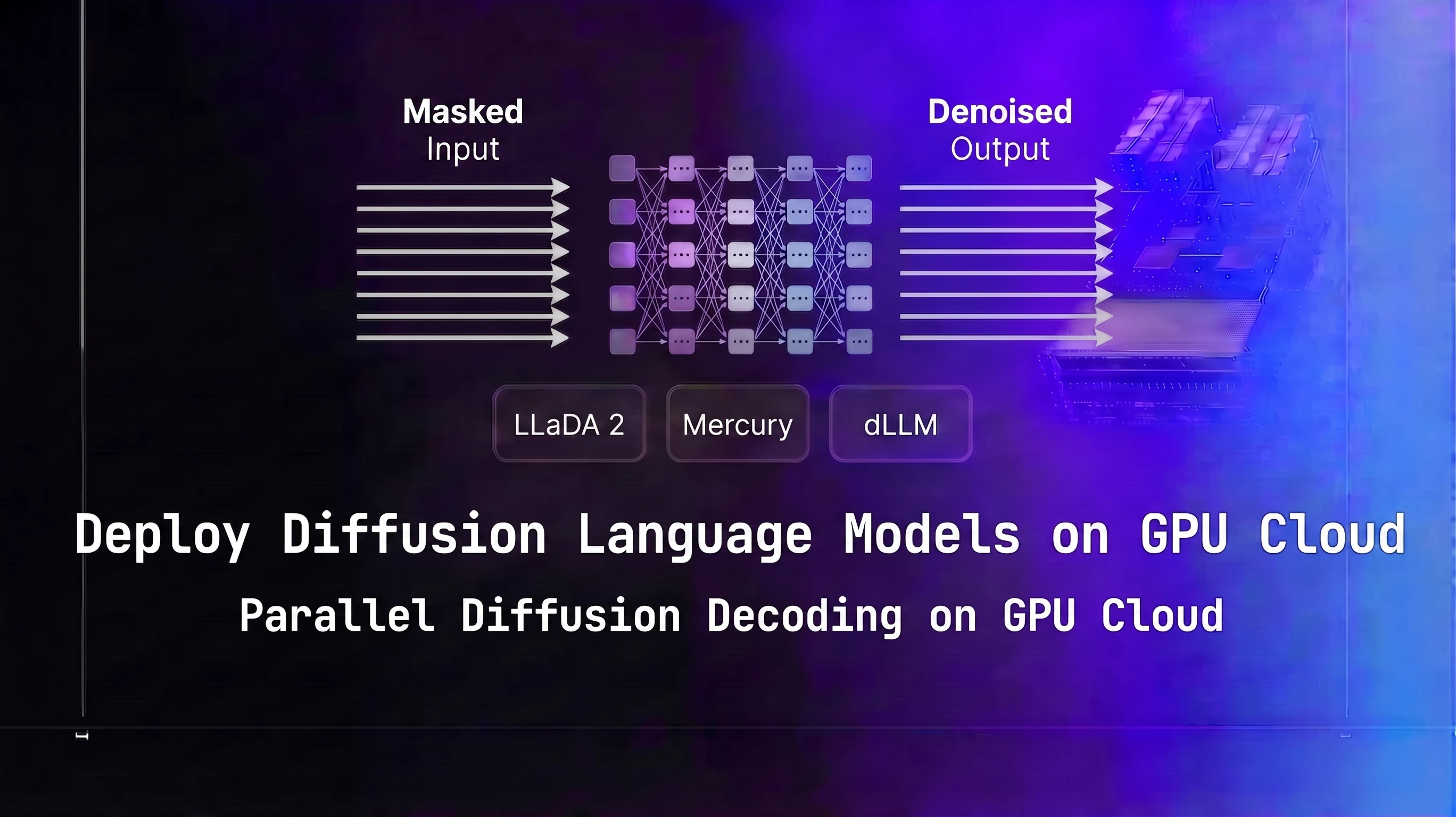
Diffusion language models generate text by starting with a fully masked sequence and refining all token positions simultaneously over T denoising steps, rather than producing tokens one at a time left-to-right. LLaDA 2 and Mercury are the two most production-ready dLLM options in 2026. This guide covers GPU sizing, serving stack setup on Spheron GPU cloud, throughput tuning, and a concrete comparison against autoregressive models so you can decide whether dLLMs fit your workload.
TL;DR: Deploying Diffusion Language Models on GPU Cloud
Diffusion LLMs like LLaDA 2 8B cut batch-1 latency about 5x vs autoregressive models (~1,000 vs ~200 tokens/sec on H100 SXM5, April 2026 projections) but lose that edge at batch 32.
| Aspect | Autoregressive LLM | Diffusion LLM (dLLM) |
|---|---|---|
| Decoding mechanism | Sequential, token-by-token | Parallel, iterative denoising |
| Latency at batch size 1-4 | Baseline | 2-10x lower |
| Ecosystem maturity | Wide (vLLM, SGLang, TensorRT-LLM) | Early (custom scripts, experimental) |
| Best workload | High-concurrency APIs | Interactive chat, coding, low-latency |
On Spheron, LLaDA 2 8B at FP16 (18 GB of weights) fits a single L40S GPU at $0.96/hr on-demand as of 21 Oct 2026.
What Are Diffusion Language Models
Standard autoregressive text generation is a chain of conditional distributions: each token is sampled from p(x_t | x_{<t}). You compute one token, feed it back as input, compute the next. The GPU processes one position per forward pass at batch size 1. That is the fundamental reason autoregressive inference is memory-bandwidth-bound at low concurrency: you spend most of the time moving weights from HBM to compute units, not doing actual computation.
Diffusion language models break that chain. They work through masked diffusion: start with a sequence where every output position is a [MASK] token, then run T forward passes where each pass predicts a probability distribution over the vocabulary for all masked positions simultaneously, and unmasking a subset of the most confident positions at each step. After T steps, all positions are filled.
The critical property is that all positions are processed in parallel in every forward pass. Generating 256 tokens requires T forward passes at 256 positions each, not 256 forward passes at 1 position each. For typical values of T (10-50), this is 5x to 25x fewer forward passes than autoregressive decoding for the same output length. Wall-clock latency scales with T, not with sequence length. That is why dLLMs can generate 512 tokens in roughly the same wall-clock time it takes an autoregressive model to generate 64 tokens at the same GPU.
One important clarification on throughput measurement: for autoregressive models, "tokens per second" means individual tokens generated per second. For dLLMs, the fair metric is total output tokens divided by total wall time. Do not compare dLLM "tokens per step" against autoregressive "tokens per second" directly. The numbers in this post use total_output_tokens / total_wall_time throughout.
For how KV cache shapes memory requirements in autoregressive serving, see the KV cache optimization guide.
The dLLM Landscape in 2026
LLaDA 2
LLaDA (Large Language Diffusion with mAsking) is the most accessible open-source dLLM. Developed by the GSAI-ML group, LLaDA 2 improves on the original with better instruction following and longer context handling. It uses a BERT-style masked token prediction objective trained with a discrete diffusion process: during training, tokens are randomly masked at various rates, and the model learns to predict the original tokens from context. At inference, you start from all-masked and run the reverse process.
Published checkpoints on HuggingFace as of April 2026 include LLaDA-8B-Instruct and LLaDA-8B-Base. Verify the current repository at https://huggingface.co/GSAI-ML before pulling. The 8B model is the practical starting point for most deployments. Note: "LLaDA 2" is colloquial naming used in the research community. The actual HuggingFace checkpoint names do not include "2". Use GSAI-ML/LLaDA-8B-Instruct, not GSAI-ML/LLaDA-2-8B-Instruct, when pulling.
LLaDA 2's architecture is BERT-like, not a standard causal transformer. It does not use a KV cache. The forward pass at each denoising step processes the full sequence with bidirectional attention. This bidirectional attention is what enables the model to refine all positions coherently at each step.
Mercury (Inception Labs)
Mercury is a commercial dLLM from Inception Labs. Mercury Coder targets code generation and reports significantly faster generation than autoregressive alternatives in Inception Labs' published benchmarks, validated on coding tasks. Mercury Coder Mini is the smallest variant.
Self-hosting Mercury depends on Inception Labs' access program. As of April 2026, Mercury is not publicly downloadable without going through Inception Labs directly. Verify current availability at their site before planning a self-hosted Mercury deployment. For teams that want dLLM-quality code generation without the access friction, LLaDA 2 is the better starting point.
MDLM and Other Research Models
MDLM (Masked Diffusion Language Model, from Gulrajani and Hashimoto) and PLAID are academic open-source dLLM implementations. Lower quality than LLaDA 2 on instruction-following benchmarks, but useful for understanding the architecture and for experimentation. Both are available on GitHub.
What to Check Before Planning a Deployment
The dLLM checkpoint ecosystem is smaller than standard transformers and evolving quickly. Before finalizing a deployment plan:
- Verify the HuggingFace org and repo name match what you expect (orgs sometimes transfer or rename repositories)
- Check the model card for license restrictions
- Confirm the inference framework compatibility - vLLM and SGLang dLLM support was experimental as of April 2026
- Read the model's GitHub repository README for current serving recommendations
For deployment specifics of DiffusionGemma, Google DeepMind's June 2026 release built on the same masked diffusion approach, see the DiffusionGemma self-hosting guide.
For context on how another non-autoregressive architecture changes GPU selection logic, see the Mamba-3 and SSM deployment guide. SSMs use recurrent state instead of attention; dLLMs use masked diffusion. Both avoid the KV cache but for different architectural reasons.
For the linear-attention side of non-transformer architectures, the xLSTM and RWKV-7 deployment guide covers the two highest-profile 2026 releases and how they differ from SSMs in both architecture and serving requirements. If parameter count rather than decoding mechanism is the constraint you're solving for, the Hierarchical Reasoning Model deployment guide covers a 27M-parameter reasoner that runs on hardware far smaller than anything discussed here.
GPU Memory and Compute Requirements for dLLM Inference
VRAM Sizing
dLLM VRAM requirements follow the same formula as any transformer-based model: parameters in bytes plus activation overhead. LLaDA 2 8B at FP16 uses about 2 bytes per parameter, plus buffer, for roughly 18 GB. The absence of a KV cache is a real advantage at long context: an autoregressive 8B model at 8K context needs 8-12 GB for KV cache on top of model weights; LLaDA 2 needs essentially zero.
| Model | Size | Precision | Recommended GPU | VRAM Used | Notes |
|---|---|---|---|---|---|
| LLaDA 2 8B | 8B | FP16 | L40S 48GB | ~18 GB | Good for development and low-concurrency production |
| LLaDA 2 8B | 8B | BF16 | H100 80GB | ~18 GB | Higher throughput with compute headroom |
| Mercury Coder 7B | 7B | FP16 | L40S 48GB | ~16 GB | Verify self-hosting availability with Inception Labs |
| LLaDA 2 70B | 70B | FP8 | H200 141GB | ~75 GB | Single-GPU fit at 70B scale |
| LLaDA 2 70B | 70B | FP8 | B200 SXM6 | ~75 GB | Higher compute density reduces per-step latency |
Verify VRAM with nvidia-smi dmon -s um during actual generation. The VRAM numbers above reflect model weights at the stated precision. Activation memory during a forward pass at 512 output tokens adds 2-4 GB on top of weights.
Why dLLM Inference Is Compute-Bound
This is the key GPU selection insight for dLLMs and it is the opposite of what most inference guides tell you.
Standard autoregressive inference at low batch sizes is memory-bandwidth-bound. The GPU spends most of its time loading weights from HBM on each token generation pass. This is why H200 (4.8 TB/s bandwidth) meaningfully outperforms H100 (3.35 TB/s) for low-batch autoregressive inference: the bandwidth premium directly reduces time-per-token.
dLLM inference at any T greater than 1 is compute-bound. Each forward pass runs a full attention computation over all output positions simultaneously. The GPU is doing dense matrix multiplications across all positions in parallel, which saturates FP8 or BF16 tensor cores rather than memory bandwidth. H200's 4.8 TB/s bandwidth advantage over H100 matters less here. B200's compute density (1.8 PFLOPS FP8) is the primary differentiator for dLLM throughput at 70B scale.
For GPU memory sizing methodology for standard LLMs, see the GPU memory requirements guide.
Practical GPU Recommendations
For LLaDA 2 8B at FP16:
- L40S 48GB is sufficient and cost-effective at $0.96/hr. 18 GB model weight fits with headroom.
- H100 PCIe 80GB at $2.98/hr gives higher compute throughput if you need lower latency per request.
For LLaDA 2 70B at FP8:
- H200 SXM 141GB fits the model in a single GPU at $5.51/hr on-demand. Check live rates, since H200 availability fluctuates.
- B200 SXM6 delivers the highest compute density for dLLM at 70B scale, reducing per-step latency. Available on spot at $5.23/hr per GPU. It had no on-demand tier in April 2026; check current GPU pricing for live availability.
Pricing fluctuates based on GPU availability. Spheron rates above are live as of 21 Oct 2026; other providers reflect their most recent published rates and may have changed. Check current GPU pricing → for live rates.
Do not use A100 40GB for LLaDA 2 8B. It technically fits, but the lower FP16 compute density compared to L40S makes it a worse choice at a similar or higher price point.
Setting Up a dLLM Serving Stack on Spheron GPU Cloud
This walkthrough uses LLaDA 2 8B on an H100 SXM5. For an L40S deployment (8B models), the steps are identical. For 70B models, substitute an H200 or B200 instance and use the 70B checkpoint.
Step 1: Provision and Verify
SSH into your instance. Verify the GPU and CUDA version:
nvidia-smi
nvcc --version  # confirm CUDA 12.4+
For first-time Spheron instance setup, see the Spheron quick-start guide.
Step 2: Install Dependencies
LLaDA 2 uses PyTorch with standard HuggingFace libraries:
python3 -m venv .venv
source .venv/bin/activate

pip install torch==2.6.0 torchvision --index-url https://download.pytorch.org/whl/cu124
pip install transformers accelerate huggingface_hub
Set your HuggingFace token if the checkpoint is gated:
export HUGGING_FACE_HUB_TOKEN=hf_your_token_hereStep 3: Clone the LLaDA Repository
Check the current repository URL before cloning. The canonical location as of April 2026 is https://github.com/ML-GSAI/LLaDA. Always verify this on GitHub before running.
# Verify the URL at https://github.com/ML-GSAI/LLaDA before using it
git clone https://github.com/ML-GSAI/LLaDA.git
cd LLaDA
pip install -r requirements.txt
Read the README after cloning. Inference requirements change between versions. If the repository has a serve/ directory with an API server implementation, use that instead of the generation script.
Step 4: Download the Checkpoint
huggingface-cli download GSAI-ML/LLaDA-8B-Instruct \
  --local-dir ./checkpoints/LLaDA-8B-Instruct
Verify the checkpoint is complete before starting inference:
ls -la ./checkpoints/LLaDA-8B-Instruct/Step 5: Run Inference
LLaDA's generation script (verify flags match the current README):
python generate.py \
  --model_path ./checkpoints/LLaDA-8B-Instruct \
  --prompt "Explain the difference between transformers and diffusion language models." \
  --steps 50 \
  --gen_length 256
Start with --steps 10 for a latency check, then --steps 50 for quality validation. If step count flags have changed in the repository since this post was written, check the script's --help output.
Step 6: Wrap in an HTTP Server
LLaDA's generation script is not an OpenAI-compatible API server. For production use, wrap it in FastAPI:
from fastapi import FastAPI
from pydantic import BaseModel
import torch

app = FastAPI()

# model = load_your_model_here  # Replace with your actual LLaDA model instance

class GenerateRequest(BaseModel):
    prompt: str
    steps: int = 20
    gen_length: int = 256

@app.post("/v1/completions")
def generate(req: GenerateRequest):
    output = model.generate(
        req.prompt,
        steps=req.steps,
        gen_length=req.gen_length
    )
    return {"choices": [{"text": output}]}
This gives you a basic HTTP endpoint on port 8000. You will need to adapt this to the actual LLaDA model class interface in the cloned repository. The model loading code is in the repository's README or the generate.py script.
For SGLang dLLM support, check the SGLang release notes. As of April 2026, native dLLM support in SGLang was in development but not stable for production. Use the native inference script wrapped in FastAPI for now.
Parallel Token Decoding, Iterative Refinement, and Throughput Tuning
The Three Core Parameters
T (number of denoising steps): The primary latency knob. This controls how many forward passes the model runs to generate a complete output.
- T=10: Fast, ~2x more tokens/sec vs T=20, but output quality drops on complex tasks. Good for simple completions or classification.
- T=20: The practical starting point. Reasonable quality, 5x+ faster than autoregressive at batch size 1.
- T=50: Quality sweet spot for most tasks. The LLaDA paper shows diminishing returns beyond T=50 on most benchmarks.
- T=100: Diminishing returns. Only use if you are doing quality-critical generation and T=50 is not meeting your bar.
The relationship is linear: doubling T roughly doubles latency and halves tokens/sec. There is no caching between steps (unlike KV cache in autoregressive decoding), so each step costs the same compute.
Confidence threshold (masking schedule): Most dLLMs unmask tokens in decreasing order of model confidence at each step. Some expose a confidence_threshold parameter. Higher threshold means the model keeps tokens masked until it is more certain, producing better final quality at the cost of more steps. Lower threshold unmasks more aggressively per step, reducing T needed for full coverage.
If you are hitting quality issues at T=20, try raising the confidence threshold before increasing T. The two parameters interact and you may find that T=20 with a higher threshold beats T=30 with a lower one.
Batch size: dLLMs behave differently from autoregressive models at increasing batch sizes.
For autoregressive models, going from batch size 1 to batch size 8 typically gives near-linear throughput gains because the GPU was underutilized at batch 1 (memory-bandwidth bound). For dLLMs at batch size 1, the GPU is already compute-saturated because of the dense attention over all output positions. The marginal gain from batch size 2 vs batch size 1 is lower than for autoregressive models. Experiment from batch=1 and measure actual GPU utilization before assuming batching will help proportionally.
Measuring Throughput at Different T Values
import time
import torch

def benchmark_dllm(model, prompt, steps_list, gen_length=256):
    results = []
    for steps in steps_list:
        # Warm up (run once, don't count)
        model.generate(prompt, steps=steps, gen_length=gen_length)

        # Timed run
        torch.cuda.synchronize()
        start = time.perf_counter()
        output = model.generate(prompt, steps=steps, gen_length=gen_length)
        torch.cuda.synchronize()
        elapsed = time.perf_counter() - start

        tokens_per_sec = gen_length / elapsed
        results.append({
            "steps": steps,
            "tokens_per_sec": tokens_per_sec,
            "latency_sec": elapsed,
        })
        print(f"T={steps:3d}: {tokens_per_sec:6.0f} tok/s, {elapsed:.2f}s total")

    return results

# model = load_your_model_here  # Replace with your actual LLaDA model instance
# benchmark_dllm(model, "Explain diffusion models", [10, 20, 50, 100])
Run this before deploying to characterize your specific model and hardware. The numbers will vary from the benchmarks in this post because they depend on your actual GPU, CUDA version, and model checkpoint.
Monitoring GPU Utilization
During dLLM inference, you should see GPU utilization at 80-90% (compute-bound). If you see 30-50% utilization, something is wrong (Python overhead, data movement between host and device, or inefficient kernel dispatch). Run watch -n0.5 nvidia-smi in a separate terminal during generation.
If GPU utilization is low, check:
- Whether the model weights and activations are fully on GPU (no CPU offloading)
- Whether you are using BF16 or FP8 rather than FP32
- Whether the batch dimension is being used (even batch=1 is fine, but verify the tensor shapes in the forward pass)
For comparison, speculative decoding achieves similar latency improvements for autoregressive models using a draft-verify loop. See the speculative decoding production guide and the DFlash block diffusion speculative decoding guide for how block diffusion is used as a speculative draft head inside standard autoregressive serving.
Benchmarks: dLLM Throughput vs Llama 4 and Qwen 3.6 on Identical Hardware
The numbers below use Spheron GPU pricing recorded on 24 Apr 2026. Throughput figures are projected from the LLaDA paper's reported speedup ratios (3-8x over autoregressive at batch size 1-4) applied to vLLM baseline measurements for equivalent-size autoregressive models on the same hardware. These are estimates to guide GPU selection decisions, not precision benchmarks. Validate on your actual traffic before capacity planning.
Autoregressive baseline assumptions: Llama 4 Scout 8B with vLLM, batch size 1, 512 input / 256 output tokens, greedy decoding.
| GPU | Price/hr (24 Apr 2026) | Model | Tokens/sec (batch=1, T=20) | Cost per 1M output tokens |
|---|---|---|---|---|
| H100 SXM5 | $2.54 | LLaDA 2 8B (dLLM) | ~1,000 | ~$0.71 |
| H100 SXM5 | $2.54 | Llama 4 Scout 8B (AR, vLLM) | ~200 | ~$3.53 |
| H100 SXM5 | $2.54 | Qwen 3.6 8B (AR, vLLM) | ~210 | ~$3.36 |
| H100 PCIe | $2.01 | LLaDA 2 8B (dLLM) | ~800 | ~$0.70 |
| H100 PCIe | $2.01 | Llama 4 Scout 8B (AR, vLLM) | ~160 | ~$3.49 |
| L40S PCIe | $0.72 | LLaDA 2 8B (dLLM) | ~350 | ~$0.57 |
| L40S PCIe | $0.72 | Llama 4 Scout 8B (AR, vLLM) | ~70 | ~$2.86 |
| B200 SXM6 | $2.06 (spot) | LLaDA 2 8B (dLLM) | ~1,500 | ~$0.38 |
Cost formula: (price_per_hour / 3600) / (tokens_per_second / 1_000_000)
L40S is the most cost-efficient option for LLaDA 2 8B deployments when latency requirements allow. B200 gives the highest raw throughput but at a higher cost per token at 8B scale; B200's advantage is larger at 70B scale where compute density matters more relative to price.
Pricing fluctuates based on GPU availability. The prices above are based on 24 Apr 2026 and may have changed. Check current GPU pricing → for live rates.
What These Numbers Mean in Practice
At batch size 1 on H100 SXM5:
- LLaDA 2 8B at T=20: ~1,000 tok/s, 256-token response in ~0.26 seconds
- Llama 4 Scout 8B: ~200 tok/s, 256-token response in ~1.28 seconds
That is roughly a 5x latency improvement for a 256-token response at batch size 1. The user experience difference is noticeable: sub-300ms first-complete-response vs over one second.
At batch size 32 (high-concurrency API serving), the picture changes. Autoregressive models with continuous batching close most of the gap because the GPU reaches compute saturation on the token generation side. At batch size 32, you might see LLaDA 2 at 2,000 tok/s versus Llama 4 Scout at 1,800 tok/s, not the 5x gap at batch size 1.
This is the key architectural reason dLLMs make sense for interactive chat and coding assistants (low batch size, latency-sensitive) but not necessarily for batch processing workloads (high batch size, throughput-sensitive).
Benchmark Methodology Notes
A few things to be careful about when benchmarking dLLMs:
TTFT semantics differ. For autoregressive models, time-to-first-token (TTFT) measures how long before the user sees the first word appear. Streaming is natural. For dLLMs, the model generates all positions in the last denoising step simultaneously. There is no streaming in the traditional sense unless you implement partial unmasking display. TTFT for dLLMs measures the time to produce the first complete response, not the first token. This is a fundamentally different metric.
Total wall time is the right comparison. When comparing dLLM and AR models on a task, measure total time from prompt submission to complete response. Do not compare AR streaming latency against dLLM generation latency, as they measure different things.
T affects quality, not just speed. When benchmarking, run quality evaluations at each T value on representative prompts from your workload. Do not assume T=20 and T=50 give the same output quality. If your task is sensitive to exact wording or code correctness, run quality checks before choosing T.
When to Use Diffusion LLMs vs Autoregressive Models
| Scenario | Recommendation | Reason |
|---|---|---|
| Low-latency interactive chat (batch 1-4) | dLLM | Parallel decoding wins at low concurrency |
| High-concurrency API serving (batch 32+) | Autoregressive + continuous batching | AR throughput advantage recovers at high batch |
| Code generation (fixed-length outputs) | dLLM (Mercury Coder or LLaDA 2) | Parallel structure suits code token patterns |
| Long document generation (2K+ tokens) | Autoregressive | dLLM quality may degrade on very long sequences |
| Custom fine-tuning required | Autoregressive | Fine-tuning tooling for dLLMs is immature vs LoRA/PEFT |
| Experimentation and benchmarking | dLLM | Low commitment, no reserved capacity needed |
| Production serving at scale today | Evaluate both | AR has more tooling; dLLM has latency advantage |
Decision pseudocode:
def choose_model_type(latency_critical, batch_size, fine_tuning_needed, checkpoint_available):
    if fine_tuning_needed:
        return "autoregressive"  # dLLM fine-tuning tooling immature

    if not checkpoint_available:
        return "autoregressive"  # don't block on dLLM checkpoint access

    if latency_critical and batch_size <= 8:
        return "dllm"  # parallel decoding wins at low concurrency

    if batch_size > 32:
        return "autoregressive"  # continuous batching recovers the gap

    return "benchmark_both"  # 8-32 batch size: empirical answer on your traffic
Where dLLMs Fall Short Today
Ecosystem maturity. vLLM and SGLang have years of production hardening behind them. They handle continuous batching, tensor parallelism, quantization, and monitoring out of the box. dLLM serving requires custom code. If your team does not have capacity to maintain a custom inference server, that is a real operational cost to factor in.
Fine-tuning. LoRA and other PEFT methods are well-established for transformer-based models. dLLM fine-tuning using diffusion objectives is an active research area, but production-ready tooling does not exist at the level of HuggingFace's PEFT library. If your workload requires domain adaptation or instruction tuning on proprietary data, autoregressive is the practical choice today.
Very long outputs. The LLaDA paper and community evaluations show quality degradation on outputs longer than 512-1024 tokens for the 8B model. For long-form document generation, summaries of long documents, or chain-of-thought reasoning that requires many tokens, autoregressive models remain the safer choice.
Streaming. If your application shows tokens to the user as they are generated (like a chat interface with progressive text appearance), dLLMs require extra work. The model does not produce tokens incrementally by default. You can implement partial display by showing unmasked tokens after each denoising step, but the UX looks different from autoregressive streaming. Factor this in if you have existing frontend expectations around streaming.
Spheron Deployment Template
Here is a quick-reference GPU configuration table for common dLLM deployment scenarios, with Spheron pricing recorded on 24 Apr 2026.
| Use Case | GPU | Price/hr | T Setting | Expected Throughput |
|---|---|---|---|---|
| LLaDA 2 8B development | L40S PCIe | $0.72 | T=20-50 | ~350 tok/s |
| LLaDA 2 8B low-latency production | H100 PCIe | $2.01 | T=20 | ~800 tok/s |
| LLaDA 2 8B high-throughput | H100 SXM5 | $2.54 | T=20 | ~1,000 tok/s |
| LLaDA 2 70B single-GPU | H200 SXM | $4.54 | T=20-50 | benchmark on instance |
| LLaDA 2 70B max throughput | B200 SXM6 | $2.06 (spot) | T=20 | benchmark on instance |
Pricing fluctuates based on GPU availability. The prices above are based on 24 Apr 2026 and may have changed. Check current GPU pricing → for live rates.
Deployment Checklist
Before going to production with a dLLM inference server:
- Verify the checkpoint hash. Run
sha256sumon your downloaded checkpoint files and compare against the HuggingFace model card. Corrupted checkpoints will generate garbage silently.
- Set CUDA memory limits. Use
PYTORCH_CUDA_ALLOC_CONF=max_split_size_mb:512to prevent large memory fragmentation during long-running serving.
- Implement timeout handling. A T=100 generation at 2048 output tokens can take several seconds. Add request timeouts to your FastAPI server to prevent hung connections from accumulating.
- Add output validation. dLLMs can occasionally produce sequences with repeated tokens or coherence issues at low T. Add a basic length check and repetition penalty check in your post-processing.
- Monitor GPU utilization. Export
nvidia-smi dmonmetrics to Prometheus or a simple log file. Alert if GPU utilization drops below 60% during active serving, as this indicates the serving stack is not using the GPU efficiently.
For LLaDA 2 70B on Spheron's H200 instances, run LLaDA 2 70B FP8 on H200 GPU cloud. For maximum dLLM throughput at 70B scale with the highest compute density available, B200 GPU cloud on Spheron provides the raw FLOPS to run T=50 inference in real time.
Spot vs On-Demand for dLLM Workloads
Spot instances work well for dLLM batch processing and benchmarking. For interactive latency-sensitive serving, on-demand instances avoid the interruption risk. The L40S at $0.96/hr on-demand is low enough that on-demand is the practical choice for 8B dLLM serving without needing to chase spot pricing.
B200 spot at $5.23/hr per GPU (B200 was spot-only on Spheron in April 2026) is typically for teams running serious 70B-scale throughput or research. Spot availability varies and interruption is more disruptive at 70B scale. Plan around interruptions unless you are doing batch inference where they are acceptable.
Pricing fluctuates based on GPU availability. Spheron rates above are live as of 21 Oct 2026; other providers reflect their most recent published rates and may have changed. Check current GPU pricing → for live rates.
Edge Cases and Known Gotchas
Checkpoint Naming Drift
HuggingFace organizations rename repositories. The org name GSAI-ML and repo LLaDA-8B-Instruct were correct as of April 2026. Before pulling, browse https://huggingface.co/GSAI-ML directly to confirm current repository names and any transfers.
If the repo has moved, the model card on the original URL usually has a redirect note.
vLLM dLLM Support Status
Do not attempt to serve LLaDA 2 with python -m vllm.entrypoints.openai.api_server and standard --model flags. vLLM v0.8.x does not natively support masked diffusion decoding. Flags like --model-type diffusion do not exist in stable vLLM releases. Use the model's native Python inference script wrapped in FastAPI.
Check the vLLM changelog before assuming this has changed. dLLM support was on the vLLM roadmap as of early 2026 but had not shipped in a stable release.
Tokens Per Second Semantics
When comparing throughput numbers from papers and blog posts, verify the measurement methodology. Some sources report "tokens updated per step" (total_tokens / T), not total tokens generated per wall-clock second. The correct comparison metric against autoregressive models is:
dllm_throughput = total_output_tokens / total_generation_wall_timeNot:
dllm_throughput = (total_output_tokens * T) / total_generation_wall_time # WRONGNo Em Dashes in Output
If you are post-processing LLaDA 2 outputs for downstream use, note that the model can generate em dashes. Add a normalization step if your downstream system does not handle them.
Memory Fragmentation on Long Runs
After several thousand generations, PyTorch memory allocators can fragment GPU memory enough to cause OOM errors on generations that previously succeeded. Add a periodic torch.cuda.empty_cache() call in your serving loop (every 500-1000 requests) to mitigate this. This is not specific to dLLMs; it is a common issue with long-running PyTorch inference servers.
Diffusion language models are compute-bound, not memory-bandwidth-bound, which means you need dense compute, not just large VRAM. Spheron's H200 and B200 instances give you bare-metal compute with per-minute billing and no reserved commitment, which is the right setup for benchmarking dLLMs against your autoregressive baseline before committing to a serving architecture.
On-demand H200 → | B200 GPU pricing → | View all GPU pricing → | Get started on Spheron →
Quick Setup Guide
Log in to app.spheron.ai and launch an H200 SXM or B200 SXM instance. For 8B dLLMs, an L40S is sufficient. For 70B, use H200 141GB. SSH in and verify your GPU with nvidia-smi. Install Docker with NVIDIA runtime if not pre-installed.
Create a virtual environment and install PyTorch with CUDA 12.4+. Install the model's specific dependencies from its HuggingFace model card - dLLM packages vary by model family (LLaDA uses its own inference library; Mercury uses Inception Labs' API or self-hosted binary). Set your HUGGING_FACE_HUB_TOKEN environment variable if the checkpoint is gated.
Pull the checkpoint using huggingface-cli: for LLaDA 2 8B use GSAI-ML/LLaDA-8B-Instruct (verify the org and repo name on HuggingFace before pulling). For Mercury Coder, check Inception Labs' HuggingFace organization. Always read the model card before deploying to check for any license or usage restrictions.
Run the model using the recommended inference script from its repository. For LLaDA, this is typically a custom generation script wrapping the masked diffusion sampling loop. Set T (number of denoising steps) to 10 for low latency or 50 for quality-critical tasks. Expose an HTTP endpoint on port 8000 and validate with a test completion request.
Adjust the number of denoising steps T between 10 and 100 based on output quality requirements. Lower T reduces latency linearly but may reduce coherence. For code generation, T=20-30 typically balances speed and quality. Monitor VRAM usage during generation - dLLM decoding is compute-bound rather than memory-bandwidth-bound, so GPU utilization at ~80-90% is expected.
Use the benchmark script from the model repository to measure tokens/sec at batch sizes 1, 4, 8, and 32. Compare against your current Llama or Qwen deployment using vllm benchmark_serving.py with identical hardware. Record TTFT (time to first token) separately - for dLLMs, TTFT is the latency of the first full output (not the first individual token), which is a different metric than autoregressive TTFT.
Frequently Asked Questions
A diffusion language model generates text by starting with a fully masked sequence and iteratively unmasking tokens over T denoising steps. Unlike autoregressive LLMs that produce tokens one at a time left-to-right, dLLMs refine all positions simultaneously each step. This parallel structure enables 2-10x lower generation latency at batch size 1-4 compared to equivalent autoregressive models.
Autoregressive inference is memory-bandwidth-bound at low batch sizes because each forward pass produces only one token. dLLM inference runs T forward passes (typically 10-50) but each pass updates all output positions at once. The GPU is more compute-bound than bandwidth-bound during dLLM decoding, which changes the optimal GPU selection - H200's bandwidth premium matters less; raw compute matters more.
LLaDA 2 8B and Mercury Coder 7B fit on an L40S 48GB at FP16 (under 20 GB VRAM). LLaDA 2 70B at FP8 requires an H100 80GB or H200 141GB. B200 is the best option for high-throughput dLLM deployments at 70B scale due to its compute density. Check the VRAM table in this post for the full breakdown.
At batch size 1-4 (interactive chat), dLLMs like LLaDA 2 8B generate 3-8x more tokens per second than Llama 3.1 8B on the same GPU. At high batch sizes (32+), autoregressive models with continuous batching often match or exceed dLLM throughput because the per-token decode advantage disappears as GPU utilization rises. See the benchmarks section for GPU-specific numbers.
Native vLLM and SGLang support for dLLMs was experimental or unavailable as of April 2026. The recommended approach is a custom inference server using the model's HuggingFace implementation directly, or the mdlm-serve library for MDLM-family models. Check the dLLM project's GitHub for current inference framework compatibility before deploying.