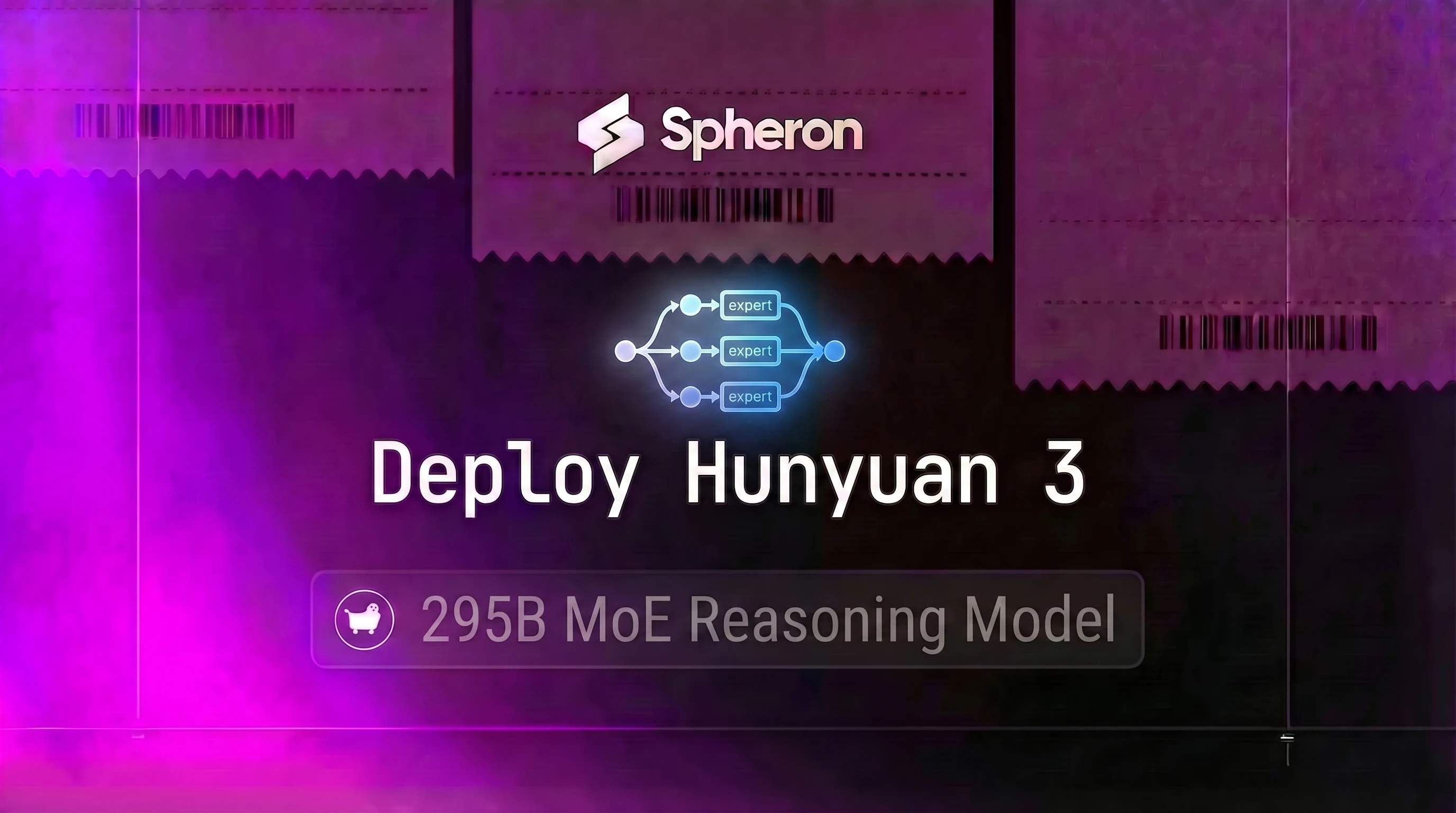
Tencent's Hunyuan 3 (Hy3) is a 295B MoE model with only ~21B parameters active per forward pass, yet it competes on reasoning and agentic benchmarks against models with 3-5x higher active parameter counts. That efficiency gap comes from differentiated expert sizing, a design choice that lets fewer active parameters do more useful work than uniform expert architectures at similar scales. This guide covers the full deployment path: VRAM sizing for H200 and H100 configurations, vLLM setup with expert parallelism and MTP speculative decoding, SGLang configuration for agent workloads, 256K context tuning, and live Spheron pricing.
If you're comparing Hy3 to other frontier MoEs before committing to hardware, the DeepSeek V4 deployment guide and GLM-5.2 deployment guide cover two models with comparable use cases but very different VRAM footprints.
What Is Hunyuan 3 (Hy3)
Hunyuan 3 is Tencent's latest open-weight MoE reasoning model. The architecture uses sparse top-K routing across a large expert pool, but with one key difference from typical MoE designs: the experts are not all the same size.
| Specification | Value |
|---|---|
| Total Parameters | 295B |
| Active Parameters per Forward Pass | ~21B |
| Expert Design | Differentiated expert sizing |
| Context Window | 256K tokens |
| Speculative Decoding | MTP (Multi-Token Prediction) layer |
| License | Tencent Hy Community License (verify terms before commercial use) |
| Architecture | Sparse MoE with top-K routing |
What differentiated expert sizing means in practice: In a standard MoE, all experts have the same width (feed-forward dimension). The router picks which experts fire, but they all cost roughly the same compute when active. Hy3 breaks that assumption. Some experts are wider and handle general token routing across domains. Others are narrower and specialize in reasoning-dense subproblems like multi-step math or tool call sequencing. The router learns to send tokens to appropriately sized experts rather than uniformly sized ones. The result is that 21B active parameters produce output quality normally associated with 40-70B active parameter models.
The MTP layer: Instead of predicting one token per forward pass, Hunyuan 3's Multi-Token Prediction head drafts several tokens simultaneously during the generation step. This integrates directly with vLLM's speculative decoding: the MTP head acts as the draft model, the main model verifies the drafts, and accepted drafts skip redundant forward passes. In practice, MTP enables 1.5-2x decode throughput improvement without any change to model quality or output determinism.
Benchmarks: Hy3 Published Scores
Scores from Tencent's published release materials. Tencent's comparisons used DeepSeek-V3 and GLM-4.5 as baselines, not V4 or GLM-5.2. Third-party reproduction is ongoing; treat these as upper bounds until independently verified on standardized infrastructure with matched prompting formats.
| Benchmark | Hunyuan 3 (Hy3) |
|---|---|
| MATH | 76.28 |
| GSM8K | 95.37 |
| SWE-bench Verified | 74.4% |
| Terminal-Bench 2.0 | 54.4% |
| WideSearch | 70.2% |
Hy3 scores well across both math reasoning (MATH, GSM8K) and software engineering benchmarks (SWE-bench Verified). Terminal-Bench 2.0 and WideSearch were introduced in Tencent's release materials. For a deployment comparison of Hy3 against DeepSeek V4 and GLM-5.2 based on VRAM budget and use case, see the "Which to Deploy" section below.
For Qwen comparison, see the Qwen3.7 Max deployment guide.
VRAM and GPU Sizing
The same rule that applies to every MoE applies here: only 21B parameters activate per forward pass, but all 295B weights must be resident in GPU memory. Expert routing cannot swap weights in and out without latency spikes that make the model unusable. For background on why this constraint holds and how it affects scheduling, see the MoE inference optimization guide. For the full memory math covering attention, activations, and KV cache overhead, see the GPU memory requirements guide.
Weight memory by quantization:
- BF16: 295B x 2 bytes = ~590 GB (official checkpoint; what you download from HuggingFace)
- FP8: 295B x 1 byte = ~295 GB (self-quantized at serve time via
--quantization fp8; no official FP8 checkpoint ships) - INT4: 295B x 0.5 bytes = ~148 GB (not recommended for reasoning tasks)
KV cache at 256K context adds 80-120 GB per concurrent sequence at FP8 KV precision. Size your cluster for weights plus this overhead.
| Configuration | VRAM Total | Quantization | Recommended For |
|---|---|---|---|
| 8x H200 SXM5 | 1,128 GB | BF16 (official) | Recommended single-node baseline; full 256K context, highest throughput |
| 4x H200 SXM5 | 564 GB | FP8 (self-quantized) | Standard context (32K-64K) with --quantization fp8; no official FP8 checkpoint |
| 8x H100 SXM5 | 640 GB | Multi-node only | Does not fit single-node per official vLLM recipe; multi-node TP required |
| 8x A100 SXM4 80GB | 640 GB | Multi-node only | Does not fit single-node per official vLLM recipe; no hardware FP8 acceleration |
| MI300X 8x (192 GB each) | 1,536 GB | BF16 | AMD path, BF16 comfortable |
| MI325X 8x (256 GB each) | 2,048 GB | BF16 | AMD path with KV cache headroom |
AMD hardware (MI300X, MI325X) is viable for teams with existing AMD infrastructure. Hy3 at BF16 fits comfortably on either configuration. AMD paths require ROCm-enabled vLLM builds, which this guide does not cover. Spheron rents NVIDIA GPUs and the MI300X from Spheron, self-serve as a 1x or 2x on-demand instance and as an 8-GPU node through its reserved GPU option on request; pricing below covers the NVIDIA configurations in the table above.
256K context KV cache note: At FP8 KV cache (--kv-cache-dtype fp8_e5m2), a single 256K-token sequence adds roughly 80-120 GB beyond the model weights. On 8x H200 (1,128 GB total) with BF16 weights (~590 GB), you have about 538 GB available for KV cache and activations, supporting 4-6 concurrent 256K sequences. With self-quantized FP8 weights (--quantization fp8, ~295 GB), available headroom grows to ~833 GB, supporting 6-8 concurrent sequences. For standard 32K-64K context at BF16, 8x H200 handles production batch sizes comfortably; 4x H200 requires FP8 self-quantization.
Deploy Hy3 with vLLM
Prerequisites
- vLLM 0.20.0+ (verify Hunyuan3 support on the vLLM supported models list)
- CUDA 12.4+, Python 3.10+
- HuggingFace account with model access
- 8x H200 SXM5 cluster on Spheron (recommended baseline; see VRAM sizing section for alternatives)
Log in to app.spheron.ai, select your GPU configuration, and choose a spot instance for batch workloads or on-demand for latency-sensitive serving. Set persistent storage to at least 700 GB for BF16 weights. SSH in after provisioning and run nvidia-smi to confirm GPU count and VRAM before installing dependencies.
Install vLLM
pip install "vllm>=0.20.0" huggingface_hub hf_transfer
export HF_HUB_ENABLE_HF_TRANSFER=1
Download Weights
# Repo: https://huggingface.co/tencent/Hy3-preview
# The official checkpoint is BF16 only (~590 GB). No official FP8 checkpoint ships.
huggingface-cli download tencent/Hy3-preview \
  --local-dir /data/hunyuan3 \
  --repo-type model
Important: The published tencent/Hy3-preview repository contains BF16 weights only (~590 GB). No official FP8 checkpoint exists. FP8 precision is available as optional online quantization via --quantization fp8 at serve time; vLLM quantizes the loaded BF16 weights at runtime. Use a persistent volume to avoid re-downloading on instance restart.
Launch with Tensor Parallelism (TP=8)
For 8x H200 SXM5 at BF16 (recommended):
vllm serve /data/hunyuan3 \
  --tensor-parallel-size 8 \
  --dtype bfloat16 \
  --kv-cache-dtype fp8_e5m2 \
  --max-model-len 65536 \
  --gpu-memory-utilization 0.92 \
  --enable-chunked-prefill \
  --served-model-name tencent/Hy3-preview \
  --host 0.0.0.0 \
  --port 8000
Use --max-model-len 65536 (64K) as your default. Only increase to 262144 if your workload genuinely requires 256K context. See the 256K context section below for tuning.
Enable MTP Speculative Decoding
Add --speculative-config to activate Hunyuan 3's native MTP head:
vllm serve /data/hunyuan3 \
  --tensor-parallel-size 8 \
  --dtype bfloat16 \
  --kv-cache-dtype fp8_e5m2 \
  --max-model-len 65536 \
  --gpu-memory-utilization 0.92 \
  --enable-chunked-prefill \
  --speculative-config '{"method": "mtp", "num_speculative_tokens": 1}' \
  --served-model-name tencent/Hy3-preview \
  --host 0.0.0.0 \
  --port 8000
method: mtp uses Hy3's built-in MTP head as the draft model. Set num_speculative_tokens: 1 per the official vLLM recipe: Hy3 ships a single MTP layer (3.8B params), so the supported value is 1. Increasing beyond 1 is not supported for a single-head MTP design and may cause errors.
Enable Expert Parallelism (TP+EP)
Pure TP=8 puts every GPU in every attention layer. Adding expert parallelism splits the MoE expert layers across GPUs:
vllm serve /data/hunyuan3 \
  --tensor-parallel-size 4 \
  --enable-expert-parallel \
  --dtype bfloat16 \
  --kv-cache-dtype fp8_e5m2 \
  --max-model-len 65536 \
  --gpu-memory-utilization 0.92 \
  --enable-chunked-prefill \
  --served-model-name tencent/Hy3-preview \
  --host 0.0.0.0 \
  --port 8000
When to use TP=8 pure vs TP=4+EP: Pure TP=8 minimizes time-to-first-token (TTFT) because every GPU participates in every attention layer and the communication pattern is simpler. TP=4+EP is better for throughput-heavy workloads with longer batch queues: expert routing parallelism reduces communication overhead on the MoE layers and lets the cluster process more concurrent requests at the expense of slightly higher TTFT. For interactive reasoning tasks where TTFT matters, start with TP=8 pure.
Test the Endpoint
from openai import OpenAI

client = OpenAI(base_url="http://localhost:8000/v1", api_key="none")
response = client.chat.completions.create(
    model="tencent/Hy3-preview",  # matches --served-model-name in the vllm serve command
    messages=[{"role": "user", "content": "Prove that sqrt(2) is irrational."}],
    max_tokens=2048,
)
print(response.choices[0].message.content)
For Docker deployment, load balancing, and production monitoring, see the vLLM production deployment guide.
Deploy Hy3 with SGLang (Agent and Multi-Turn Workloads)
SGLang is a better choice than vLLM when your workload involves multi-turn agent loops with repeated system prompts or shared tool schemas. SGLang's RadixAttention reuses KV cache across shared prefixes, which cuts compute by 60-80% on requests where the first 2,000-5,000 tokens are identical. If you're running a batch agentic pipeline with a fixed tool schema in every request, that's a meaningful throughput gain.
Install SGLang
pip install "sglang[all]" --find-links https://flashinfer.ai/whl/cu124/torch2.4/For EAGLE-style speculative decoding (SGLang's draft-verify variant of MTP), install from the main branch or with EAGLE extras enabled.
Launch SGLang for 8x H200
python -m sglang.launch_server \
  --model-path /data/hunyuan3 \
  --tp 8 \
  --quantization fp8 \
  --context-length 65536 \
  --host 0.0.0.0 \
  --port 30000 \
  --enable-torch-compile
--enable-radix-cache is enabled by default in recent SGLang builds. This activates RadixAttention for prefix reuse. For agent loops where the system prompt and tool schema appear in every request, prefix caching dramatically reduces prefill cost per request after the first call warms the cache.
For a full SGLang production setup including Prometheus metrics, health endpoints, and autoscaling, see the SGLang production deployment guide.
Serving 256K Context Economically
256K context is Hunyuan 3's ceiling, but the KV cache cost is significant. At FP8 KV cache, a single 256K-token sequence requires roughly 100-120 GB beyond the model weights.
On an 8x H200 cluster (1,128 GB total) with BF16 weights (~590 GB), you have approximately 538 GB for KV cache. Using self-quantized FP8 (--quantization fp8, ~295 GB weights), headroom grows to ~833 GB, supporting 6-8 concurrent 256K sequences. 8x H100 (640 GB) does not fit Hy3 single-node at BF16 per the official recipe and requires multi-node TP for production use.
Practical settings for 256K context:
vllm serve /data/hunyuan3 \
  --tensor-parallel-size 8 \
  --quantization fp8 \
  --kv-cache-dtype fp8_e5m2 \
  --max-model-len 262144 \
  --gpu-memory-utilization 0.88 \
  --max-num-seqs 4 \
  --enable-chunked-prefill \
  --served-model-name tencent/Hy3-preview \
  --host 0.0.0.0 \
  --port 8000
Key tuning decisions:
- Drop
--gpu-memory-utilizationfrom 0.92 to 0.88 to leave headroom for KV cache at peak concurrency - Set
--max-num-seqs 4(or lower) to prevent OOM when multiple 256K sequences hit the KV cache simultaneously --enable-chunked-prefillis mandatory at 256K: it processes the prompt in blocks, keeping the GPU busy on decode while the long prefill runs, avoiding TTFT spikes--kv-cache-dtype fp8_e5m2halves KV memory vs BF16 with negligible quality impact
For most workloads, use --max-model-len 65536 (64K) as your default. Most agent workflows operate at 8K-32K per turn. Only switch to 256K if your actual inputs require it.
For a deeper dive on FP8 KV cache strategies and the quantization accuracy tradeoffs, see the FP8 quantization and inference performance guide.
Spheron GPU Pricing for Hunyuan 3
NVIDIA pricing fetched from the Spheron API on 30 Jun 2026, for the configurations below:
| GPU Config | On-Demand ($/hr) | Spot ($/hr) | Per GPU OD | Per GPU Spot | Monthly On-Demand | Monthly Spot |
|---|---|---|---|---|---|---|
| 4x H200 SXM5 | $18.16 | $7.28 | $4.54 | $1.82 | ~$13,075 | ~$5,242 |
| 8x H200 SXM5 | $36.32 | $14.56 | $4.54 | $1.82 | ~$26,150 | ~$10,483 |
| 8x H100 SXM5 | $35.28 | $23.28 | $4.41 | $2.91 | ~$25,402 | ~$16,762 |
| 8x A100 SXM4 80GB | $13.52 | $6.80 | $1.69 | $0.85 | ~$9,734 | ~$4,896 |
Spheron's MI300X isn't in this table because the self-serve rate is for a 1x or 2x on-demand instance at $3.59/hr per GPU, not the 8-GPU configuration Hy3's official sizing needs; an 8-GPU MI300X node is reserved capacity you request from Spheron and carries no published hourly rate to put in a table. That MI300X figure is live, independent of the 30 Jun 2026 NVIDIA snapshot above.
Pricing fluctuates based on GPU availability. NVIDIA prices above are based on 30 Jun 2026 and may have changed; the Spheron MI300X rate is live as of 17 Sep 2026. Check current GPU pricing → for live rates.
The 8x H200 SXM5 instances at spot ($14.56/hr) is the recommended single-node configuration for Hy3. For standard context lengths (32K-64K), 4x H200 spot at $7.28/hr works with FP8 self-quantization. The 8x H100 SXM5 ($23.28/hr spot) requires multi-node tensor parallelism for Hy3 (BF16 weights exceed single-node VRAM per the official recipe). The 8x A100 SXM4 80GB path ($6.80/hr spot) has the same single-node limitation as H100 and also lacks hardware FP8 acceleration.
Cost per Token: Self-Hosted Hy3 vs Hosted APIs
At 8x H200 SXM5 spot ($14.56/hr) with TP=8 BF16, Hunyuan 3 generates approximately 2,000-3,000 tokens per second. With MTP speculative decoding enabled (1.5-2x boost), throughput reaches roughly 3,000-4,500 tok/s.
Working through the cost math:
| Scenario | Throughput | Tokens/hr | Cost per Million Tokens |
|---|---|---|---|
| TP=8 BF16, no MTP | 2,500 tok/s avg | 9M | $1.62 |
| TP=8 BF16 + MTP (1 token) | 3,000 tok/s avg | 10.8M | $1.35 |
| TP=8 BF16 + MTP (high throughput) | 4,500 tok/s avg | 16.2M | $0.90 |
Compare to hosted frontier API output pricing:
- OpenAI GPT-4o: $10/M output tokens
- Anthropic Claude Opus 4.8: $75/M output tokens
- Google Gemini 2.5 Pro: $10/M output tokens
- DeepSeek V3 API: $1.10/M output tokens
Self-hosted Hy3 at spot pricing runs $0.90-$1.62 per million output tokens. Against GPT-4o ($10/M), that's roughly a 6-11x cost reduction per token. Against Claude Opus ($75/M), the savings are larger. The tradeoff is operational overhead: provisioning, monitoring, scaling, and maintaining a GPU cluster.
The crossover where self-hosting becomes worthwhile: at 5-10 million tokens per month, the raw cost savings exist but the operational burden typically exceeds them for small teams. At 100M+ tokens per month, the math tilts clearly toward self-hosting. For inference-heavy production workloads at scale, Hy3 on spot H200s delivers competitive output quality at a fraction of frontier API output rates.
Hy3 vs DeepSeek V4 vs GLM-5.2: Which to Deploy
| Criteria | Hunyuan 3 | DeepSeek V4 | GLM-5.2 |
|---|---|---|---|
| Total params | 295B | 1T | 744B |
| Active params | 21B | 37B | 40B |
| VRAM (BF16) | ~590 GB | ~1,000 GB | ~744 GB |
| Min GPU config | 8x H200 (BF16 official; 4x H200 with FP8 self-quant) | 8x H200 minimum | 8x H200 |
| Context | 256K | 1M | 1M |
| MTP decoding | Native | No | No |
| Best for | Reasoning + agentic, VRAM-constrained | Coding, 1M context | Coding-first agentic |
Choose Hy3 when:
- You have 8x H200 available, or need standard-context serving on 4x H200 with FP8 self-quantization
- Native MTP speculative decoding matters for throughput on decode-heavy workloads
- Reasoning and agentic benchmark scores are the primary quality target
Choose DeepSeek V4 when 1M token context is a hard requirement and you have 8x H100+ available.
Choose GLM-5.2 when coding-first agentic benchmarks are the priority and you have 8x H200 available.
Hunyuan 3's 295B MoE architecture runs on 8x H200 SXM5 at BF16, with spot pricing on Spheron at $14.56/hr putting the per-token cost well below mid-range hosted API tiers. For maximum 256K context concurrency, add
--quantization fp8to the serve command to reclaim KV headroom without downloading a separate checkpoint.
Quick Setup Guide
The official checkpoint is BF16 only. BF16: 295B x 2 bytes = ~590 GB for weights. The supported single-node baseline is 8x H200 SXM5 (1,128 GB total). 8x H100 SXM5 (640 GB) and 8x A100 SXM4 80GB (640 GB) do not fit single-node at BF16 and require multi-node tensor parallelism per the official vLLM recipe. FP8 self-quantization (via vLLM --quantization fp8) reduces runtime weights to ~295 GB; 4x H200 SXM5 (564 GB) can then serve standard context (32K-64K) workloads, but no official FP8 checkpoint ships. For full 256K context at production batch sizes, 8x H200 provides 538+ GB of KV headroom after loading BF16 weights.
Log in to app.spheron.ai, navigate to GPU Cloud, and select 8x H200 SXM5 as your primary cluster configuration. Choose a spot instance for batch workloads or on-demand for latency-sensitive serving. Set persistent storage to at least 700 GB for BF16 weights and vLLM cache. SSH in after provisioning and run nvidia-smi to confirm GPU count and VRAM before proceeding.
On your GPU instance, run: pip install 'vllm>=0.20.0' huggingface_hub. Then: export HF_HUB_ENABLE_HF_TRANSFER=1; pip install hf_transfer. Verify the vLLM version supports Hunyuan3 by checking the supported models list at https://docs.vllm.ai/en/latest/models/supported_models.html. If Hunyuan3 is not listed yet, add --trust-remote-code as a temporary fallback. Check the vLLM changelog for the version that adds native Hunyuan3 support.
The official model repository is tencent/Hy3-preview on huggingface.co/tencent. The published checkpoint is BF16 only; no official FP8 checkpoint ships. Run: huggingface-cli download tencent/Hy3-preview --local-dir /data/hunyuan3 --repo-type model. BF16 weights are approximately 590 GB. Use a persistent storage volume to avoid re-downloading on instance restart. FP8 precision is available as optional online quantization via vLLM's --quantization fp8 flag at serve time.
For 8x H200 SXM5 at BF16: vllm serve /data/hunyuan3 --tensor-parallel-size 8 --enable-expert-parallel --dtype bfloat16 --kv-cache-dtype fp8_e5m2 --max-model-len 65536 --enable-chunked-prefill --gpu-memory-utilization 0.92 --served-model-name tencent/Hy3-preview --port 8000. Add --speculative-config '{"method": "mtp", "num_speculative_tokens": 1}' to enable MTP speculative decoding. Hy3 ships a single MTP layer, so num_speculative_tokens must be 1 per the official vLLM recipe. Increase --max-model-len to 262144 for full 256K context but reduce --gpu-memory-utilization to 0.88 to leave KV cache headroom.
Send a health check: curl http://localhost:8000/v1/models and confirm 'tencent/Hy3-preview' is listed. Then send a test completion: curl http://localhost:8000/v1/chat/completions -H 'Content-Type: application/json' -d '{"model": "tencent/Hy3-preview", "messages": [{"role": "user", "content": "Solve: Find all integer solutions to x^2 - 7x + 12 = 0."}], "max_tokens": 512}'. Monitor GPU utilization with nvidia-smi dmon -s pum -d 5. Benchmark throughput with vllm's benchmark_serving.py script for your target batch size.
Frequently Asked Questions
Hunyuan 3 has 295B total parameters with ~21B active per forward pass (MoE). The official checkpoint is BF16 only; no official FP8 checkpoint ships. At BF16 (2 bytes/param), weights consume roughly 590 GB, making 8x H200 SXM5 (1,128 GB total) the supported single-node baseline per the official vLLM recipe. 8x H100 SXM5 (640 GB) and 8x A100 SXM4 80GB (640 GB) do not fit the model single-node at BF16 and require multi-node tensor parallelism. FP8 is available as optional self-quantization via vLLM's --quantization fp8 flag; with self-quantized FP8 (~295 GB weights), 4x H200 SXM5 (564 GB) covers standard context (32K-64K) workloads, but no official FP8 checkpoint exists to download.
MTP stands for Multi-Token Prediction. Instead of predicting one output token per forward pass, Hunyuan 3's MTP layer produces multiple token drafts simultaneously. This integrates natively with speculative decoding in vLLM: the MTP head acts as the draft model, and the main model verifies the drafts. The result is 1.5-2x throughput improvement on decode-heavy workloads without changing model quality. Enable it in vLLM via --speculative-config with the mtp method. SGLang also supports MTP via EAGLE-style speculative decoding from source builds.
Yes. vLLM 0.20.0+ supports Hunyuan-family MoE models. Use --tensor-parallel-size 8, --enable-expert-parallel, --dtype bfloat16, --served-model-name tencent/Hy3-preview, --max-model-len up to 262144 for the full 256K context, --enable-chunked-prefill for long prompts, and --speculative-config for MTP speculative decoding. The published model repo is tencent/Hy3-preview on huggingface.co/tencent. The checkpoint is BF16 only; use --quantization fp8 for FP8 self-quantization at serve time.
Tencent's published release cites these Hy3 scores: MATH 76.28, GSM8K 95.37, SWE-bench Verified 74.4%, Terminal-Bench 2.0 54.4%, WideSearch 70.2%. Tencent's published comparisons used DeepSeek-V3 and GLM-4.5 as baselines, not V4 or GLM-5.2. For a deployment comparison of Hy3 against V4 and GLM-5.2 based on VRAM budget and use case, see the 'Which to Deploy' section in the full guide. Active-parameter efficiency is the key differentiator: Hy3 delivers strong output quality relative to its 21B active parameter count because of differentiated expert sizing.
On 8x H200 SXM5 spot instances on Spheron ($14.56/hr), Hy3 generates roughly 2,000-3,000 tokens per second at BF16 with TP=8. At that rate, self-hosted cost per million tokens runs around $1.35-$2.00, dropping further with MTP speculative decoding. Frontier API providers (OpenAI, Anthropic, Google) price comparable reasoning models at $3-15 per million tokens for input and $15-60 per million for output. The crossover point where self-hosting beats hosted APIs is approximately 5-10 million tokens per month. Below that, the operational overhead of managing a GPU deployment generally outweighs the cost saving.