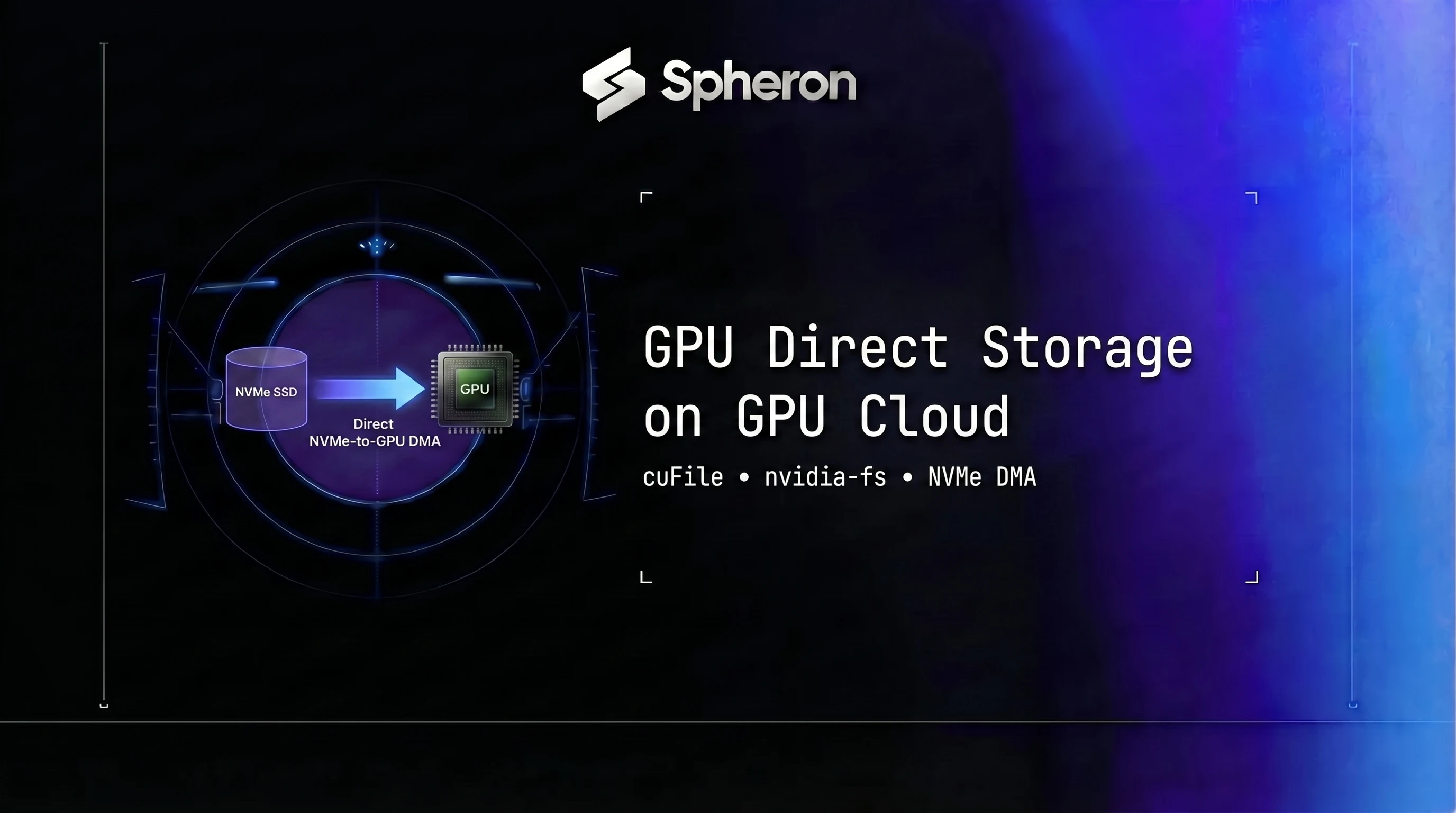
A 70B BF16 checkpoint is 140 GB. Through the standard CPU-staged path, writing that to NVMe takes 4-5 minutes per save. Run 1,000 checkpoints over a week-long training job and you waste 67-80 hours of GPU time sitting idle waiting on storage. At the $4.06/hr per-H100 on-demand rate Spheron listed on 06 Jun 2026, across an 8-GPU node, the wasted checkpoint I/O time alone came to over $2,100. GPU Direct Storage fixes this by letting the GPU's DMA engine write directly to the NVMe SSD, cutting that same 140 GB checkpoint to under 40 seconds. For teams building checkpoint resilience strategies on spot instances, GDS closes the gap between "theoretical fast recovery" and recovery that actually stays inside a 30-second preemption window.
TL;DR: GPU Direct Storage on GPU Cloud
- What it does: GPU Direct Storage (GDS) lets the GPU's DMA engine write straight to NVMe through cuFile, skipping the CPU bounce buffer; it needs CUDA 12.3+ on Hopper or Blackwell (2026).
- Checkpoints: a 70B BF16 checkpoint (140 GB) saves in ~34s with GDS vs ~4m 52s without on one H100 SXM5, about 8.6x faster.
- Weight loading: DeepSeek V3 671B loads in ~2m 10s instead of ~18m on an 8x H200 node with Gen5 NVMe.
- Cost: across 1,000 checkpoints on an 8x H100 node, GDS saved roughly $1,871 per week-long run at 06 Jun 2026 on-demand rates.
- Live rate: Spheron H100 is $2.65/hr on-demand as of 20 Oct 2026. Compare live GPU pricing.
The CPU Bottleneck GDS Eliminates
The traditional I/O path for a checkpoint write has five hops:
| Hop | Component | Bandwidth ceiling | Latency |
|---|---|---|---|
| 1 | GPU HBM (read) | ~3.35 TB/s (H100 SXM5) | sub-microsecond |
| 2 | PCIe bus (GPU to CPU) | ~32 GB/s (PCIe Gen4 x16) | 1-5 µs |
| 3 | CPU pinned memory (bounce buffer) | ~63 GB/s (DDR5) | 10-30 ns per access |
| 4 | OS kernel buffer | limited by DRAM bandwidth | adds copy latency |
| 5 | NVMe driver queue | 7-14 GB/s (Gen4/Gen5 NVMe) | ~100 µs per I/O |
Hops 2 through 4 are pure overhead. The CPU copies data it will never compute on, just to stage it for the NVMe driver. For a 140 GB checkpoint, the CPU handles roughly 280 GB of memory movement total: 140 GB read from GPU and 140 GB written to NVMe. This is the bounce buffer problem. On a CPU with 63 GB/s peak DDR5 bandwidth that is also running DataLoader workers, NCCL communication, and the OS scheduler, that 280 GB of buffer traffic competes for memory bandwidth with every other process on the node.
The actual write to NVMe tops out at 7-14 GB/s depending on whether you have one or several PCIe Gen4/Gen5 drives. The bottleneck is not just the NVMe; it is every hop between GPU HBM and the SSD controller.
GDS Architecture: DMA Path via cuFile and nvidia-fs
GDS collapses hops 2 through 4 into zero. The data path becomes: GPU HBM -> PCIe bus -> NVMe controller. No CPU, no pinned buffer, no kernel copy.
Two components make this work.
nvidia-fs is a kernel-mode driver that registers with the NVMe driver to expose a P2PDMA (peer-to-peer DMA) interface. When a cuFile write call arrives, nvidia-fs coordinates with the GPU driver to initiate a DMA transfer directly from GPU VRAM onto the PCIe bus and into the NVMe controller queue, without involving any CPU cores or DDR.
cuFile is a userspace C library (also available as Python bindings via cuda-python). Applications replace pwrite(fd, buf, count, offset) with cuFileWrite(handle, buf, count, 0, offset). The OS sees a normal file descriptor. cuFile routes the call through nvidia-fs to the DMA engine.
The path, simplified:
| Stage | Component |
|---|---|
| Application call | cuFileWrite(handle, gpu_buf, count, offset) |
| Userspace routing | cuFile library (libcufile.so) |
| Kernel intercept | nvidia-fs kernel module |
| DMA coordination | NVIDIA GPU driver + PCIe DMA engine |
| Storage delivery | NVMe controller (SSD) |
One critical detail: GDS bypasses the Linux page cache entirely. Data written via cuFileWrite never lands in CPU DRAM. This is correct for checkpoint workloads where you write once and read once (on resume), but it means you cannot use mmap or page-cache-backed reads on GDS-written files. For read-heavy dataset pipelines, this tradeoff requires explicit planning.
GDS is part of NVIDIA's Magnum IO stack, which is the umbrella that covers GPU Direct Storage, GPUDirect RDMA, NCCL, and other direct data path technologies. Do not use "Magnum IO" and "GDS" interchangeably: Magnum IO is the product family, GDS is one specific technology within it.
GDS on CUDA 12.3+: Hardware Support Matrix
CUDA 12.3 expanded GDS to cover Hopper's DMA engine capabilities and PCIe Gen5 throughput improvements. There is no CUDA 13 as of this writing; GDS on CUDA 12.3+ covers the full Hopper and Blackwell GPU lineup.
| GPU | Architecture | GDS Support | CUDA Requirement | Max sustained write (PCIe Gen5 NVMe) |
|---|---|---|---|---|
| H100 SXM5 80GB | Hopper | Yes (CUDA 12.3+) | 12.3+ | ~14 GB/s per drive |
| H100 PCIe 80GB | Hopper | Yes (CUDA 12.3+) | 12.3+ | ~7 GB/s per drive (PCIe Gen4) |
| H200 SXM5 141GB | Hopper | Yes (CUDA 12.3+) | 12.3+ | ~14 GB/s per drive |
| B200 SXM6 192GB | Blackwell | Yes (CUDA 12.3+) | 12.3+ | 250 GB/s sustained (Magnum IO NVMe-oF fabric) |
| B300 | Blackwell+ | Yes (CUDA 12.3+) | 12.3+ | 250 GB/s+ |
| A100 SXM4 80GB | Ampere | Limited (CUDA 11.4+) | 11.4+ | ~7 GB/s per drive |
| A100 PCIe | Ampere | Limited (CUDA 11.4+) | 11.4+ | ~3.5 GB/s per drive |
The 250 GB/s figure for B200 is the Magnum IO sustained aggregate across an NVMe-oF fabric with multiple drives and RDMA interconnect, not a single-drive sequential write rate. A single PCIe Gen5 NVMe drive peaks at ~14 GB/s. The aggregate figure only applies when running a full NVMe-oF setup with InfiniBand or RoCE connecting multiple storage nodes to the compute cluster.
OS and software requirements:
| Component | Minimum version |
|---|---|
| OS | Ubuntu 20.04/22.04 or RHEL 8.x/9.x |
| Linux kernel | 5.4+ |
| MOFED | 5.x+ |
| NVIDIA driver | 525+ |
| CUDA Toolkit | 12.3+ (full Hopper/Blackwell support) |
| nvidia-fs DKMS | Matches driver version |
Performance: Checkpoint and Weight Load Benchmarks
These numbers reflect single-node testing on H100 SXM5 with PCIe Gen4 NVMe. Multi-node figures use 8x H200 SXM5 with 4x PCIe Gen5 NVMe per node.
| Workload | Hardware | Without GDS | With GDS | Speedup |
|---|---|---|---|---|
| 7B BF16 checkpoint (14 GB) | H100 SXM5, 1x Gen4 NVMe | ~22s | ~2.5s | ~8.8x |
| 70B BF16 checkpoint (140 GB) | H100 SXM5, 1x Gen4 NVMe | ~4m 52s | ~34s | ~8.6x |
| 70B checkpoint, 8x H200 node | H200 SXM5, 4x Gen5 NVMe | ~72s total | ~8s total | ~9x |
| Llama 4 Scout 109B weight load | H100 SXM5, 1x Gen4 NVMe | ~3m 10s | ~26s | ~7.3x |
| DeepSeek V3 671B weight load | 8x H200 SXM5, 4x Gen5 NVMe | ~18m | ~2m 10s | ~8.3x |
| Dataset prefetch (100 GB tokenized) | H100, 1x Gen4 NVMe | ~13m | ~1m 45s | ~7.4x |
The 15% training throughput uplift sometimes cited for GDS comes from eliminating CPU I/O stalls in the DataLoader prefetch pipeline. When the data loading pipeline is bandwidth-bound at the CPU staging step, removing that bottleneck pushes more tokens per second through the training loop. This only applies to data-loading-bound workloads. Compute-bound jobs (pure forward/backward pass, not waiting on I/O) see no throughput gain.
Generative world models push checkpoint sizes even further than dense LLMs. Multi-billion-parameter diffusion architectures like Cosmos-Predict load and reload large weight files between scene generations, and the GPU infrastructure behind world models guide covers the VRAM and bandwidth requirements those models need before storage speed even becomes the bottleneck.
Setting Up GDS on a GPU Cloud Node
These steps assume Ubuntu 22.04 with an NVIDIA Hopper or Blackwell GPU and at least one PCIe Gen4+ NVMe drive.
# 1. Verify NVMe drives are present
nvme list
lsblk | grep nvme

# 2. Install MOFED
wget https://content.mellanox.com/ofed/MLNX_OFED-<version>/MLNX_OFED_LINUX-<version>-ubuntu22.04-x86_64.tgz
tar -xvf MLNX_OFED_LINUX-*.tgz
cd MLNX_OFED_LINUX-*/
./mlnxofedinstall --force

# 3. Install nvidia-fs kernel module
apt-get install -y nvidia-fs-dkms
modprobe nvidia-fs
lsmod | grep nvidia_fs  # should show nvidia_fs

# 4. Verify GDS installation
gds_install_check
# Expected output: "GDS installation is verified"

# 5. Configure cuFile
cat > /etc/cufile.json << 'EOF'
{
  "logging": {"dir": "/tmp"},
  "profile": {"nvtx": false},
  "execution": {
    "max_io_queue_depth": 128,
    "max_batch_io_size": 131072,
    "allow_compat_mode": false
  },
  "properties": {
    "max_device_cache_size": 134217728,
    "max_pinned_memory_size": 67108864
  }
}
EOF

# 6. Test with a simple Python write
python3 -c "
import cupy as cp
import kvikio
a = cp.arange(1000000, dtype='float32')
with kvikio.CuFile('test_gds.bin', 'w') as f:
    n = f.write(a)
print(f'Wrote {n} bytes via GDS')
"
allow_compat_mode: false is the single most important config line. Without it, cuFile silently falls back to the CPU staging path on any misconfiguration, including a missing nvidia-fs module, wrong driver version, or unsupported file system. If compat mode is enabled and something is wrong, your benchmark will show the CPU path speeds and you will never know GDS was never active.
After the test write, confirm GDS activity at runtime:
cat /proc/driver/nvidia-fs/stats
# reads/writes counters should increment during GDS operations
kvikio (part of the RAPIDS ecosystem) is the recommended high-level Python interface for GDS. The raw cuda-python cuFile bindings are lower-level and better suited for custom FSDP writers. For most training use cases, kvikio is the right choice.
This whole setup applies just as well to a single research node as it does to a training cluster. If you're standing up one H100 or H200 box rather than a fleet, the Pearl research node setup guide walks through the same nvidia-fs and cuFile configuration in the context of a single-GPU provisioning flow.
Training Use Case: DeepSpeed Checkpoint Offload with GDS
DeepSpeed ZeRO-3 with GDS
DeepSpeed's Async I/O module supports GDS natively via the aio config block. This is the lowest-friction path to GDS-enabled checkpointing.
{
  "zero_optimization": {
    "stage": 3,
    "offload_optimizer": {
      "device": "nvme",
      "nvme_path": "/mnt/nvme0/optimizer"
    }
  },
  "aio": {
    "use_gds": true,
    "block_size": 1048576,
    "queue_depth": 8,
    "thread_count": 1,
    "single_submit": false,
    "overlap_events": true
  }
}
Field notes:
block_size: 1048576: 1 MB I/O chunk size, tuned for large sequential checkpoint writes. Smaller values increase kernel overhead with no throughput benefit for checkpoint workloads.queue_depth: 8: concurrent NVMe I/O operations submitted before waiting for completion. Eight is the right starting point; increase to 16 if you have multiple NVMe drives and are I/O-bound.thread_count: 1: set to 1 when using GDS to avoid contention between DeepSpeed's internal I/O threads and the DMA engine. Multiple threads do not improve GDS throughput and can cause lock contention in nvidia-fs.
Version note on use_gds: The aio.use_gds JSON config block applies to DeepSpeed's built-in async I/O path for optimizer offloading. In recent DeepNVMe documentation, GDS is also configurable via the aio_handle constructor when using the AsyncIOBuilder operator directly. If use_gds has no effect on your DeepSpeed version, check the DeepSpeed DeepNVMe documentation for your specific release and enable GDS at the handle creation level instead.
With ZeRO-3 on an 8x H200 cluster training a 70B model, optimizer states are roughly 560 GB total. Each rank holds a ~70 GB shard. With GDS, each rank writes that shard directly to its local NVMe in under 5 seconds. Without GDS, the same write takes 50+ seconds through the CPU staging buffer.
FSDP with GDS
PyTorch's torch.distributed.checkpoint.FileSystemWriter uses standard pwrite, not cuFileWrite. To route FSDP checkpoint writes through GDS, you need a custom StorageWriter backed by kvikio's CuFile.pwrite().
The pattern:
import torch
import torch.distributed.checkpoint as dcp
import kvikio

class GDSStorageWriter(dcp.StorageWriter):
    def __init__(self, path: str):
        self.path = path

    def write_data(self, plan, planner):
        for write_item in plan.items:
            tensor = planner.resolve_data(write_item)
            filepath = f"{self.path}/{write_item.storage_index.fqn}"
            with kvikio.CuFile(filepath, "w") as f:
                f.write(tensor.contiguous())

    def finish(self, metadata, results):
        # Only rank 0 writes metadata to prevent a race condition: finish() is
        # called by every distributed rank, so an unguarded torch.save() causes
        # all ranks to simultaneously write the same file, corrupting it.
        if not torch.distributed.is_initialized() or torch.distributed.get_rank() == 0:
            torch.save(metadata, f"{self.path}/.metadata")
For full FSDP2 sharded checkpoint support, the writer needs to handle per-rank sharding and distributed coordination. The pattern above shows the core GDS write call; production implementations should inherit StorageWriter fully and handle the write_metadata method.
For teams already using DeepSpeed for the broader training setup, the deepspeed.runtime.zero checkpoint utilities have built-in GDS support via the aio block and require no custom writers. For a full walkthrough of multi-node FSDP and DeepSpeed setup before reaching the checkpoint layer, that guide covers the full parallelism configuration.
Inference Use Case: Model Weight Loading and KV Cache Spillover
Weight Loading at Startup
Loading a large model at inference startup is the inference-side equivalent of writing a checkpoint: you are moving hundreds of gigabytes from NVMe into GPU VRAM. Without GDS, the path is NVMe -> CPU -> PCIe -> GPU. With GDS, it is NVMe -> PCIe -> GPU.
For Llama 4 Scout (109B) or DeepSeek V3 (671B), this difference matters. Load time on an H100 SXM5 with a single Gen4 NVMe drops from ~3 minutes to ~26 seconds for Llama 4 Scout. DeepSeek V3 on an 8x H200 node goes from ~18 minutes to ~2 minutes.
Latency-sensitive serving is where fast cold starts matter most. The GPU infrastructure behind AI coding tools guide covers why autocomplete and agent-mode assistants can't tolerate a multi-minute model load while a developer is waiting mid-keystroke for a suggestion.
Using kvikio:
import torch
import kvikio

def gds_load_tensor(path: str, device: str = "cuda:0") -> torch.Tensor:
    with kvikio.CuFile(path, "r") as f:
        size = f.size()
        # size is in bytes; float32 is 4 bytes per element
        buf = torch.empty(size // 4, dtype=torch.float32, device=device)
        f.read(buf)
    return buf
For production weight loading, you would wrap this in a shard-aware loader that reconstructs the full model state dict from per-rank checkpoint files, handling dtype conversion and device placement.
KV Cache Spillover Acceleration
When KV blocks are evicted from GPU HBM to NVMe during high-concurrency inference (the three-tier pattern covered in depth in the NVMe KV cache offloading guide), GDS accelerates the eviction write path. Instead of KV block -> CPU staging buffer -> NVMe, GDS does KV block -> NVMe directly.
This matters most when the eviction rate is high: many concurrent users with long contexts, all competing for the same GPU HBM. Each eviction write that goes through the CPU adds latency and competes for DDR bandwidth. With GDS, evictions are handled by the DMA engine without touching DDR or CPU cores.
The read path on cache hit works the same way: the KV block comes back from NVMe directly into GPU HBM without CPU involvement, which cuts the cold-block retrieval latency.
Object Storage and NVMe-oF for Dataset Loading at Scale
GDS works beyond local NVMe. With NVMe-oF (NVMe over Fabrics) and RDMA, a compute cluster can access a remote NVMe storage pool at near-local speeds. With InfiniBand or RoCE networking and a GDS-compatible storage backend (VAST Data, WekaFS, NVIDIA Magnum IO fabric), a 32-GPU cluster can achieve over 100 GB/s aggregate read bandwidth for dataset prefetching.
The practical point: at petabyte-scale pre-training, the dataset loading pipeline sometimes sets the training step time rather than GPU compute. GDS over NVMe-oF removes the CPU from the data path entirely across the whole cluster, not just per-node.
One important constraint: NVMe-oF with GDS requires RDMA. It does not work over standard TCP/Ethernet without RDMA support. An InfiniBand or RoCE network with GPUDirect RDMA-capable NICs is required. Standard 100GbE Ethernet without RDMA cannot use this path.
Getting GDS working across every node in a multi-node cluster also depends on the scheduler placing jobs on nodes that actually have the RDMA fabric and nvidia-fs module configured. The Kubernetes GPU orchestration guide covers node labeling and DRA setup for exactly this kind of hardware-aware scheduling.
Cloud object stores like S3 and GCS do not support GDS directly. Data on S3 must be downloaded to local NVMe first, then accessed via GDS for the local read. The GDS benefit applies to the local read step, not the S3 download.
Before committing to a parallel file system overlay, it is worth enabling GDS on each node's local NVMe first. A single PCIe Gen5 NVMe drive at 14 GB/s feeding GPU memory directly via GDS often makes the parallel FS step unnecessary for checkpoint workloads. See the parallel file system setup for multi-node training guide if you need to go beyond per-node storage.
Spheron GDS-Ready Clusters vs AWS p5 and GCP A3
Bare-metal GPU instances on Spheron include local NVMe and full root access. That means nvidia-fs and the full GDS stack are a one-time setup, not a platform restriction. On AWS p5, GDS requires a custom AMI. On GCP A3 Mega, there is no local NVMe at all (storage is Hyperdisk, which does not support GDS).
| Feature | Spheron H100 bare-metal | AWS p5.48xlarge | GCP A3 Mega |
|---|---|---|---|
| GPU | H100 SXM5 x8 | H100 SXM5 x8 | H100 SXM5 x8 |
| Local NVMe | Included | 8x 3.84 TB NVMe | None (Hyperdisk) |
| GDS-ready by default | Yes, nvidia-fs installable | Requires custom AMI | No (no local NVMe) |
| On-demand price/GPU/hr | from $2.65/hr | ~$6.88 | N/A (Hyperdisk only, not GDS-compatible) |
| Spot price/GPU/hr | from $2.75/hr | varies | N/A |
| Root access | Full | Full | Full |
| GPU memory | 80 GB HBM3 per GPU | 80 GB HBM3 per GPU | 80 GB HBM3 per GPU |
For a 70B model (140 GB BF16 checkpoint), 1,000 checkpoints over a week-long run, as a worked example at the Spheron H100 on-demand rate recorded on 06 Jun 2026 ($4.06/hr per GPU):
| Platform | GPU cost/hr (on-demand) | Cluster cost/hr (8x GPU) | Compute cost (168 hrs) | Checkpoint I/O time wasted | Wasted cost |
|---|---|---|---|---|---|
| Spheron H100 (no GDS) | $4.06 | $32.48 | ~$5,457 | ~67 hours | ~$2,176 |
| Spheron H100 (with GDS) | $4.06 | $32.48 | ~$5,457 | ~9.4 hours | ~$305 |
| AWS p5.48xlarge (no GDS) | ~$6.88 | ~$55.04 | ~$9,247 | ~67 hours | ~$3,688 |
Pricing fluctuates based on GPU availability. Spheron rates in the feature table are live as of 20 Oct 2026; the week-long cost table is frozen at the 06 Jun 2026 rates, and AWS figures reflect its published rates at that time. Check current GPU pricing → for live rates.
The gap between GDS and non-GDS on Spheron was roughly $1,871 per week-long run at those on-demand rates. On AWS, that same checkpoint I/O waste costs roughly $3,688. The underlying reason is the same (CPU-staged I/O is slow), but the dollar impact scales with the hourly rate. Setting up GDS on Spheron's H100 instances takes one-time setup versus per-run cost. Spheron's H100 spot tier ($2.75/hr per GPU as of 20 Oct 2026) changes these absolute figures too, while AWS p5.48xlarge spot rates vary.
The "wasted cost" column above isn't something you have to take on faith. Tracking GPU utilization during checkpoint writes directly shows the stall: the GPU monitoring for ML writeup covers watching utilization drop to near-zero during a CPU-staged checkpoint save versus staying flat through a GDS-backed one.
For teams scaling to H200 or B200, the math shifts further. NVMe-backed H200 nodes at $4.80/hr on-demand per GPU (or $3.32/hr spot) and B200 at $9.95/hr on-demand per GPU (or $5.18/hr spot) with Blackwell's faster NVMe DMA engine further close the gap. The GDS setup steps are identical across all three GPU types. For the highest checkpoint throughput on a multi-node cluster, rent B200 GPU nodes support Magnum IO NVMe-oF and deliver 250 GB/s sustained across the fabric.
Spheron bare-metal H100, H200, and B200 nodes include local NVMe and full root access, which means nvidia-fs and GDS are a one-time setup rather than a platform restriction. Per-minute billing keeps checkpoint-heavy runs cost-efficient even for short experiments.
H100 on Spheron → | H200 SXM5 availability → | B200 for Blackwell GDS →
Quick Setup Guide
Confirm your instance has an NVIDIA Hopper or Blackwell GPU (H100, H200, B200, B300) and at least one PCIe Gen4 or Gen5 NVMe SSD. Run 'nvme list' to see attached NVMe devices and 'nvidia-smi' to confirm the GPU model. SATA SSDs and NFS mounts are not GDS-compatible for direct DMA.
Download and run the Mellanox OFED installer for your OS: './mlnxofedinstall --force'. Then install the GDS kernel module: 'apt-get install -y nvidia-fs-dkms' (Ubuntu) or 'yum install -y nvidia-fs-dkms' (RHEL). Reboot or run 'modprobe nvidia-fs' to load the module. Confirm it loaded with 'lsmod | grep nvidia_fs'.
Install CUDA 12.3+ from developer.nvidia.com. The cuFile library (libcufile.so) and headers are included automatically. Verify cuFile is present: 'ls /usr/local/cuda/lib64/libcufile*'. For Python workloads, install the cuda-python package: 'pip install cuda-python>=12.3'.
Run 'gds_install_check' (installed with nvidia-fs-dkms) to confirm the full GDS stack is operational. The output should show 'GDS installation is verified'. Check runtime stats at any time with 'cat /proc/driver/nvidia-fs/stats'.
Create /etc/cufile.json with the following: set 'allow_compat_mode' to false (prevents silent fallback to CPU path), 'max_batch_io_size' to 131072 (128 KB, tuned for checkpoint workloads), and 'max_pinned_memory_size' to 67108864 (64 MB). Without allow_compat_mode: false, cuFile silently falls back to CPU staging on any misconfiguration, making it impossible to tell whether GDS is actually active.
Add to ds_config.json: 'aio': {'use_gds': true, 'block_size': 1048576, 'queue_depth': 8, 'thread_count': 1, 'single_submit': false}. Launch your training job. Verify GDS is active by watching 'cat /proc/driver/nvidia-fs/stats' - the 'reads' and 'writes' counters should increment during checkpoint saves. Compare checkpoint wall time with and without 'use_gds' to measure your specific throughput gain.
Frequently Asked Questions
GPU Direct Storage (GDS) is an NVIDIA technology that creates a direct DMA (Direct Memory Access) path between NVMe SSDs and GPU VRAM, bypassing the CPU and system RAM entirely. Without GDS, checkpoint saves and model weight loads pass through CPU-managed bounce buffers, adding latency and CPU overhead on every byte. GDS uses the cuFile userspace library and the nvidia-fs kernel module to intercept POSIX file I/O calls and redirect them through the DMA engine directly to GPU memory. It is part of NVIDIA's Magnum IO stack and is supported from CUDA 12.3+ on H100, H200, B200, and B300 GPUs.
On a single H100 SXM5 with a PCIe Gen4 NVMe SSD, GDS reduces the time to write a 140 GB BF16 checkpoint (70B model) from roughly 4-5 minutes via the CPU staging path to under 45 seconds. On B200 SXM6 nodes with PCIe Gen5 NVMe and Magnum IO optimizations, checkpoint writes hit 250 GB/s sustained across a Magnum IO NVMe-oF fabric, compressing a 50 TB distributed checkpoint from 5 minutes to under 45 seconds across a multi-node cluster. Actual times depend on NVMe drive count, PCIe generation, and cluster topology.
Hardware: an NVIDIA Hopper (H100, H200, GH200) or Blackwell (B200, B300) GPU, a PCIe Gen4 or Gen5 NVMe SSD (not SATA), and a PCIe x16 slot. Software: NVIDIA driver 525 or later, CUDA Toolkit 12.3 or later (cuFile headers included), MOFED 5.x or later for the fabric layer, and the nvidia-fs kernel DKMS package. The OS must be Ubuntu 20.04/22.04 or RHEL 8.x/9.x with kernel 5.4 or later. GDS does not work with SATA SSDs, SAS drives, or remote storage accessed over standard TCP without RDMA.
Add an 'aio' block to your ds_config.json with 'use_gds': true, 'block_size': 1048576, 'queue_depth': 8, and 'thread_count': 1. DeepSpeed's Async I/O module will call cuFileRead/cuFileWrite directly instead of the standard pread/pwrite path. The nvidia-fs module must be loaded (verify with 'lsmod | grep nvidia_fs') and /etc/cufile.json must exist with 'allow_compat_mode': false to prevent silent fallback to the CPU path.
Yes, but it requires a custom StorageWriter. PyTorch's torch.distributed.checkpoint.FileSystemWriter does not natively call cuFile. You need to wrap the tensor serialization step with cupy.cuda.gds or the cuFile Python bindings (available in the cuda-python package) to write each per-rank shard via the GDS path. Alternatively, use DeepSpeed's checkpoint utilities (deepspeed.runtime.zero.stage3.ZeROOptimizer.save_checkpoint) which have built-in GDS support via the aio config block.