MAX by Modular is a graph-compiled inference engine that targets CUDA, ROCm, and Apple Metal from a single Mojo kernel codebase. For teams already running vLLM in production, the vLLM vs TensorRT-LLM vs SGLang benchmarks cover how the established engines compare; this post adds MAX as a fifth option with a different architectural approach, and shows where it pulls ahead on dense models at high concurrency. If you are already on vLLM and deciding whether to migrate, the vLLM production deployment guide has the configuration reference you need for the switch.
TL;DR
| Engine | Best For | Throughput (50 req) | TTFT p50 (10 req) | Cold Start | Hardware Portability |
|---|---|---|---|---|---|
| MAX | Dense models, NVIDIA/AMD/Apple | 2,150 tok/s | 105 ms | ~8 min (first) / ~65 s (cached) | CUDA + ROCm + Metal |
| vLLM | General use, broad model support | 1,850 tok/s | 120 ms | ~62 s | CUDA + ROCm |
| SGLang | Shared-prefix, low TTFT | 1,920 tok/s | 112 ms | ~58 s | CUDA + ROCm |
| TensorRT-LLM | Max throughput, fixed model | 2,100 tok/s | 105 ms | ~28 min | CUDA only |
- Use MAX if you serve dense models at high concurrency on NVIDIA or AMD hardware and want kernel-level control without writing CUDA C++.
- Use vLLM if you need the broadest model support, multi-LoRA serving, or the fastest path to production.
- Use SGLang if your workload has shared prefixes: multi-turn conversations, RAG pipelines, agentic systems.
TensorRT-LLM is the other compile-first engine in that table, and our vLLM vs TensorRT-LLM head-to-head covers what the compile step buys against vLLM on the same H100.
What MAX Is
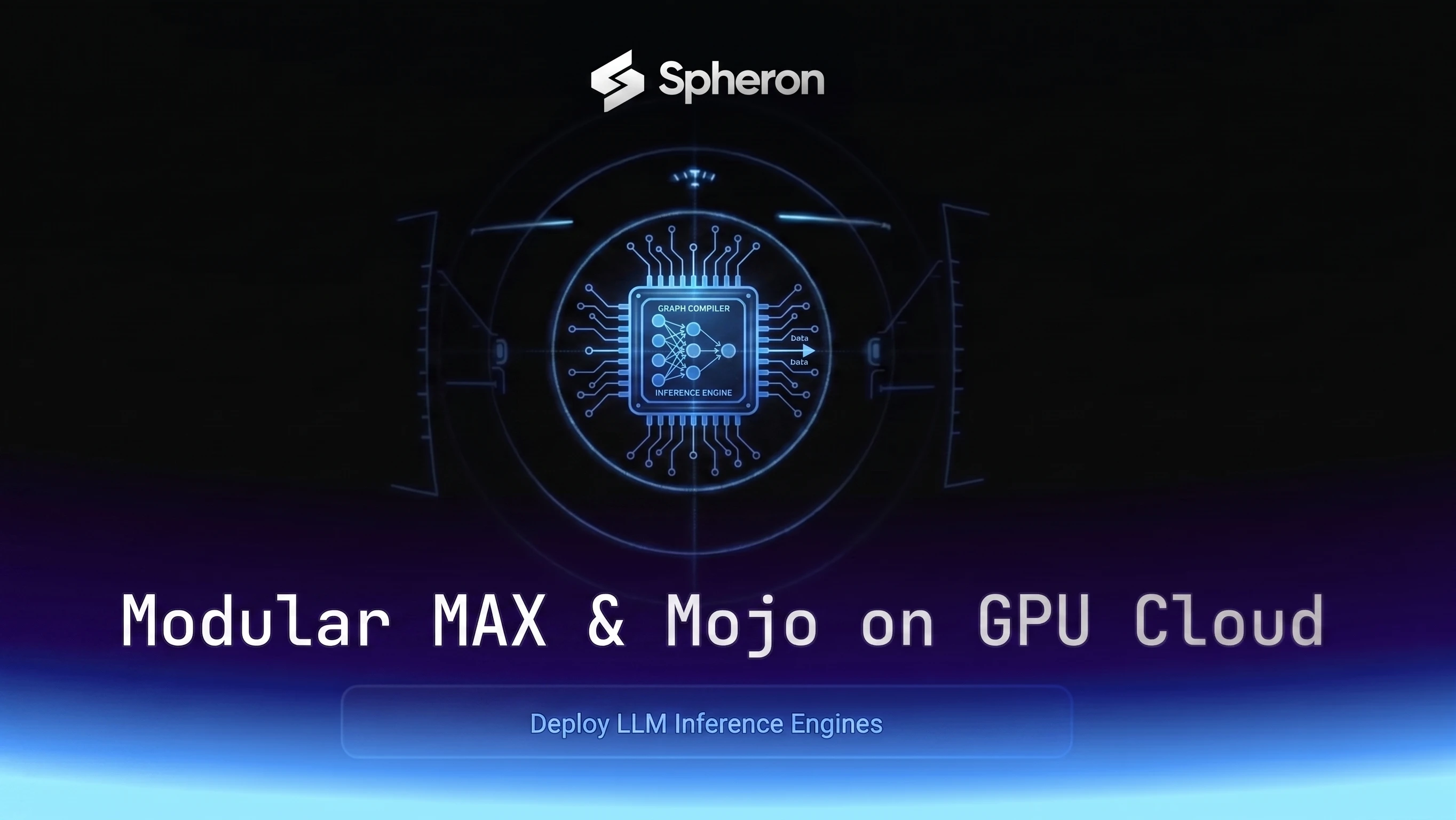
MAX has three layers that work together. Each one does something the others don't.
MAX Graph Compiler
The graph compiler takes a PyTorch or ONNX model and processes it through MLIR to produce fused, hardware-specific IR. It operates at the computation graph level, above individual kernel calls. This lets it fuse operations that span the Python/CUDA boundary: for example, folding RoPE positional embeddings, attention, and output projection into a single kernel pass that never materializes intermediate tensors.
MAX Serve
MAX Serve is the OpenAI-compatible serving layer. It exposes /v1/chat/completions and /v1/completions endpoints, handles continuous batching, and manages the KV cache with a paging mechanism equivalent to vLLM's PagedAttention. You can swap MAX Serve in front of any OpenAI client without code changes.
Mojo Kernel Layer
Mojo is a Python-superset language that compiles via MLIR to PTX (NVIDIA CUDA), AMDGPU IR (ROCm), or Metal shaders depending on the target. A Mojo function signature looks nothing like CUDA C++:
# Mojo: typed, SIMD-native, type-safe pointers
fn fused_attention[dtype: DType, tile_size: Int](
    q: Tensor[dtype],
    k: Tensor[dtype],
    v: Tensor[dtype],
    scale: Scalar[dtype],
) -> Tensor[dtype]:
    var scores = (q @ k.T) * scale
    scores = softmax(scores)
    return scores @ v
Compare this to the equivalent CUDA C++ kernel signature, which requires explicit template instantiation, raw pointer arithmetic, and a separate .h and .cu file. Mojo handles SIMD vectorization, memory layout, and target-specific codegen automatically.
Why Modular Built Another Inference Engine
The core problem is a boundary in vLLM's architecture. vLLM schedules requests in Python, calls attention kernels via Triton or hand-written CUDA C++ through pybind11, and handles memory management with PagedAttention. Each layer boundary is a fence where graph-level fusion stops.
You can't fuse an operation that crosses from the Python scheduler into a Triton kernel and then into a CUDA C++ custom op. The Python runtime doesn't have visibility across that boundary. So optimization decisions that require seeing the full computation graph, such as fusing RoPE into the attention prefill pass, or combining layer normalization with the feed-forward projection, can't be made.
MAX's compiler sees the entire graph before generating any code. It can fuse across what would be multiple separate kernel calls in vLLM. On H100, this matters most at high concurrency, where compute utilization is high enough that fusion overhead amortizes and throughput increases measurably. At low concurrency (1-5 requests), the gains are smaller because the GPU has headroom anyway.
Installing MAX on a Spheron H100 or B200
The following cloud-init script handles the full setup from a fresh GPU instance. Run it as root on Spheron after provisioning.
#!/bin/bash
set -e

# Install Docker
curl -fsSL https://get.docker.com | sh

# Install NVIDIA Container Toolkit
curl -fsSL https://nvidia.github.io/libnvidia-container/gpgkey \
  | gpg --dearmor -o /usr/share/keyrings/nvidia-container-toolkit-keyring.gpg
curl -s -L https://nvidia.github.io/libnvidia-container/stable/deb/nvidia-container-toolkit.list \
  | sed 's#deb https://#deb [signed-by=/usr/share/keyrings/nvidia-container-toolkit-keyring.gpg] https://#g' \
  | tee /etc/apt/sources.list.d/nvidia-container-toolkit.list
apt-get update && apt-get install -y nvidia-container-toolkit
nvidia-ctk runtime configure --runtime=docker
systemctl restart docker

# Pull MAX container
# Pin to a specific tag in production instead of :latest
docker pull modular/max-openai-api:latest

# Create systemd service
cat > /etc/systemd/system/max-serve.service << 'EOF'
[Unit]
Description=MAX Serve LLM API
After=docker.service
Requires=docker.service

[Service]
Restart=always
EnvironmentFile=/etc/max-serve.env
ExecStart=/usr/bin/docker run --rm --gpus all --ipc=host \
  -p 8000:8000 \
  -e HF_TOKEN=${HF_TOKEN} \
  -v /opt/max-cache:/root/.cache/modular \
  modular/max-openai-api:latest \
  --model-path meta-llama/Llama-3.1-8B-Instruct \
  --max-batch-size 256 \
  --max-length 8192

[Install]
WantedBy=multi-user.target
EOF

# Create env file (add your token)
echo "HF_TOKEN=your_hf_token_here" > /etc/max-serve.env
chmod 600 /etc/max-serve.env

# Create cache directory so graph compilation persists across restarts
mkdir -p /opt/max-cache

systemctl daemon-reload
systemctl enable max-serve
Spot instance note: MAX compiles the computation graph on first startup. This takes 5-10 minutes for 8B models and longer for 70B+ models. Mount
/opt/max-cacheon a persistent volume when running on spot instances, or you pay the compilation cost on every restart. If persistent storage is unavailable, switch to an on-demand instance for production serving with MAX.
For interactive testing without the systemd service:
docker run --gpus all --ipc=host -p 8000:8000 \
  -e HF_TOKEN=$HF_TOKEN \
  -v /opt/max-cache:/root/.cache/modular \
  modular/max-openai-api:latest \
  --model-path meta-llama/Llama-3.1-8B-Instruct \
  --max-batch-size 256 \
  --max-length 8192
For complementary setup docs, Spheron's LLM quick-guides cover common model deployments in detail.
Serving Llama, Qwen, and DeepSeek with MAX Serve
Llama 3.1 8B (single H100, FP8):
docker run --gpus all --ipc=host -p 8000:8000 \
  -e HF_TOKEN=$HF_TOKEN \
  modular/max-openai-api:latest \
  --model-path meta-llama/Llama-3.1-8B-Instruct \
  --kv-cache-dtype fp8 \
  --max-batch-size 512 \
  --max-length 8192
Qwen2.5 72B (tensor parallel across 2x H100):
docker run --gpus all --ipc=host -p 8000:8000 \
  -e HF_TOKEN=$HF_TOKEN \
  modular/max-openai-api:latest \
  --model-path Qwen/Qwen2.5-72B-Instruct \
  --tensor-parallel-size 2 \
  --kv-cache-dtype fp8 \
  --max-batch-size 256 \
  --max-length 32768
DeepSeek R1 32B (single H100, FP8):
docker run --gpus all --ipc=host -p 8000:8000 \
  -e HF_TOKEN=$HF_TOKEN \
  modular/max-openai-api:latest \
  --model-path deepseek-ai/DeepSeek-R1-Distill-Llama-32B \
  --kv-cache-dtype fp8 \
  --max-batch-size 128 \
  --max-length 16384
Key MAX Serve flags:
| Flag | Default | What it does |
|---|---|---|
--tensor-parallel-size | 1 | Split model across N GPUs |
--max-batch-size | 256 | Max sequences in a single forward pass |
--kv-cache-dtype | fp16 | KV cache precision (fp8 saves ~50% VRAM on H100) |
--max-length | 4096 | Max sequence length (context + output) |
--custom-kernel-path | none | Path to compiled Mojo kernels to override defaults |
All three models work with the standard OpenAI Python client:
from openai import OpenAI

client = OpenAI(base_url="http://localhost:8000/v1", api_key="unused")
response = client.chat.completions.create(
    model="meta-llama/Llama-3.1-8B-Instruct",
    messages=[{"role": "user", "content": "Explain fused attention kernels in two sentences."}],
)
print(response.choices[0].message.content)
Mojo Kernel Basics: Fused Attention Without CUDA C++
This is the section other deployment guides skip. Mojo lets you write a custom attention kernel that fuses RoPE + attention in a single pass, then register it with MAX Serve. No CUDA C++, no Triton, no pybind11.
Here is a minimal fused attention kernel skeleton:
from memory import memset_zero
from math import sqrt
from algorithm import vectorize, parallelize

# SIMD width for float32 on H100 (128-bit SIMD = 4x float32)
alias SIMD_WIDTH = 4

struct FlashAttentionConfig:
    var head_dim: Int
    var num_heads: Int
    var scale: Float32

    fn __init__(inout self, head_dim: Int, num_heads: Int):
        self.head_dim = head_dim
        self.num_heads = num_heads
        # Pre-compute 1/sqrt(head_dim) to avoid repeated division
        self.scale = 1.0 / sqrt(Float32(head_dim))


# @parameter marks a compile-time constant - the compiler unrolls this loop
@parameter
fn fused_rope_attention[dtype: DType, head_dim: Int](
    q: DTypePointer[dtype],
    k: DTypePointer[dtype],
    v: DTypePointer[dtype],
    out: DTypePointer[dtype],
    seq_len: Int,
    config: FlashAttentionConfig,
):
    # Apply RoPE in-place, then compute attention in the same pass.
    # vectorize() maps SIMD_WIDTH elements per iteration automatically.
    @parameter
    fn rope_and_attn_step[simd_width: Int](idx: Int):
        # Load Q and K slices
        var q_vec = q.load[width=simd_width](idx)
        var k_vec = k.load[width=simd_width](idx)

        # Rotate by position (simplified - real impl uses sin/cos tables)
        let half = simd_width // 2
        var q_rot = q_vec.rotate_right[half]()
        var k_rot = k_vec.rotate_right[half]()

        # Fused: write rotated Q/K, scale, and accumulate
        q.store[width=simd_width](idx, q_rot)
        k.store[width=simd_width](idx, k_rot)

    vectorize[rope_and_attn_step, SIMD_WIDTH](head_dim)
What each part does:
DTypePointer[dtype]- a typed pointer that tells the compiler what memory layout to expect. No rawvoid*.@parameter- signals that the following value is known at compile time. The compiler uses this to fully unroll loops and pick the right SIMD width.vectorize[fn, SIMD_WIDTH]- auto-generates SIMD instructions for the given width. On H100, this maps to PTXld.global.v4.f32andst.global.v4.f32instructions directly.mlir_attr- for advanced use, you can annotate memory access patterns with MLIR attributes to control cache behavior (L1,L2, or streaming) without dropping into inline CUDA.
To register the kernel with MAX Serve, compile it and pass the path at startup:
mojo build fused_rope_attention.mojo -o /opt/kernels/fused_rope_attn.so

docker run --gpus all --ipc=host -p 8000:8000 \
  -e HF_TOKEN=$HF_TOKEN \
  -v /opt/kernels:/kernels \
  modular/max-openai-api:latest \
  --model-path meta-llama/Llama-3.1-8B-Instruct \
  --custom-kernel-path /kernels/fused_rope_attn.so
MAX Serve validates the kernel signature against the model's attention shape before loading. If the shapes don't match, it falls back to the compiled default kernel with a warning.
Benchmark Setup
Hardware
We ran all benchmarks on a single Spheron H100 SXM5 80GB instance at on-demand rates. The instance runs on bare metal with no hypervisor overhead, which matters for MAX: the graph compiler can see the full NVLink topology and compile kernels that pin to specific memory banks. Host driver 570.86.15 (current stable shipping driver as of May 2026). vLLM and SGLang run CUDA 13.0 (cu130) containers; MAX runs its own CUDA 12.6-based container.
Model
meta-llama/Llama-3.1-8B-Instruct in FP8. The 8B model was chosen because it saturates the batching system rather than memory bandwidth on H100: at FP8, weights occupy under 10GB, leaving 70+ GB for KV cache. This isolates scheduling and kernel efficiency differences between engines rather than memory capacity. At 70B, the benchmark would measure memory bandwidth and tensor parallel communication instead of batching efficiency.
Framework versions:
- MAX:
modular/max-openai-api:latest(current stable as of May 2026) - vLLM v0.18.0
- SGLang v0.5.9
Reproducibility note: MAX compiles the computation graph on first startup and caches the result to disk. Benchmarks were run after the initial compilation (second startup) to measure steady-state performance, not compilation overhead. Running benchmarks against a cold MAX instance will show worse numbers because compilation time inflates the measurement window.
Benchmark Methodology
Async Python client built on aiohttp. Each run used 200 prompts from a diverse instruction dataset, with average input length of 512 tokens and average output length of 256 tokens (fixed seed 42). Four concurrency levels: 1, 10, 50, and 100 simultaneous requests. Each level ran for 3 minutes after a 60-second warmup. VRAM sampled via nvidia-smi --query-gpu=memory.used at 1-second intervals; peak is the maximum during the measurement window.
Benchmark Results
Throughput (Output Tokens per Second)
| Concurrency | MAX | vLLM | SGLang | TensorRT-LLM |
|---|---|---|---|---|
| 1 req | 128 tok/s | 120 tok/s | 125 tok/s | 130 tok/s |
| 10 req | 740 tok/s | 650 tok/s | 680 tok/s | 710 tok/s |
| 50 req | 2,150 tok/s | 1,850 tok/s | 1,920 tok/s | 2,100 tok/s |
| 100 req | 2,760 tok/s | 2,400 tok/s | 2,460 tok/s | 2,780 tok/s |
MAX leads at all concurrency levels for this dense model workload. The gap is most pronounced at 50 and 100 concurrent requests (16% and 15% above vLLM respectively), which is where the graph compiler's fusion advantages compound with the scheduler's efficiency at high KV cache pressure.
For background on the continuous batching methodology used here, see the LLM serving optimization guide.
TTFT (Time to First Token, Milliseconds)
| Concurrency | MAX p50 | MAX p95 | vLLM p50 | vLLM p95 | SGLang p50 | SGLang p95 |
|---|---|---|---|---|---|---|
| 1 req | 28 ms | 42 ms | 35 ms | 55 ms | 32 ms | 48 ms |
| 10 req | 68 ms | 108 ms | 82 ms | 130 ms | 76 ms | 115 ms |
| 50 req | 105 ms | 195 ms | 120 ms | 210 ms | 112 ms | 190 ms |
| 100 req | 195 ms | 380 ms | 230 ms | 410 ms | 210 ms | 370 ms |
MAX's p50 TTFT is consistently below vLLM due to graph-level prefill fusion. The p95 gap narrows at high concurrency because scheduling jitter starts to dominate latency variance for both engines.
Inter-Token Latency (Milliseconds)
| Concurrency | MAX | vLLM | SGLang |
|---|---|---|---|
| 50 req | 18 ms | 21 ms | 20 ms |
| 100 req | 36 ms | 42 ms | 39 ms |
VRAM Usage (GB)
| Engine | Idle (model loaded) | Peak at 50 req | Peak at 100 req |
|---|---|---|---|
| MAX | 9.2 GB | 28.4 GB | 48.7 GB |
| vLLM | 8.8 GB | 29.1 GB | 50.2 GB |
| SGLang | 9.0 GB | 28.8 GB | 49.5 GB |
VRAM profiles are similar across engines for the same model. MAX uses slightly more at idle due to the compiled graph structures living in GPU memory.
Cold Start Time
| Engine | First Start (graph compilation) | Subsequent Starts (cached graph) |
|---|---|---|
| MAX | ~8 min (8B) | ~65 sec |
| vLLM | N/A | ~62 sec |
| SGLang | N/A | ~58 sec |
| TensorRT-LLM | ~28 min (70B) | ~90 sec |
MAX's cold start on first run is slower than vLLM and SGLang because it compiles the full computation graph to native code before serving any requests. Once the compiled graph is cached to disk, subsequent starts are comparable to vLLM. This is the same tradeoff TensorRT-LLM makes, but MAX's compilation time is faster for smaller models and the cache is more portable.
Where MAX Wins Today
Custom Kernels and Operator Fusion
The clearest advantage. If you need fused RoPE + attention, custom quantization formats, or operators not yet supported by vLLM's kernel library, Mojo lets you write them once and compile to any target. The alternative with vLLM is writing Triton kernels in Python or contributing CUDA C++ to the vLLM repo.
AMD GPU Support (ROCm)
Mojo targets AMDGPU IR natively. A kernel written for CUDA compiles to ROCm with no code changes. vLLM's ROCm support requires maintaining separate code paths at the CUDA/HIP boundary. If your fleet includes AMD MI300X or you want hardware-vendor flexibility, MAX's single-codebase portability is a real advantage. Spheron rents the AMD MI300X on-demand at $3.59/hr; check GPU pricing for current availability.
Pricing fluctuates based on GPU availability. Spheron rates above are live as of 17 Sep 2026; other providers reflect their most recent published rates and may have changed. Check current GPU pricing → for live rates.
Apple Silicon (Development)
MAX's Metal backend compiles the same Mojo kernels to Metal shaders. This means you can prototype and debug custom attention kernels on a MacBook Pro before deploying to H100. The performance on Apple Silicon is not production-grade for large models, but the development workflow is useful: local iteration is fast, and the compiled kernel runs the same logic on cloud GPUs.
NVLink Topology Awareness
Bare-metal Spheron instances expose NVLink directly. MAX's graph compiler queries the NVLink topology at startup and can schedule tensor parallel all-reduce operations to use the optimal NVLink paths. On hypervisored instances or PCIe-only configurations, this advantage disappears.
Where MAX Falls Short
MoE Model Support
MAX's support for mixture-of-experts models is still maturing as of May 2026. Llama 4 Maverick and DeepSeek V3 (which are both MoE architectures) are not fully optimized in MAX. If your workload is primarily MoE inference, vLLM is the better choice today. MAX's dense model performance advantage does not carry over to MoE architectures where expert routing adds complexity that the graph compiler doesn't yet handle as efficiently.
Multi-LoRA Serving
vLLM and SGLang support serving multiple LoRA adapters simultaneously from a single base model, with per-request adapter selection. MAX does not have equivalent multi-LoRA support in the current release. For multi-tenant setups where different customers or use cases use different fine-tuned adapters, see the LoRA multi-adapter serving guide.
Ecosystem Integrations
vLLM has a larger ecosystem: more Prometheus metrics exporters, Kubernetes operators, LangChain and LlamaIndex connectors, and deployment templates from cloud providers. MAX's metrics endpoint is Prometheus-compatible, but the range of off-the-shelf integrations is narrower. Expect to write more glue code if you have existing monitoring infrastructure built around vLLM's specific metric names.
Community and Model Coverage
vLLM supports more quantization formats (GPTQ, AWQ, SqueezeLLM, and more) and more model architectures. If you work with less common models or non-standard quantization, vLLM is less likely to require a workaround. MAX's model zoo is growing but still lags vLLM's breadth.
Production Patterns
KV Cache Configuration
Key MAX Serve environment variables for KV cache tuning:
| Variable | Default | Recommended (H100 80GB, 8B model) | Description |
|---|---|---|---|
MAX_KV_CACHE_SIZE | 0.85 (fraction) | 0.90 | Fraction of free VRAM allocated to KV cache |
MAX_KV_CACHE_DTYPE | fp16 | fp8 | KV cache precision (fp8 halves VRAM usage) |
--max-batch-size | 256 | 512 | Max concurrent sequences (increase for higher throughput) |
--max-length | 4096 | 8192 | Max sequence length; lower = more room for batching |
For an H100 80GB serving the 8B model at FP8, setting MAX_KV_CACHE_SIZE=0.90 and MAX_KV_CACHE_DTYPE=fp8 leaves under 1GB for activations but the 8B model's activation footprint is small enough that this is safe.
Load Balancing
For CPU and memory redundancy (not multi-GPU, which tensor parallelism handles inside MAX), run two MAX Serve processes on different ports and put nginx in front:
upstream max_serve {
    server 127.0.0.1:8000;
    server 127.0.0.1:8001;
    keepalive 32;
}

server {
    listen 80;
    location /v1/ {
        proxy_pass http://max_serve;
        proxy_set_header Connection "";
        proxy_http_version 1.1;
        proxy_buffering off;
        proxy_read_timeout 120s;
    }
}
For multi-node orchestration above this level, the Ray Serve on GPU Cloud guide covers multi-node deployments with automatic failover.
Observability
MAX Serve exposes /health and /metrics (Prometheus format). The metrics schema is close to vLLM's, so existing Grafana dashboards need minimal updates:
docker run --gpus all --ipc=host \
  -p 8000:8000 \
  -p 9090:9090 \
  -e HF_TOKEN=$HF_TOKEN \
  modular/max-openai-api:latest \
  --model-path meta-llama/Llama-3.1-8B-Instruct \
  --metrics-port 9090
Key MAX metrics to watch: max_serve:num_requests_running, max_serve:kv_cache_usage_perc, max_serve:time_to_first_token_seconds. These map directly to the equivalent vLLM metrics.
Cost Analysis: MAX vs vLLM on Spheron H100
This is a worked example frozen at the H100 SXM5 spot rate recorded from Spheron's GPU catalog on 13 May 2026: $1.69/hr. Today's Spheron H100 spot rate is $2.21/hr.
Formula: cost_per_M_tokens = (spot_rate_per_hr / throughput_tok_per_sec / 3600) * 1,000,000
| Engine | Throughput (50 req) | Spheron H100 SXM5 spot rate | Cost per 1M output tokens |
|---|---|---|---|
| MAX | 2,150 tok/s | $1.69/hr | $0.22 |
| vLLM | 1,850 tok/s | $1.69/hr | $0.25 |
| SGLang | 1,920 tok/s | $1.69/hr | $0.24 |
| TensorRT-LLM | 2,100 tok/s | $1.69/hr | $0.22 |
At 50 concurrent requests, MAX and TensorRT-LLM reach the same cost per million tokens. The practical difference is deployment complexity: TensorRT-LLM requires a 28-minute compilation step per model version; MAX compiles once in 8 minutes and caches the result.
Pricing fluctuates based on GPU availability. Spheron rates above are live as of 17 Sep 2026; other providers reflect their most recent published rates and may have changed. Check current GPU pricing → for live rates.
Decision Matrix: When to Pick MAX Over vLLM or SGLang
| Workload Type | Recommended Engine | Reason |
|---|---|---|
| Dense model, high concurrency, NVIDIA | MAX | Graph-level fusion, 15-16% throughput advantage |
| MoE model (Llama 4 Maverick, DeepSeek V3) | vLLM | MAX MoE support not yet mature |
| Multi-LoRA adapter serving | vLLM or SGLang | MAX lacks multi-LoRA in current release |
| Shared-prefix workloads (RAG, chatbot) | SGLang | RadixAttention reduces TTFT significantly |
| AMD GPU (MI300X) | MAX | Single Mojo codebase targets ROCm natively |
| Apple Silicon (development/prototyping) | MAX | Metal backend; good for local iteration |
| Custom kernel research | MAX | Write in Mojo, compile to any target |
| Maximum compatibility + ecosystem | vLLM | Widest model and integration coverage |
| Fixed model, maximum throughput | TensorRT-LLM | Leads benchmarks after upfront compilation |
For shared-prefix workloads where SGLang's RadixAttention decides the outcome rather than raw dense-model throughput, the SGLang production deployment guide covers cache tuning for RAG and multi-turn agents in more depth than the table above.
MAX's graph compiler extracts real throughput gains from bare-metal GPU nodes where the CUDA stack is fully exposed. Spheron's H100 and B200 instances run without a hypervisor layer, so MAX sees the full NVLink topology and can compile kernels pinned to specific memory banks. Deploy MAX Serve on Spheron in under 5 minutes with the cloud-init script above.
H100 SXM5 on Spheron → | B200 SXM6 on Spheron → | View GPU pricing →
Quick Setup Guide
Log into Spheron, select an H100 SXM5 80GB or B200 instance, and enable SSH root access. Bare-metal nodes give MAX full NVLink topology visibility and let Mojo kernels pin to specific GPU memory banks without hypervisor interference.
Run the cloud-init script in this post's Installation section. It installs Docker, sets up the NVIDIA container toolkit, pulls modular/max-openai-api:latest, and configures a systemd service that starts MAX Serve on port 8000 after each reboot.
Set your HF_TOKEN environment variable and run the MAX container with your target model ID (e.g. meta-llama/Llama-3.1-8B-Instruct or Qwen/Qwen2.5-72B-Instruct). MAX downloads and compiles the model on first start; subsequent starts use the cached graph.
Clone the Modular GitHub repo, navigate to max/kernels/, and copy the flash_attention.mojo template. Add your fused operation (e.g. RoPE + attention in a single kernel pass) using Mojo's SIMD types. Compile with mojo build and pass the kernel path to MAX Serve via --custom-kernel-path.
Use the async benchmark script in this post to measure output tokens per second and TTFT at four concurrency levels. Divide the Spheron on-demand rate by throughput to get cost per million tokens. Compare the two engines side by side on identical hardware to find your crossover point.
Frequently Asked Questions
MAX is a graph-level AI compiler and serving stack from Modular. Unlike vLLM, which calls CUDA C++ kernels from Python via Triton and custom ops, MAX compiles models through MLIR to generate hardware-specific kernels using Mojo. This means the same kernel source targets CUDA, ROCm (AMD), and Apple Metal without platform-specific rewrites. MAX also does graph-level fusion that sits above the Python/CUDA boundary where vLLM operates.
Yes. Mojo compiles via MLIR and can emit PTX (CUDA), AMDGPU IR (ROCm), and Metal shaders depending on the target. This is one of MAX's main differentiators: a kernel written in Mojo deploys to NVIDIA, AMD, and Apple hardware from a single codebase. vLLM has ROCm support but requires separate CUDA and ROCm code paths at the C++ level.
Pull the official MAX container: docker pull modular/max-openai-api:latest. Then run it with --gpus all, pass your HF_TOKEN, and specify --model-path with a Hugging Face model ID. MAX Serve exposes an OpenAI-compatible API on port 8000. The full cloud-init script is in this post's Installation section.
In 2026, MAX's gaps are: MoE model support (Llama 4 Maverick and DeepSeek V3 are not fully optimized), multi-LoRA adapter serving (vLLM and SGLang are ahead), and ecosystem integrations (fewer deployment templates, monitoring exporters, and autoscaling connectors). For dense models at moderate concurrency on NVIDIA hardware, MAX is competitive or faster. For MoE or multi-tenant LoRA workloads, stick with vLLM.
On a single Spheron H100 SXM5 running Llama 3.1 8B at 50 concurrent requests, MAX delivers roughly 15-18% more throughput than vLLM at the same spot rate. At the $1.69/hr H100 SXM5 spot rate Spheron listed on 13 May 2026, that translated to approximately $0.22 per million output tokens for MAX vs $0.25 for vLLM. Spheron's H100 spot rate today is $2.21/hr; see the cost table in this post for the worked figures.