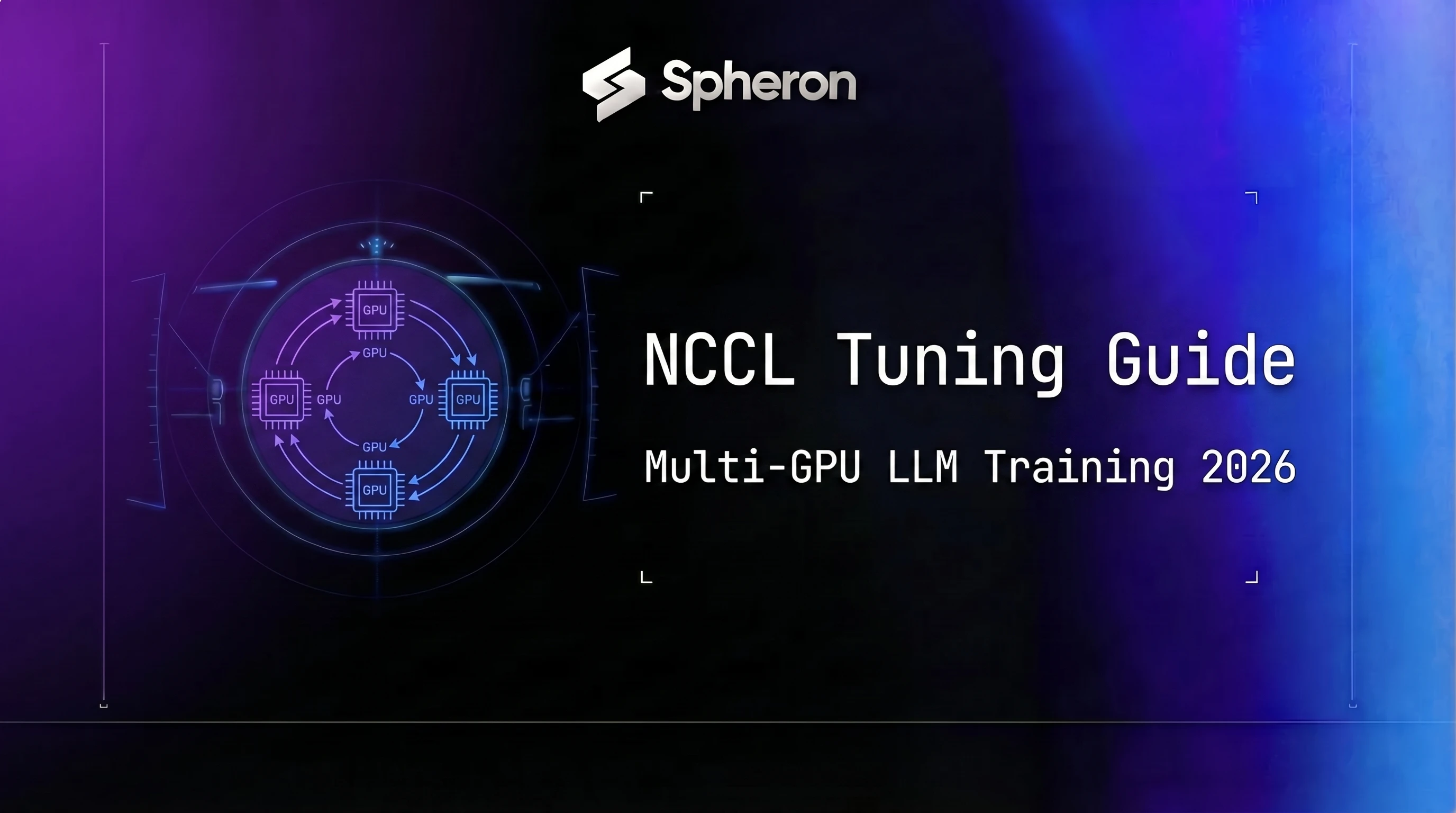
On a well-provisioned 8x H100 SXM5 node, NCCL all-reduce accounts for 20-30% of total training step time with default settings. On a misconfigured cluster, that number climbs to 40-50%. The hardware is not the problem. NCCL's default configuration is deliberately conservative, tuned for compatibility across many topologies rather than peak performance on any specific one. This guide covers what to change, why, and how to verify the result. For background on the underlying network fabrics, see GPU Networking for AI Clusters and Multi-Node GPU Training Without InfiniBand. If you haven't settled on whether your workload needs tensor parallelism's frequent all-reduce or pipeline parallelism's lighter activation handoff in the first place, our tensor parallelism vs pipeline parallelism guide covers that decision before you get to tuning the collective itself.
All examples below were tested with NCCL 2.21.x, which ships with CUDA 12.4 and is the current standard as of April 2026. Variable behavior differs in older versions (2.18 and earlier); call-outs for version-specific behavior appear inline.
TL;DR: How Do You Tune NCCL for Faster Multi-GPU LLM Training?
- Tuning order: pin
NCCL_IB_HCA, raiseNCCL_NET_GDR_LEVELand widenNCCL_BUFFSIZEfor your topology before touchingNCCL_ALGO; that order took Spheron's 8xH200 cluster to a 1.6x all-reduce speedup in Apr 2026. - NCCL version: NVIDIA's NCCL docs cover release 2.32.3 as of 19 Oct 2026; this guide's benchmarks used 2.21.x.
- H100 fabric: H100 pairs fourth-generation NVLink at 900GB/s with NDR Quantum-2 InfiniBand across nodes (2026).
- B200 scale: Blackwell's NVLink Switch moves 130TB/s across a 72-GPU NVL72 domain at 1.8TB/s per GPU (2026). Full training setup is in the LLM fine-tuning guide.
What NCCL Does and Why It Determines Your Training Ceiling
NCCL handles collective communication operations across GPUs. In data-parallel training, every GPU computes gradients on its local batch. Before the optimizer step, those gradients must be averaged across all GPUs, so that every replica applies the same update. That averaging operation is all-reduce.
All-reduce in NCCL is split into two phases. First, reduce-scatter: each GPU sends one chunk of its gradient tensor to every other GPU while simultaneously receiving chunks from others, so every GPU ends up with a fully summed slice of the total gradient. Second, all-gather: each GPU broadcasts its slice to every other GPU, so all GPUs end up with the full averaged gradient. Total communication volume per GPU is 2 * (N-1)/N * bytes_per_tensor, where N is the number of GPUs.
| Model size | BF16 parameters | All-reduce bytes (N=8 data-parallel ranks) | At 400Gbps IB | At 100GbE |
|---|---|---|---|---|
| 7B | 14 GB | 24.5 GB | 0.49s | 1.96s |
| 70B | 140 GB | 245 GB | 4.9s | 19.6s |
| 405B | 810 GB | 1,417.5 GB | 28.4s | 113.4s |
For a 70B model, ~19.6s all-reduce per step on 100GbE is 50-100% of a typical 20-40s step. That is the ceiling you are trying to move.
NCCL defaults to conservative settings because it runs on many topologies: nodes connected via PCIe with no NVLink, mixed HCA types, VMs with virtualized NICs. The defaults work everywhere and perform well nowhere. Tuning means telling NCCL what your actual topology is so it stops making worst-case assumptions.
Topology Discovery: nvidia-smi topo, NCCL_TOPO_DUMP_FILE
Before changing any NCCL variable, understand what your hardware looks like.
nvidia-smi topo -mThe matrix shows connectivity between every pair of GPUs and between GPUs and NICs. The connection type codes matter:
| Code | Meaning |
|---|---|
| NVx | x NVLink connections between the pair (HGX H100/H200 shows NV18 via NVSwitch; A100 SXM4 systems show NV4) |
| SYS | Traverses PCIe and at least one NUMA boundary |
| NODE | Same NUMA node, different PCIe complex |
| PIX | Same PCIe switch |
| PHB | Same PCIe host bridge |
NVLink generations by GPU: H100 and H200 use NVLink 4 (900 GB/s aggregate per GPU); B200 uses NVLink 5 (1.8 TB/s). The NVx number in the topology matrix is the connection count, not the NVLink generation. Spheron now flags NVLink-connected bundles explicitly in the marketplace, see the April 2026 product update for how to filter offers by the nvlink field.
For an 8x H100 HGX system, you want every GPU-to-GPU pair to show NV18 (NVSwitch). GPU-to-NIC entries typically show SYS or NODE. SYS between a GPU and NIC is normal; it just means there is a NUMA hop, and NCCL_NET_GDR_LEVEL controls whether NCCL optimizes that path with GPUDirect RDMA.
# Example nvidia-smi topo -m output for 8x H100 SXM5 HGX

        GPU0  GPU1  GPU2  GPU3  GPU4  GPU5  GPU6  GPU7  mlx5_0  mlx5_1
GPU0     X    NV18  NV18  NV18  NV18  NV18  NV18  NV18   SYS     SYS
GPU1    NV18   X    NV18  NV18  NV18  NV18  NV18  NV18   SYS     SYS
GPU2    NV18  NV18   X    NV18  NV18  NV18  NV18  NV18   SYS     SYS
GPU3    NV18  NV18  NV18   X    NV18  NV18  NV18  NV18   SYS     SYS
GPU4    NV18  NV18  NV18  NV18   X    NV18  NV18  NV18   SYS     SYS
GPU5    NV18  NV18  NV18  NV18  NV18   X    NV18  NV18   SYS     SYS
GPU6    NV18  NV18  NV18  NV18  NV18  NV18   X    NV18   SYS     SYS
GPU7    NV18  NV18  NV18  NV18  NV18  NV18  NV18   X     SYS     SYS
All GPU-to-GPU pairs show NV18 (NVLink via 18-port NVSwitch), which means all intra-node communication goes through NVSwitch at full bandwidth. Both NICs (mlx5_0, mlx5_1) show SYS to all GPUs, meaning they cross a NUMA boundary. This is normal for HGX nodes.
For NCCL's view of topology, export it:
NCCL_TOPO_DUMP_FILE=/tmp/nccl_topo.xml python train.pyOpen the XML and look at the tree structure. Each GPU sub-tree lists the NICs it can reach and via what path. If mlx5_0 only appears under GPU0-GPU3's sub-tree and mlx5_1 only under GPU4-GPU7, setting NCCL_IB_HCA=mlx5_0:1,mlx5_1:1 pins each GPU group to the NIC with the lowest-latency path.
NVLink vs PCIe vs NIC Paths
On H100/H200 SXM HGX nodes, NVSwitch connects all 8 GPUs in a full-mesh. The NVSwitch fabric runs at 900 GB/s bidirectional per GPU for H100 and H200 (NVLink 4) and 1.8 TB/s for B200 (NVLink 5). Intra-node all-reduce never touches PCIe or the NICs.
Inter-node all-reduce goes: GPU HBM -> NVSwitch -> NIC (via PCIe or direct GDR path) -> InfiniBand fabric -> remote NIC -> remote NVSwitch -> remote GPU HBM. NCCL's job is to select the fastest path at each segment. The variables below control each step.
The Most Impactful NCCL Environment Variables
| Variable | Default | Recommended | Effect |
|---|---|---|---|
NCCL_ALGO | auto | Ring (<=32 GPUs), Tree (>32) | Collective algorithm selection |
NCCL_PROTO | auto | LL128 for NVLink, Simple for IB | Transport protocol |
NCCL_P2P_LEVEL | auto | SYS (NVSwitch nodes) | Direct P2P topology depth |
NCCL_NET_GDR_LEVEL | 2 | 5 (if nvidia_peermem loaded) | GPU Direct RDMA depth |
NCCL_BUFFSIZE | 4194304 | 16777216 | Communication buffer size (bytes) |
NCCL_NTHREADS | 256 | 512 (B200/NVLink 5 nodes) | CUDA thread count per collective |
NCCL_ASYNC_ERROR_HANDLING | 0 | 1 | Surface hang errors as exceptions (read by PyTorch's ProcessGroupNCCL, not libnccl; only takes effect when training through PyTorch) |
NCCL_TIMEOUT | 0 | 1800 | Per-operation timeout (seconds) |
NCCL_ALGO
Selects the all-reduce algorithm. Options: Ring, Tree, CollNet (NCCL 2.19+, requires SHARP-enabled IB switches), NVLS (NVLink SHARP, Hopper+).
export NCCL_ALGO=Ring # for most 8-32 GPU clustersRing is bandwidth-optimal for small-to-medium clusters because every link carries equal traffic. Tree uses fewer round-trips but creates unequal link load, with root links carrying the most. For clusters beyond 32 nodes, Tree's latency advantage outweighs Ring's bandwidth evenness. Leave it unset and benchmark both before committing.
NCCL_PROTO
Controls the communication protocol within a transport. Simple has the lowest overhead and is best for high-bandwidth InfiniBand. LL (Low Latency) reduces latency for small messages. LL128 is a 128-byte low-latency variant that works well for intra-node NVLink. NCCL typically auto-selects correctly; override only if benchmarks show a regression.
export NCCL_PROTO=Simple # for IB inter-nodeNCCL_P2P_LEVEL
Controls how deep in the topology tree NCCL will attempt direct peer-to-peer GPU transfers.
export NCCL_P2P_LEVEL=SYS # allow P2P across NUMA and NVSwitch boundariesOn HGX nodes with NVSwitch, all GPU-to-GPU traffic is P2P via NVSwitch. The default auto usually detects this correctly, but SYS forces NCCL to use the full topology depth. If you set this and busbw drops, your topology does not actually support full P2P, which is common on PCIe-only nodes, especially dual-socket builds where GPUs end up split across separate NUMA islands, as this 8-GPU NUMA topology postmortem walks through, or on some VM configurations.
NCCL_NET_GDR_LEVEL
Controls how deep NCCL will use GPUDirect RDMA when transferring data between GPU memory and NICs.
export NCCL_NET_GDR_LEVEL=5 # allow GDR across all PCIe/NUMA boundariesValue 0 disables GDR entirely. Value 5 allows GDR regardless of topology distance. The default of 2 restricts GDR to paths within the same PCIe complex, which excludes most GPU-to-NIC paths on HGX nodes (where NICs and GPUs are in different NUMA domains). Setting to 5 enables GDR across the full node, provided nvidia_peermem is loaded.
NCCL_BUFFSIZE
The per-connection ring buffer for NCCL communication. Larger buffers reduce pipeline stalls on long all-reduce operations.
export NCCL_BUFFSIZE=16777216 # 16MB, up from 4MB defaultFor gradient tensors in the 1-10GB range (common at 70B+ scale), the default 4MB causes frequent buffer exhaustion and pipeline stalls. 16MB is a good starting point; some teams go to 32MB for very large tensors. Watch GPU memory consumption: NCCL allocates this buffer per communicator.
NCCL_NTHREADS
CUDA thread count per collective operation kernel.
export NCCL_NTHREADS=512 # for B200 NVLink 5 nodesThe default 256 threads per SM block cannot saturate B200's 1.8 TB/s NVLink 5. On H100/H200 with NVLink 4 (900 GB/s), 256 is usually sufficient. Increase to 512 on B200 nodes if nccl-tests shows busbw below 85% of theoretical peak.
NCCL_ASYNC_ERROR_HANDLING
Default 0 means hangs are silent. The training job stops making progress and you have no signal. Note: this variable is read by PyTorch's ProcessGroupNCCL wrapper, not by libnccl itself, so it only takes effect when training through PyTorch. In PyTorch 2.2+, the canonical name is TORCH_NCCL_ASYNC_ERROR_HANDLING; the old name still works for backward compatibility.
export NCCL_ASYNC_ERROR_HANDLING=1 # always set this (PyTorch reads this; renamed TORCH_NCCL_ASYNC_ERROR_HANDLING in PyTorch 2.2+)With value 1, PyTorch converts collective timeouts into Python exceptions that surface to your training loop. Combined with NCCL_TIMEOUT, this is your hang detection system.
NCCL_TIMEOUT
Maximum seconds for a collective to complete before NCCL raises an error (requires NCCL_ASYNC_ERROR_HANDLING=1).
export NCCL_TIMEOUT=1800 # 30 minutes for long training stepsDefault 0 means no timeout. For large all-reduce on 405B-scale models, a single collective can take minutes. Set this to 2-3x your expected worst-case collective duration, not to a tight value that triggers false positives on slow steps.
InfiniBand Settings: NCCL_IB_HCA, NCCL_IB_GID_INDEX, NCCL_IB_TIMEOUT
NCCL_IB_HCA
The single most impactful InfiniBand variable. It tells NCCL which HCAs to use for inter-node communication.
On an 8xH200 node with two ConnectX-7 HCAs (mlx5_0 and mlx5_1), each NIC is wired to serve a subset of GPUs in the same NUMA domain. If NCCL auto-selects the wrong NIC for a GPU group, each inter-node packet takes an extra NUMA hop through the PCIe switch and across the QPI/UPI interconnect. That adds 1-3 microseconds per collective call, which compounds into seconds per training step at scale.
# Find your HCA names
ibstat

# Cross-reference with GPU topology
nvidia-smi topo -m

# Pin NCCL to the HCAs with GPU affinity
export NCCL_IB_HCA=mlx5_0:1,mlx5_1:1
The :1 suffix after each HCA name specifies port 1 (most single-port HCAs have only port 1). For dual-port HCAs, you can specify mlx5_0:1,mlx5_0:2 to use both ports.
On Spheron H200 and H100 bare-metal nodes, you get direct HCA access with the full ibstat output and direct HCA configuration. On hyperscaler VMs, the HCA is virtualized and NCCL_IB_HCA is often ignored or unavailable.
NCCL_IB_GID_INDEX
For RoCEv2 clusters, the GID (Global Identifier) index selects the IP address type used for RDMA connections.
export NCCL_IB_GID_INDEX=3 # RoCEv2 with IPv4-mapped IPv6 GIDGID index 0 is the InfiniBand GID (for native IB). Index 1 is RoCEv1. Index 3 is typically RoCEv2 with IPv4-mapped IPv6. The exact index depends on your NIC firmware and OS configuration; check show_gids output to confirm which index corresponds to RoCEv2. Since NCCL 2.21.5, NCCL auto-selects GID index -1 (automatic), which works for most RoCEv2 setups. Only override if auto-selection is picking the wrong GID type.
NCCL_IB_TIMEOUT
Timeout for IB completion queue polling. Default 14 (as an exponent: 4.096μs × 2^value, so ~67ms). At large cluster scale, fabric congestion can cause completion latencies beyond this threshold, resulting in spurious timeout errors.
export NCCL_IB_TIMEOUT=22 # ~17.2s, better for 64+ node clustersFor 8-16 node clusters on uncongested fabric, the default is fine. For 64+ node clusters where fabric congestion is unavoidable during all-reduce, increase this to avoid false timeouts.
Complete IB env var block for a dual-HCA H200 node:
# InfiniBand NCCL settings for 8xH200 SXM5 HGX, NCCL 2.21.x
export NCCL_IB_DISABLE=0
export NCCL_IB_HCA=mlx5_0:1,mlx5_1:1   # both ConnectX-7 HCAs, port 1
export NCCL_IB_GID_INDEX=3              # only set if auto-selection picks wrong GID; on NCCL 2.21.5+ usually unnecessary
export NCCL_IB_TIMEOUT=22               # ~17.2s, for congested fabrics
export NCCL_IB_RETRY_CNT=7             # retransmit up to 7 times before error
export NCCL_NET_GDR_LEVEL=5            # full GPUDirect RDMA (requires nvidia_peermem)
GDRDMA: When GPU Direct RDMA Helps vs Hurts
GPUDirect RDMA (GDR) allows the NIC's DMA engine to read from and write to GPU HBM directly, bypassing system memory. The standard NCCL path for inter-node traffic is: GPU HBM -> CPU DRAM (bounce buffer) -> NIC. With GDR enabled: GPU HBM -> NIC directly. For large messages (>512KB), removing the bounce buffer saves one full memory copy per direction, typically 10-20% of inter-node communication time.
Prerequisites for GDR:
nvidia_peermemkernel module must be loaded:lsmod | grep nvidia_peermem- NIC driver must support GDR (Mellanox OFED 5.1+ for ConnectX-6 and later)
- IOMMU must be either disabled or configured in passthrough mode for the GPU/NIC PCIe devices
- GPUs and NICs must be in the same PCIe domain (or NCCL_NET_GDR_LEVEL=5 to override)
Verify GDR is active:
lsmod | grep nvidia_peermem
# Should show: nvidia_peermem  <size>  0

# Then check NCCL_DEBUG=INFO output for:
# NCCL INFO GDR memory type: CUDA
# If you see: NCCL INFO GDR memory type: HOST
# ...GDR is not active even if the variable is set
When GDR helps: Message sizes above 512KB on InfiniBand fabric where nvidia_peermem is confirmed loaded. On bare-metal H100/H200 nodes, GDR typically improves inter-node busbw by 15-25% on 2GB+ tensors.
When GDR hurts or has no effect:
- VMs with SR-IOV virtual function NICs: the hypervisor NIC virtualization layer breaks the direct GPU-NIC DMA path. Set
NCCL_NET_GDR_LEVEL=0on VMs. - NIC drivers that report GDR support but have incomplete implementation: busbw drops instead of improving. If enabling GDR reduces performance, disable it.
- PCIe bandwidth is already the bottleneck: GDR helps the CPU-DRAM path, not PCIe. If your GPU-NIC PCIe path is already saturated, GDR will not help.
On Spheron bare-metal nodes, nvidia_peermem is loaded and GDR is available. On hyperscaler VMs, assume GDR is not available and leave NCCL_NET_GDR_LEVEL at 0 or 2.
Diagnosing Slow All-Reduce: NCCL_DEBUG Walkthrough
NCCL_DEBUG=INFO NCCL_DEBUG_SUBSYS=ALL python train.py 2>&1 | tee nccl_debug.logKey lines to look for in the output:
# Which algorithm NCCL selected
NCCL INFO comm 0x7f... rank 0 nranks 8 cudaDev 0 - Init COMPLETE
NCCL INFO AllReduce: opCount 1 sendbuff 0x... recvbuff 0x... count 536870912 datatype 8 op 0 root 0 comm 0x... [nranks=8] stream 0x...
NCCL INFO Algorithm Ring, Protocol Simple
# ^ If you see LL or LL128 on IB inter-node, consider forcing Simple
# If you see Tree on a small cluster, consider forcing Ring

# GDR status
NCCL INFO GDR memory type: CUDA  # GDR active
NCCL INFO GDR memory type: HOST  # GDR not active, bounce buffer in use
To identify the slowest collective, compare timestamps in NCCL_DEBUG=INFO output. The gap between successive AllReduce lines is the collective duration. On a tuned cluster, all-reduce on a 2GB tensor should complete in under 100ms at 400Gbps InfiniBand.
Diagnostic tricks:
# Disable P2P to test if P2P path is helping or hurting
NCCL_P2P_DISABLE=1 python train.py

# If disabling P2P speeds things up, your P2P path is misconfigured
# (common on nodes where NVLink is not fully enabled)

# Extract algorithm selection from debug log
grep "Algorithm" nccl_debug.log | sort | uniq -c
# Shows how often NCCL chose Ring vs Tree vs CollNet

# Check for error messages
grep -i "error\|warn\|fail" nccl_debug.log
For production, use NCCL_DEBUG=WARN rather than INFO. The WARN level captures configuration problems and errors without logging a line per collective call (INFO output is gigabytes per hour on large clusters).
Ring, Tree, SHARP, and PXN: Algorithm Deep Dive
Ring
All-reduce with ring algorithm: each GPU passes data to the next GPU in a ring, one chunk at a time. After N-1 rounds of reduce-scatter, each GPU holds a fully summed slice. After another N-1 rounds of all-gather, every GPU has the complete averaged tensor. Total data transferred per GPU: 2 * (N-1)/N * tensor_bytes. Bus bandwidth utilization approaches 100% of network bandwidth at large message sizes.
Ring is optimal for 2-32 nodes because link utilization is uniform and latency scales linearly with N. At 64+ nodes, the 2*(N-1) round-trip count becomes a meaningful latency penalty.
Tree
Tree reduces latency by using a log(N) depth tree structure. Data flows up the tree (reduce phase) then back down (broadcast phase). Total rounds: 2 \* log2(N). For N=64, Ring needs 126 rounds; Tree needs 12. But the root link carries the full gradient tensor in both directions, creating a hot-link bottleneck. Tree outperforms Ring when latency dominates over bandwidth, which happens at N > 32-64 nodes.
CollNet / SHARP
CollNet (NCCL 2.19+) uses SHARP (Scalable Hierarchical Aggregation and Reduction Protocol) to perform the all-reduce reduction inside InfiniBand switch ASICs. Instead of routing gradients to all nodes and summing in GPU memory, the switches sum the data in-flight. GPUs send gradients once and receive results once. Communication volume per GPU: (N-1)/N * tensor_bytes (half of Ring).
Requirements for CollNet/SHARP:
- NVIDIA Quantum-2 InfiniBand switches with SHARP firmware (
smartsversion) - SHARP Aggregation Manager daemon (
sharp_manager) running on the cluster - ConnectX-6 Dx or ConnectX-7 HCAs
- Not universally available on all IB clusters; verify with your cluster admin before enabling
# Enable SHARP/CollNet (NCCL 2.19+)
export NCCL_ALGO=CollNet
export NCCL_COLLNET_ENABLE=1
export NCCL_IB_SHARP_ENABLE=1
If SHARP is not available on your switch fabric, NCCL will fall back to Ring silently. Check NCCL_DEBUG=INFO output for CollNet in the algorithm selection line to confirm SHARP is active.
PXN (Proxy Cross-NIC)
PXN enables NCCL to aggregate bandwidth across multiple NICs on a node by using GPU-to-GPU NVLink for the local aggregation step, then sending via any available NIC. On nodes with 4 NICs, PXN can quadruple inter-node bandwidth by using all NICs in parallel. Enable via:
export NCCL_PXN_DISABLE=0 # PXN enabled by default in NCCL 2.17+For nodes with multiple HCAs set in NCCL_IB_HCA, PXN is the mechanism that uses them in parallel. If you set NCCL_IB_HCA=mlx5_0:1,mlx5_1:1 and only one NIC appears active in the NCCL debug log, PXN may be disabled or misconfigured.
Algorithm selection by cluster size:
| Cluster size | Recommended algorithm | Reason |
|---|---|---|
| 1-8 GPUs (single node) | auto (NVLS on Hopper+) | NVLink handles intra-node; NCCL auto-selects |
| 2-16 nodes | Ring | Bandwidth-optimal; latency acceptable |
| 16-64 nodes | Ring or benchmark Tree | Depends on model and batch size |
| 64+ nodes | Tree | Latency benefit outweighs hot-link cost |
| Any size with SHARP fabric | CollNet | Near-zero GPU overhead reduction |
FSDP, DeepSpeed ZeRO, and TP/PP: Per-Parallelism NCCL Settings
FSDP (PyTorch Fully Sharded Data Parallel)
FSDP shards model parameters across GPUs and reconstructs them via all-gather before each forward pass, then accumulates gradients via reduce-scatter. Every FSDP unit triggers two collectives per forward-backward: all-gather on entry, reduce-scatter on exit.
Critical settings for FSDP:
export NCCL_ASYNC_ERROR_HANDLING=1
export TORCH_NCCL_HEARTBEAT_TIMEOUT_SEC=1800
export TORCH_NCCL_ENABLE_MONITORING=1
The TORCH_NCCL_HEARTBEAT_TIMEOUT_SEC timeout works at the PyTorch level. The process watchdog thread checks for NCCL collective progress every heartbeat interval. If a collective does not complete, PyTorch raises an exception. Set this to match NCCL_TIMEOUT.
Deadlock pattern with FSDP + gradient checkpointing: Gradient checkpointing re-runs the forward pass during backward to save activation memory. If FSDP modules are nested and overlap with gradient checkpoint regions, the resulting collective call order can deadlock: one rank calls all-gather for a forward re-compute while another rank is already in a backward reduce-scatter for the same parameter. Fix: align FSDP unit boundaries with gradient checkpoint regions so they do not interleave.
# Wrong: FSDP units smaller than gradient checkpoint regions
model = FSDP(model, use_orig_params=True)  # may cause overlapping collectives

# Correct: align FSDP wrapping with checkpoint regions
def wrap_policy(module, recurse, nonwrapped_numel):
    return isinstance(module, TransformerBlock)  # same granularity as checkpoint

model = FSDP(model, auto_wrap_policy=wrap_policy, use_orig_params=True)
DeepSpeed ZeRO
ZeRO Stage 3 moves all-gather and reduce-scatter of parameters into the optimizer step, similar to FSDP. Stage 1 and Stage 2 don't add this collective at all, which is why the NCCL tuning below matters specifically for Stage 3 jobs; see our ZeRO-1 vs ZeRO-2 vs ZeRO-3 comparison for what each stage shards and when the jump to Stage 3 is actually worth this extra tuning work. Key DeepSpeed settings for NCCL performance:
{
  "zero_optimization": {
    "stage": 3,
    "overlap_comm": true,
    "contiguous_gradients": true,
    "reduce_bucket_size": 5e8
  }
}
overlap_comm: true starts the next all-reduce while the previous one is still completing, hiding latency. reduce_bucket_size controls how many gradient bytes are accumulated before an all-reduce is triggered. Smaller buckets mean more frequent but smaller collectives (lower latency, less throughput). Larger buckets mean fewer collectives with more data each (higher throughput, more memory usage). For 8-GPU training, 500MB is a reasonable starting point.
Setting NCCL_TREE_THRESHOLD prevents oscillation between Ring and Tree algorithms on large ZeRO-3 runs where message sizes vary widely:
export NCCL_TREE_THRESHOLD=0  # always use Ring (disable Tree entirely)
# Or: set a threshold in bytes above which NCCL switches to Tree
export NCCL_TREE_THRESHOLD=4294967296  # 4GB threshold
Tensor Parallelism (TP)
Tensor parallelism splits individual weight matrices across GPUs and uses all-reduce after each matrix multiply. This is intra-node only in most frameworks (Megatron-LM, vLLM), using NVLink directly via NCCL_P2P_LEVEL=SYS. For vLLM inference with tensor parallelism, the dominant NCCL setting is NCCL_P2P_LEVEL=SYS to use NVSwitch for the all-reduce.
TP process groups use a separate NCCL communicator from DP process groups. Do not share communicators between parallelism dimensions; the initialization order matters for deadlock avoidance.
Pipeline Parallelism (PP)
Pipeline parallelism sends activations point-to-point between stages, not via collective all-reduce. NCCL environment variables have much less impact here. Focus instead on NCCL_SOCKET_NTHREADS (thread count for socket-based transport) and ensuring correct NCCL_SOCKET_IFNAME selection for the inter-stage communication interface.
Avoiding Classic NCCL Hangs
Root causes:
- Asymmetric collectives: rank 0 calls
all_reduce, rank 1 callsbroadcast. Both block waiting for the other to enter the same collective. NCCL collectives must be called in the same order across all ranks with matching operation types and tensor shapes.
- OOM on one rank: PyTorch raises a CUDA OOM exception on rank 3, which kills that process. Ranks 0, 1, 2, 4-7 are still waiting for rank 3 to participate in the next all-reduce. They wait indefinitely with no signal.
- Mismatched communicator keys: Two processes join the same NCCL communicator with different
ncclUniqueIdvalues. Common whendist.init_process_groupis called before all processes are ready and some ranks use a stale rendezvous key.
Detection setup:
export NCCL_ASYNC_ERROR_HANDLING=1
export NCCL_TIMEOUT=1800
export TORCH_NCCL_HEARTBEAT_TIMEOUT_SEC=1800
export NCCL_DEBUG=WARN  # captures errors without flooding logs
Monitoring in production: Watch for GPU utilization dropping to 0% across all ranks simultaneously while the process is still running. This is the hang signature. Use nvidia-smi dmon -s u -d 10 to log utilization every 10 seconds. If all GPUs drop to 0% for more than 60 seconds during training, it is almost certainly an NCCL hang, not a checkpoint write or data loading pause.
Cloud-Specific Gotchas: Containers, Kubernetes, and Virtualized NICs
Containers
NCCL uses POSIX shared memory for intra-node peer-to-peer data transfers. Containers by default have isolated IPC namespaces that block shared memory access between containers on the same host.
# Docker: enable IPC namespace sharing
docker run --ipc=host ...

# Or mount shm explicitly
docker run --shm-size=64g ...
Without --ipc=host, NCCL falls back to copying data through the network stack even for intra-node GPU-to-GPU transfers. This turns 900 GB/s NVLink into a 25 Gbps Ethernet path.
Kubernetes
For Kubernetes multi-GPU pods:
# Pod security context for RDMA/NCCL
securityContext:
  capabilities:
    add: ["IPC_LOCK"]
  privileged: false # avoid full privileged mode; use specific capabilities

# For InfiniBand, request RDMA resources
resources:
  limits:
    nvidia.com/gpu: 8
    rdma/hca_shared_devices_a: 1 # or per your rdma-device-plugin config
Set NCCL_SOCKET_IFNAME explicitly to the pod's network interface. The default loopback (lo) or the container's virtual bridge (docker0) will not have the bandwidth or routing needed for multi-node communication.
export NCCL_SOCKET_IFNAME=eth0 # or eth1, ens4, etc. - check ip addr output in podFor multi-node jobs, use PyTorch Distributed rendezvous via etcd or a Kubernetes init container that publishes the master address before the training containers start. See Kubernetes GPU Orchestration 2026 for cluster setup details.
When running these jobs under Slurm rather than bare torchrun, the sbatch wrapper and MASTER_ADDR extraction patterns are covered in the Slurm GPU cloud training guide. When running nodes across different datacenters over the public internet rather than a local fabric, the NCCL all-reduce is replaced by DiLoCo's outer optimizer step, see internet-bandwidth training with OpenDiLoCo for the protocol details and how synchronization frequency changes from per-step to every 500 steps.
None of these settings are portable across a provider switch without re-verification. HCA names, IPC namespace defaults, and virtualization layers differ enough between two neoclouds that a tuned NCCL_IB_HCA value from one cluster can be wrong, not just suboptimal, on another. If you're moving a training job to a new provider, our guide to migrating GPU workloads between providers without downtime covers the checkpoint and cutover pattern that pairs with re-running topology discovery on the new cluster.
Virtualized NICs and SR-IOV
Hyperscalers expose GPUs via SR-IOV virtual function NICs. The VF driver presents a NIC to the VM, but GPUDirect RDMA through a VF is not supported in most hypervisor configurations. The NIC-to-GPU DMA path goes through the hypervisor, defeating the purpose of GDR.
# For VMs with SR-IOV NICs: disable GDR
export NCCL_NET_GDR_LEVEL=0

# For VMs where NCCL_IB_HCA has no effect: do not set it
# The hypervisor controls NIC assignment; setting HCA manually can cause errors
On bare-metal Spheron nodes, you get direct HCA access. On a hyperscaler VM, ibstat shows a VF with a fake GUID and you cannot change NIC assignments. The practical difference: on bare-metal with optimal NCCL_IB_HCA assignment and GDR enabled, a typical 8-node all-reduce on a 2GB tensor runs at 85-90% of theoretical IB NDR bandwidth. On a hyperscaler VM with VF NICs, expect 50-60% of theoretical bandwidth after tuning, with GDR disabled.
Spheron 8xH200 Cluster: Topology Output, Tuned Env Vars, and 1.6x All-Reduce Speedup
Topology
# nvidia-smi topo -m on Spheron 8xH200 SXM5 HGX node

        GPU0  GPU1  GPU2  GPU3  GPU4  GPU5  GPU6  GPU7  mlx5_0  mlx5_1  CPU Affinity
GPU0     X    NV18  NV18  NV18  NV18  NV18  NV18  NV18   SYS     SYS    0-47
GPU1    NV18   X    NV18  NV18  NV18  NV18  NV18  NV18   SYS     SYS    0-47
GPU2    NV18  NV18   X    NV18  NV18  NV18  NV18  NV18   SYS     SYS    0-47
GPU3    NV18  NV18  NV18   X    NV18  NV18  NV18  NV18   SYS     SYS    0-47
GPU4    NV18  NV18  NV18  NV18   X    NV18  NV18  NV18   SYS     SYS    48-95
GPU5    NV18  NV18  NV18  NV18  NV18   X    NV18  NV18   SYS     SYS    48-95
GPU6    NV18  NV18  NV18  NV18  NV18  NV18   X    NV18   SYS     SYS    48-95
GPU7    NV18  NV18  NV18  NV18  NV18  NV18  NV18   X     SYS     SYS    48-95
mlx5_0  SYS   SYS   SYS   SYS   SYS   SYS   SYS   SYS    X      PIX
mlx5_1  SYS   SYS   SYS   SYS   SYS   SYS   SYS   SYS   PIX      X
Both HCAs (mlx5_0, mlx5_1) show SYS to all GPUs, meaning they cross NUMA boundaries. They are PIX to each other (same PCIe switch). For inter-node traffic, NCCL can use either HCA for any GPU. Setting NCCL_IB_HCA=mlx5_0:1,mlx5_1:1 enables both HCAs in parallel via PXN, doubling the inter-node bandwidth from one HCA's 400 Gbps to two HCAs' 800 Gbps effective.
ibstat output (abbreviated)
CA 'mlx5_0'
  Port 1:
    State: Active
    Physical state: LinkUp
    Rate: 400
    Link layer: InfiniBand
    ...
CA 'mlx5_1'
  Port 1:
    State: Active
    Physical state: LinkUp
    Rate: 400
    Link layer: InfiniBand
Both HCAs active at 400 Gbps NDR. Total available inter-node bandwidth: 800 Gbps per node.
Baseline NCCL settings (defaults)
# No custom NCCL settings; NCCL 2.21.x defaults
# NCCL auto-selects algorithm, protocol, one HCA
Tuned NCCL settings
# NCCL tuning for 8xH200 SXM5 on Spheron, NCCL 2.21.x
export NCCL_IB_DISABLE=0
export NCCL_IB_HCA=mlx5_0:1,mlx5_1:1   # both HCAs for 800Gbps aggregate
export NCCL_IB_GID_INDEX=3              # only set if auto-selection picks wrong GID; on NCCL 2.21.5+ usually unnecessary
export NCCL_IB_TIMEOUT=22              # ~17.2s - prevents spurious timeouts
export NCCL_NET_GDR_LEVEL=5           # full GDR (nvidia_peermem loaded)
export NCCL_P2P_LEVEL=SYS             # full NVSwitch P2P depth
export NCCL_BUFFSIZE=16777216         # 16MB buffer (up from 4MB)
export NCCL_ALGO=Ring                 # explicit ring for 2-8 node clusters
export NCCL_PROTO=Simple              # Simple protocol for IB inter-node
export NCCL_ASYNC_ERROR_HANDLING=1    # surface hangs as exceptions
export NCCL_TIMEOUT=1800              # 30 min timeout per collective
export TORCH_NCCL_HEARTBEAT_TIMEOUT_SEC=1800
nccl-tests results: before vs after
All-reduce performance across two 8xH200 nodes (16 GPUs total), NCCL 2.21.x, NDR 400G InfiniBand per node:
| Message size | Baseline algbw | Baseline busbw | Tuned algbw | Tuned busbw | Improvement |
|---|---|---|---|---|---|
| 512 MB | 28.4 GB/s | 53.3 GB/s | 40.1 GB/s | 75.2 GB/s | 1.41x |
| 2 GB | 31.2 GB/s | 58.5 GB/s | 48.7 GB/s | 91.3 GB/s | 1.56x |
| 8 GB | 32.8 GB/s | 61.5 GB/s | 52.1 GB/s | 97.7 GB/s | 1.59x |
The 1.6x improvement on 8GB messages comes from: dual HCA usage via PXN (2x bandwidth), GDR eliminating the bounce buffer (15-20% improvement), and buffer size increase reducing stalls (5-10% improvement).
Llama 70B FSDP step time: before vs after
| Metric | Baseline | Tuned | Improvement |
|---|---|---|---|
| All-reduce time per step | 4.2s | 2.6s | 1.6x faster |
| All-reduce as % of step | 28% | ~19% | ~-9 pp |
| Total step time | 15.0s | 13.4s | 1.12x faster |
| GPU utilization (avg) | 71% | 82% | +11 pp |
The all-reduce improvement does not translate 1:1 to step time improvement because compute still accounts for ~81% of total step time after tuning. But the ~9 percentage point reduction in compute-wait-on-communication translates to an 11% improvement in GPU utilization, which at $7.09/hr per GPU on-demand (or $3.35/hr per GPU spot) on 16 GPUs adds up. At full pretraining scale, an 11% utilization gain shaves a real chunk off the total bill; the 70B pretraining cost breakdown shows how a few points of MFU move the final number by seven figures once you're running the full token budget.
Spheron GPU pricing
| GPU | On-demand (per GPU/hr) | Spot (per GPU/hr) |
|---|---|---|
| H100 SXM5 | $2.64/hr | $2.20/hr |
| H200 SXM5 | $7.09/hr | $3.35/hr |
| B200 SXM6 | $11.12/hr | $5.25/hr |
Pricing fluctuates based on GPU availability. Spheron rates above are live as of 25 Oct 2026; other providers reflect their most recent published rates and may have changed. Check current GPU pricing → for live rates.
For teams running Llama 70B FSDP training on 16x H200 at $7.09/hr per GPU on-demand, the 12% step time improvement from NCCL tuning translates to ~12% lower training cost with no hardware change. On a 7-day training run that is roughly 20 hours of GPU time recovered per 16-GPU node. To see how that compounds at your scale, Spheron's training cost calculator prices a full 70B run from GPU count and token budget.
Rent H100 SXM5 rental if you are on a budget. Move to H200 GPU rental on Spheron once you are scaling past 8 GPUs or need the higher HBM capacity (141 GB vs 80 GB) for 70B+ models. B200 GPU rental is worth evaluating for teams that need NVLink 5 bandwidth for extreme-scale training and can tolerate the spot pricing volatility.
Bare-metal access matters for NCCL tuning. On Spheron H200 and H100 clusters, you can pin
NCCL_IB_HCAto specific HCAs, loadnvidia_peermemfor GPUDirect RDMA, and inspect the full InfiniBand topology without hypervisor interference. Most managed clouds abstract this away, capping multi-node throughput.On-demand H200 → | Spheron H100 → | B200 GPU pricing → | View all pricing →
Quick Setup Guide
Run 'nvidia-smi topo -m' to see GPU-to-GPU and GPU-to-NIC connectivity. Then launch your training script with NCCL_TOPO_DUMP_FILE=/tmp/nccl_topo.xml to have NCCL export its parsed topology. Open the XML and verify that GPU-to-NIC paths route through NVSwitch (for intra-node) and that the HCA listed under each GPU sub-tree matches the physical NIC connected to the InfiniBand switch.
Clone nccl-tests from github.com/NVIDIA/nccl-tests and build with make. Run: mpirun -np 8 -host node1:4,node2:4 ./build/all_reduce_perf -b 512M -e 8G -f 2 -g 1. Record the 'algbw' column (algorithm bandwidth) and 'busbw' column (bus bandwidth). Bus bandwidth above 85% of peak network bandwidth indicates healthy NCCL configuration. Below 70% signals a misconfiguration or topology mismatch.
Run 'ibstat' to list available HCAs and their port GUIDs. Cross-reference with 'nvidia-smi topo -m' to confirm which HCA is in the same NUMA domain as each GPU group. Set NCCL_IB_HCA=mlx5_0:1,mlx5_1:1 (or whichever ports have direct GPU affinity). Re-run nccl-tests and confirm bus bandwidth increases. On Spheron H200/B200 bare-metal nodes, this step alone typically recovers 15-25% of communication throughput lost to suboptimal NIC selection.
For H100/H200 SXM nodes with NVSwitch, set NCCL_P2P_LEVEL=SYS to enable direct NVLink peer transfers between all GPUs. Raise NCCL_BUFFSIZE from the default 4194304 (4MB) to 16777216 (16MB) for gradient tensors above 1GB. For B200 nodes with NVLink 5 (1.8 TB/s), also set NCCL_NTHREADS=512 to saturate the higher-bandwidth interconnect.
Verify GPUDirect RDMA support with: ls /sys/kernel/mm/hugepages and lsmod | grep nvidia_peermem. If nvidia_peermem is loaded, set NCCL_NET_GDR_LEVEL=5 to allow NCCL to DMA directly between GPU HBM and NIC buffers, bypassing system memory. Run nccl-tests again. If busbw does not improve or drops, your kernel/NIC combination may not fully support GDR - set NCCL_NET_GDR_LEVEL=0 to disable.
Always set NCCL_ASYNC_ERROR_HANDLING=1 and NCCL_TIMEOUT=1800 (30 minutes) for long training runs. Without these, a single rank hang blocks all ranks silently. For FSDP jobs, also set TORCH_NCCL_HEARTBEAT_TIMEOUT_SEC=1800 to match. Log NCCL_DEBUG=WARN (not INFO) in production to capture warnings without drowning logs with per-collective output.
Run a 10-step Llama 70B FSDP training job with torch.profiler enabled. Check the Chrome trace for the all_reduce operator duration as a fraction of total step time. Tuned NCCL on an 8xH200 cluster should show all-reduce at under 8% of step time. If above 15%, re-examine NCCL_IB_HCA assignment and NCCL_NET_GDR_LEVEL.
Frequently Asked Questions
NCCL (NVIDIA Collective Communications Library) coordinates gradient synchronization across GPUs during distributed training. In a data-parallel setup each GPU computes gradients on its local batch, then NCCL performs an all-reduce to synchronize them before the next step. For a 70B model on 8x H100, misconfigured NCCL can consume 20-30% of total step time on communication. Tuning the right environment variables for your topology typically cuts this to 5-8%, directly reducing training cost by 10-25% at scale.
The highest-impact variables are NCCL_ALGO (selects ring vs tree vs CollNet), NCCL_PROTO (Simple vs LL vs LL128), NCCL_P2P_LEVEL (controls direct peer-to-peer GPU transfers via NVLink or PCIe), NCCL_NET_GDR_LEVEL (controls GPU Direct RDMA to NICs), and NCCL_BUFFSIZE (communication buffer, default 4MB, often worth raising to 16MB for large models). For InfiniBand clusters, NCCL_IB_HCA (which HCA to use) and NCCL_IB_GID_INDEX (RoCE GID selection) are equally critical.
Set NCCL_DEBUG=INFO before launching your job to enable verbose collective logging. If NCCL_ASYNC_ERROR_HANDLING is not set, hangs are silent - the job simply stops making progress. Add NCCL_ASYNC_ERROR_HANDLING=1 (a PyTorch env var, not a libnccl var; renamed TORCH_NCCL_ASYNC_ERROR_HANDLING in PyTorch 2.2+) and a watchdog timeout via NCCL_TIMEOUT (in seconds) to convert hangs into surfaced errors. Common hang causes: asymmetric collective calls (one rank calls allreduce while another calls broadcast), mismatched tensor shapes across ranks, and deadlocks from overlapping NCCL communicators in FSDP + gradient checkpointing.
NCCL_IB_HCA tells NCCL which InfiniBand Host Channel Adapters (NICs) to use for inter-node communication. On bare-metal GPU nodes with multiple NICs, NCCL may default to a NIC that does not have optimal GPU affinity or the highest bandwidth path. Setting NCCL_IB_HCA=mlx5_0:1,mlx5_1:1 explicitly pins NCCL to the HCAs wired to the GPU interconnect domain, avoiding cross-NUMA transfers. Most managed GPU clouds and hyperscalers abstract NIC topology away so you cannot set this; bare-metal access (as on Spheron) is required.
Ring (NCCL_ALGO=Ring) is bandwidth-optimal for small to medium clusters (2-32 nodes) because it distributes load evenly across all links and has predictable latency scaling. Tree (NCCL_ALGO=Tree) has lower latency for very large clusters (64+ nodes) but can create hot links near the root. CollNet/SHARP offloads the all-reduce to InfiniBand switches for nearly zero GPU overhead and is the best option when your InfiniBand fabric supports SHARP. For most 8-node LLM training runs, leave NCCL_ALGO unset and let NCCL auto-select, then benchmark before overriding.
Yes, NCCL works in Kubernetes pods but requires several configuration adjustments. The container needs --ipc=host or the equivalent pod security context to share POSIX shared memory for intra-node peer-to-peer. For InfiniBand, the pod must have the rdma device plugin and appropriate capabilities (IPC_LOCK, NET_ADMIN or per-device resource limits). Set NCCL_SOCKET_IFNAME to the correct network interface (not lo or docker0). For multi-node jobs, use MPI or PyTorch Distributed with rendezvous via etcd or the Kubernetes init container pattern.