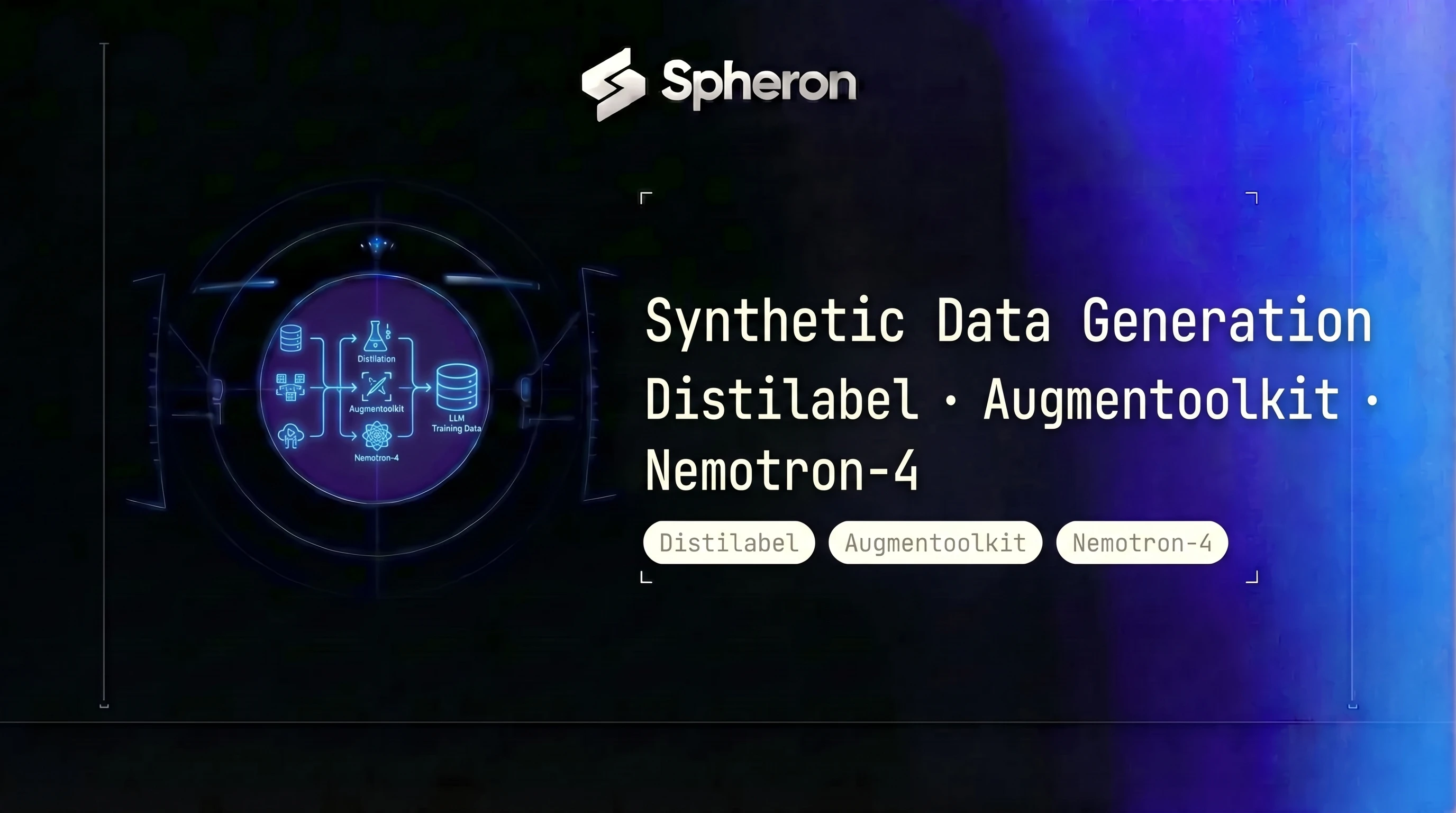
Licensed datasets are contaminated, expensive to license, and increasingly risky to use in production models. Synthetic data has filled that gap: you generate your training corpus using an LLM, filter it with a judge, and iterate until quality is high enough to actually move your downstream metrics. This guide walks through the full stack for synthetic instruction data production using Distilabel, Augmentoolkit, and Nemotron-4 340B on GPU cloud. For what comes next after you have the data, see our LLM fine-tuning guide for 2026 and, if your goal is pretraining data, the pretraining curation pipeline guide covering NeMo Curator and Datatrove. World models like Cosmos and Genie 3 are increasingly used as the environment layer in synthetic data pipelines for robotics and physical AI. For the GPU compute required, see the world models GPU infrastructure guide.
Why Synthetic Data Took Over
Licensing and Contamination Risk
The Pile, RedPajama, and Common Crawl all contain substantial fractions of benchmark test sets mixed into pretraining data. MMLU questions appear in C4. GSM8K problems surface in filtered web text. When you fine-tune on licensed internet text, you cannot guarantee your eval sets are clean. The problem gets worse for instruction data: every major human-annotated dataset from 2020-2023 was scraped using contractors who sourced examples from the same web text your models already saw.
Synthetic data side-steps this problem. You control what goes into your seed instructions, you control which model generates responses, and you can run explicit decontamination against every eval set you care about before any training run starts.
Cost of Human Annotation at Scale
At 100K examples, human annotation costs range from $40K to $400K depending on task complexity, annotator expertise, and quality tiers. At 1M examples, those numbers become prohibitive for any team outside a handful of large labs. A Distilabel pipeline running on GPU cloud can generate 1M diverse instruction-response pairs for a few hundred dollars in compute.
The annotation quality tradeoff is real: human annotators catch things LLM judges miss, especially for subtle tone and factual accuracy in niche domains. But for most instruction-following improvements, filtered synthetic data at 10x the scale beats small, expensive human datasets.
The Alignment Tax
RLHF requires preference labels: two responses, one preferred over the other, rated by humans. At scale, that requires a large annotation workforce, strict inter-annotator agreement protocols, and constant quality audits. Constitutional AI (CAI) and judge-and-revise pipelines reduce this cost by 10-100x. The LLM generates a critique of its own response based on a set of principles, then revises. A reward model scores the before and after. No human in the loop beyond the initial constitution design.
| Dimension | Licensed/Real Data | Synthetic Data |
|---|---|---|
| Cost at 1M examples | $40K-$400K (annotation) | $200-$1,000 (compute) |
| Contamination risk | High | Controllable |
| Label consistency | Variable (annotator drift) | Deterministic |
| Legal risk | High (copyright, ToS) | Low (model output) |
| Iteration speed | Weeks per revision | Hours per revision |
Synthetic Data Pipeline Taxonomy
| Pattern | What It Does | Primary Tool | When To Use |
|---|---|---|---|
| Self-Instruct | Seed instructions prompt an LLM to generate new diverse instructions | Distilabel | General instruction tuning |
| Evol-Instruct | Iteratively rewrites instructions to be harder or more constrained | Distilabel EvolInstruct | WizardLM-style complexity injection |
| Constitutional AI | LLM self-critiques and revises against a principle set | Distilabel UltraFeedback | Alignment-focused datasets |
| Judge-and-Revise | Generator + separate judge model scores each response | Distilabel + ArmoRM | Quality-gated output selection |
| Doc-to-QA | Raw documents converted to question-answer pairs | Augmentoolkit | Domain-specific fine-tuning |
Self-Instruct works by seeding the LLM with 100-200 hand-written example instructions, then prompting it to generate new, topically diverse variations. FLAN task descriptions work well as seeds. The LLM is instructed not to copy the seed verbatim but to vary format, topic, and difficulty.
Evol-Instruct takes an existing instruction and applies a mutation: make it more specific, add constraints, increase depth requirements, or reframe as a multi-step task. After several rounds of evolution, the resulting dataset contains instructions at multiple difficulty levels with minimal surface similarity to the original seeds.
Constitutional AI provides the LLM with a list of principles (the "constitution") such as "be helpful, harmless, and honest" at varying levels of specificity. The model generates a first response, critiques it against the constitution, then revises. You can chain multiple critique-revision rounds. The final output is the revised response plus the critique chain, which gives you preference data as a byproduct.
Judge-and-Revise separates the generator from the evaluator. A small, fast model (Llama-4-Scout) generates N candidate responses per instruction. A separate, higher-quality reward model (ArmoRM-Llama3-8B, Nemotron-4-340B-Reward) scores each candidate. Only the top-K responses by reward score enter the training set.
Doc-to-QA is Augmentoolkit's core pattern: chunk a raw document, generate a question from the chunk, verify the question is answerable from the chunk, generate a final answer, and filter any QA pair the verifier rejects. This pattern is irreplaceable for domain-specific fine-tuning on proprietary documentation.
Distilabel Architecture
Distilabel (v1.x from Argilla) organizes synthetic data production into four abstractions:
Steps are typed, composable units that either transform data (GeneratorStep produces new rows) or label it (GlobalStep processes all rows at once). Each step declares its input and output columns, allowing Distilabel to validate the pipeline DAG before any inference runs.
LLMs are backends that steps call for generation or scoring. The vLLM backend (distilabel.llms.vLLM) connects to a locally-served vLLM endpoint. The InferenceEndpointsLLM connects to Hugging Face endpoints. Any OpenAI-compatible API works through OpenAILLM. Each LLM backend handles batching, async calls, and retry logic independently.
Tasks are higher-level step wrappers that pre-package common patterns: TextGeneration for generating responses to instructions, UltraFeedback for rating responses on multiple dimensions, EvolInstruct for difficulty-based instruction mutation.
Pipeline is the DAG that connects steps via the >> operator and manages execution. It handles concurrency, routing batches between steps, and writing output Parquet files.
The Argilla feedback loop sits outside the pipeline: after generation, push the dataset to an Argilla server, have domain experts review a sample, export filtered rows back to Parquet, and feed those rows into the next pipeline iteration as improved seeds.
from distilabel.pipeline import Pipeline
from distilabel.steps import LoadDataFromDicts
from distilabel.steps.tasks import TextGeneration, UltraFeedback
from distilabel.llms import vLLM

with Pipeline(
    name="instruction-generation",
    description="Generate and score instruction-response pairs",
) as pipeline:
    load_seeds = LoadDataFromDicts(
        data=[
            {"instruction": seed} for seed in seed_instructions
        ],
        batch_size=64,
    )

    generate = TextGeneration(
        llm=vLLM(
            model="meta-llama/Llama-4-Scout-17B-16E-Instruct",
            generation_kwargs={
                "temperature": 0.8,
                "max_new_tokens": 512,
            },
        ),
        num_generations=4,
    )

    evaluate = UltraFeedback(
        llm=vLLM(
            model="nvidia/Nemotron-4-340B-Reward",
            generation_kwargs={"max_new_tokens": 256},
        ),
        aspect="overall-rating",
    )

    load_seeds >> generate >> evaluate

distiset = pipeline.run(use_cache=True)
distiset.push_to_hub("your-org/instruction-dataset-v1")
The num_generations=4 on TextGeneration produces four candidate responses per instruction. UltraFeedback scores each candidate, and the resulting dataset contains all four with scores, letting downstream filtering pick the top-1 by score.
Hands-On: 100K Instruction Dataset with Distilabel and Llama 4 on Spheron H100
Step 1: Provision the Node
Log in to app.spheron.ai, select an 8x H100 SXM5 instance, and SSH in. On bare-metal H100 SXM5 instances on Spheron, CUDA 12.4 is pre-installed on most images. Install the Python stack:
# On your Spheron H100 node
python3 --version  # verify Python 3.11+
pip install distilabel[vllm] datasets argilla "huggingface_hub>=0.23"

# Verify vLLM installed and GPU visible
python3 -c "import torch; print(torch.cuda.device_count(), 'GPUs available')"
# Expected: 8 GPUs available
Step 2: Serve the Generator Model
Llama-4-Scout has 109B total parameters (17B active across 16 experts) and needs roughly 218 GB VRAM for BF16 weights. Across 8x H100 (640 GB total), tensor parallelism of 4 or 8 is appropriate. Note that tp=4 on only 4x H100 (320 GB) is feasible for short context but tight once KV cache and activation memory are included.
vllm serve meta-llama/Llama-4-Scout-17B-16E-Instruct \
  --tensor-parallel-size 4 \
  --dtype bfloat16 \
  --max-model-len 8192 \
  --gpu-memory-utilization 0.85 \
  --port 8000 &

# Wait for server ready
sleep 60
curl http://localhost:8000/v1/models
For the judge/reward model in the same pipeline, you have two options: run it on the same node using the remaining GPUs (tp=4 for each model), or spin up a second node for the reward model. The second node approach avoids VRAM contention at large batch sizes.
Step 3: Configure the Pipeline
import json
from pathlib import Path
from distilabel.pipeline import Pipeline
from distilabel.steps import LoadDataFromDicts
from distilabel.steps.tasks import TextGeneration, UltraFeedback
from distilabel.llms import OpenAILLM  # vLLM serves an OpenAI-compatible endpoint

# Load FLAN task seeds or your custom seed set
seeds = json.loads(Path("seed_instructions.json").read_text())

with Pipeline(
    name="100k-instruction-run",
    description="100K instruction dataset with Llama-4-Scout generation",
) as pipeline:
    load_seeds = LoadDataFromDicts(
        data=[{"instruction": s} for s in seeds],
        batch_size=128,
    )

    generate = TextGeneration(
        llm=OpenAILLM(
            base_url="http://localhost:8000/v1",
            api_key="local",
            model="meta-llama/Llama-4-Scout-17B-16E-Instruct",
            generation_kwargs={
                "temperature": 0.8,
                "max_new_tokens": 512,
                "top_p": 0.95,
            },
        ),
        num_generations=2,
        output_mappings={"generation": "response"},
    )

    load_seeds >> generate

distiset = pipeline.run(
    use_cache=True,
    storage_path="./output/instruction-100k",
)
Distilabel writes intermediate Parquet files per batch, so if the run is interrupted you can resume from the last checkpoint with use_cache=True.
Step 4: Run and Monitor
python3 run_pipeline.py

# Monitor GPU utilization in another terminal
watch -n 5 nvidia-smi --query-gpu=utilization.gpu,memory.used,memory.free --format=csv
Expected throughput on 8x H100 SXM5:
| Generator Model | GPUs (tp size) | Tokens/sec | Time for 100K rows (avg 256 tokens out) |
|---|---|---|---|
| Llama-4-Scout 17B | 4x H100 (tp=4) | ~9,000 | ~48 min |
| Llama-4-Maverick 17B | 4x H100 (tp=4) | ~4,000 | ~107 min |
| Nemotron-4 340B (FP8) | 8x H100 (tp=8) | ~800 | ~8.9 hrs |
For a 100K dataset with a fast generator like Llama-4-Scout, the whole run takes under an hour. With Nemotron-4 as the generator, budget for a full day.
Augmentoolkit: QA Datasets from Raw Documents
Augmentoolkit solves a different problem than Distilabel. You have 500 pages of internal Kubernetes documentation, a proprietary codebase, or a niche technical manual. You want a fine-tuning dataset from that content. Self-Instruct does not help because it needs seed instructions, not raw text. Augmentoolkit is built exactly for this.
The pipeline chunks raw documents, prompts an LLM to generate a question based on each chunk, verifies that the question is actually answerable from that chunk alone (not from world knowledge), generates an answer, and filters any QA pair the verifier rejects.
Installation:
git clone https://github.com/e-p-armstrong/augmentoolkit
cd augmentoolkit  # requires Python 3.11
bash linux.sh     # launches the web interface with all dependencies
Configuration (YAML):
# config.yaml
path: "./input_documents"
output: "./output_qa"
chunk_size: 1500
overlap: 200
model:
  name: "meta-llama/Llama-4-Scout-17B-16E-Instruct"
  api_base: "http://localhost:8000/v1"
  api_key: "local"
  max_tokens: 512
  temperature: 0.7
question_types:
  - factual
  - reasoning
  - multi-hop
filter_threshold: 0.7
Run:
# The web interface opens automatically after bash linux.sh completes setup.
# For CLI use without the interface:
python3 -m venv .venv && source .venv/bin/activate
pip install uv && uv pip install -r requirements.txt
python run_augmentoolkit.py
A realistic example: converting 500 pages of Kubernetes documentation into a fine-tuning corpus takes about 90 minutes on a single H100 with Llama-4-Scout as the generator, and produces roughly 8K-14K filtered QA pairs depending on document density and chunk size.
The Augmentoolkit output is JSONL. Load it into Distilabel for additional quality filtering before use:
from distilabel.steps import LoadDataFromDisk

# Augmentoolkit output is a directory of JSONL files
dataset = LoadDataFromDisk(dataset_path="./output_qa")
From here, run the same MinHash dedup and reward model scoring described in the Quality Filtering section below.
Self-Hosting Nemotron-4 340B as a Generator Model
Nemotron-4 340B Instruct (nvidia/Nemotron-4-340B-Instruct) is one of the strongest open-weights generator and reward models available for synthetic data production. The reward model variant (nvidia/Nemotron-4-340B-Reward) is the preferred judge for scoring instruction-following quality. Both require serious GPU resources to serve.
Note: Nemotron-4 340B is a different model from Nemotron Ultra 253B, which is NVIDIA's newer reasoning-focused model. For deploying Nemotron Ultra 253B, see the Nemotron Ultra deployment guide. This section focuses on Nemotron-4 340B specifically for synthetic data generation pipelines.
VRAM Math
| Precision | Model Size | 8x H100 (640 GB) | 4x B200 (768 GB) | 2x B300 (576 GB) |
|---|---|---|---|---|
| BF16 | 680 GB | Does not fit | Fits (88 GB headroom for KV cache) | Does not fit |
| FP8 | 340 GB | Fits (300 GB headroom) | Fits | Fits |
| INT4 (AWQ) | 170 GB | Fits easily | Fits easily | Fits |
For short context (up to ~4K tokens), 4x B200 in BF16 is viable. The 88 GB headroom covers the KV cache at those context lengths. For 8K+ context windows or batch sizes above 16, use 8x B200 or FP8 quantization on 4x B200 to avoid OOM in production.
For production quality, use FP8 on H100 nodes or BF16 on B200 nodes. INT4 saves VRAM but degrades reward model scoring accuracy in ways that compound with dataset scale.
To rent B200 GPUs on Spheron for BF16 Nemotron-4 serving, you need a 4x or 8x B200 instance depending on context length requirements. For Blackwell architecture details, FP4/FP8 paths, and NVLink topology relevant to multi-GPU serving, see the B200 complete guide.
Tensor Parallelism Configuration
# On 8x H100 nodes (FP8)
vllm serve nvidia/Nemotron-4-340B-Instruct \
  --tensor-parallel-size 8 \
  --dtype float8 \
  --max-model-len 4096 \
  --gpu-memory-utilization 0.92 \
  --port 8000

# On 4x B200 nodes (BF16, short context)
vllm serve nvidia/Nemotron-4-340B-Instruct \
  --tensor-parallel-size 4 \
  --dtype bfloat16 \
  --max-model-len 8192 \
  --gpu-memory-utilization 0.88 \
  --port 8000
Throughput Tuning
| Setting | Effect | Recommended Value |
|---|---|---|
--max-num-seqs | Maximum concurrent sequences | 64-128 for generation, 256 for reward scoring |
--enable-chunked-prefill | Reduces latency for long prompts | Enable for prompts > 2K tokens |
--max-num-batched-tokens | Batch token budget | 8192-16384 |
Expected token throughput at FP8 on 8x H100:
| Batch Size | Tokens/sec (generation) | Tokens/sec (reward scoring) |
|---|---|---|
| 16 | ~500 | ~2,400 |
| 64 | ~800 | ~6,000 |
| 128 | ~850 | ~8,000 |
Reward scoring (short outputs, single score token) runs much faster than generation. Plan your pipeline accordingly: you can score 10x faster than you generate, so reward scoring is rarely the bottleneck.
Quality Filtering at Scale
Raw synthetic data from any pipeline contains duplicates, low-quality responses, and sometimes eval set contamination. Run these three filters before any fine-tuning run.
MinHash Deduplication
from datasketch import MinHash, MinHashLSH

def make_minhash(text: str, num_perm: int = 128) -> MinHash:
    m = MinHash(num_perm=num_perm)
    for gram in _ngrams(text.lower(), n=5):
        m.update(" ".join(gram).encode("utf-8"))
    return m

def _ngrams(words: str, n: int):
    tokens = words.split()
    return [tokens[i:i+n] for i in range(len(tokens) - n + 1)]

# Build LSH index
lsh = MinHashLSH(threshold=0.8, num_perm=128)

deduplicated = []
for idx, row in enumerate(dataset):
    mh = make_minhash(row["instruction"] + " " + row["response"])
    key = f"row_{idx}"
    if not lsh.query(mh):
        lsh.insert(key, mh)
        deduplicated.append(row)

print(f"Removed {len(dataset) - len(deduplicated)} duplicates "
      f"({100*(len(dataset)-len(deduplicated))/(len(dataset) or 1):.1f}%)")
For GPU-accelerated deduplication at billion-token scale, see the NeMo Curator and Datatrove pipeline guide which covers cuDF-backed MinHash LSH that runs 10-20x faster on GPU.
Reward Model Scoring
Score every row with ArmoRM-Llama3-8B-v0.1 (a strong reward model that runs on a single A100) and discard the bottom 20th percentile:
import torch
from transformers import AutoModelForSequenceClassification, AutoTokenizer

reward_model = AutoModelForSequenceClassification.from_pretrained(
    "RLHFlow/ArmoRM-Llama3-8B-v0.1",
    device_map="cuda",
    torch_dtype=torch.bfloat16,
    trust_remote_code=True,
)
tokenizer = AutoTokenizer.from_pretrained("RLHFlow/ArmoRM-Llama3-8B-v0.1")

def score_batch(instructions: list[str], responses: list[str]) -> list[float]:
    messages = [
        [{"role": "user", "content": i}, {"role": "assistant", "content": r}]
        for i, r in zip(instructions, responses)
    ]
    inputs = tokenizer.apply_chat_template(
        messages, return_tensors="pt", padding=True, truncation=True
    ).to("cuda")
    with torch.no_grad():
        scores = reward_model(**inputs).score.float().cpu().tolist()
    return scores

def batches(seq, size):
    return [seq[i:i+size] for i in range(0, len(seq), size)]

# Filter bottom 20th percentile
all_scores = []
for batch in batches(dataset, size=32):
    all_scores.extend(score_batch(
        [row["instruction"] for row in batch],
        [row["response"] for row in batch],
    ))

threshold = sorted(all_scores)[int(0.20 * len(all_scores))]
filtered = [row for row, score in zip(dataset, all_scores) if score >= threshold]
Perplexity Filtering
High-perplexity responses are usually incoherent, repetitive, or off-topic. Score every row with a small reference model (GPT-2 or Llama-3.2-1B) and flag anything above 3x the median perplexity:
from transformers import GPT2LMHeadModel, GPT2TokenizerFast
import torch, math

ppl_model = GPT2LMHeadModel.from_pretrained("gpt2-large").cuda().eval()
ppl_tokenizer = GPT2TokenizerFast.from_pretrained("gpt2-large")

def compute_perplexity(text: str) -> float:
    enc = ppl_tokenizer(text, return_tensors="pt", truncation=True, max_length=512)
    enc = {k: v.cuda() for k, v in enc.items()}
    with torch.no_grad():
        loss = ppl_model(**enc, labels=enc["input_ids"]).loss
    return math.exp(loss.item())

ppls = [compute_perplexity(row["response"]) for row in filtered]
if not ppls:
    final_dataset = []
else:
    median_ppl = sorted(ppls)[len(ppls) // 2]
    cutoff = 3 * median_ppl
    final_dataset = [
        row for row, ppl in zip(filtered, ppls) if ppl <= cutoff
    ]
print(f"Final dataset: {len(final_dataset)} rows")
Cost Math: Synthetic Dataset Generation Across GPU Tiers
The table below uses live pricing fetched from the Spheron API on 16 May 2026. Times are estimates for 1M rows using Nemotron-4 340B FP8 as the generator, which is the most demanding configuration. With Llama-4-Scout as the generator, times drop by 10x.
| GPU | On-Demand ($/GPU/hr) | Spot ($/GPU/hr) | 8-GPU Node/hr (on-demand / spot) | Time for 1M rows | On-Demand Total | Spot Total |
|---|---|---|---|---|---|---|
| H100 SXM5 | $3.90 | $1.66 | $31.20 / $13.28 | ~72 hrs | ~$2,246 | ~$956 |
| H200 SXM5 | $4.62 | $1.92 | $36.96 / $15.36 | ~60 hrs | ~$2,218 | ~$922 |
| B200 SXM6 | $7.16 | $1.71 | $57.28 / $13.68 | ~45 hrs | ~$2,578 | ~$616 |
B200 spot pricing is particularly attractive for synthetic data jobs. The generation run is stateless up to the output Parquet files, so a preemption just requires restarting from the last completed batch. B200 spot at $13.68/node/hr undercuts H100 on-demand ($31.20/hr) by more than half for the same Nemotron-4 run because B200 nodes complete the job faster.
For a Llama-4-Scout-based generation run (no Nemotron-4), time drops to roughly 6-8 hours on H100, bringing the cost of a 1M-row instruction dataset to around $190-250 on H100 on-demand, or under $110 on H100 spot.
Spheron vs hyperscaler comparison for a 1M-row Nemotron-4 dataset run (72 hrs, 8x H100):
| Provider | Instance | 8x GPU rate (est.) | 72-hr total |
|---|---|---|---|
| Spheron | H100 SXM5 on-demand | $31.20/hr | ~$2,246 |
| Spheron | H100 SXM5 spot | $13.28/hr | ~$956 |
| AWS | p4de.24xlarge (8x A100 80GB) | ~$27.45/hr | ~$1,976 |
| GCP | a3-megagpu-8g (8x H100) | ~$88.49/hr | ~$6,371 |
Against GCP's H100 rate, Spheron on-demand is about 65% cheaper. Spot pricing makes the gap wider: $956 for the full 72-hour run versus $6,371 on GCP on-demand. AWS p4de uses A100 80GB hardware (a different generation), so the comparison is not directly equivalent; on spot, the same Spheron H100 run costs ~$956 versus $1,976 on AWS A100 on-demand.
AWS and GCP rates are on-demand pricing fetched from public pricing pages on 16 May 2026; check provider pages for current rates.
Pricing fluctuates based on GPU availability. The prices above are based on 16 May 2026 and may have changed. Check current GPU pricing → for live rates.
Compliance and Data Provenance
The EU AI Act Article 10 requires that training data for high-risk AI systems be "subject to appropriate data governance and management practices." Synthetic data does not exempt you from this requirement. If your model falls under a high-risk category (medical, legal, financial, HR), you need to document your synthetic data pipeline with the same rigor as licensed datasets.
What to log for compliance audits:
| Field | What to Record |
|---|---|
| Generator model | Hugging Face model ID + git commit hash of weights (or SHA256 of model files) |
| Prompt templates | Version-controlled prompt files with hashes |
| Seed data | Source, license, and any filtering applied to seed instructions |
| Filter thresholds | Exact values used for reward score cutoff, PPL cutoff, dedup threshold |
| Output row hashes | SHA256 of every training row (enables row-level provenance) |
| Eval decontamination | Which eval sets were checked, threshold used, number of rows removed |
Data cards: Hugging Face's data card format provides a standard schema for documenting training datasets. For synthetic corpora, the most important fields are curation_rationale, source_data (seeds and generator model), and annotations (judge model and scoring methodology).
Lineage tracking at row level: Assign each generated row a UUID at generation time and log generator model, prompt template version, seed instruction ID, and reward score. Store this metadata in a separate provenance Parquet file alongside the training Parquet. When you later add new rows or remove contaminated rows, log those changes with timestamps. The goal is an audit trail that lets you reconstruct the exact state of the training dataset at any point in time.
LLM-generated content disclosure: Some jurisdictions require disclosure when training data contains LLM-generated content. Track the fraction of synthetic vs. human-sourced rows in your dataset metadata and include this in any model card for the downstream model.
Production Checklist
Before passing a synthetic dataset to any fine-tuning run, verify these checks:
| Check | Tool/Method | Pass Criteria |
|---|---|---|
| Schema validation | Pydantic model on every row | Zero validation errors |
| Deduplication | MinHash LSH, threshold 0.8 | Less than 1% duplicates remaining |
| Eval contamination | 13-gram overlap vs MMLU, GSM8K, HumanEval | Jaccard below 0.1 for all pairs |
| Reward score floor | ArmoRM-Llama3-8B or Nemotron-4-340B-Reward | Bottom 20th percentile removed |
| PPL filter | GPT-2 perplexity | No row above 3x median |
| Format sanity | Load into tokenizer, count malformed rows | Less than 0.01% malformed |
| Fine-tune sanity | 100-step warmup run, check loss curve | Loss decreasing, no NaN |
Once your dataset passes these checks, the next step depends on your training objective. For reasoning tasks using verifiable rewards, the GRPO fine-tuning guide covers how to train reasoning models where your synthetic dataset provides the instruction prompts and your reward function validates the generated reasoning chains. For standard instruction following, the full LLM fine-tuning workflow covers LoRA, QLoRA, and full fine-tuning configurations with Axolotl and Unsloth. For picking between LoRA variants (DoRA, GaLore, PiSSA, VERA), the PEFT methods 2026 guide compares each approach for synthetic-data fine-tuning jobs.
Synthetic data generation runs are bursty by nature: you need 8 GPUs for 12 hours to produce a dataset, then nothing until the next iteration. Spheron's on-demand GPU billing with no minimum commitments is built for exactly this pattern. Rent H100 GPUs for your next dataset run or compare B200 pricing for Nemotron-4 340B generation.
Quick Setup Guide
Log in to app.spheron.ai, select an 8x H100 SXM5 instance, choose on-demand billing, and SSH in. Install CUDA 12.4, Python 3.11, and the vLLM package.
Run `pip install distilabel[vllm]`. Define a Pipeline with a TextGeneration step backed by a vLLM LLM pointing to your local model server.
Pass a seed instruction list (FLAN tasks or a custom seed set) into the pipeline and run `pipeline.run()`. Distilabel writes Parquet files to the output directory automatically.
Run MinHash deduplication via datasketch, score outputs with a reward model (e.g., ArmoRM-Llama3), and discard responses below the 20th percentile reward score.
Run 13-gram MinHash overlap detection against MMLU, GSM8K, and HumanEval test splits. Remove any training examples with Jaccard similarity above 0.1.
Load the cleaned Parquet files with Axolotl or Unsloth, apply LoRA (r=64, alpha=128) on your target model, and run a sanity-test forward pass before the full training run.
Frequently Asked Questions
Distilabel is an open-source framework by Argilla that chains LLM generators and judges into typed data pipelines. It handles task definition, prompt templating, generator calls, quality scoring, and Argilla export in a single pipeline object. For synthetic data generation it is more reproducible and auditable than ad-hoc LLM-as-a-Judge scripts.
Nemotron-4 340B in BF16 requires roughly 680 GB of VRAM. That needs at least 8x H100 80GB (640 GB total, so FP8 quantization is required) or 4x B200 192GB (768 GB total, enough for BF16 at comfortable headroom). For serving with vLLM, use tensor parallelism tp=8 on H100 nodes or tp=4 on B200 nodes.
Cost depends on generation length and the model used. A 1M-row instruction dataset averaging 512 output tokens at Llama-4-Scout generation rates on a Spheron H100 typically runs for 8-16 hours on a single 8x H100 node. At Spheron's on-demand H100 pricing, the total compute cost is typically $250-500 for most instruction-tuning scales. Check [current GPU pricing](/pricing/) for exact rates.
Augmentoolkit targets a specific use case: converting raw text documents (technical docs, books, code) into question-answer pairs for domain-specific fine-tuning. Distilabel is a general-purpose pipeline framework for any synthetic data pattern. Use Augmentoolkit when your source material is unstructured documents; use Distilabel when you are implementing instruction generation, evol-instruct, or constitutional AI pipelines from scratch.
Run n-gram overlap detection between your generated dataset and every eval benchmark you plan to use (MMLU, GSM8K, HumanEval, etc.). MinHash with 13-gram shingles and a Jaccard threshold of 0.1 is the standard approach. Dedup your training set against eval sets before any fine-tuning run, not after.