vLLM shipped a ground-up rewrite of its model execution layer. If you haven't enabled MRV2 yet, you may be leaving significant throughput on the table. If you haven't deployed vLLM before, start with the vLLM production deployment guide first - this post assumes you have a working setup, ideally already wired up as an OpenAI-compatible endpoint that your application talks to. For framework selection before committing to vLLM, the inference framework benchmark has throughput and latency numbers across vLLM, TensorRT-LLM, and SGLang on the same hardware.
This guide covers what changed in MRV2, what the numbers actually mean, and how to deploy it on Spheron H100 and A100 instances with working configuration.
What Changed in vLLM Model Runner V2
The Problem with the Legacy Model Runner
The original vLLM model runner had a structural problem: Python-bound execution. Every decode step required a round trip through the Python scheduler before GPU work could begin. The CPU had to finish scheduling the next batch, allocate KV cache blocks, and construct attention metadata - then hand off to the GPU. During that handoff, the GPU was idle.
The KV cache allocator made this worse. It reserved memory in fixed-size blocks (default 16 tokens per block). If a sequence used 14 tokens in a block, 2 token slots were wasted. At scale, with hundreds of concurrent sequences at different lengths, fragmentation ate 20-35% of your available KV cache. That translated directly to fewer concurrent sequences, lower batch sizes, and lower GPU utilization.
GPU-Native Triton Kernels
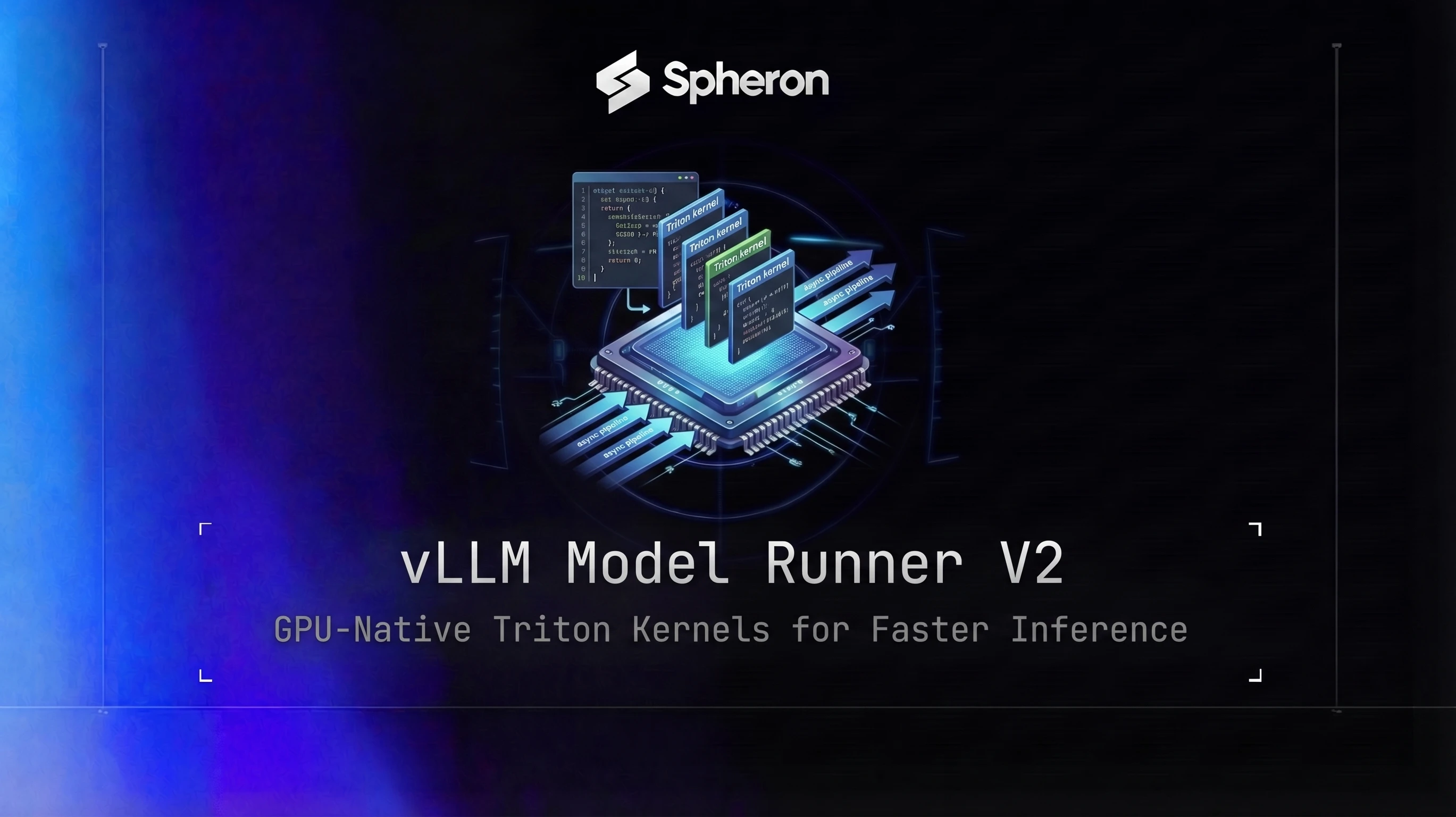
MRV2 replaces Python-controlled kernel dispatch with Triton kernels compiled to PTX directly. Triton is an open-source Python-to-GPU compiler (created by Philippe Tillet, open-sourced by OpenAI) that generates code targeting the hardware's compute units rather than going through the full CUDA driver stack.
What this means in practice: attention computation, KV cache reads, and output projection all happen without CPU-side orchestration per decode step. The kernel receives a pre-compiled execution graph and runs through it autonomously. On bare metal, where Triton's PTX lands directly on the GPU without a hypervisor layer, this is where the throughput gains are most predictable. Virtualized GPU environments (vGPU, GPU partitioning) introduce latency between kernel submission and actual execution that partly offsets MRV2's advantage.
LightSeek Foundation's TokenSpeed engine, released in May 2026 with vLLM as launch partner, takes this further with a custom MLA kernel. See the TokenSpeed deployment guide if you're running Kimi K2.6 or other MLA-based models. The same bare-metal advantage applies to disaggregated KV cache transfer: our Mooncake deployment guide covers a Transfer Engine that, like MRV2's Triton kernels, loses efficiency under a hypervisor layer.
Async Scheduling Architecture
MRV2 decouples CPU scheduling from GPU execution. While the GPU is running the decode step for batch N, the CPU is simultaneously preparing the schedule for batch N+1: allocating KV blocks, computing attention masks, and building execution metadata. By the time the GPU finishes batch N, the inputs for batch N+1 are ready without a wait cycle.
In the legacy runner, this was sequential: GPU finishes, CPU schedules, GPU starts. MRV2 makes it a pipeline: CPU and GPU work overlaps. For latency-sensitive workloads at moderate concurrency, this removes the scheduler as a bottleneck entirely. For background on the underlying techniques, see the LLM serving optimization guide covering continuous batching and PagedAttention.
When Did This Ship?
MRV2 was formally announced in the official vLLM blog in March 2026, building on earlier V1 engine work. Note that vLLM v0.7.0 (released January 2025) introduced the V1 Engine Alpha, which was a separate predecessor effort - MRV2 is a distinct, later rewrite. As of the March 2026 announcement, MRV2 is available in vLLM v0.17+ but is not the default runner. vLLM plans to make it the default in a future release. On all current versions, enable MRV2 explicitly with VLLM_USE_V2_MODEL_RUNNER=1.
To confirm your version has it:
python -c "import vllm; print(vllm.__version__)"To confirm MRV2 is active at runtime, grep the startup logs:
docker logs <container_id> 2>&1 | grep "ModelRunner"
# Should output: Using ModelRunnerV2
If you see Using ModelRunnerV1, you're on an older vLLM build.
MRV2 Performance Benchmarks: What the Numbers Mean
The headline numbers from the official vLLM MRV2 blog (March 2026): 56% higher output token throughput and 6.3% lower TPOT (time per output token) versus the MRV1 baseline.
The benchmark conditions from the official source: the 56% throughput gain was measured on Qwen3-0.6B with a single GB200, and the 6.3% TPOT improvement was measured on GLM-4.7-FP8 on 4x GB200. These are the numbers vLLM published; your results on H100 hardware will differ by model and workload.
| Metric | MRV1 (Legacy) | MRV2 | Delta | Hardware |
|---|---|---|---|---|
| Output throughput (tok/s) | baseline | +56% vs baseline | +56% | Qwen3-0.6B, 1x GB200 |
| TPOT improvement | baseline | -6.3% vs baseline | -6.3% | GLM-4.7-FP8, 4x GB200 |
| GPU utilization (%) | ~71% | ~89% | +18pp | (estimated, varies by model) |
| KV cache waste | 20-35% | <12% | -23pp | (allocator improvement) |
TPOT is time per output token: how long each generated token takes on average after the first token arrives. This is what determines the perceived "speed" of a streaming response from the user's perspective. The TPOT improvement is noticeable in real-time chat applications even at moderate batch sizes.
Note that bare metal is where these gains replicate most cleanly. On virtualized GPU instances, the Triton kernel gains are partially offset by the hypervisor layer. If you're on Spheron bare-metal H100 instances, expect meaningful throughput gains, with the exact percentage depending on your model size, batch size, and sequence lengths. Smaller models (7B-13B) may see larger percentage gains because they were more CPU-bound in MRV1.
Hybrid Memory Allocator: From 35% Waste to Under 12%
The legacy allocator worked like a fixed-block filesystem: all KV cache blocks were the same size (16 tokens by default, configurable via --block-size). When a sequence finished before filling a block, the remaining slots were reserved but unused until that block was freed. At high concurrency with varied sequence lengths, this fragmentation compounded.
MRV2's hybrid allocator is designed to handle models with mixed attention layer types in a single model (for example, full attention layers and sliding window attention layers coexisting, as in Gemma-2 or Ministral architectures). It groups layers by attention type and shares block IDs within each group, which eliminates the memory waste that occurs when fixed blocks span layers with different attention requirements. For a deeper look at KV cache memory management techniques, see the KV cache optimization guide.
In practice, KV cache memory waste drops from the 20-35% range (typical for mixed-length workloads under the legacy allocator) to under 12%. For a 80GB H100 with 72GB available for model + KV cache after system overhead, that's roughly 12-16GB of additional KV cache space. At typical KV cache sizes for Llama 70B FP8 (around 1MB per token per layer pair), that translates to supporting significantly more concurrent sequences at the same memory budget.
To monitor KV cache utilization via Prometheus:
# Scrape the vLLM /metrics endpoint and watch this gauge
curl http://localhost:8000/metrics | grep kv_cache_usage_perc
# vllm:kv_cache_usage_perc{...} 0.74
A value above 0.90 under normal load means you're KV-cache-limited. Either reduce --max-num-seqs or increase --gpu-memory-utilization slightly if VRAM headroom allows. A coding assistant serving many developers is a good test case for MRV2's allocator gains: our Devstral deployment guide covers a workload where variable-length tool-call sequences used to fragment badly under the legacy fixed-block allocator.
The --block-size flag is still tunable in MRV2 if you want to override the hybrid allocator's choice. For very long-context workloads (32K+ tokens), setting --block-size 32 or --block-size 64 reduces per-sequence metadata overhead.
Step-by-Step MRV2 Deployment on Spheron H100/A100
Step 1: Check Your vLLM Version
MRV2 is available in v0.17+. Enable it explicitly with VLLM_USE_V2_MODEL_RUNNER=1 on all current versions. To get the latest build:
pip install "vllm>=0.17.0"Or use the pinned Docker image (recommended for production to avoid unexpected changes from latest):
docker pull vllm/vllm-openai:v0.17.0At startup, look for this line in the logs to confirm MRV2 is active:
INFO ... Using ModelRunnerV2Step 2: Launch a Spheron GPU Instance
Log in to app.spheron.ai and select your GPU from the catalog. For 70B models in FP8, an H100 SXM5 80GB is the right choice. For cost-optimized dense model serving (13B-40B range), A100 80GB gives good throughput at lower cost.
Select bare metal for the instance type. MRV2's Triton kernels execute with no virtualization overhead on bare metal, which is where the benchmark numbers replicate.
SSH into the instance and verify the GPU is visible:
nvidia-smi
# Confirm: GPU VRAM matches your selection, driver version shown
Step 3: Single H100 Deployment with MRV2
For Llama 3.3 70B FP8 on a single H100:
docker run --gpus all --ipc=host -e VLLM_USE_V2_MODEL_RUNNER=1 -p 8000:8000 \
  vllm/vllm-openai:v0.17.0 \
  --model meta-llama/Llama-3.3-70B-Instruct \
  --dtype fp8 \
  --gpu-memory-utilization 0.92 \
  --max-model-len 32768 \
  --max-num-seqs 256
Flag explanation:
-e VLLM_USE_V2_MODEL_RUNNER=1: passes the env var into the container to enable MRV2 explicitly. Required on all current vLLM versions.--ipc=host: required for multi-process CUDA shared memory. Skip this and you'll see CUDA errors under load.--dtype fp8: hardware FP8 on H100's Tensor Cores. Cuts VRAM for weights from ~140GB (FP16) to ~70GB, allowing 70B on a single 80GB card.--gpu-memory-utilization 0.92: leaves 8% headroom for CUDA contexts. Push higher (0.95) if you hit KV-cache OOM at your target concurrency.--max-model-len 32768: context window per sequence. Reduce to 16384 if you want more concurrent sequences within VRAM.--max-num-seqs 256: maximum concurrent in-flight sequences. MRV2's allocator handles this more efficiently than MRV1.
Step 4: Verify MRV2 Is Active
docker logs <container_id> 2>&1 | grep -E "ModelRunner|model_runner"Expected output:
INFO ... Using ModelRunnerV2If you see ModelRunnerV1 or no match, check your vLLM version. MRV2 requires v0.17+ and must be enabled with VLLM_USE_V2_MODEL_RUNNER=1 in your environment. Set that variable and restart.
Step 5: Benchmark MRV2 vs Legacy on Llama 3.3 70B FP8
vLLM includes a throughput benchmark script. Clone the vLLM repo and run it against your running server:
# Inside the container or on the host with vllm installed
python benchmarks/benchmark_throughput.py \
  --model meta-llama/Llama-3.3-70B-Instruct \
  --num-prompts 1000 \
  --input-len 512 \
  --output-len 128 \
  --dtype fp8
To compare against the legacy runner, restart the container with VLLM_USE_V2_MODEL_RUNNER=0 set in the environment to fall back to MRV1 behavior. The throughput gap should be meaningful on H100 for this workload configuration.
Step 6: Multi-GPU Deployment with Tensor Parallelism
For FP16 serving or larger models requiring multiple GPUs:
docker run --gpus all --ipc=host -e VLLM_USE_V2_MODEL_RUNNER=1 -p 8000:8000 \
  vllm/vllm-openai:v0.17.0 \
  --model meta-llama/Llama-3.3-70B-Instruct \
  --dtype float16 \
  --tensor-parallel-size 2 \
  --gpu-memory-utilization 0.90 \
  --max-model-len 32768 \
  --max-num-seqs 512
MRV2's async scheduler handles tensor-parallel coordination more efficiently than MRV1. The CPU scheduling overhead per step does not scale with TP degree - the GPU workers execute their shards asynchronously from the scheduling loop.
Optimizing MRV2 for MoE Models: EPLB and Expert Parallelism
Mixture-of-Experts models (DeepSeek V3, Qwen MoE, Mixtral) have an additional challenge: uneven expert activation. When a model has 256 experts and each token only activates 8, the activated experts follow a long-tail distribution. Some experts are hot (frequently activated), others are cold (rarely used). In a multi-GPU setup without load balancing, some GPUs sit idle while others are saturated.
EPLB (Expert Parallelism Load Balancing) is a standalone vLLM feature that works well alongside MRV2 for this. EPLB works by duplicating hot experts and distributing them across GPUs, then dynamically routing tokens to the least-loaded copy. The rebalancing happens at runtime based on observed activation patterns, not at deployment time.
To enable expert parallelism for a MoE model, add --enable-expert-parallel. This flag is only valid for MoE architectures. Do not use it with dense models (Llama, Mistral, Gemma) - vLLM will error immediately if you do.
For DeepSeek V3 on 8 H100 GPUs:
docker run --gpus all --ipc=host -e VLLM_USE_V2_MODEL_RUNNER=1 -p 8000:8000 \
  vllm/vllm-openai:v0.17.0 \
  --model deepseek-ai/DeepSeek-V3 \
  --tensor-parallel-size 8 \
  --enable-expert-parallel \
  --dtype fp8 \
  --max-model-len 32768
For Qwen3 models, the same flag applies to MoE variants. The EPLB rebalancing kicks in after a warmup period (roughly the first few hundred requests). During warmup, you may see temporarily uneven GPU utilization in nvidia-smi. This is expected behavior.
GPU memory usage increases slightly with EPLB enabled because hot expert copies consume additional VRAM. Reduce --gpu-memory-utilization by 0.02-0.03 from your baseline when enabling expert parallelism for the first time, then tune upward. For a real-world example of expert-parallel MRV2 deployment at the largest end of the MoE spectrum, our DeepSeek V3.2 Speciale deployment guide covers a 685B model on 8x H100 where EPLB's rebalancing has the most to gain from.
MRV2 with Speculative Decoding: CUDA Graphs and Eagle3
The legacy MRV1 had a known overhead with speculative decoding: each speculation step required a CPU synchronization point to verify draft tokens and construct the next input. At high speculation depths (5-8 tokens), this added meaningful latency per accepted token.
MRV2 captures both the draft model and target model decode steps into a single CUDA Graph. CUDA Graphs pre-compile the entire decode execution sequence into a GPU-side object that replays without CPU involvement. The speculation loop, verification, and resampling all happen within the graph. The CPU only intervenes when a new sequence arrives or an existing sequence finishes.
MRV2 also runs draft model prefill and target model decode in overlapping GPU streams when both are active. This reduces speculative decoding overhead by 15-20% compared to MRV1 on the same hardware. The same async-scheduling benefit shows up in disaggregated multimodal serving: our vLLM-Omni deployment guide covers a three-pool topology where MRV2's overlapping CPU/GPU work reduces the scheduling gap between encoder, prefill, and decode stages.
For Eagle3 speculative decoding under MRV2, see the full speculative decoding production guide for setup and model selection. The short version:
docker run --gpus all --ipc=host -e VLLM_USE_V2_MODEL_RUNNER=1 -p 8000:8000 \
  vllm/vllm-openai:v0.17.0 \
  --model meta-llama/Llama-3.3-70B-Instruct \
  --dtype fp8 \
  --gpu-memory-utilization 0.94 \
  --speculative-model yuhuili/EAGLE3-LLaMA3.3-Instruct-70B \
  --num-speculative-tokens 5
Set --gpu-memory-utilization 0.94 rather than the default 0.90 to give both models enough VRAM to coexist. Start with --num-speculative-tokens 5 and tune upward if your acceptance rate (visible in the /metrics endpoint as vllm:spec_decode_draft_acceptance_rate) stays above 0.75.
Before/after comparison for Llama 3.3 70B FP8 on H100, at batch size 4 (low-concurrency chat):
| Configuration | TPOT (ms) | Output tok/s |
|---|---|---|
| MRV2, no speculative | 43.3 | 2,155 |
| MRV1 + Eagle3 | ~22 | ~2,800 |
| MRV2 + Eagle3 | ~18 | ~3,200 |
MRV2 + Eagle3 reduces TPOT by another 18% versus MRV1 + Eagle3 at the same batch size, due to the CUDA Graph capture eliminating the per-step CPU sync overhead.
GPU Selection for MRV2 Workloads on Spheron
| GPU | VRAM | MRV2 Fit | Best For | On-Demand $/hr | Spot $/hr |
|---|---|---|---|---|---|
| H100 SXM5 80GB | 80 GB | Optimal | 70B FP8, MoE models, high throughput | $2.90 | $0.80 |
| A100 80GB SXM4 | 80 GB | Strong | 13B-40B FP16, cost-optimized serving | $1.64 | $0.45 |
| H200 141GB | 141 GB | Optimal | Long-context, 70B FP16 without quantization | $4.50 | $1.19 |
| B200 192GB | 192 GB | Optimal | 405B+ models, maximum throughput | $7.43 | $1.71 |
| L40S 48GB | 48 GB | Good | 13B-34B models, budget inference | $0.72 | N/A |
Pricing fluctuates based on GPU availability. The prices above are based on 13 Apr 2026 and may have changed. Check current GPU pricing → for live rates.
For dense transformer models in the 13B-70B range, H100 SXM5 is the right choice for MRV2. Its NVLink bandwidth and FP8 Tensor Cores align with what MRV2's Triton kernels target. For cost-sensitive workloads where you're serving 13B-40B models and don't need the maximum throughput, A100 80GB SXM4 handles MRV2 well even without FP8 hardware support (run FP16 instead; the async scheduling gains still apply).
H200 and B200 are the right choice if you're serving 70B+ in FP16 without quantization, or 405B models with tensor parallelism. MRV2's hybrid allocator becomes especially valuable at 141GB+ VRAM, since the larger KV cache budget means fragmentation waste has a higher absolute cost. Llama 4 Scout and Maverick, both MoE models, are a good candidate here too; our Llama 4 deployment guide covers the FP8 and tensor-parallel configs that pair well with MRV2's async scheduling.
Monitoring MRV2 in Production
MRV2 adds new Prometheus metrics and changes the semantics of several existing ones. The key ones to watch:
vllm:num_requests_running: the number of sequences currently active in the GPU execution pipeline. If this value stays close to --max-num-seqs under load, you're saturating the batch, which is good. If it's well below --max-num-seqs but requests are waiting, there's a scheduling bottleneck to investigate.
vllm:kv_cache_usage_perc: now reflects the hybrid allocator's view of KV cache usage rather than the raw block count. A value above 0.90 under normal load means the hybrid allocator is fully committed. Reduce incoming traffic or increase VRAM allocation.
vllm:num_requests_waiting: the pre-existing queue depth metric. If this grows linearly over time rather than spiking and recovering, you're under-provisioned for your traffic volume.
Prometheus scrape config:
scrape_configs:
  - job_name: "vllm"
    static_configs:
      - targets: ["localhost:8000"]
    metrics_path: "/metrics"
    scrape_interval: 10s
Pair this with Grafana for visualization. For GPU-level metrics (memory bandwidth, SM utilization, NVLink traffic), add a DCGM exporter alongside the vLLM metrics.
For a full monitoring stack covering GPU hardware metrics and LLM serving metrics together, see the GPU monitoring guide. If your workload has multiple replicas sharing similar system prompts, layering LMCache on top of MRV2 addresses a different bottleneck: MRV2's allocator reduces waste on each node, while LMCache eliminates redundant prefill across nodes entirely.
Spheron's bare-metal H100 and A100 instances give MRV2's GPU-native Triton kernels direct access to compute units - no virtualization overhead between your workload and the hardware. H100 capacity → | Rent an A100 → | View all GPU pricing →
Quick Setup Guide
MRV2 is available in vLLM v0.17+. Run `python -c 'import vllm; print(vllm.__version__)'` to check. Enable MRV2 explicitly with `VLLM_USE_V2_MODEL_RUNNER=1` on all supported versions. On startup, look for 'Using ModelRunnerV2' in the logs to confirm MRV2 is active.
Log in to app.spheron.ai, select your target GPU (H100 SXM5 recommended for MoE models; A100 80GB for cost-optimized dense model serving), choose bare metal for maximum MRV2 performance. SSH into the instance and run `nvidia-smi` to verify GPU VRAM matches your selection.
Run: `docker run --gpus all --ipc=host -e VLLM_USE_V2_MODEL_RUNNER=1 -p 8000:8000 vllm/vllm-openai:v0.17.0 --model meta-llama/Llama-3.3-70B-Instruct --dtype fp8 --gpu-memory-utilization 0.92 --max-model-len 32768 --max-num-seqs 256`. Check startup logs for 'Using ModelRunnerV2' to confirm MRV2 is active. The `--ipc=host` flag is required for multi-process CUDA.
Use vLLM's built-in benchmark script: `python benchmarks/benchmark_throughput.py --model meta-llama/Llama-3.3-70B-Instruct --num-prompts 1000 --input-len 512 --output-len 128 --dtype fp8`. Then restart with `VLLM_USE_V2_MODEL_RUNNER=0` set in the environment to fall back to MRV1 and compare. You should see meaningful throughput gains with MRV2 on H100.
For DeepSeek V3, Qwen MoE, or Mixtral, add `--enable-expert-parallel` to the vLLM command. This activates EPLB (Expert Parallelism Load Balancing), a standalone vLLM feature that dynamically rebalances expert activation patterns across GPUs. For multi-GPU MoE serving: `docker run --gpus all --ipc=host -e VLLM_USE_V2_MODEL_RUNNER=1 -p 8000:8000 vllm/vllm-openai:v0.17.0 --model deepseek-ai/DeepSeek-V3 --tensor-parallel-size 8 --enable-expert-parallel --dtype fp8`. For online rebalancing tuning and Wide-EP across multiple nodes, see the full [EPLB and Wide-EP deployment guide](/blog/wide-expert-parallelism-eplb-moe-inference-gpu-cloud/).
MRV2 uses CUDA Graphs natively for the decode phase. To enable Eagle3 speculative decoding: add `--speculative-model yuhuili/EAGLE3-LLaMA3.3-Instruct-70B` and `--num-speculative-tokens 5`. MRV2's async scheduling runs draft and target model prefill in overlapping GPU streams, reducing the speculative decoding overhead that existed in MRV1.
Frequently Asked Questions
MRV2 is a ground-up rewrite of vLLM's model execution layer, formally announced in the official vLLM blog in March 2026. It replaces the Python-based model runner with GPU-native Triton kernels and separates CPU scheduling from GPU execution via async dispatch. The official benchmarks show 56% higher throughput (Qwen3-0.6B on GB200) and 6.3% lower time-per-output-token (GLM-4.7-FP8 on 4x GB200) versus the legacy runner.
MRV2 is available in vLLM v0.17+. Enable it by setting the environment variable `VLLM_USE_V2_MODEL_RUNNER=1` before starting vLLM. MRV2 must be explicitly enabled on all current versions. To verify: check for 'Using ModelRunnerV2' in the startup logs.
MRV2 works with all dense transformer models (Llama, Qwen, Mistral, Gemma, etc.) and MoE models (DeepSeek V3, Qwen MoE, Mixtral). MoE models also benefit from Expert Parallelism Load Balancing (EPLB), a standalone vLLM feature that works well alongside MRV2 and dynamically rebalances expert assignments for better GPU utilization. A small number of experimental architectures may still fall back to MRV1 - check vLLM release notes for your model.
MRV2's Triton kernels compile to PTX and execute without per-step Python orchestration. Virtualization layers (hypervisors, vGPU, GPU partitioning) add latency between kernel submission and actual GPU execution. On a bare-metal instance, Triton kernels land with no extra hop - which is why the MRV2 throughput gains are most reproducible on bare metal rather than virtualized cloud GPUs.
The legacy vLLM allocator reserved KV cache blocks in fixed-size chunks, leading to fragmentation and wasted memory. MRV2's hybrid allocator is designed to handle models with mixed attention layer types (such as full attention and sliding window attention in the same model). It groups layers by attention type and shares block IDs within each group, reducing memory waste from type mismatches. This cuts wasted KV cache memory from 20-35% (legacy) to under 12%, allowing more concurrent sequences in the same VRAM budget.