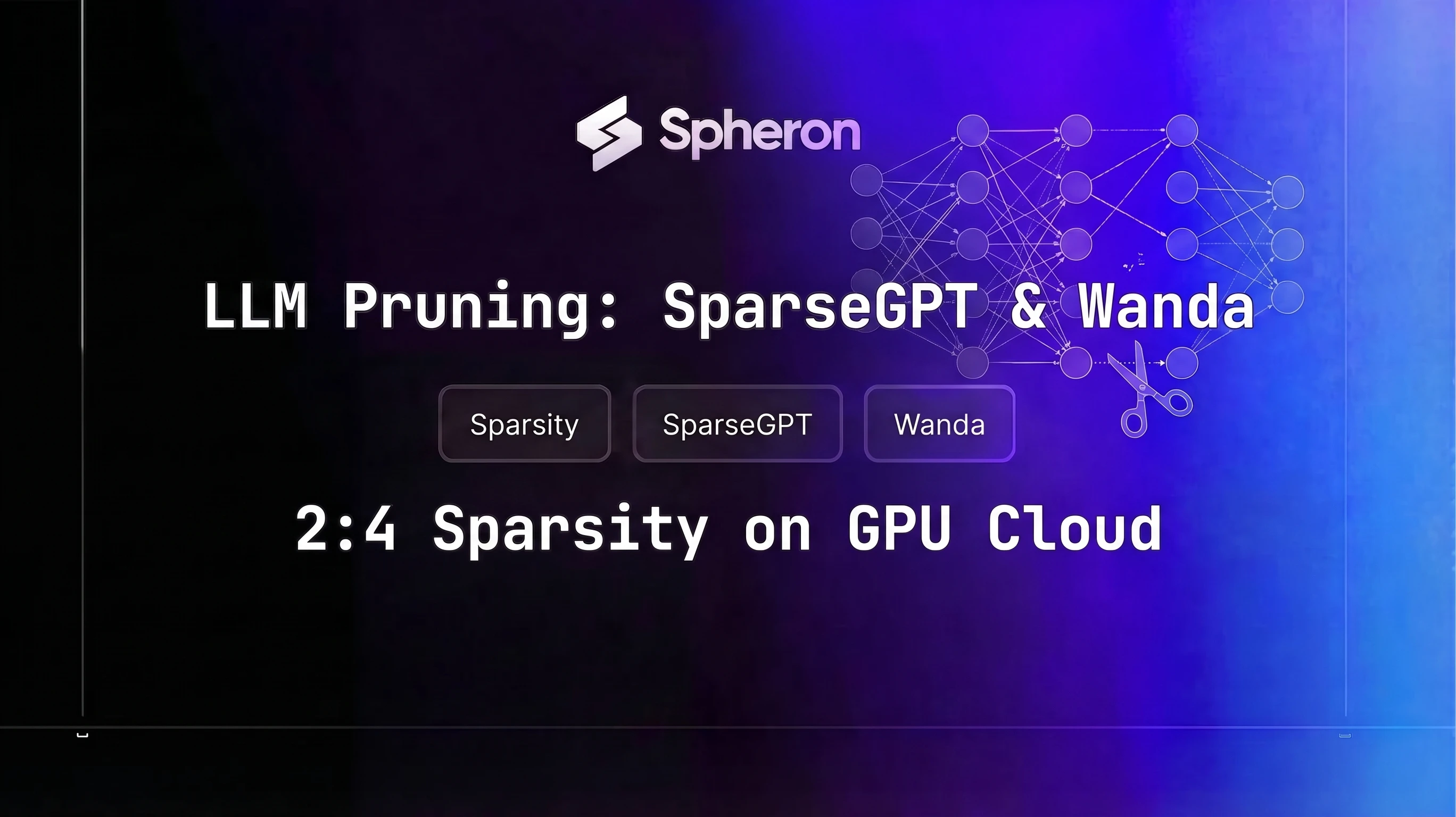
Pruning removes weights entirely instead of reducing their precision. That distinction matters because AWQ INT4 quantization compresses each weight from 2 bytes to 0.5 bytes while keeping all parameters, whereas SparseGPT and Wanda zero out 50% of weights and leave the rest at full BF16 precision. Stack both: prune first, quantize second, and a 70B model that needs 140 GB normally can fit in roughly 17-18 GB. For baseline VRAM sizing before any compression, the GPU memory requirements for LLMs guide covers the full sizing methodology.
The catch is that 50% random sparsity gives you nothing on GPU. The hardware still loads every weight from memory. NVIDIA's 2:4 structured sparsity pattern, exactly 2 zeros per 4 consecutive weights, is what makes pruning useful on cloud hardware: Sparse Tensor Cores on Ampere (A100), Hopper (H100/H200), and Blackwell (B200/B300) skip the zero operands during matrix multiplication, delivering a theoretical 2x speedup on the dense GEMM portion. SparseGPT and Wanda are the two practical methods for reaching 2:4 sparsity without any retraining. This post walks through both methods, the hardware requirements, the full deployment pipeline on Spheron, and where pruning actually makes sense versus where quantization is the simpler choice.
Pruning vs Quantization: What Each Actually Does
Both techniques reduce a model's resource footprint, but through different mechanisms with different tradeoffs.
Quantization keeps all weights but encodes them at lower precision. AWQ INT4 stores each parameter in 4 bits instead of 16, cutting weight storage to 25% of BF16. The model structure is unchanged: every layer still has the same number of parameters, and every GEMM operation processes the same tensor shapes. The throughput gain comes from moving less data between HBM and compute units, a memory-bandwidth benefit that is most pronounced when inference is bandwidth-bound (small batch sizes, large models).
Pruning zeros out a fraction of weights permanently. The model structure remains the same shape, but 50% of values are zero. With structured 2:4 sparsity and hardware support, the GPU skips zero-valued operands during matrix multiplication, reducing effective FLOPs by half on those operations. The throughput gain is compute-oriented rather than bandwidth-oriented, which means it stacks with quantization: prune to skip computation, then quantize to reduce data movement.
| Technique | What it removes | Hardware requirement | Quality impact | Combinable? |
|---|---|---|---|---|
| AWQ INT4 | Precision (2 bytes to 0.5 bytes) | Any CUDA GPU | ~1-3% benchmark degradation | Yes, after pruning |
| GPTQ INT4 | Precision | Any CUDA GPU | ~2-5% benchmark degradation | Yes, after pruning |
| 2:4 Structured pruning | 50% of weights (zeros) | Ampere/Hopper/Blackwell for speedup | ~3-6% perplexity increase | Yes, before quantizing |
| Unstructured pruning | 50% of weights (random) | None (no GPU speedup) | ~3-6% perplexity increase | Yes, but no throughput benefit |
The practical recommendation: use AWQ or GPTQ alone when you need memory savings with minimal setup. Add structured pruning when you need the extra compute reduction or VRAM savings that quantization alone can't deliver.
Unstructured vs Structured Pruning
Magnitude pruning, the simplest form, zeros out the weights with the smallest absolute values. Applied randomly across a weight matrix, you get unstructured sparsity. The zeros are scattered, and the hardware has no way to predict which values to skip. The GPU still loads every element from memory and multiplies by zero. Zero speedup, same VRAM, only the storage format changes.
Structured pruning imposes a fixed pattern on which weights become zero. NVIDIA's 2:4 sparsity pattern is the most hardware-relevant pattern today: within every group of 4 consecutive weights in a row, exactly 2 must be zero. The resulting pattern is regular enough that NVIDIA designed dedicated Sparse Tensor Core logic in Ampere to exploit it. During matrix multiplication, the hardware skips the zero operands and processes only the 2 non-zero values per group of 4, achieving a 2x reduction in effective multiply-accumulate operations.
The weight storage format also compresses with 2:4 sparsity. NVIDIA's compressed sparse format stores only the non-zero values (half of them) plus a 2-bit index per group indicating which positions are non-zero. This reduces weight storage to approximately 50% of dense, similar to FP8.
| GPU | Architecture | 2:4 Sparse support | Estimated throughput gain (GEMM) |
|---|---|---|---|
| A100 SXM4/PCIe | Ampere | Yes | Up to 2x on dense compute |
| H100 SXM5/PCIe | Hopper | Yes | Up to 2x on dense compute |
| H200 SXM5 | Hopper | Yes | Up to 2x on dense compute |
| B200 SXM6 | Blackwell | Yes | Up to 2x on dense compute |
| RTX 4090 | Ada Lovelace | Yes | Up to 2x on dense compute |
| RTX 5090 | Blackwell | Yes | Up to 2x on dense compute |
| A10/A30 | Ampere | Yes | Up to 2x on dense compute |
End-to-end inference speedup is lower than 2x because not all operations are GEMM. Attention softmax, layer normalization, embedding lookups, and memory transfer overhead are not affected by sparse GEMM. Practical throughput gains on 70B decoder models are typically 1.3-1.5x end-to-end.
SparseGPT: One-Shot Pruning with Hessian Information
SparseGPT (Frantar and Alistarh, 2023) prunes large language models in a single forward pass without any gradient computation or weight updates after pruning. The core idea comes from optimal brain surgery: when you remove a weight, the optimal compensation for the remaining weights can be computed analytically using second-order information from the loss landscape.
For each layer in the transformer, SparseGPT:
- Runs the calibration data through the layer to collect input activations.
- Computes an approximation of the inverse Hessian of the layer's reconstruction loss with respect to the weights.
- Uses the inverse Hessian to decide which weights to zero out (those whose removal can be best compensated by adjusting neighboring weights) and to update the remaining weights accordingly.
The inverse Hessian computation is the expensive step. For a weight matrix of dimension d, the Hessian is d × d. SparseGPT processes columns iteratively to avoid storing the full matrix, but peak VRAM during the pruning pass still scales with model size.
Calibration dataset setup:
128 random samples from C4 (the Colossal Cleaned Common Crawl dataset) are the standard. The samples need to cover a reasonable range of token contexts so the activation statistics are representative. For domain-specific models (code, medical, legal), replace C4 with domain-appropriate text.
Memory requirements for the pruning pass:
| Model size | SparseGPT VRAM needed | Notes |
|---|---|---|
| 7B | ~15 GB | Fits on RTX 4090 (24 GB) |
| 13B | ~28 GB | Needs A100 40G or larger |
| 34B | ~70 GB | Needs A100 80G or H100 |
| 70B | ~80 GB | H100 SXM5 80G minimum |
For 70B, the model weights alone are ~140 GB at BF16. SparseGPT loads the model in half-precision but processes it layer by layer, so peak VRAM equals roughly the largest layer's Hessian plus the model weights that fit in memory. In practice, llm-compressor handles this by offloading non-active layers to CPU.
Installation and pruning script:
The original IST-DASLab/sparsegpt repository has been superseded by vllm-project/llm-compressor, which implements SparseGPT as the SparseGPTModifier and is actively maintained with vLLM integration. Use llm-compressor as the primary code path.
pip install llmcompressor torch transformers datasets acceleratefrom llmcompressor import oneshot
from llmcompressor.modifiers.pruning import SparseGPTModifier
model_id = "meta-llama/Llama-3.3-70B-Instruct"
# Same commands apply to Llama 4 70B when HuggingFace checkpoints are available
recipe = SparseGPTModifier(
sparsity=0.5,
mask_structure="2:4",
targets=["re:model\\.layers\\.[0-9]+\\.(self_attn|mlp)\\..*"],
)
oneshot(
model=model_id,
recipe=recipe,
dataset="c4",
num_calibration_samples=128,
output_dir="./llama33-70b-sparse24",
)Note: Check the llm-compressor releases for the current API. The
SparseGPTModifierinterface andoneshotsignature have been stable since v0.4 but verify against your installed version.
The saved checkpoint at ./llama33-70b-sparse24 includes the sparsity mask and is compatible with both vLLM and TensorRT-LLM sparse loading paths.
Expected pruning time: 60-90 minutes for Llama 3.3 70B on a single H100 SXM5.
Wanda: Fast Pruning Without the Hessian
Wanda (Pruning by Weights and Activations) from Sun et al. (2023) reaches similar quality to SparseGPT on most benchmarks while eliminating the inverse Hessian computation entirely. The criterion is simpler: for each weight, compute the product of its absolute magnitude and the L2 norm of the corresponding input activation vector. Zero out the weights with the lowest scores, respecting the 2:4 pattern.
No Hessian storage. No iterative column solving. The calibration pass is a single forward sweep to collect activation norms. This makes Wanda 5-10x faster than SparseGPT on 70B models and requires roughly half the peak memory.
git clone https://github.com/locuslab/wanda
cd wanda
pip install -r requirements.txt# Wanda 2:4 structured pruning, single forward pass
python main.py \
--model meta-llama/Llama-3.3-70B-Instruct \
--prune_method wanda \
--sparsity_ratio 0.5 \
--sparsity_type 2:4 \
--nsamples 128 \
--save ./pruned-wanda-70bTiming comparison on H100 SXM5:
| Method | 70B pruning time | Peak VRAM during pruning |
|---|---|---|
| SparseGPT (llm-compressor) | ~75 min | ~80 GB |
| Wanda | ~10 min | ~45 GB |
The quality gap between the two methods at 50% 2:4 sparsity on Llama-class models is typically 0.1-0.2 perplexity points on WikiText-2, with SparseGPT slightly better. For most production use cases, that gap is not meaningful. Use Wanda for fast iteration during development and SparseGPT for final production checkpoints where quality is the priority.
Hardware Requirements for the Pruning Pass
The pruning pass is a one-time offline operation, not an ongoing inference cost. You rent a GPU, run pruning (minutes to hours), save the checkpoint, and release the instance. The checkpoint then runs on any GPU that supports 2:4 sparsity.
| Model size | SparseGPT VRAM | Wanda VRAM | Recommended GPU | Pruning time (SparseGPT) |
|---|---|---|---|---|
| 7B | ~15 GB | ~10 GB | A6000 PCIe (48 GB) | 5-8 min |
| 13B | ~28 GB | ~16 GB | A100 40G (40 GB) | 12-18 min |
| 34B | ~70 GB | ~38 GB | A100 80G (80 GB) | 35-50 min |
| 70B | ~80 GB | ~45 GB | H100 SXM5 (80 GB) | 60-90 min |
For 7B models, an A6000 PCIe is sufficient. For 70B, the H100 SXM5 is the minimum practical choice given the Hessian computation overhead in SparseGPT. Wanda on 70B can run on an A100 80G if VRAM is tight, since it peaks at ~45 GB.
Step-by-Step: Prune Llama 3.3 70B on Spheron H100
This section maps directly to the howToSteps in the frontmatter.
Step 1: Provision an H100 instance
Log into Spheron and rent H100 on Spheron from the GPU catalog. Select the H100 SXM5 80GB configuration. SSH in and verify the environment:
nvidia-smi
# Expected: NVIDIA H100 SXM5 80GB, CUDA 12.x
nvcc --version
# Expected: CUDA compilation tools, release 12.x
Step 2: Install dependencies
pip install llmcompressor torch transformers datasets accelerate
# For Wanda (alternative):
git clone https://github.com/locuslab/wanda && cd wanda && pip install -r requirements.txt
Pin torch to the CUDA version matching your driver. For H100 with CUDA 12.4+:
pip install torch==2.4.0+cu124 --index-url https://download.pytorch.org/whl/cu124Step 3: Prepare calibration data
llm-compressor accepts a Hugging Face dataset ID directly. For a custom calibration dataset:
from datasets import load_dataset

# Standard: 128 samples from C4
dataset = load_dataset("allenai/c4", "en", split="train", streaming=True)
dataset_iter = iter(dataset)
samples = [next(dataset_iter)["text"] for _ in range(128)]

# Save to JSON for reuse
import json
with open("calib_data.json", "w") as f:
    json.dump([{"text": s} for s in samples], f)
For domain-specific models, replace C4 with text from your target domain. Calibration data quality affects pruning quality.
Step 4: Run SparseGPT
from llmcompressor import oneshot
from llmcompressor.modifiers.pruning import SparseGPTModifier

model_id = "meta-llama/Llama-3.3-70B-Instruct"

recipe = SparseGPTModifier(
    sparsity=0.5,
    mask_structure="2:4",
    targets=["re:model\\.layers\\.[0-9]+\\.(self_attn|mlp)\\..*"],
)

oneshot(
    model=model_id,
    recipe=recipe,
    dataset="c4",
    num_calibration_samples=128,
    output_dir="./llama33-70b-sparse24",
)
Expected output: a checkpoint directory with the pruned weights and sparsity mask metadata. The pruning pass runs layer by layer; you'll see per-layer loss estimates printed to stdout.
Step 5: Verify sparsity
import torch
from transformers import AutoModelForCausalLM

model = AutoModelForCausalLM.from_pretrained(
    "./llama33-70b-sparse24",
    torch_dtype=torch.float16,
    device_map="auto",
)

# Count zeros per layer
for name, param in model.named_parameters():
    if "weight" in name and param.dim() == 2:
        zero_frac = (param == 0).float().mean().item()
        if abs(zero_frac - 0.5) > 0.05:
            print(f"WARNING: {name} has {zero_frac:.2%} zeros (expected ~50%)")
A correct 2:4 sparse checkpoint should show exactly 50% zeros in all targeted linear layers. Any deviation suggests the mask structure was not applied correctly.
To compare perplexity against the dense baseline:
# Install lm-evaluation-harness
pip install lm-eval

# Dense baseline (run on original model)
lm_eval --model hf --model_args pretrained=meta-llama/Llama-3.3-70B-Instruct --tasks wikitext --device cuda

# Sparse checkpoint
lm_eval --model hf --model_args pretrained=./llama33-70b-sparse24 --tasks wikitext --device cuda
At 50% 2:4 sparsity, expect perplexity on WikiText-2 to increase by 0.2-0.5 points with SparseGPT. Values above 1.0 point increase suggest calibration data mismatch or a pruning error.
Serving the Pruned Model: vLLM and TensorRT-LLM Sparse Kernels
vLLM
vLLM supports sparse checkpoints produced by llm-compressor. When loading a checkpoint that contains 2:4 sparsity metadata, vLLM routes the applicable GEMM operations through CUDA sparse kernels on Ampere and Hopper hardware automatically. The engine's continuous batching and PagedAttention memory management work alongside these sparse kernels to maximize throughput.
docker run --gpus all \
  -v ~/.cache/huggingface:/root/.cache/huggingface \
  -v ./llama33-70b-sparse24:/model \
  -p 8000:8000 \
  vllm/vllm-openai:latest \
  --model /model \
  --dtype bfloat16 \
  --gpu-memory-utilization 0.92 \
  --max-model-len 8192
Sparse acceleration activates only when the weight pattern is exactly 2:4. If the checkpoint was saved without the correct mask structure, vLLM falls back to dense computation. Verify by comparing throughput against a known-dense baseline.
TensorRT-LLM
TensorRT-LLM's --sparsity enable flag compiles sparse kernels into the engine during the build step. This requires a checkpoint where 2:4 sparsity is already applied.
# Build sparse TRT-LLM engine
trtllm-build \
    --checkpoint-dir ./llama33-70b-sparse24 \
    --output-dir ./trt-engine-sparse \
    --sparsity enable \
    --tp-size 1 \
    --max-batch-size 16 \
    --gemm-plugin bfloat16

# Serve
python -m tensorrt_llm.serve \
    --engine-dir ./trt-engine-sparse \
    --port 8000
TensorRT-LLM's compiled sparse engine delivers higher peak throughput than vLLM on the same hardware because it fuses sparse GEMM with other layer operations. The tradeoff is a 5-20 minute build step per checkpoint and less flexibility for serving multiple models from one process. For the full TensorRT-LLM production deployment process covering multi-GPU tensor parallelism and quantization options, see the production deployment guide.
Note: Check the TensorRT-LLM releases for current
--sparsityflag support and compatible TRT-LLM versions. The flag name and behavior can change across minor releases.
Benchmarks: 2:4 Sparse Llama 3.3 70B vs Dense Baseline
These figures are estimates based on theoretical Sparse Tensor Core throughput gains and community benchmarks. GEMM operations account for roughly 65-70% of inference compute in a 70B decoder model at small batch sizes, so the 2x sparse GEMM speedup translates to 1.3-1.5x end-to-end.
| GPU | Model | Format | Tokens/sec\* | VRAM (weights) | $/hr (Spheron, 17 May 2026) | $/M tokens\* |
|---|---|---|---|---|---|---|
| H100 SXM5 | Llama 3.3 70B | Dense BF16 | ~2,400 | ~140 GB | $7.80 (2×) | ~$0.903 |
| H100 SXM5 | Llama 3.3 70B | 2:4 Sparse BF16 | ~3,200 | ~70 GB | $3.90 | ~$0.339 |
| H100 SXM5 | Llama 3.3 70B | 2:4 Sparse + AWQ INT4 | ~4,000 | ~18 GB | $3.90 | ~$0.271 |
| H200 SXM5 | Llama 3.3 70B | Dense BF16 | ~3,000 | ~140 GB | $9.24 (2×) | ~$0.856 |
| H200 SXM5 | Llama 3.3 70B | 2:4 Sparse BF16 | ~4,000 | ~70 GB | $4.62 | ~$0.321 |
| H200 SXM5 | Llama 3.3 70B | 2:4 Sparse + AWQ INT4 | ~5,000 | ~18 GB | $4.62 | ~$0.257 |
| B200 SXM6 | Llama 3.3 70B | Dense BF16 | ~8,000 | ~140 GB | $7.21 | ~$0.250 |
| B200 SXM6 | Llama 3.3 70B | 2:4 Sparse BF16 | ~10,500 | ~70 GB | $7.21 | ~$0.191 |
| B200 SXM6 | Llama 3.3 70B | 2:4 Sparse + AWQ INT4 | ~12,000 | ~18 GB | $7.21 | ~$0.167 |
Perplexity on WikiText-2 (estimated, lower is better):
| Format | PPL (Llama 3.3 70B) | Delta vs dense |
|---|---|---|
| Dense BF16 | ~5.12 | Reference |
| 2:4 Sparse BF16 (SparseGPT) | ~5.40 | +0.28 (+5%) |
| 2:4 Sparse BF16 (Wanda) | ~5.52 | +0.40 (+8%) |
| 2:4 Sparse + AWQ INT4 | ~5.65 | +0.53 (+10%) |
\*Estimated values. Throughput is derived from Sparse Tensor Core theoretical speedups and vLLM benchmark data. Actual throughput depends on batch size, sequence length, serving framework version, and driver configuration. Run your own benchmarks before production capacity planning.
Pricing fluctuates based on GPU availability. The Spheron $/hr figures in this table are a worked example frozen at the on-demand rates recorded on 17 May 2026, and the cost columns are computed from them. Check current GPU pricing → for live rates.
Combining Pruning with AWQ or GPTQ
The order matters: prune first, then quantize. Running AWQ on the dense model first, then pruning the quantized weights, produces worse quality because the pruning criterion (magnitude × activation) is calibrated for BF16 precision. Pruning BF16 weights and then quantizing the non-zero values gives the quantization method clean input to work with.
Memory math for a 70B model:
- Dense BF16: 70B × 2 bytes = 140 GB
- After 2:4 sparse compression: ~70 GB (50% weight storage reduction)
- After AWQ INT4 on sparse weights: ~17.5 GB (additional 4x precision reduction)
The 17.5 GB figure means a pruned + quantized 70B model fits comfortably on an A6000 PCIe (48 GB) or a single A100 40G, leaving room for KV cache.
You can stack pruning with GPTQ using llm-compressor's combined recipe:
from llmcompressor import oneshot
from llmcompressor.modifiers.pruning import SparseGPTModifier
from llmcompressor.modifiers.quantization import GPTQModifier

recipe = [
    SparseGPTModifier(
        sparsity=0.5,
        mask_structure="2:4",
        targets=["re:model\\.layers\\.[0-9]+\\.(self_attn|mlp)\\..*"],
    ),
    GPTQModifier(
        targets=["re:model\\.layers\\.[0-9]+\\.(self_attn|mlp)\\..*"],
        scheme="W4A16",  # INT4 weights, FP16 activations (GPTQ quantization)
        num_calibration_samples=128,
    ),
]

oneshot(
    model="meta-llama/Llama-3.3-70B-Instruct",
    recipe=recipe,
    dataset="c4",
    num_calibration_samples=128,
    output_dir="./llama33-70b-sparse24-int4",
)| Compression stack | VRAM (weights) | Quality vs BF16 | Throughput vs BF16 |
|---|---|---|---|
| Dense BF16 | ~140 GB | Reference | 1x |
| AWQ INT4 only | ~35 GB | ~97-99% | ~1.5-1.6x |
| 2:4 Sparse BF16 only | ~70 GB | ~94-97% | ~1.3-1.5x |
| 2:4 Sparse + GPTQ INT4 | ~17-18 GB | ~90-93% | ~1.8-2.1x |
For most instruction-following, summarization, and RAG tasks, the quality at 2:4 sparse + GPTQ INT4 is acceptable. For complex reasoning tasks, validate explicitly before shipping.
Quality Recovery: Short Post-Pruning LoRA Fine-Tune
Pruning introduces a perplexity spike. At 50% 2:4 sparsity, expect a 5-10% perplexity increase on WikiText-2 for 70B-class models. On most tasks this is imperceptible. On domain-specific benchmarks or multi-step reasoning, the degradation can be more noticeable.
A 1-2 epoch QLoRA fine-tune on 5,000-20,000 domain examples recovers most of the quality loss without changing the sparsity pattern. The key insight: LoRA adds low-rank adapter matrices to the model layers, and the gradients during fine-tuning flow through the non-pruned (non-zero) weights only. The sparse structure is preserved. VRAM for the fine-tuning pass depends on how the checkpoint is loaded: if the sparse weights are stored in NVIDIA's compressed format (~70 GB for a 70B model), fine-tuning VRAM is roughly half that of the dense equivalent, plus adapter and optimizer state overhead. Most QLoRA pipelines (PEFT + bitsandbytes) load the checkpoint in its saved format without decompressing to a dense layout, so the ~70 GB compressed weight footprint carries over directly into the fine-tuning run.
Typical results after 1 epoch of domain QLoRA on a pruned model:
- Perplexity gap vs dense: from +0.4 to +0.1 (75% recovery)
- Task accuracy gap vs dense: from -4% to -1% on most benchmarks
For the full LoRA fine-tuning and serving workflow, see the LoRA multi-adapter serving guide.
When Pruning Is the Wrong Tool
Pruning is not universally better than quantization. There are cases where it introduces more problems than it solves:
- Reasoning models with chain-of-thought. Models like DeepSeek R1 and QwQ use extended reasoning chains. Quality collapse from 2:4 pruning starts at about 30% sparsity on these models, well below the 50% that works for standard instruction models. If latency is the bottleneck for reasoning workloads, speculative decoding is a safer alternative that does not modify model weights.
- MoE models with expert routing weights. Mixture-of-experts models like Llama 4 Scout have gating mechanisms that determine which expert to activate per token. Structured pruning applied to router weights breaks the gating logic. If you prune MoE models, exclude the router layers from the pruning targets.
- Very long context workloads. At 128K+ context length, KV cache dominates VRAM, not model weights. A 70B model with a 128K context window can use 50+ GB of KV cache at BF16. Pruning the weights saves VRAM on the weight side but does nothing for the KV cache. Use FP8 KV cache compression alongside or instead of pruning for long-context workloads.
- Models under 7B parameters. At sub-7B scale, the weight matrix dimensions are small enough that the overhead of the 2:4 sparsity index structure (the metadata for which positions are non-zero) starts to compete with the savings. The throughput gains from Sparse Tensor Cores are also smaller because sub-7B models are often compute-bound rather than memory-bound.
- Production latency SLO under 50 ms. If your time-to-first-token SLA is aggressive, pruning's 1.3-1.5x throughput gain may not be enough to close the gap. At that point, moving to a smaller model class or using speculative decoding is a better investment than 2:4 sparsity.
Pricing: Serving Pruned vs Dense on Spheron
This is a worked example using Spheron on-demand rates recorded on 17 May 2026 and estimated throughput figures. All costs use on-demand rates.
Monthly cost at 30M tokens/month (1M tokens/day):
| GPU | Format | $/hr (17 May 2026) | Est. tok/s | $/M tokens | Monthly (30M tokens) |
|---|---|---|---|---|---|
| H200 on Spheron | Dense BF16 | $9.24 (2×) | ~3,000 | ~$0.856 | ~$25.67 |
| H200 SXM5 | 2:4 Sparse BF16 | $4.62 | ~4,000 | ~$0.321 | ~$9.63 |
| H200 SXM5 | 2:4 Sparse + AWQ | $4.62 | ~5,000 | ~$0.257 | ~$7.70 |
| B200 instance on Spheron | Dense BF16 | $7.21 | ~8,000 | ~$0.250 | ~$7.51 |
| B200 SXM6 | 2:4 Sparse BF16 | $7.21 | ~10,500 | ~$0.191 | ~$5.72 |
| B200 SXM6 | 2:4 Sparse + AWQ | $7.21 | ~12,000 | ~$0.167 | ~$5.00 |
At the 17 May 2026 rates, for H100 and H200, the dense BF16 70B requires 2 GPUs (140 GB weights leave no practical KV cache headroom on a single GPU) at ~$7.80/hr and ~$9.24/hr combined respectively. With 2:4 sparse compression, the model fits on a single H100 at $3.90/hr or a single H200 at $4.62/hr, halving the hourly cost before accounting for the throughput improvement.
The B200 sparse+AWQ row delivers the lowest cost per million tokens across all configurations, at roughly 19% of what a 2-GPU H100 dense BF16 deployment would cost ($0.167 vs $0.903 per million tokens).
Spheron spot is $2.21/hr on H100 and $4.49/hr on B200 as of 02 Oct 2026. Compare those against on-demand for batch or async workloads, and plan for spot capacity being reclaimed without notice.
Pricing fluctuates based on GPU availability. The cost tables above are frozen at Spheron on-demand rates recorded on 17 May 2026; the spot rates in the paragraph above are live as of 02 Oct 2026. Check current GPU pricing → for live rates.
Further Reading
For the quantization complement to pruning, the AWQ quantization guide covers the full AutoAWQ and llm-compressor workflow for INT4 deployment on H100, A100, and L40S.
For Blackwell FP4 native inference, the MXFP4 microscaling quantization guide covers MR-GPTQ calibration, TensorRT Model Optimizer, and vLLM deployment on B200.
For CPU and edge deployment where 2:4 sparsity offers no benefit, the GGUF dynamic quantization guide covers Unsloth Dynamic 2.0 and llama.cpp server.
For serving engine selection after you have a compressed checkpoint, the vLLM vs TensorRT-LLM vs SGLang benchmarks compares throughput and latency across all three frameworks.
For VRAM sizing methodology covering KV cache at different sequence lengths and batch sizes, the GPU memory requirements for LLMs guide has the full formulas.
Spheron H100 and H200 bare-metal instances give SparseGPT and Wanda direct access to the CUDA sparse tensor cores that make 2:4 sparsity pay off. Serverless platforms abstract the silicon, if you need real sparse-kernel throughput gains, you need bare metal.
H100 GPU pricing → | Check H200 availability → | View all GPU pricing →
Quick Setup Guide
Log into Spheron, navigate to the GPU catalog, and select an H100 SXM5 80GB instance. H100 is the minimum recommended GPU for pruning 70B-class models. SSH in and verify with nvidia-smi and nvcc --version. For smaller models (7B-13B), an A100 40G or A6000 PCIe is sufficient.
Install llm-compressor, the actively maintained library that implements SparseGPT and related one-shot compression methods: pip install llmcompressor torch transformers datasets accelerate. Verify with python -c 'import llmcompressor; print(llmcompressor.__version__)'.
Download 128 samples from the C4 dataset or your target domain. llm-compressor accepts a Hugging Face dataset ID directly. For domain-specific models, prepare a CSV or JSON file with representative text samples and pass it as a custom DataLoader. The calibration pass runs one forward sweep through the model to record activation statistics.
Use llm-compressor's oneshot API with a SparseGPTModifier targeting all linear layers in the transformer blocks. Set sparsity=0.5 and mask_structure='2:4'. The pruning pass takes 60-90 minutes on a single H100 SXM5. The saved checkpoint includes the sparsity mask and can be loaded directly by vLLM or TensorRT-LLM.
Load the saved sparse checkpoint and run a sparsity check: count zero weights per layer and verify the 2:4 pattern. Compare perplexity on WikiText-2 against the dense BF16 baseline using the lm-evaluation-harness library. At 50% 2:4 sparsity, expect a perplexity increase of 0.2-0.4 points for SparseGPT and 0.3-0.5 for Wanda on Llama-class 70B models.
Start vLLM with the path to your sparse checkpoint. vLLM detects the 2:4 sparsity pattern from the llm-compressor checkpoint metadata and routes GEMM operations through CUDA sparse kernels on Ampere and Hopper hardware. No extra flags are required if the checkpoint was saved by llm-compressor. Verify throughput improvement against the dense baseline with a benchmark run.
Frequently Asked Questions
Quantization reduces the numerical precision of every weight (e.g., from BF16 to INT4), shrinking each parameter's storage but keeping all parameters present. Pruning removes weights entirely by setting them to zero, which reduces both storage and compute if a structured sparsity pattern is used. SparseGPT and Wanda are post-training pruning methods that achieve 50% sparsity on decoder-only transformers without any fine-tuning. The two approaches stack: prune first, then quantize, to get both compute skipping and bandwidth savings.
2:4 structured sparsity means exactly 2 of every 4 consecutive weight values in a row are zero. NVIDIA's Sparse Tensor Cores, introduced with Ampere (A100), can skip the zero-valued operands during matrix multiplication, delivering up to a 2x speedup on the dense compute portion. The pattern is supported on A100, H100, H200, B200, and B300. RTX 4090 and RTX 5090 also support 2:4 sparsity via their respective tensor core generations. Unstructured sparsity (random zeros) gives no GPU speedup because the hardware cannot predict which operands to skip.
SparseGPT prunes each transformer layer using a layer-wise second-order approximation. It computes an inverse Hessian from the calibration data activations for each layer, then selects which weights to zero out while compensating the remaining weights to minimize reconstruction error. For a 70B parameter model, the pruning pass needs approximately 80 GB of VRAM to hold the model and run the per-layer Hessian computation. An H100 SXM5 or A100 80G is the minimum recommended GPU. Pruning time is 60-90 minutes per 70B-class model.
Wanda (Pruning by Weights and Activations) uses a simpler criterion: it ranks weights by the product of their magnitude and the corresponding input activation norm, then zeros out the lowest-scoring 50%. No Hessian is stored or inverted. This makes Wanda 5-10x faster than SparseGPT on 70B models and requires roughly half the peak memory during pruning. Quality at 50% 2:4 sparsity is within 0.1-0.2 perplexity points of SparseGPT on most benchmarks, making it the practical default for most teams.
Yes, and this is the highest-compression path available without retraining. The correct order is prune first (SparseGPT or Wanda), then quantize (AWQ INT4 or GPTQ). A 70B BF16 model at 140 GB becomes roughly 70 GB after 2:4 sparse compression, then roughly 17-18 GB after AWQ INT4 on top of that. Quality loss is additive: expect approximately 5% perplexity increase from pruning and 5% from quantization, so roughly 10% total versus dense BF16. For most instruction-following and summarization tasks this is acceptable.