The largest open model shipping MXFP4 natively is Moonshot's 2.8T Kimi K3, which was trained quantization-aware so its weights serve at 4-bit with no calibration pass; see how to deploy Kimi K3 for what that means in practice on Blackwell and Hopper.
MXFP4 is the first 4-bit floating-point format with a viable path to production. Not because the format is new, but because Blackwell hardware now executes it natively, and MR-GPTQ (ICLR 2026) solved the calibration quality problem that made earlier FP4 methods impractical. If you're already running FP4 inference on Blackwell and want the cost and throughput context, start with the FP4 quantization guide. This post focuses specifically on the MXFP4 microscaling standard, the distinction from NVFP4, and the full quantization workflow using TensorRT Model Optimizer.
What Is MXFP4 Microscaling
Standard 4-bit quantization (INT4) assigns a fixed range to all values in a tensor. That works acceptably for weights but breaks down for activations, which can have outlier values spanning several orders of magnitude. MXFP4 addresses this with block scaling: instead of one scale factor per tensor, there is one shared 8-bit exponent per block of 32 values, each value encoded in E2M1 format (1 sign bit, 2 exponent bits, 1 mantissa bit).
The result is a much wider dynamic range per block without paying per-value exponent overhead. Each 32-value block gets to "zoom in" on its own range, rather than sharing a single scale with the entire tensor.
| Format | Bits | Bytes/param | 70B model size | GPU support | Quality vs BF16 |
|---|---|---|---|---|---|
| BF16 | 16 | 2 bytes | ~140 GB | All modern GPUs | Reference |
| FP8 | 8 | 1 byte | ~70 GB | H100, H200, Blackwell | Negligible diff |
| AWQ INT4 | 4 | 0.5 bytes | ~35 GB | All CUDA GPUs | Small diff on most tasks |
| GPTQ INT4 | 4 | 0.5 bytes | ~35 GB | All CUDA GPUs | Slightly worse than AWQ |
| MXFP4 / NVFP4 | 4 | 0.5 bytes | ~35 GB | Blackwell, AMD MI355 | Small diff with MR-GPTQ PTQ |
For a full comparison of AWQ, GPTQ, and GGUF on non-Blackwell hardware, see the AWQ quantization guide and the GGUF deployment guide. For combining Blackwell FP4 with structural weight reduction, LLM pruning with 2:4 sparsity stacks directly with MXFP4 quantization for maximum compression.
MXFP4 vs NVFP4 terminology. MXFP4 is the OCP open standard. NVFP4 is NVIDIA's hardware implementation of a compatible E2M1 format on Blackwell tensor cores. When NVIDIA publishes checkpoints under the nvidia/ namespace on Hugging Face, the weights are in a format compatible with both. AMD's MI355X implements the same MXFP4 block-scaling concept via MFMA instructions in ROCm 7.x, but requires a different toolchain. Throughout this post, "MXFP4" refers to the quantization method and checkpoint format; "NVFP4" refers to NVIDIA's specific Blackwell tensor core execution. For a direct head-to-head on block size, scale precision, and framework support, see the NVFP4 vs MXFP4 comparison.
Hardware Support: Blackwell, AMD MI355, and RTX 5090
| GPU | FP4 Support | VRAM | Notes |
|---|---|---|---|
| B200 SXM6 | Native NVFP4 | 192 GB HBM3e | Highest FP4 throughput per GPU |
| B300 (Blackwell Ultra) | Native NVFP4 | 288 GB HBM3e | Same architecture, more memory |
| RTX 5090 | Native NVFP4 | 32 GB GDDR7 | Accessible for smaller models |
| RTX PRO 6000 | Native NVFP4 | 96 GB GDDR7 | Workstation Blackwell |
| AMD MI355X | MXFP4 (MFMA) | 288 GB HBM3e | ROCm 7.x, different toolchain |
| H100 SXM / PCIe | No FP4 | 80 GB HBM3 | FP8 maximum |
| H200 SXM | No FP4 | 141 GB HBM3e | FP8 maximum |
| A100 | No FP4 | 80 GB HBM2e | INT8 maximum |
| L40S | No FP4 | 48 GB GDDR6 | AWQ INT4 for 4-bit |
The B200 delivers approximately 18,000 sparse FP4 TFLOPS vs 9,000 sparse FP8 TFLOPS on the same chip. That 2x hardware ratio is why FP4 on Blackwell produces real throughput gains, not just memory savings. For full B200 specs, benchmarks, and pricing context, see the NVIDIA B200 complete guide.
For AMD MI355X: the MFMA instructions support MXFP4 block-scaled computation, but the quantization toolchain (ROCm, HIP) differs from the NVIDIA path described in this post. Check AMD ROCm documentation for MI355X-specific setup. For a broader comparison of ROCm and CUDA toolchains for GPU cloud workloads, see the ROCm vs CUDA guide.
For workloads on H100, H200, or A100 where FP4 is not an option, see the GPU memory requirements guide for VRAM planning with INT8 and INT4 formats.
MR-GPTQ: The ICLR 2026 Technique That Makes FP4 Work
The core problem with naive FP4 quantization is weight outliers. In transformer models, a small percentage of weight channels have values much larger than the rest. When you apply a single block scale to 32 values that includes an outlier, the non-outlier values get rounded aggressively, and quantization error spikes.
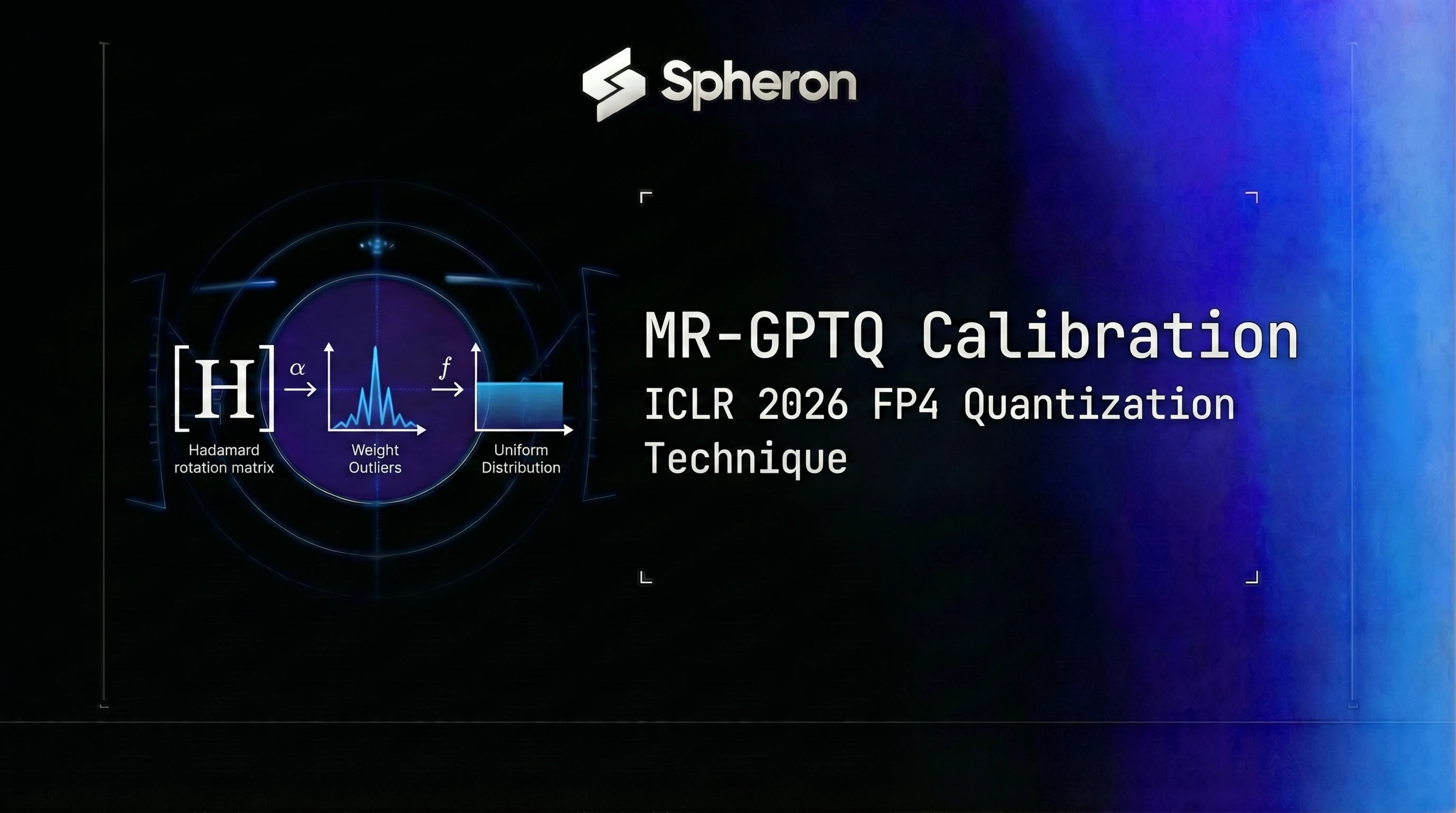
MR-GPTQ (Micro-Rotated-GPTQ) addresses this with block-wise Hadamard transforms. Before quantization, it rotates the weight matrix basis using a structured Hadamard matrix so outlier values are distributed across all channels. After the rotation, the distribution within each 32-value block is much more uniform, and the block scale can represent all values accurately. At inference time, fused kernels apply the inverse transform, so the output is equivalent to the original weights.
The key results from the ICLR 2026 paper:
- MMLU scores for MR-GPTQ FP4 match or exceed AWQ INT4 on Llama-class 70B models
- B200 FP4 layer-wise speedup with MR-GPTQ is approximately 3.6x over BF16; end-to-end throughput for 70B Llama-class models is approximately 2.0-2.2x over BF16
- The quality gap between MR-GPTQ FP4 and FP8 is smaller than the gap between naive FP4 and FP8
NVIDIA's TensorRT Model Optimizer (ModelOpt) supports FP4 quantization workflows for MXFP4/NVFP4 checkpoints targeting Blackwell hardware. Check the current modelopt release notes for which PTQ algorithms and versions are available in your installed version.
Step-by-Step: Quantize a 70B Model to MXFP4 with TensorRT Model Optimizer
Most production deployments should start with pre-quantized NVIDIA checkpoints (see the next section) rather than running quantization from scratch. If your model doesn't have an existing NVFP4 checkpoint, here's the modelopt workflow. The same process applies to smaller dense models like Microsoft Phi-5 (14B): MXFP4 on a Blackwell GPU is worth considering when you want maximum throughput from a cost-efficient small model. For Phi-5 deployment including non-Blackwell quantization paths (AWQ, GPTQ, FP8), see the Phi-5 GPU cloud guide.
Installation:
pip install nvidia-modelopt[torch]Prepare calibration data. You need 128-512 representative samples from your target domain. For general models, the Pile or C4 subsets work. Domain-specific deployments benefit from domain-matched calibration.
Quantization script (pattern, not pinned API):
import modelopt.torch.quantization as mtq
from transformers import AutoModelForCausalLM, AutoTokenizer

model_id = "meta-llama/Llama-3.3-70B-Instruct"
model = AutoModelForCausalLM.from_pretrained(
    model_id, torch_dtype="auto", device_map="auto"
)
tokenizer = AutoTokenizer.from_pretrained(model_id)

# Build calibration dataloader (implement your own or use a dataset utility):
# calib_dataloader = build_your_dataloader(tokenizer, num_samples=128)

# Apply MR-GPTQ with NVFP4 scheme and save (uncomment all three after implementing calib_dataloader above):
# mtq.quantize(model, config=mtq.NVFP4_DEFAULT_CFG, forward_loop=calib_dataloader)
# model.save_pretrained("Llama-3.3-70B-Instruct-NVFP4")
# tokenizer.save_pretrained("Llama-3.3-70B-Instruct-NVFP4")
Note: Always check the TensorRT Model Optimizer repository for the current API. The
quantize()signature and config names have changed between versions 0.17 and 0.21. The pattern above is illustrative; verify against the version you install.
Hardware requirements for the quantization step:
- 7B-13B models: RTX 4090 (24 GB) or larger
- 70B models: A100 80G or H100 (model must fit in VRAM during the calibration forward pass)
- Estimated time: 45-90 minutes for 70B on a single A100 80G
Building the TensorRT-LLM engine (optional, for maximum throughput):
# Build TensorRT-LLM engine from NVFP4 checkpoint
trtllm-build \
  --checkpoint-dir ./Llama-3.3-70B-Instruct-NVFP4 \
  --output-dir ./trt-engine-fp4 \
  --gemm-plugin fp4 \
  --tp-size 1 \
  --max-batch-size 16
Note: Engine build targets Blackwell SM100 architecture. Building on non-Blackwell hardware is not supported for FP4 engines. Check the TensorRT-LLM releases for current FP4 support flags, as
--gemm-pluginand related options change per release.
Engine build time: approximately 5-20 minutes for a 70B model on a B200.
Deploy MXFP4 Models on GPU Cloud with vLLM
The fastest path to production uses pre-quantized NVIDIA checkpoints from Hugging Face. NVIDIA publishes NVFP4 checkpoints under the nvidia/ namespace; search for -NVFP4 or -FP4 suffix variants. Confirmed releases include nvidia/Llama-3.3-70B-Instruct-NVFP4, nvidia/Llama-3.1-8B-Instruct-NVFP4, nvidia/Llama-4-Scout-17B-16E-Instruct-FP4, nvidia/DeepSeek-R1-NVFP4, and others. These model IDs may be updated or supplemented after the publish date of this post.
Path A: Pre-quantized dense NVFP4 model (no extra flags needed):
docker run --gpus all -p 8000:8000 vllm/vllm-openai:latest \
  --model nvidia/Llama-3.3-70B-Instruct-NVFP4 \
  --gpu-memory-utilization 0.92 \
  --max-model-len 8192
Path B: MoE NVFP4 model (requires FlashInfer FP4 kernel):
docker run --gpus all -p 8000:8000 \
  -e VLLM_USE_FLASHINFER_MOE_FP4=1 \
  vllm/vllm-openai:latest \
  --model nvidia/Llama-4-Scout-17B-16E-Instruct-FP4
Path C: Your own quantized checkpoint:
docker run --gpus all -p 8000:8000 \
  -v /path/to/your-nvfp4-checkpoint:/model \
  vllm/vllm-openai:latest \
  --model /model \
  --gpu-memory-utilization 0.92
Verify the endpoint:
curl http://localhost:8000/v1/chat/completions \
  -H "Content-Type: application/json" \
  -d '{
    "model": "nvidia/Llama-3.3-70B-Instruct-NVFP4",
    "messages": [{"role": "user", "content": "Hello"}],
    "max_tokens": 50
  }'
For multi-GPU setups and load balancing configuration, see the vLLM production deployment guide.
LMDeploy's TurboMind backend is an alternative serving option for MXFP4 models, with native C++/CUDA kernel paths that extend MXFP4 support beyond Blackwell to H100 and V100. See the LMDeploy TurboMind deployment guide.
Deploy with TensorRT-LLM (Maximum Throughput Path)
TensorRT-LLM delivers higher throughput than vLLM for NVFP4 on Blackwell, at the cost of an engine build step and less flexibility for model swapping.
# Serve with TensorRT-LLM after building the engine
python -m tensorrt_llm.serve \
  --engine-dir ./trt-engine-fp4 \
  --port 8000
TensorRT-LLM v0.17.0 and later support NVFP4. Check the TensorRT-LLM releases for current FP4 support status and updated build flags.
For a throughput comparison across vLLM, TensorRT-LLM, and SGLang on GPU cloud hardware, see inference framework benchmarks.
Benchmarks: MXFP4 vs AWQ vs FP8
| GPU | Precision | Tokens/sec (Llama 3.3 70B) | VRAM (weights) | $/hr (Spheron, 14 Apr 2026) | Cost/1M tokens |
|---|---|---|---|---|---|
| B200 SXM6 | NVFP4 | ~12,841\* | ~35 GB | $7.43 | ~$0.161\* |
| B200 SXM6 | FP8 | ~6,972\* | ~70 GB | $7.43 | ~$0.296\* |
| H100 SXM | FP8 | ~3,066\* | ~70 GB | $2.90 | ~$0.263\* |
| A100 80G SXM4 | AWQ INT4 | ~1,800\* | ~35 GB | $1.64 | ~$0.253\* |
Formula: Cost per 1M tokens = ($/hr) ÷ (tokens/sec × 3,600) × 1,000,000
B200 FP4 throughput is derived from MLPerf Inference v5.1 (8-GPU result of ~102,725 tok/s divided by 8). For the most recent MLPerf data, see the MLPerf Inference v6 results guide.
*Estimated values\:** Throughput figures are derived from MLPerf benchmarks and extrapolations (see the FP4 quantization guide for methodology). A100 AWQ throughput is estimated from vLLM benchmark data. Real throughput depends on batch size, sequence length, and serving framework. Run your own benchmarks before making production decisions.
Pricing fluctuates based on GPU availability. The cost figures above are a worked example at the Spheron rates recorded on 14 Apr 2026, which have since changed. Check current GPU pricing → for live rates.
GPU Memory Savings: How Many Users Can You Serve at FP4 vs FP16
| Model | BF16 VRAM | NVFP4 VRAM | Savings | Single-GPU fit | Concurrent users (2K ctx, BF16) | Concurrent users (2K ctx, FP4) |
|---|---|---|---|---|---|---|
| Llama 3.1 8B | ~16 GB | ~4 GB | 75% | RTX 5090 (FP4) | ~8 (RTX 5090) | ~28 (RTX 5090) |
| Llama 3.3 70B | ~140 GB | ~35 GB | 75% | B200 (FP4 only) | Needs 2x A100 | Single B200 |
| Llama 3.1 405B | ~810 GB | ~200 GB | 75% | 2x B200 (TP) | Not single-GPU | 2-3 B200 (TP) |
For KV cache sizing methodology and full VRAM calculations, see the GPU memory requirements guide.
A 70B model that needed 2x A100 80G SXM4 in BF16 fits on a single B200 with NVFP4. At the rates recorded on 14 Apr 2026, that meant consolidating from 2x A100 ($3.28/hr combined) to a single B200 ($7.43/hr) that delivers roughly 7x the throughput and ~36% lower cost per million tokens.
Spheron GPU Pricing for MXFP4 Workloads
| GPU | VRAM | FP4 Support | On-Demand $/hr | Spot $/hr | Best for |
|---|---|---|---|---|---|
| B200 | 192 GB | Native NVFP4 | $9.58/hr | $4.99/hr | 70B+ MXFP4 production |
| A100 80G | 80 GB | AWQ INT4 only | $1.43/hr | $1.30/hr | 70B AWQ; no FP4 |
| L40S 48G | 48 GB | AWQ INT4 only | $0.96/hr | $1.05/hr | 34B AWQ; no FP4 |
| RTX 5090 | 32 GB | Native NVFP4 | $0.78/hr | $0.89/hr | 8B-13B MXFP4 dev |
Pricing fluctuates based on GPU availability. Spheron rates above are live as of 15 May 2026; other providers reflect their most recent published rates and may have changed. Check current GPU pricing → for live rates.
Common Pitfalls
Confusing MXFP4 with bitsandbytes NF4. NF4 is the 4-bit format used in QLoRA fine-tuning. NVFP4 is NVIDIA's native tensor core format. They are not interchangeable, and bitsandbytes does not support NVFP4 for inference.
Skipping calibration. Running naive FP4 without MR-GPTQ or equivalent PTQ produces much larger quantization errors than a calibrated checkpoint. If calibrated weights don't exist for your model, budget 45-90 minutes for the modelopt calibration pass before assuming FP4 quality is acceptable.
Forgetting VLLM_USE_FLASHINFER_MOE_FP4=1 for MoE models. Dense NVFP4 models load without it. MoE NVFP4 models (Llama 4 Scout, DeepSeek MoE variants) require this flag for the FlashInfer FP4 kernel to activate.
Expecting FP4 acceleration on H100 or A100. vLLM can load NVFP4 weights on H100/A100 via a software fallback (Marlin FP4), which saves memory but provides no throughput improvement over FP8. Hardware FP4 tensor core operations only run on Blackwell.
Wrong block_size during quantization. The MXFP4 standard specifies 32 values per block. Using a different block size produces a checkpoint that is incompatible with Blackwell's FP4 tensor core expectations. The modelopt default (NVFP4_DEFAULT_CFG) sets this correctly.
Not validating on reasoning or math tasks. FP4 errors compound through multi-step reasoning chains. A model that passes general instruction-following benchmarks can still fail on complex math or code generation. Test on your actual task before going to production.
Building TensorRT-LLM engines on non-Blackwell hardware. The SM100 compilation target requires a physical Blackwell GPU. You cannot cross-compile FP4 TensorRT engines on an H100 or A100 instance.
Blackwell B200 GPUs with native MXFP4 support are available on Spheron. Start with a pre-quantized checkpoint from Hugging Face, deploy with vLLM, and validate quality on your task before committing.
Quick Setup Guide
Install NVIDIA's modelopt package: pip install nvidia-modelopt[torch]. Requires a Blackwell GPU or can run on CPU for weight-only quantization. Verify installation with python -c 'import modelopt; print(modelopt.__version__)'.
Download the base FP16/BF16 model from Hugging Face. Prepare 128-512 representative text samples from your target domain as a calibration dataset. For general-purpose models, the Pile or C4 dataset subsets work. Domain-specific deployment benefits from domain-matched calibration data.
Use modelopt's quantize API with the NVFP4 scheme and MR-GPTQ algorithm. Set block_size=32 (the MXFP4 standard block size). Run the calibration forward pass. Save the quantized checkpoint to disk or Hugging Face.
Use trtllm-build with the MXFP4 quantized checkpoint to compile a TensorRT engine targeting Blackwell SM100 architecture. Specify --quantization fp4 and --tp-size matching your GPU count. Engine build takes 5-20 minutes for a 70B model.
Provision a Blackwell GPU instance on Spheron (B200 or RTX 5090). Run vllm serve with the pre-quantized model. For dense NVFP4 models, no extra flags are needed. For MoE NVFP4, set VLLM_USE_FLASHINFER_MOE_FP4=1. Verify with a curl request to the OpenAI-compatible endpoint.
Frequently Asked Questions
MXFP4 (Microscaling FP4) is an open standard from the OCP MX Formats specification, defining a block-scaled 4-bit floating-point format where a shared exponent covers a block of values (typically 32 values per block). NVFP4 is NVIDIA's hardware implementation of a compatible E2M1 FP4 format on Blackwell tensor cores. When NVIDIA markets FP4 inference on B200 or RTX 5090, the underlying format is NVFP4, which is hardware-compatible with MXFP4 checkpoints quantized using OCP-compliant tools. AMD's MI355X implements MXFP4 via MFMA instructions using the same block-scaling concept. In practice: use 'MXFP4' when discussing the quantization method and OCP checkpoint format; use 'NVFP4' when discussing NVIDIA's specific tensor core implementation.
MR-GPTQ (Micro-Rotated-GPTQ) is a post-training quantization technique published at ICLR 2026. It applies block-wise Hadamard transforms to model weights before quantization, smoothing the outlier distribution that normally causes high quantization error at 4-bit. On B200, MR-GPTQ achieves approximately 3.6x layer-wise speedup over BF16; end-to-end throughput for 70B Llama-class models is approximately 2.0-2.2x over BF16. MR-GPTQ is implemented in NVIDIA's TensorRT Model Optimizer (modelopt) as the recommended PTQ path for MXFP4/NVFP4 checkpoints targeting Blackwell hardware.
NVIDIA Blackwell GPUs support hardware-accelerated FP4 tensor core operations: B200 (192 GB HBM3e), B300 Blackwell Ultra (288 GB HBM3e), RTX 5090 (32 GB GDDR7), and RTX PRO 6000 (96 GB GDDR7). AMD's Instinct MI355X supports MXFP4 via MFMA (Matrix Fused Multiply-Add) instructions. Previous-generation GPUs (H100, H200, A100) do not have FP4 tensor cores; they support FP8 at best.
Both MXFP4 and AWQ INT4 compress a 70B model to roughly 35-40 GB of weight memory (0.5 bytes per parameter). The difference is where they run: AWQ is a software-defined INT4 format that works on any CUDA GPU including A100, H100, and L40S. MXFP4/NVFP4 requires Blackwell hardware for actual FP4 tensor core acceleration. On Blackwell, MXFP4 inference is faster than AWQ because the hardware executes native FP4 matrix operations rather than dequantizing to INT8/FP16 for computation. If you're on H100 or A100, AWQ is the right 4-bit method. If you're on B200, MXFP4 is the higher-throughput option.
Yes. vLLM supports pre-quantized NVFP4 models from Hugging Face on Blackwell GPUs. Dense NVFP4 models (e.g., nvidia/Llama-3.1-8B-Instruct-NVFP4) load directly. MoE NVFP4 models (e.g., nvidia/Llama-4-Scout-17B-16E-Instruct-FP4) require VLLM_USE_FLASHINFER_MOE_FP4=1. For maximum throughput with MXFP4 on Blackwell, TensorRT-LLM remains the recommended serving backend.