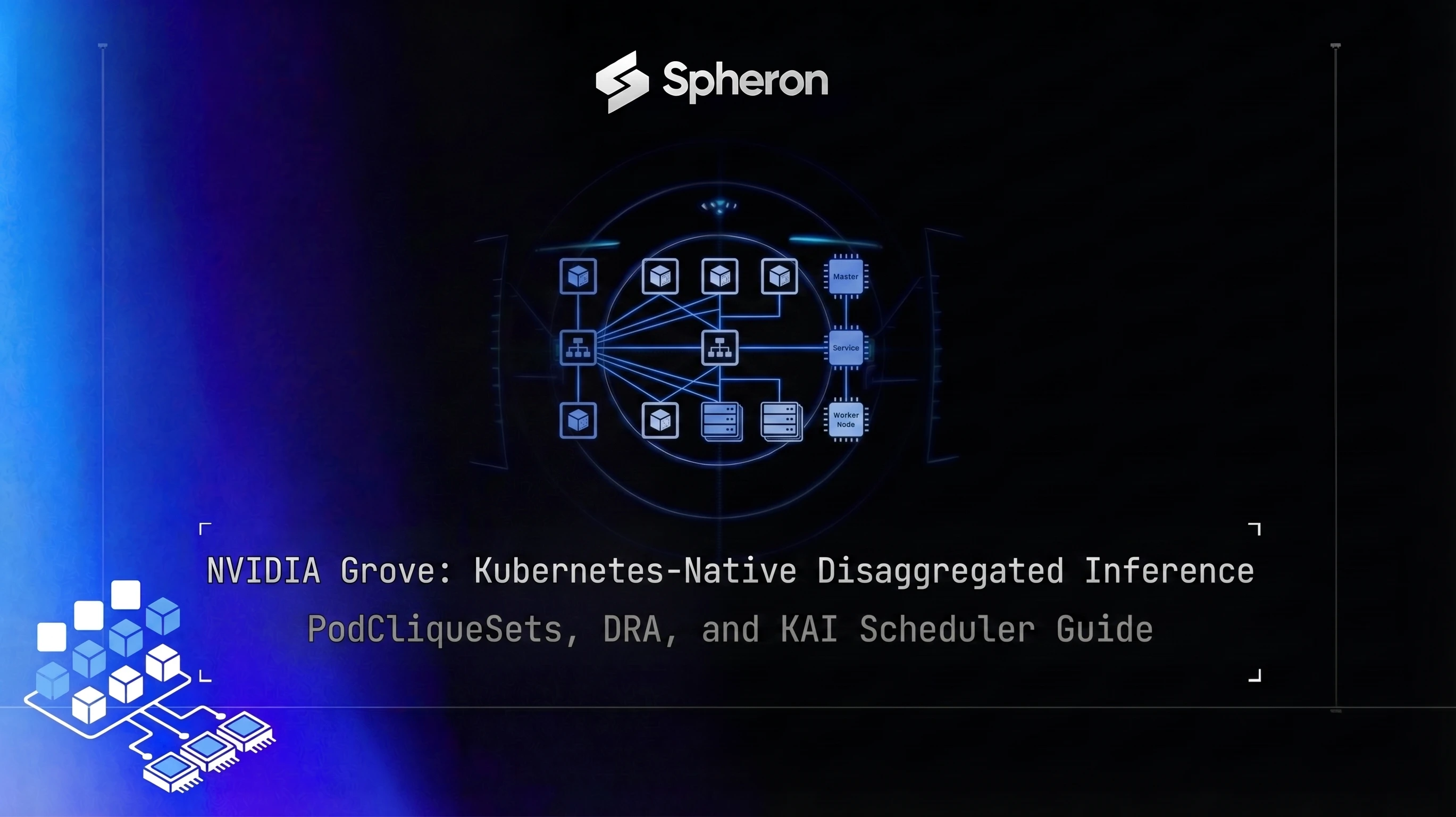
Grove is NVIDIA's Kubernetes API for managing disaggregated inference workloads. Where raw Kubernetes Deployments treat prefill, decode, and router pods as independent units, Grove wraps them into a single declarative resource with startup ordering, gang scheduling, and coordinated scaling built in. This guide zooms in on Grove specifically, covering its CRDs in depth, a complete prefill-decode vLLM deployment on Spheron B200/H200 nodes, and how Grove fits into the DRA/KAI Scheduler stack. For background on DRA and KAI Scheduler themselves, see the Kubernetes GPU Orchestration 2026 guide.
What Grove Is
A disaggregated inference stack has three to five separate workloads: a prefill pool, a decode pool, a router, and optionally KV cache proxy nodes and topology-aware placement controllers. Each component has a different GPU requirement, a different startup dependency, and a different scaling profile.
Raw Kubernetes Deployments handle each component independently. You create a Deployment for prefill pods, a separate Deployment for decode pods, a Deployment for the router. There is no native way to say "start the router before the prefill workers, start prefill before decode, and if decode pods can't schedule, hold the whole set pending rather than starting a partial topology." You end up wiring these constraints together with init containers, readiness probes, and custom controllers.
Grove wraps all of this into a single CRD: the PodCliqueSet. One manifest describes the full topology. Grove's operator handles the startup ordering, the gang scheduling constraint, and the scaling coordination. For a deep dive on prefill-decode disaggregation fundamentals, that guide covers the why and the hardware pairing logic in detail.
The Grove CRDs Explained
Grove introduces five custom resources. Three are user-facing; two are internal.
PodClique
A PodClique defines one role in the workload: all prefill workers, or all decode workers, or the router. Fields:
containers: the pod spec for this role (image, args, resources)replicas: how many pods in this cliqueresourceClaims: one or more DRA ResourceClaimTemplate references that bind each pod to a specific GPU typestartsAfter: optional name of another PodClique that must reach Ready before this one starts. This is how Grove expresses startup ordering: each dependent clique declares which clique it depends on.
A prefill PodClique and a decode PodClique will have different resourceClaims pointing to different GPU selectors. The DRA driver handles matching CEL expressions like "productName starts with B200" against available devices.
# Minimal PodClique within a PodCliqueSet for prefill on B200
- name: prefill-clique
  replicas: 1
  resourceClaims:
    - name: gpu
      resourceClaimTemplateName: b200-prefill-claim
  containers:
    - name: vllm-prefill
      image: nvcr.io/nvidia/vllm:latest
      args:
        - "--model"
        - "meta-llama/Llama-4-Scout-17B-16E-Instruct"
        - "--disaggregation-mode"
        - "prefill"
        - "--kv-transfer-config"
        - '{"kv_connector":"NixlConnector","kv_role":"kv_producer"}'
      resources:
        claims:
          - name: gpu
PodCliqueScalingGroup
A PodCliqueScalingGroup bundles multiple PodCliques that must scale together at a fixed ratio. If you want one prefill pod for every two decode pods, you set:
scalingGroups:
  - name: prefill-decode-ratio
    cliques: [prefill-clique, decode-clique]
    replicas: [1, 2]
When the PodCliqueSet scales from 1 to 2, the prefill pool goes from 1 to 2 and the decode pool goes from 2 to 4, maintaining the ratio. This prevents the decode pool from scaling while prefill stays flat, which would create a throughput bottleneck at the prefill stage.
PodCliqueSet
The PodCliqueSet is the top-level workload definition. Key fields:
scaling: global min/max replicas for the setscalingGroups: ratio constraints across cliquespodCliques: the list of PodClique definitions (each clique can declare astartsAfterdependency on another clique to express startup ordering)
The gang-scheduling constraint is implicit: all PodCliques in a PodCliqueSet must be schedulable together, or the whole set remains pending. If one clique's GPU requirements can't be met, Grove doesn't partially start the others.
ClusterTopologyBinding
ClusterTopologyBinding describes the physical layout of the cluster: which GPUs are connected via NVLink, which nodes share the same NVSwitch fabric, and rack-level placement. Grove reads this to make topology-aware PodClique placement decisions.
This CRD matters most for multi-node B200/H200 deployments. When prefill workers transfer KV cache to decode workers over NIXL, NVLink bandwidth is 10 to 50 times higher than InfiniBand for intra-node or intra-NVSwitch transfers. If Grove can see the ClusterTopologyBinding, it places prefill and decode cliques on nodes in the same NVSwitch fabric, keeping KV transfer latency low.
Bare metal is critical here. Hypervisors frequently filter NVLink peer topology data from the guest OS. Grove's ClusterTopologyBinding CRD needs the raw hardware topology that the NVIDIA DRA driver exposes, which requires direct hardware access.
PodGang
PodGang is the internal primitive Grove passes to KAI Scheduler to express the gang constraint. It is not user-facing, but it is worth understanding because it is how Grove integrates with the scheduler. Grove creates a PodGang resource for each PodCliqueSet; KAI Scheduler reads the PodGang and enforces the "schedule all or none" constraint via its gang scheduling logic. Note that PodGang lives in the scheduler.grove.io API group, separate from the user-facing CRDs in the grove.io group.
Grove vs Raw Deployments vs Dynamo's Control Plane
| Dimension | Raw Deployments | NVIDIA Dynamo | Grove |
|---|---|---|---|
| Orchestration level | Kubernetes pod groups | Above vLLM, outside Kubernetes | Kubernetes CRDs |
| Startup ordering | Manual (init containers, probes) | Process-level (Dynamo supervisor) | Declarative (startsAfter dependency per PodClique) |
| Gang scheduling | None native | Not applicable (not Kubernetes) | Native via PodGang + KAI Scheduler |
| Topology awareness | Manual node labels | NVLink-aware via NIXL | ClusterTopologyBinding CRD, DRA structured parameters |
| Failure atomicity | Per-Deployment independently | Dynamo supervisor restarts workers | PodCliqueSet stays degraded; won't partial-start |
| Kubernetes nativeness | Full | None | Full |
Dynamo and Grove are not competing tools. Dynamo manages the inference control plane at runtime: routing incoming requests, tracking KV cache locations, and dispatching prefill/decode work to the right workers. Grove manages the Kubernetes workload lifecycle: starting pods in the right order, placing them on the right hardware, scaling them as a coordinated unit.
A production setup can run both. Grove manages the PodCliqueSet. Inside each prefill and decode pod, vLLM runs with Dynamo's routing layer on top. For the Dynamo-specific setup, see the NVIDIA Dynamo disaggregated inference guide.
Grove is not the only Kubernetes-native way to run disaggregated inference. llm-d solves the same prefill/decode split using InferencePool CRDs and the Gateway API Inference Extension rather than PodCliqueSets, with request-level KV-cache-aware routing baked into the gateway instead of relying on a separate control plane like Dynamo.
Step-by-Step: Prefill-Decode-Disaggregated vLLM with Grove
Step 1: Provision Bare-Metal GPU Nodes on Spheron
For a minimal prefill-decode setup, you need at least two nodes. B200 SXM6 instances on Spheron are compute-dense and ideal for the prefill role. H200 SXM5 availability on Spheron provides 4.8 TB/s HBM3e bandwidth, which decode needs more than raw TFLOPS.
Select bare metal (not containerized VMs) when provisioning. The NVIDIA DRA driver needs direct access to the GPU hardware topology for ClusterTopologyBinding CRD population.
For this guide: one B200 node for prefill, two H200 nodes for decode (maintaining the 1:2 ratio).
Step 2: Install Prerequisites
Install Kubernetes 1.33+, then the NVIDIA DRA driver, KAI Scheduler, and Grove in order:
# DRA driver
helm repo add nvidia https://helm.ngc.nvidia.com/nvidia/charts
helm install nvidia-dra-driver nvidia/nvidia-dra-driver \
  --namespace nvidia-dra \
  --create-namespace \
  --version 0.2.0

# KAI Scheduler
helm upgrade -i kai-scheduler \
  oci://ghcr.io/kai-scheduler/kai-scheduler/kai-scheduler \
  --namespace kai-system \
  --create-namespace \
  --version 0.2.0

# Grove CRDs + operator
kubectl apply -f https://github.com/NVIDIA/grove/releases/download/v0.1.0-alpha.1/grove-crds.yaml
helm repo add grove https://nvidia.github.io/grove
helm install grove grove/grove-operator \
  --namespace grove-system \
  --create-namespace \
  --version v0.1.0-alpha.1  # verify the latest alpha tag at https://github.com/NVIDIA/grove/releases

# Verify
kubectl get pods -n grove-system
kubectl get deviceclass
kubectl get podcliquesets -A
Step 3: Create ResourceClaimTemplates
Create one ResourceClaimTemplate for each GPU role. DRA uses CEL expressions to match devices against hardware attributes exposed by the NVIDIA DRA driver:
# b200-prefill-claim.yaml
apiVersion: resource.k8s.io/v1beta2
kind: ResourceClaimTemplate
metadata:
  name: b200-prefill-claim
  namespace: inference
spec:
  spec:
    devices:
      requests:
        - name: gpu
          deviceClassName: gpu.nvidia.com
          selectors:
            - cel:
                expression: >
                  device.attributes["gpu.nvidia.com"].productName.startsWith("B200")
                  && device.attributes["gpu.nvidia.com"].memory >= 193273528320
---
# h200-decode-claim.yaml
apiVersion: resource.k8s.io/v1beta2
kind: ResourceClaimTemplate
metadata:
  name: h200-decode-claim
  namespace: inference
spec:
  spec:
    devices:
      requests:
        - name: gpu
          deviceClassName: gpu.nvidia.com
          selectors:
            - cel:
                expression: >
                  device.attributes["gpu.nvidia.com"].productName.startsWith("H200")
&& device.attributes["gpu.nvidia.com"].memory >= 141733920768kubectl apply -f b200-prefill-claim.yaml
kubectl apply -f h200-decode-claim.yamlStep 4: Write the PodCliqueSet Manifest
This manifest defines the full disaggregated topology with startup ordering and a 1:2 prefill:decode scaling ratio:
# grove-disaggregated-vllm.yaml
apiVersion: grove.io/v1alpha1
kind: PodCliqueSet
metadata:
  name: vllm-disaggregated
  namespace: inference
spec:
  scaling:
    minReplicas: 1
    maxReplicas: 4
  scalingGroups:
    - name: prefill-decode-ratio
      cliques: [prefill-clique, decode-clique]
      replicas: [1, 2]
  podCliques:
    - name: router-clique
      replicas: 1
      containers:
        - name: dynamo-router
          image: nvcr.io/nvidia/ai-dynamo/vllm-runtime:1.0.0
          args:
            - "--role"
            - "router"
          ports:
            - containerPort: 8000
    - name: prefill-clique
      startsAfter: router-clique
      replicas: 1
      resourceClaims:
        - name: gpu
          resourceClaimTemplateName: b200-prefill-claim
      containers:
        - name: vllm-prefill
          image: nvcr.io/nvidia/vllm:latest
          args:
            - "--model"
            - "meta-llama/Llama-4-Scout-17B-16E-Instruct"
            - "--disaggregation-mode"
            - "prefill"
            - "--kv-transfer-config"
            - '{"kv_connector":"NixlConnector","kv_role":"kv_producer"}'
          resources:
            claims:
              - name: gpu
    - name: decode-clique
      startsAfter: prefill-clique
      replicas: 2
      resourceClaims:
        - name: gpu
          resourceClaimTemplateName: h200-decode-claim
      containers:
        - name: vllm-decode
          image: nvcr.io/nvidia/vllm:latest
          args:
            - "--model"
            - "meta-llama/Llama-4-Scout-17B-16E-Instruct"
            - "--disaggregation-mode"
            - "decode"
            - "--kv-transfer-config"
            - '{"kv_connector":"NixlConnector","kv_role":"kv_consumer"}'
          resources:
            claims:
              - name: gpu
Key points in this manifest:
startsAfteron each PodClique: prefill-clique starts after router-clique, and decode-clique starts after prefill-clique. The router is reachable before workers initialize; prefill workers register with the router before decode workers come up.scalingGroups: if you scale the set toreplicas: 2, prefill goes from 1 to 2 pods and decode goes from 2 to 4 pods. The ratio is enforced automatically.resourceClaimsin each PodClique: DRA binds each pod to a physical GPU matching the CEL selector in the referenced claim template. Prefill pods get B200 GPUs; decode pods get H200 GPUs.
Router Service
Grove does not automatically create a Kubernetes Service for the router-clique pods. You need to create a ClusterIP Service that selects them by the labels Grove applies at runtime. Create this before applying the PodCliqueSet:
# vllm-router-service.yaml
apiVersion: v1
kind: Service
metadata:
  name: vllm-disaggregated
  namespace: inference
spec:
  selector:
    grove.io/podcliquesets: vllm-disaggregated
    grove.io/podcliquesets-clique: router-clique
  ports:
    - port: 8000
targetPort: 8000kubectl apply -f vllm-router-service.yamlStep 5: Apply and Verify
kubectl apply -f grove-disaggregated-vllm.yaml

# Watch PodCliqueSet transitions
kubectl get podcliquesets -n inference -w

# Confirm DRA allocated the claims
kubectl get resourceclaims -n inference

# Check each clique's pods
kubectl get pods -n inference -l grove.io/podcliquesets=vllm-disaggregated

# Logs from prefill workers
kubectl logs -n inference -l grove.io/podcliquesets=vllm-disaggregated,grove.io/podcliquesets-clique=prefill-clique
When all cliques reach Ready, test through the router:
kubectl port-forward svc/vllm-disaggregated 8000:8000 -n inference &
curl http://localhost:8000/v1/completions \
  -H "Content-Type: application/json" \
  -d '{
    "model": "meta-llama/Llama-4-Scout-17B-16E-Instruct",
    "prompt": "Explain disaggregated inference in one paragraph.",
    "max_tokens": 200
  }'
Pairing Grove with DRA and KAI Scheduler
Grove, DRA, and KAI Scheduler form a three-layer stack. Each layer handles a distinct concern:
DRA (Dynamic Resource Allocation): allocates GPU resources with structured constraints. Instead of counting whole GPUs via the legacy device plugin, DRA exposes GPU attributes (productName, memory, topology) as CEL-queryable device parameters. Grove's PodCliques reference ResourceClaimTemplates that use these attributes to select the right GPU tier for each role.
KAI Scheduler: enforces gang scheduling at the Kubernetes level. When Grove creates a PodGang for a PodCliqueSet, KAI Scheduler ensures all PodGang members schedule together or none do. KAI also manages fair-share queues across tenants, so a large-scale prefill-decode deployment from one team doesn't starve other workloads on the cluster.
Grove: declares the multi-component workload lifecycle above the scheduler. It creates PodGangs for KAI, watches PodClique readiness, enforces startup ordering, and coordinates scaling via PodCliqueScalingGroups. Grove is what turns three independent Kubernetes Deployments into a single managed resource.
| Layer | What it does | What it knows |
|---|---|---|
| DRA driver | Allocates GPUs with structured constraints | Hardware attributes (productName, memory, topology) |
| KAI Scheduler | Gang scheduling, fair-share queues | PodGang membership, queue priorities |
| Grove operator | Workload lifecycle, startup order, scaling | PodClique roles, startup dependencies, scaling ratios |
For the full DRA and KAI setup walkthrough including node labels, ClusterTopologyBinding configuration, and MIG support, the Kubernetes GPU Orchestration guide covers those steps in detail to avoid repeating them here.
For enterprises already standardized on NVIDIA's broader control-plane stack rather than assembling DRA, KAI, and Grove by hand, NVIDIA Mission Control wraps this same layer alongside BCM and NeMo under one lifecycle manager instead of three separate installs.
Scaling, Failure Recovery, and Cost Tuning
Scaling
PodCliqueScalingGroup maintains the prefill:decode ratio as load increases. When KAI Scheduler's metrics show decode pods at high request queue depth, you scale the PodCliqueSet's replicas. Grove applies the scaling group ratio: for a 1:2 group, each additional "replica unit" adds 1 prefill pod and 2 decode pods together.
Set minReplicas conservatively for baseline cost and maxReplicas based on your peak traffic estimate. KAI Scheduler's fair-share queue prevents a scaling burst from one PodCliqueSet from starving other workloads on the same cluster. If minReplicas needs to go all the way to zero for cost reasons, the cold-start behavior changes since a fresh PodCliqueSet has to schedule and load weights before it's Ready; GPU inference autoscaling with KEDA and Knative covers the tradeoffs of scale-to-zero for LLM serving in more depth than Grove's own scaling group logic does.
Failure Recovery
If a decode PodClique pod fails, Grove detects the divergence between desired and actual state and schedules a replacement. DRA ensures the replacement is placed on a node with a matching GPU (H200 with the right memory). The gang constraint applies to initial scheduling, not to replacement of a failed pod in an already-running set.
If no matching GPU is available for the replacement, the PodCliqueSet enters a degraded state. The still-running pods continue serving, but the set reports not-Ready until the replacement pod can be placed. Grove does not tear down the running pods to maintain "all or nothing" once the set is already up.
Cost Tuning with Spheron Pricing
Right-sizing each pool independently is the main cost lever in a Grove deployment. Prefill needs raw compute (FP8 TFLOPS). Decode needs memory bandwidth (HBM TB/s). Matching GPU to bottleneck cuts cost per token significantly compared to a homogeneous cluster.
| GPU | Role | Spheron On-Demand | Why this role |
|---|---|---|---|
| B200 SXM6 | Prefill | $3.70/hr | High FP4/FP8 TFLOPS for compute-bound prefill |
| H200 SXM5 | Decode | $4.54/hr | 4.8 TB/s HBM3e for memory-bandwidth-bound decode |
| H100 SXM5 | Prefill (budget) | $2.54/hr | Strong prefill at lower cost than B200 |
| A100 80G SXM4 | Decode (budget) | $1.69/hr | Cost-effective decode for models under 70B |
A 1:2 prefill:decode setup with one B200 and two H200s runs at $3.70 + 2x$4.54 = $12.78/hr. For long-context workloads at high concurrency, this configuration typically outperforms three H100 SXM5 nodes at $7.62/hr by a wide margin on throughput per dollar, because prefill and decode stop competing for the same GPU.
Pricing fluctuates based on GPU availability. The prices above are based on 22 Jun 2026 and may have changed. Check current GPU pricing → for live rates.
Spot instances can cut prefill costs when your SLA tolerates occasional preemption. When spot pricing is below on-demand rates for your target GPU tier (availability-dependent and subject to change), running prefill on spot while decode stays on reserved or on-demand H200 lowers total cluster cost. See Spheron spot instances for current availability and preemption behavior before committing to a spot-based prefill pool.
Before trusting the throughput-per-dollar numbers above on your own cluster, confirm each pool is actually hitting the utilization the pricing assumes. The DCGM and nvidia-smi monitoring guide covers setting up exporters so you can see whether the B200 prefill pool is compute-bound as expected or idling between requests.
What to Watch Out For
Version drift: Grove is alpha (v0.1.0-alpha.x at time of writing). The CRD API is grove.io/v1alpha1. Check https://github.com/NVIDIA/grove/releases before deploying to confirm the latest published alpha tag and update the install commands accordingly.
Bare metal, not VMs: ClusterTopologyBinding CRD population depends on the NVIDIA DRA driver reading full NVLink peer topology from the hardware. Most hypervisors filter this data. If you run Grove on VM-backed nodes, topology-aware placement degrades to best-effort based on node labels, which misses the NVLink locality that matters for NIXL KV transfer performance.
One claim template per role: link each DRA claim template to exactly one ResourceClaimTemplate per role. Multiple claims from the same pod to different templates create ambiguous binding behavior in DRA beta.
Gang scheduling and resource saturation: gang scheduling guarantees atomicity but can also cause priority inversion. If your cluster is near capacity, a large PodCliqueSet may hold its gang pending while smaller, already-schedulable workloads wait. Set realistic maxReplicas and use KAI Scheduler's fair-share queues to reserve capacity for interactive workloads during burst scaling.
Grove's topology-aware orchestration runs on any bare-metal NVIDIA cluster - no hyperscaler required. Spheron's B200 and H200 bare-metal nodes give you the NVLink topology Grove needs for production-grade disaggregated serving.
Quick Setup Guide
Rent bare-metal B200 or H200 instances on Spheron for your prefill and decode pools. Select bare metal (not VMs) to ensure the NVIDIA DRA driver can read full NVLink topology. Plan for at least two nodes: one for the prefill PodClique and one for the decode PodClique.
Install Kubernetes 1.33+, the NVIDIA DRA driver (via Helm from nvidia/nvidia-dra-driver), KAI Scheduler (from oci://ghcr.io/kai-scheduler), and Grove (apply grove-crds.yaml then install grove/grove-operator). Verify with kubectl get deviceclass and kubectl get podcliquesets -A.
Create one ResourceClaimTemplate for prefill nodes (selecting B200 by productName and memory via CEL expression) and one for decode nodes. Each PodClique in your PodCliqueSet references the appropriate claim template so DRA binds pods to the correct GPU tier.
Define a PodCliqueSet with StartsAfter dependencies on each PodClique: prefill-clique starts after router-clique, decode-clique starts after prefill-clique. Add three PodCliques: router-clique (dynamo-router image, no GPU resource claim, exposes port 8000 as the OpenAI-compatible endpoint that accepts requests and routes them to the worker pools), prefill-clique (vllm with --disaggregation-mode prefill, referencing the B200 claim), and decode-clique (vllm with --disaggregation-mode decode, referencing the H200 claim). Set PodCliqueScalingGroup to maintain a 1:2 prefill:decode ratio.
Run kubectl apply -f grove-disaggregated-vllm.yaml. Watch kubectl get podcliquesets -n inference -w to confirm all PodCliques transition to Ready together. Verify the ResourceClaims were allocated with kubectl get resourceclaims -n inference.
Port-forward the router service and send a test inference request via the OpenAI-compatible API. Monitor token throughput with kubectl top pods and grove metrics. Adjust PodCliqueScalingGroup minReplicas and maxReplicas to match your traffic profile.
Frequently Asked Questions
Grove is NVIDIA's open-source Kubernetes API for managing multi-component inference workloads. It introduces CRDs like PodClique and PodCliqueSet that let you declare a full disaggregated inference topology - prefill pools, decode pools, and a router - as a single Kubernetes resource. Grove handles startup ordering, gang scheduling, and scaling across all components together.
A PodClique is a Grove CRD that defines a group of pods sharing a specific role in a disaggregated inference workload - for example, all prefill workers or all decode workers. It specifies the container spec, GPU resource claims, and replica count for that role. Multiple PodCliques are composed into a PodCliqueSet, which orchestrates them together as a unit.
Dynamo is a distributed inference orchestration layer that runs above vLLM outside Kubernetes, using its own routing and worker management. Grove is a Kubernetes-native API: it works through standard CRDs, the Kubernetes scheduler (via KAI Scheduler for gang scheduling), and the NVIDIA DRA driver for GPU allocation. Grove declares what the workload should look like; the Kubernetes control plane enforces it. Dynamo manages the serving control plane at runtime. They are complementary: Grove handles Kubernetes-level lifecycle, Dynamo handles inference-level request routing.
Grove can work with the legacy device plugin for basic deployments, but its topology-aware placement and gang-scheduling capabilities require DRA (for structured GPU attributes) and KAI Scheduler (for gang scheduling and fair-share queues). The three components are designed as a stack: DRA exposes GPU topology, KAI Scheduler places pods with gang constraints, and Grove manages the multi-component workload lifecycle above that.
Yes. Grove runs on any Kubernetes cluster with NVIDIA GPUs. Spheron bare-metal B200 and H200 nodes expose full NVLink topology via the NVIDIA DRA driver, which Grove uses for topology-aware PodClique placement. Bare metal matters because hypervisors often filter NVLink peer topology data, which Grove's ClusterTopologyBinding CRD needs to make optimal placement decisions.