Agentic LLM workloads have a specific problem that standard prefill-decode disaggregation does not fully solve: the KV state from one step of an agent trace must survive and be reachable during a completely different decode step, possibly on a different GPU, possibly minutes later. At Kimi's production scale (thousands of nodes, 100B+ tokens per day) with 1M-token contexts, re-running prefill each time would dominate cost. Mooncake is how Moonshot AI solves this.
The benchmarks from the vLLM engineering blog (May 2026): 3.8x throughput gain, 46x lower TTFT, 8.6x lower end-to-end latency on agentic traces. These figures were measured on 12 GB200 (Grace Blackwell) GPUs. A separate scaling test in the same post ran to 60 GB200 GPUs and demonstrated >95% KV cache hit rate at that scale. On a 2-node H100+H200 cluster on Spheron, the absolute numbers will be lower, but the architectural advantage holds: the more unique KV state your workload accumulates, the more Mooncake's disaggregated pool beats simple in-GPU caching.
Mooncake joined the PyTorch Ecosystem in February 2026. vLLM added MooncakeStoreConnector in May 2026 as a native connector alongside NixlConnector and LMCacheConnector. This post covers both connectors, the hardware sizing, and the step-by-step deployment on Spheron's GPU cloud. The same class of long-trace agentic workload shows up when self-hosting reasoning MoE models: our DeepSeek V3.2 Speciale deployment guide covers the 8x H100 tensor-parallel setup for a 685B model that generates exactly the kind of long, unique KV state Mooncake's pool is built to hold.
For KV cache fundamentals before going further, see the KV Cache Optimization Guide. For the base prefill-decode architecture this builds on, see prefill-decode disaggregation on GPU cloud, or for the tensor-parallel single-node setup Mooncake extends, our vLLM production deployment guide covers the Docker flags this post assumes you already know. Teams disaggregating any-to-any multimodal serving hit a related problem: our vLLM-Omni deployment guide covers Mooncake as an alternative to NIXL for cross-region KV and feature-tensor transfer between encoder, prefill, and decode pools.
TL;DR: Mooncake vs LMCache vs NIXL
| Mooncake | LMCache | NIXL/Dynamo | |
|---|---|---|---|
| What it is | Distributed KV pool (Transfer Engine + Mooncake Store) | Tiered KV cache with Redis backend | P2P KV transfer library (point-to-point) |
| Best for | Agentic traces, long-context, multi-node KV sharing | Shared-prefix workloads (chatbots, RAG) | High-throughput point-to-point prefill-to-decode |
| vLLM connector | MooncakeStoreConnector, MooncakeConnector | LMCacheConnector | NixlConnector |
| Multi-producer/consumer | Yes (Store) | Yes (Redis) | No (point-to-point) |
| NVMe tier | Yes (Mooncake Store) | Yes (local disk) | No |
| RDMA required | Recommended (falls back to TCP) | No | Strongly recommended |
| When it wins | Long unique traces, agentic pipelines, KV pool reuse | Identical system prompts across many users | Strict SLO with dedicated prefill/decode pairing |
What Is Mooncake
Mooncake has two components. They work at different layers of the stack.
Transfer Engine
The Transfer Engine handles P2P KV tensor movement between nodes using RDMA/RoCE. It is functionally similar to NIXL, with one difference: Mooncake manages its own routing layer on top of the raw transfer primitives. Instead of a direct pipe from prefill node A to decode node B, Mooncake's routing layer can redirect KV blocks to wherever they are needed based on the current pool state.
The Transfer Engine is the low-level substrate. MooncakeConnector in standard vLLM uses it for point-to-point prefill-to-decode handoff, the same pattern as NixlConnector. (MooncakeTransferEngineConnector is a separate connector available only in the vllm-omni subproject, not in standard pip install vllm.)
Mooncake Store
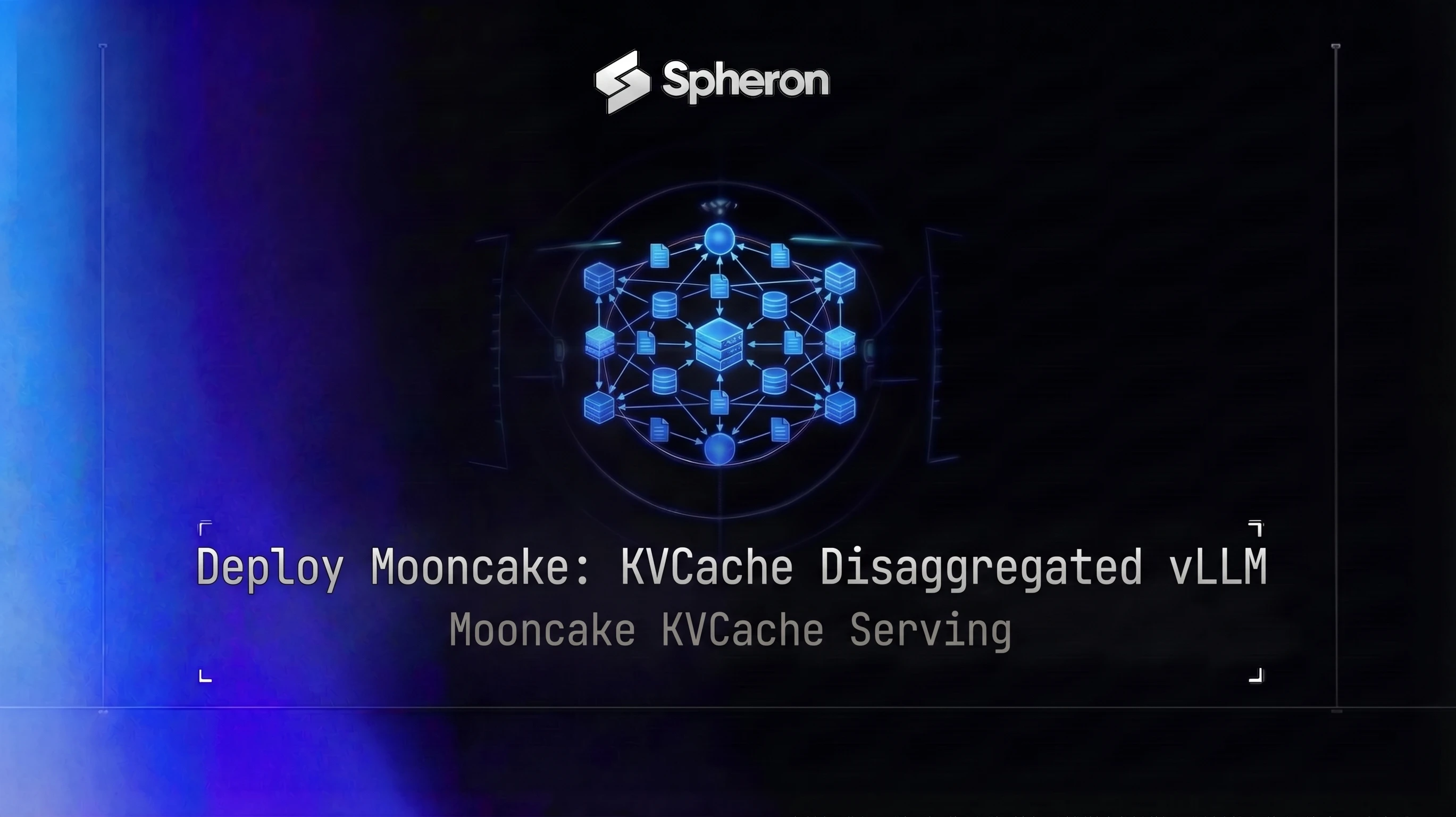
The Mooncake Store is the distributed KV object store. It aggregates underused GPU HBM, CPU DRAM, and NVMe from every node in the cluster into one logical pool. From any node's perspective, the Store is an addressable KV pool that happens to span many physical machines.
Why Moonshot built it: Kimi's agentic workloads run at production scale, processing 100B+ tokens per day with 1M-token context windows. At that scale, the KV cache for a single agent trace cannot fit on one GPU, and re-computing it per step would dominate cost. The Store keeps KV state alive across steps, across nodes, across prefill-decode boundaries.
The MooncakeStoreConnector (added in vLLM's May 2026 release) is the integration point. Prefill workers write computed KV blocks to the Store; decode workers read from it. Multiple prefill workers can write the same hot prefix, and multiple decode workers can read it without any coordination overhead. This is multi-producer multi-consumer KV sharing, which NixlConnector does not support.
How Mooncake Plugs into vLLM
vLLM uses a unified --kv-transfer-config JSON flag for all disaggregated KV connectors. The two Mooncake connectors follow the same interface.
MooncakeConnector
Point-to-point KV transfer using the core vLLM connector (available via standard pip install vllm). The prefill node is kv_producer, the decode node is kv_consumer. This is the simpler path: no Mooncake Store daemon required.
On the prefill node:
export VLLM_KV_TRANSFER_CONFIG='{
  "kv_connector": "MooncakeConnector",
  "kv_role": "kv_producer",
  "kv_connector_extra_config": {
    "decode_addr": "<DECODE_NODE_IP>:8201"
  }
}'

python -m vllm.entrypoints.openai.api_server \
  --model meta-llama/Llama-3.1-70B-Instruct \
  --dtype fp8 \
  --tensor-parallel-size 1 \
  --kv-transfer-config "$VLLM_KV_TRANSFER_CONFIG" \
  --port 8200
On the decode node:
export VLLM_KV_TRANSFER_CONFIG='{
  "kv_connector": "MooncakeConnector",
  "kv_role": "kv_consumer",
  "kv_connector_extra_config": {
    "prefill_addr": "<PREFILL_NODE_IP>:8200"
  }
}'

python -m vllm.entrypoints.openai.api_server \
  --model meta-llama/Llama-3.1-70B-Instruct \
  --dtype fp8 \
  --kv-transfer-config "$VLLM_KV_TRANSFER_CONFIG" \
  --port 8201
Note: always check your specific vLLM release notes for the correct connector option format, since the API surface for disaggregated connectors is evolving across minor releases. For the full MooncakeConnector usage guide, see docs.vllm.ai. If you haven't enabled vLLM Model Runner V2 yet, its async CPU/GPU scheduling reduces the handoff latency on both the producer and consumer side of a Mooncake connector, which matters more here than in a single-node deployment since every extra millisecond of scheduling overhead compounds across the transfer hop.
MooncakeStoreConnector
The full Store-backed path. Prefill workers write KV blocks to the Mooncake Store daemon; decode workers pull from it. This requires running a separate mooncaked daemon.
On the prefill node:
export VLLM_KV_TRANSFER_CONFIG='{
  "kv_connector": "MooncakeStoreConnector",
  "kv_role": "kv_producer",
  "kv_connector_extra_config": {
    "mooncake_store_addr": "<STORE_NODE_IP>:50051"
  }
}'

python -m vllm.entrypoints.openai.api_server \
  --model meta-llama/Llama-3.1-70B-Instruct \
  --dtype fp8 \
  --tensor-parallel-size 1 \
  --kv-transfer-config "$VLLM_KV_TRANSFER_CONFIG" \
  --port 8200
On the decode node:
export VLLM_KV_TRANSFER_CONFIG='{
  "kv_connector": "MooncakeStoreConnector",
  "kv_role": "kv_consumer",
  "kv_connector_extra_config": {
    "mooncake_store_addr": "<STORE_NODE_IP>:50051"
  }
}'

python -m vllm.entrypoints.openai.api_server \
  --model meta-llama/Llama-3.1-70B-Instruct \
  --dtype fp8 \
  --kv-transfer-config "$VLLM_KV_TRANSFER_CONFIG" \
  --port 8201
The decode node does not need to know which prefill node wrote the KV blocks. The Store handles that routing. This matters when you add a second prefill node or swap one out: the decode nodes keep working with no config change.
Building a KV Cache Pool from HBM, DRAM, and NVMe
The Mooncake Store manages three tiers:
- GPU HBM (hot): KV blocks for active requests. Fast but scarce. 80GB on H100 SXM5.
- CPU DRAM (warm): Recently-evicted blocks and shared prefixes. ~256-512GB per node at PCIe bandwidth.
- NVMe (cold): Long-tail historical context and persistent prefix cache. 2-4TB at 6-12 GB/s.
The tiering is similar to LMCache's hierarchy, but Mooncake's memory routing layer manages eviction across the whole cluster pool rather than per-node. A hot block on node A can be fetched by node B from the Store rather than re-read from node A's local DRAM.
For single-node NVMe tiering without the distributed pool, NVMe KV cache offloading covers that use case without the distributed Store complexity.
Start the Mooncake Store daemon with the tiers you want to expose:
# On the store daemon node (or the decode node)
mooncaked \
  --port 50051 \
  --capacity-hbm 0 \
  --capacity-dram 256 \
  --capacity-nvme 2000 \
  --nvme-path /mnt/nvme/mooncake
--capacity-hbm 0 tells the daemon to not reserve GPU HBM for the pool - prefill workers manage their own HBM and write completed blocks out via the connector. Set --capacity-dram and --capacity-nvme to the available sizes in GB. The NVMe path must be a mounted high-bandwidth SSD (PCIe 4.0+, 6 GB/s sequential minimum).
Verify the daemon is running:
grpc_cli call <STORE_NODE_IP>:50051 \
  MooncakeStoreService.GetPoolStatus \
  "" --channel_creds_type=insecure
Multi-Node Deploy on Spheron: Step-by-Step
Hardware Sizing
| Node | GPU | Role | On-Demand | Spot | HBM | Notes |
|---|---|---|---|---|---|---|
| Prefill | H100 SXM5 | KV producer | $2.98/hr | $2.32/hr | 80GB | High FP8 TFLOPS for prompt processing |
| Decode | H200 SXM5 | KV consumer | $4.79/hr | $3.09/hr | 141GB | HBM3e bandwidth for token generation |
| Decode (budget) | A100 80G SXM4 | KV consumer | $1.48/hr | $1.20/hr | 80GB | Fits 70B with FP8 weights |
| Store daemon | Any CPU node | Mooncake Store | - | - | - | Or co-locate on decode node |
Minimum viable setup: 1x H100 prefill + 1x H200 decode. The Store daemon can run on the decode node to avoid a third instance.
As a worked example at the rates recorded on 4 Jul 2026, total on-demand came to $2.54 + $3.70 = $6.24/hr, and spot on prefill to $1.43 + $3.70 = $5.13/hr (the prefill node is the interrupt-tolerant leg since KV blocks are written to the Store before the prefill node finishes serving the request).
Pricing fluctuates based on GPU availability. Spheron rates above are live as of 03 Oct 2026; other providers reflect their most recent published rates and may have changed. Check current GPU pricing → for live rates.
Networking: RDMA/RoCE is required for sub-millisecond KV transfer. Spheron instances within the same region can be provisioned with 25GbE or InfiniBand. For networking options and RDMA configuration, see the GPU networking guide. TCP fallback works but adds 5-20ms per transfer, which compounds across steps in an agentic trace.
Step 1: Provision Nodes
Log in to app.spheron.ai and provision two instances:
- Prefill node: H100 SXM5, same region
- Decode node: H200 SXM5, same region
For multi-node provisioning specifics, see Spheron LLM quick guides. Note both private IP addresses before proceeding.
Step 2: Install Dependencies
On all nodes:
pip install mooncake-transfer-engine vllm

# Verify
python -c "import mooncake; print(mooncake.__version__)"
python -c "import vllm; print(vllm.__version__)"
Mount NVMe on the decode/store node:
sudo mkdir -p /mnt/nvme/mooncake
sudo mount /dev/nvme0n1 /mnt/nvme
Step 3: Start Mooncake Store Daemon
On the decode node (or a dedicated store node):
mooncaked \
  --port 50051 \
  --capacity-hbm 0 \
  --capacity-dram 256 \
  --capacity-nvme 2000 \
  --nvme-path /mnt/nvme/mooncake \
  &> mooncaked.log &
Step 4: Start Prefill Node
On the H100 prefill node:
STORE_IP=<DECODE_NODE_IP>

export VLLM_KV_TRANSFER_CONFIG='{
  "kv_connector": "MooncakeStoreConnector",
  "kv_role": "kv_producer",
  "kv_connector_extra_config": {
    "mooncake_store_addr": "'"$STORE_IP"':50051"
  }
}'

python -m vllm.entrypoints.openai.api_server \
  --model meta-llama/Llama-3.1-70B-Instruct \
  --dtype fp8 \
  --gpu-memory-utilization 0.92 \
  --max-model-len 32768 \
  --kv-transfer-config "$VLLM_KV_TRANSFER_CONFIG" \
  --port 8200
Step 5: Start Decode Node
On the H200 decode node:
STORE_IP=<DECODE_NODE_IP>

export VLLM_KV_TRANSFER_CONFIG='{
  "kv_connector": "MooncakeStoreConnector",
  "kv_role": "kv_consumer",
  "kv_connector_extra_config": {
    "mooncake_store_addr": "'"$STORE_IP"':50051"
  }
}'

python -m vllm.entrypoints.openai.api_server \
  --model meta-llama/Llama-3.1-70B-Instruct \
  --dtype fp8 \
  --kv-transfer-config "$VLLM_KV_TRANSFER_CONFIG" \
  --port 8201
Step 6: Validate KV Transfer
Send a test request to the prefill node and confirm the decode node picks up the KV blocks:
curl http://<PREFILL_NODE_IP>:8200/v1/chat/completions \
  -H "Content-Type: application/json" \
  -d '{
    "model": "meta-llama/Llama-3.1-70B-Instruct",
    "messages": [{"role": "user", "content": "Summarize the state of KV cache disaggregation in 2026."}]
  }'
Check the Store daemon logs for incoming writes from the prefill node:
tail -f mooncaked.log | grep "block_write\|block_read"You should see block writes from the prefill node and block reads from the decode node.
Benchmarks: Throughput, TTFT, and Cost
The 3.8x throughput, 46x TTFT, and 8.6x latency figures below are from the vLLM engineering blog (May 2026), measured on 12 GB200 (Grace Blackwell) GPUs running agentic trace benchmarks. A separate scaling test to 60 GB200 GPUs in the same source showed >95% KV cache hit rate at that scale. The Mooncake arXiv paper (2407.00079) reports its own benchmark results under different conditions: 1.7-2.9x throughput improvement and 1.4-2.1x TTFT reduction. On a 2-node H100+H200 Spheron setup, absolute numbers will differ, but the relative ordering holds.
| Metric | Mooncake (12x GB200) | Monolithic vLLM | Improvement |
|---|---|---|---|
| Throughput | 3.8x baseline | 1x | 3.8x |
| TTFT | 46x reduction | 1x | 46x lower |
| End-to-end latency | 8.6x lower | 1x | 8.6x faster |
| Workload | Agentic traces | Same | Same |
Note: The 3.8x throughput and 46x TTFT figures are from the vLLM engineering blog's agentic benchmark on 12 GB200 GPUs, not a general vLLM deployment. Real results depend on workload, hardware, and how much KV state is being reused across steps. Qualify these numbers against your own workload before using them in capacity planning.
Cost comparison at Spheron pricing (2-node setup, worked example at the 4 Jul 2026 rates):
| Setup | GPUs | Cost/hr | Throughput (relative) | Cost per unit throughput |
|---|---|---|---|---|
| Monolithic H100 x2 | 2x H100 | $5.08/hr | 1x | $5.08 |
| Mooncake (H100 prefill + H200 decode) | 1x H100 + 1x H200 | $6.24/hr | ~2-3x (agentic, KV reuse) | $2.08-3.12 |
| Spot prefill (H100 spot + H200 on-demand) | 1x H100 + 1x H200 | $5.13/hr | ~2-3x | $1.71-2.57 |
Cost per unit throughput drops significantly when KV reuse is high. The more your workload reuses KV state across steps, the better this ratio gets.
Mooncake vs LMCache vs NVMe Offloading: When Each Wins
| Scenario | Best Choice | Why |
|---|---|---|
| Agentic pipelines, multi-step traces, 1M token context | Mooncake | Distributed KV pool survives across steps and nodes |
| Chatbot / RAG with shared system prompt | LMCache | Write-once, read-many; Redis backend optimized for prefix broadcast |
| Single node, batch workloads, no multi-node sharing | NVMe offloading | Lower complexity, no inter-node overhead |
| High TTFT SLO with predictable prefill-decode pairing | NixlConnector | Direct P2P, lowest transfer overhead for 1:1 node pairing |
| Both agentic and shared-prefix | Mooncake + LMCache | Mooncake for inter-node transfer, LMCache disk tier for persistent prefix |
LMCache excels when the same prefix is fetched repeatedly by many workers. It is in production at Google Cloud GKE Inference. For a detailed guide on LMCache deployment, see LMCache on GPU cloud.
NVMe offloading alone (no inter-node sharing) is the right choice for single-node setups where concurrency, not inter-node transfer, is the bottleneck. The NVMe KV cache offloading guide covers that path.
Mooncake and LMCache are not mutually exclusive. You can use Mooncake's Transfer Engine for inter-node KV movement and LMCache's NVMe tier for persistent cold storage on each node.
Spheron Angle: More Users from the Same GPU Fleet
The core argument for Mooncake on a fixed GPU budget: you are paying for GPU HBM whether or not it is being used to hold active KV state. Most H100 HBM at any given second holds KV state from previous steps that will be needed again within the next few seconds but is not currently being processed.
Mooncake extracts that idle HBM capacity across the cluster into a shared pool. Instead of every node managing its own island of KV memory, the pool is one coherent resource.
Concrete example: with 2x H100 SXM5 ($5.96/hr total on-demand), a chatbot serving 1M-token context agentic tasks without Mooncake might sustain 3-4 concurrent users before KV memory fills and new requests stall prefill. The same two nodes serving as a Mooncake disaggregated cluster, with the decode node's 141GB H200 HBM as the hot tier and NVMe as the cold tier, can handle substantially more concurrent steps before reaching the same bottleneck.
The economics: instead of renting a third H100 at $2.98/hr to scale throughput by adding a node, Mooncake lets you extract more from the nodes you already have by reusing computed KV state rather than recomputing it. At $4.79/hr for an H200 decode node, you get a higher-HBM pool that handles more concurrent decode steps per dollar than a third H100.
Pricing fluctuates based on GPU availability. Spheron rates above are live as of 03 Oct 2026; other providers reflect their most recent published rates and may have changed. Check current GPU pricing → for live rates.
For teams running multi-step agentic pipelines, the Mooncake architecture directly matches the workload shape. For single-user chatbots with short prompts, it is over-engineered. Know your workload before adding the distributed Store complexity. The same "start simple, add complexity when the workload demands it" logic applies to the endpoint your prefill and decode nodes expose: if you haven't already standardized on the pattern in our self-hosted OpenAI-compatible API guide, do that first before layering a distributed KV pool underneath it.
MoE models with agentic tool-use patterns are a common Mooncake candidate. If you're running Llama 4 Scout or Maverick for long multi-turn agent sessions, the Llama 4 deployment guide covers the base tensor-parallel setup that a Mooncake prefill or decode node would sit alongside.
Mooncake's disaggregated KV pool runs best on bare-metal GPUs with direct NVMe access and low-latency RDMA networking. Spheron's H100 and H200 instances include both, with bare-metal access and no hypervisor overhead on storage I/O.
H100 capacity on Spheron → | H200 SXM5 → | View live pricing →
Quick Setup Guide
Log in to app.spheron.ai and create two or more GPU instances. For a minimal setup: one H100 SXM5 prefill node and one H200 SXM5 decode node. Place both in the same region. Note each instance's private IP address. For the Mooncake Store path, provision a third node to run the mooncaked daemon, or co-locate it on the decode node.
On all nodes, run: pip install mooncake-transfer-engine vllm. Verify the Transfer Engine is available: python -c 'import mooncake; print(mooncake.__version__)'. Ensure CUDA 12.4+ is installed. The Transfer Engine requires RDMA-capable networking (RoCE or InfiniBand) for sub-millisecond KV transfer; it falls back to TCP but with higher latency.
On the store daemon node (or decode node), start mooncaked: mooncaked --port 50051 --capacity-hbm 0 --capacity-dram 256 --capacity-nvme 2000 --nvme-path /mnt/nvme/mooncake. This exposes 256 GB of DRAM and 2 TB of NVMe as a shared KV pool. The daemon serves gRPC requests from prefill and decode workers.
On the H100 prefill node: export VLLM_KV_TRANSFER_CONFIG='{"kv_connector":"MooncakeStoreConnector","kv_role":"kv_producer","kv_connector_extra_config":{"mooncake_store_addr":"STORE_NODE_IP:50051"}}'. Then launch vLLM: python -m vllm.entrypoints.openai.api_server --model meta-llama/Llama-3.1-70B-Instruct --dtype fp8 --tensor-parallel-size 1 --kv-transfer-config $VLLM_KV_TRANSFER_CONFIG --port 8200.
On the H200 decode node: export VLLM_KV_TRANSFER_CONFIG='{"kv_connector":"MooncakeStoreConnector","kv_role":"kv_consumer","kv_connector_extra_config":{"mooncake_store_addr":"STORE_NODE_IP:50051"}}'. Launch vLLM on port 8201 with the same model. Send a test request via the prefill node's port 8200. Verify the decode node pulls KV blocks from the Store by checking the mooncaked logs for incoming block reads.
Frequently Asked Questions
Mooncake is the serving platform Moonshot AI built to power Kimi. It consists of two core components: the Transfer Engine (P2P KV tensor transport over RDMA/RoCE between nodes) and Mooncake Store (a distributed in-memory and NVMe KV object store that aggregates spare HBM, DRAM, and NVMe across a GPU cluster into one logical pool). It was designed for agentic workloads with long traces and 1M-token contexts, where KV recomputation dominates cost. Mooncake joined the PyTorch Ecosystem in February 2026.
MooncakeConnector is the core vLLM point-to-point KV transfer connector (available via standard pip install vllm): the prefill node (kv_role: kv_producer) sends KV blocks directly to a specific decode node (kv_role: kv_consumer). It works like NixlConnector but uses Mooncake's own routing layer. MooncakeStoreConnector (added in the May 2026 vLLM integration) routes through the Mooncake Store daemon instead: prefill workers write KV blocks to the distributed Store and decode workers read from it. The Store connector enables multi-producer multi-consumer KV sharing, meaning multiple prefill workers can write hot prefixes that multiple decode workers later consume without point-to-point coordination. Note: MooncakeTransferEngineConnector is a separate connector available only in the vllm-omni subproject, not in standard pip install vllm.
Mooncake treats KV cache as the primary object in the serving graph rather than a side-effect of model computation. The Transfer Engine handles P2P movement of KV tensors between prefill and decode nodes over RDMA. The Mooncake Store aggregates underused GPU HBM, CPU DRAM, and NVMe from every node in a cluster into one addressable pool. Prefill workers write computed KV blocks to this pool; decode workers (and other prefill workers sharing a hot prefix) read from it. This decouples KV lifetime from the specific GPU that computed it.
LMCache is best for repeated shared-prefix workloads (chatbots, RAG) where the same system prompt is fetched by many workers. It uses Redis as a shared backend and is optimized for write-once, read-many prefix caching. Mooncake is better for agentic workloads with long, unique traces where KV cache must move between disaggregated prefill and decode nodes as part of the serving pipeline. The two can be combined: Mooncake as the inter-node transfer layer plus LMCache's disk tier for persistent prefix cache.
Prefill nodes need raw compute (FLOPS): H100 SXM5 is the primary choice at $2.98/hr on-demand on Spheron. Decode nodes need memory bandwidth and KV pool capacity: H200 SXM5 with 141GB HBM3e at 4.8 TB/s is ideal at $4.79/hr on-demand. For budget decode, A100 80G SXM4 at $1.48/hr works for smaller models where the KV pool fits in 80GB. Always co-locate prefill and decode nodes in the same Spheron region to minimize inter-node transfer latency.