In 2026, H100 capacity is scattered across a dozen cloud providers and prices can swing 3x depending on where you look and when. AWS P5 nodes, GCP A3 instances, and Lambda GPU clusters all have their own queue depths, spot markets, and pricing floors. A single-cloud strategy means either paying hyperscaler list rates or watching jobs stall in a capacity queue.
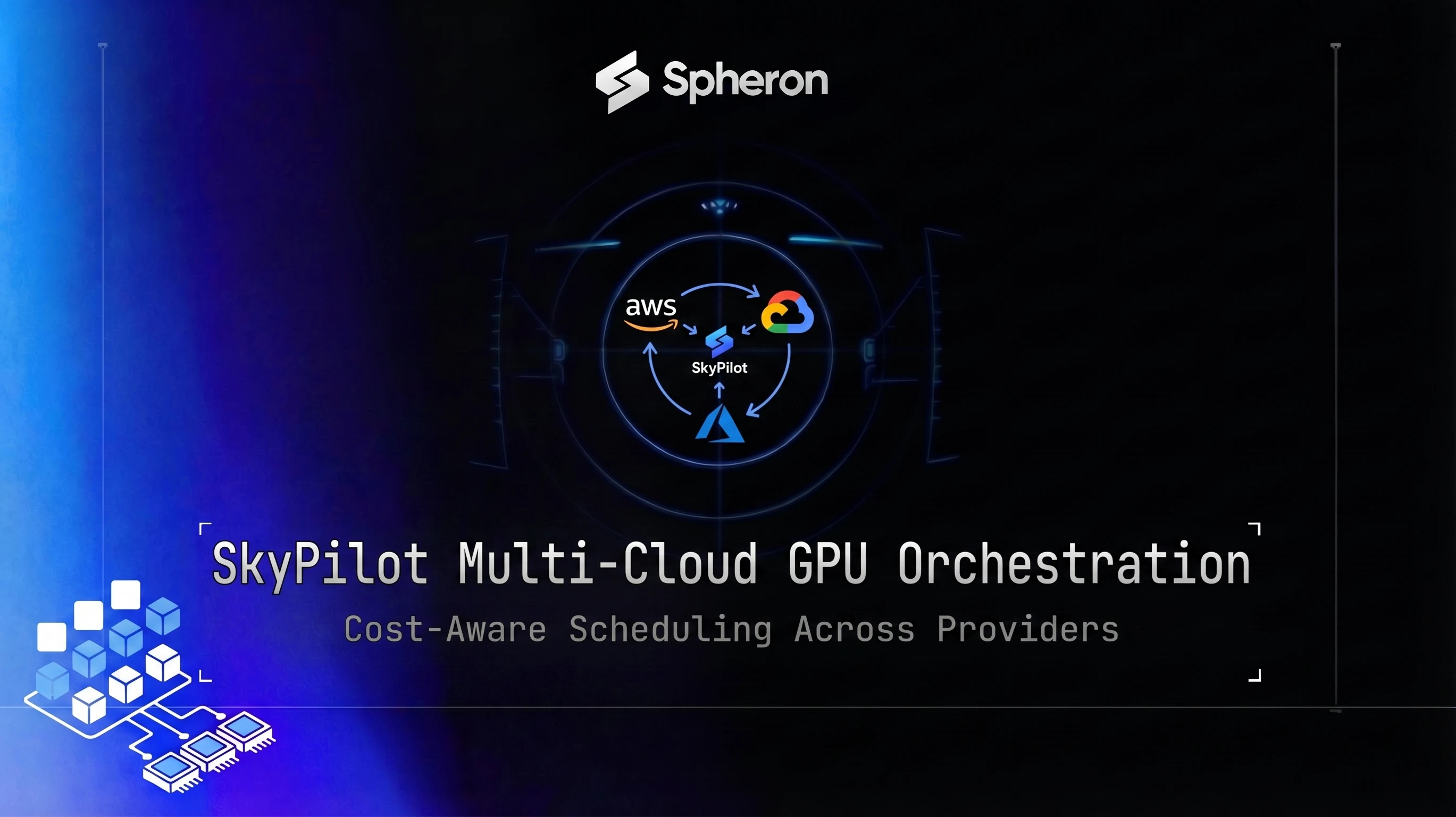
SkyPilot solves this by doing the shopping for you. You define what you need (one H100, 60GB RAM, a specific setup script) in a YAML file. SkyPilot queries your configured providers, finds the cheapest available option, provisions the node, runs your code, and tears it down. Spheron's transparent per-hour marketplace pricing makes it a strong SkyPilot target: the optimizer gets accurate cost data without fighting against unpredictable spot market APIs.
For a broader look at how multi-cloud GPU access changes cost dynamics, see GPU cost optimization strategies and hyperscaler GPU alternatives. If you're also evaluating managed marketplace products like NVIDIA DGX Cloud Lepton, see our breakdown of GPU cloud marketplace alternatives for how open platforms compare to NVIDIA-controlled allocation.
Why teams adopt SkyPilot in 2026
H100 availability remains tight across all major providers. AWS P5 on-demand requires quota approval that takes weeks. GCP A3 has waitlists. Lambda fills up during peak hours. The practical effect: teams with single-cloud setups regularly wait hours for capacity that would be instantly available on an adjacent provider.
The spot GPU training case study showing 73% cost reduction demonstrated what's possible when teams use spot pricing aggressively. But running spot reliably across a single cloud still leaves money on the table. When AWS spot H100 dries up in us-east-1, you want the optimizer to fall through to Spheron or Lambda automatically, not wait for capacity to return.
Cross-cloud cost arbitrage is real. Spheron H100 SXM5 spot pricing starts at $1.66/hr per GPU. AWS P5 (on-demand, after the 2025 price cut) runs around $6.88/hr per H100. That's a 4x hourly spread (6.88/1.66 = 4.14x). For an 8-GPU, two-week training run, that comes out to roughly $18,500 (AWS on-demand) vs $4,500 (Spheron spot). SkyPilot's optimizer knows these numbers and routes accordingly. If you're weighing this spread against a full move off AWS rather than automated arbitrage, the migration guide from AWS, GCP, and Azure covers the containerization and decoupling steps for cutting over entirely instead of running a multi-cloud optimizer indefinitely.
The productivity argument matters too. One YAML replaces a zoo of provider-specific CLIs, API clients, and SSH setups. Your team learns one tool that runs across every cloud you've ever authenticated.
SkyPilot architecture
Four concepts cover 90% of what SkyPilot does:
Task: The YAML definition of what to run. It specifies setup commands, a run command, resource requirements, and optionally environment variables, file mounts, and storage buckets.
Resources: The ordered list of cloud, GPU type, region, and spot preference combinations that SkyPilot should consider. The optimizer evaluates them in order, picking the first option with available capacity at the lowest cost.
Cost optimizer: Queries each cloud's API at job submission time to get current spot and on-demand prices. Picks the cheapest available option from the resources list. Falls through the list if the first choice has no capacity.
Managed Jobs vs sky launch: sky launch is a one-shot provisioner. It starts a cluster, runs the task, and leaves it up. You control teardown. sky jobs launch wraps a task in a lifecycle manager: it detects preemption, provisions a replacement node, and resumes from the last checkpoint automatically. For long training runs on spot, use managed jobs.
The data flow looks like this:
Sky CLI
  -> SkyPilot controller
      -> AWS API   (query spot price, check capacity)
      -> GCP API   (query spot price, check capacity)
      -> Spheron API (query on-demand/spot price)
      -> Lambda API (query on-demand price)
  -> Provision winning node (SSH keys injected)
  -> Execute setup + run commands
  -> Monitor for preemption (managed jobs only)
  -> Teardown on completion
Installing SkyPilot
pip install "skypilot[aws,gcp,lambda,kubernetes]"After install, validate your credentials:
sky checkThis queries each configured cloud and reports which ones are reachable. Fix any auth issues before proceeding. For AWS and GCP, SkyPilot reads the same credential files as their respective CLIs (~/.aws/credentials, ~/.config/gcloud/). For Lambda, recent SkyPilot versions read credentials from ~/.lambda_cloud/lambda_keys rather than an environment variable. Check the current SkyPilot Lambda docs if sky check reports Lambda as unavailable.
Registering Spheron as a custom cloud target
This is the most distinctive part of the guide. At time of writing, Spheron is not a first-party SkyPilot provider. You build the integration yourself using SkyPilot's custom cloud plugin interface. The plugin consists of three components.
If you'd prefer a ready-made starting point, skypilot-org/skypilot#9206 is an open PR that adds Spheron as a custom cloud module to the main SkyPilot repo. You can use that implementation as a reference or apply the patch directly while it awaits merge.
Note on SkyPilot versioning: The examples below target SkyPilot 0.12.x (current stable as of May 2026). The clouds.Cloud interface evolves across releases, so verify the instance_type_exists, region_zones_with_offering, and get_credential_file_mounts signatures against the current sky.clouds.cloud.Cloud source before deploying. Run pip show skypilot and check the SkyPilot changelog for breaking changes.
Plugin structure
~/.sky/clouds/
  spheron/
    __init__.py
    spheron_cloud.py   # Cloud implementation
catalog.csv # GPU SKU pricing tablespheron_cloud.py skeleton
import os
from sky.clouds import cloud
from sky import catalog as sky_catalog
import requests

class SpheronCloud(cloud.Cloud):
    _NAME = "spheron"

    def instance_type_exists(self, instance_type: str) -> bool:
        """Check if an instance type is in the Spheron catalog."""
        return instance_type in self._get_catalog_instance_types()

    def region_zones_with_offering(
        self,
        instance_type: str,
        accelerators=None,
        use_spot: bool = False,
        region=None,
        zone=None,
    ):
        """Yield (region, zone, price) tuples for instances matching constraints."""
        catalog = self._load_catalog()
        for row in catalog:
            if row["instance_name"] == instance_type:
                if use_spot and not row["spot_price"]:
                    continue
                price = float(row["spot_price"] if use_spot else row["price"])
                yield row["region"], None, price

    def get_credential_file_mounts(self):
        """Return SSH key and Spheron token file paths to inject onto provisioned nodes."""
        return {
            "~/.spheron/token": "~/.spheron/token",
            "~/.ssh/id_rsa": "~/.ssh/id_rsa",
        }

    def _load_catalog(self):
        catalog_path = os.path.join(os.path.dirname(os.path.abspath(__file__)), 'catalog.csv')
        with open(catalog_path) as f:
            import csv
            return list(csv.DictReader(f))

    def _get_catalog_instance_types(self):
        return {row["instance_name"] for row in self._load_catalog()}
The provisioner layer (instance launch, SSH setup, teardown) requires implementing cloud.Cloud.provision, cloud.Cloud.terminate, and cloud.Cloud.get_ssh_ports. These methods call Spheron's deployment API; see docs.spheron.ai for authentication details and the instance lifecycle endpoints.
catalog.csv
The catalog maps Spheron GPU SKUs to SkyPilot's instance type schema. Use prices from the live API (values below from 16 May 2026):
instance_name,vcpus,memory_gb,accelerator_name,accelerator_count,price,spot_price,region
spheron-h100-sxm5-1,12,60,H100,1,3.90,1.66,global
spheron-h100-sxm5-8,96,480,H100,8,31.20,13.28,global
spheron-a100-80g-sxm-1,12,60,A100-80GB,1,1.71,0.45,global
spheron-a100-80g-sxm-8,96,480,A100-80GB,8,13.68,3.60,global
spheron-l40s-1,12,48,L40S,1,0.75,0.32,global
spheron-h200-sxm5-1,12,80,H200,1,4.62,1.92,global
Hardware specs for populating the catalog (VRAM, core counts, TDP) are available on the H100 GPU specs and rental page and equivalent pages for each GPU model.
Registering the plugin
mkdir -p ~/.sky/clouds/spheron
cp spheron_cloud.py ~/.sky/clouds/spheron/
cp catalog.csv ~/.sky/clouds/spheron/
touch ~/.sky/clouds/spheron/__init__.py
Add to ~/.sky/config.yaml:
clouds:
  custom:
    - name: spheron
      module: spheron.spheron_cloud.SpheronCloud
After registration, sky check should show Spheron as an available cloud.
Hands-on: launching a vLLM job
With Spheron registered, you can include it in any task's resources list. Here's a complete task for serving Llama 3.1 70B with vLLM:
name: vllm-llama-70b

resources:
  ordered:
    - cloud: spheron
      accelerators: H100:2
    - cloud: lambda
      accelerators: H100:2
    - cloud: gcp
      accelerators: H100-80GB:2
    - cloud: aws
      accelerators: H100:2
  use_spot: true
  cpus: 8+
  memory: 120+

setup: |
  pip install vllm

run: |
  python -m vllm.entrypoints.openai.api_server \
    --model meta-llama/Meta-Llama-3.1-70B-Instruct \
    --tensor-parallel-size 2 \
    --port 8000
Launch it:
sky launch -c llm-cluster vllm_task.yamlThe optimizer evaluates Spheron first (it's first in the ordered list) and checks if an H100 spot instance is available. If yes, it provisions there. If Spheron has no H100 capacity at that moment, it tries Lambda, then GCP, then AWS. The first provider with capacity wins.
Spheron's transparent per-hour pricing means the optimizer has accurate cost data to work with. Check current GPU pricing on Spheron for the latest rates fed into the optimizer.
Spot recovery and managed jobs
For long training runs where you cannot afford to lose progress, use sky jobs launch instead:
sky jobs launch -n finetune-70b finetune_task.yamlThe managed job version of the task uses file_mounts to attach a checkpoint volume:
name: finetune-70b

resources:
  ordered:
    - cloud: spheron
      accelerators: H100:8
    - cloud: lambda
      accelerators: H100:8
  use_spot: true

file_mounts:
  /checkpoints:
    source: s3://your-checkpoint-bucket/finetune-70b
    mode: MOUNT

setup: |
  pip install transformers accelerate peft

run: |
  python train.py \
    --model_name meta-llama/Meta-Llama-3.1-70B \
    --output_dir /checkpoints \
    --resume_from_checkpoint /checkpoints/latest \
    --save_steps 100
When a spot instance is preempted, SkyPilot detects the termination signal (typically a 2-minute warning), waits for the task process to exit, then provisions a fresh node and re-runs from the top of the run command. Your training script's --resume_from_checkpoint /checkpoints/latest picks up from the last saved state.
The checkpoint volume persists across the replacement node because it's mounted from S3, not from local disk. SkyPilot manages the node lifecycle; your code manages the checkpoint logic. For detailed checkpoint strategies, see the checkpoint recovery patterns from the 70B spot training case study.
Multi-node training with SkyPilot
SkyPilot supports multi-node jobs via the num_nodes parameter. Here's a two-node torchrun task:
name: llama-pretrain-2node

num_nodes: 2

resources:
  accelerators: H100:8
  cloud: spheron
  use_spot: false

run: |
  torchrun \
    --nproc_per_node=8 \
    --nnodes=2 \
    --node_rank=${SKYPILOT_NODE_RANK} \
    --master_addr=$(head -n1 <<< "$SKYPILOT_NODE_IPS") \
    --master_port=29500 \
    train_llama.py
SkyPilot injects SKYPILOT_NODE_RANK (0-indexed rank of the current node), SKYPILOT_NODE_IPS (newline-separated list of all node IPs), and SKYPILOT_NUM_NODES automatically. The master address is derived from the first line of SKYPILOT_NODE_IPS. No manual host file management needed.
For NCCL backend selection, InfiniBand gives 400Gb/s vs Ethernet's 100Gb/s for inter-node collective operations. The practical impact on a 70B+ training run is significant: see NCCL tuning for multi-node training for the environment variable settings that matter (NCCL_IB_HCA, NCCL_IB_GID_INDEX, NCCL_SOCKET_IFNAME). For a deeper look at the physical layer differences, the InfiniBand vs RoCEv2 selection guide covers when each backend fits.
Spheron bare-metal clusters use RoCEv2 by default. InfiniBand availability varies by node type, so verify with Spheron support before writing catalog entries that assume IB connectivity.
SkyServe for inference
SkyServe wraps a SkyPilot task with a load balancer and replica autoscaler. Instead of sky launch, you use sky serve up:
# vllm_service.yaml
service:
  readiness_probe:
    path: /health
    initial_delay_seconds: 60
  replicas: 2
  max_replicas: 6
  target_qps_per_replica: 10

resources:
  ordered:
    - cloud: spheron
      accelerators: H100:2
    - cloud: lambda
      accelerators: H100:2
  use_spot: false

setup: |
  pip install vllm

run: |
  python -m vllm.entrypoints.openai.api_server \
    --model meta-llama/Meta-Llama-3.1-70B-Instruct \
    --tensor-parallel-size 2 \
    --port 8000
Deploy:
sky serve up vllm_service.yaml -n llm-endpoint
sky serve status llm-endpoint
The SkyServe controller pings each replica's health endpoint and routes requests to the lowest-latency healthy replica. When request volume exceeds target_qps_per_replica * current_replicas, the controller provisions additional replicas. It can scale to zero when traffic drops.
The key point: SkyServe is cloud-agnostic. Whether replicas land on Spheron, Lambda, or GCP depends on the optimizer at provisioning time. The load balancer in front has no knowledge of which cloud a replica is on. For Python-native orchestration within a single cloud, see Ray Serve as an alternative for Python-native orchestration.
Cost benchmarks
Using live Spheron API pricing (16 May 2026):
| Provider | H100 On-Demand ($/GPU/hr) | H100 Spot ($/GPU/hr) |
|---|---|---|
| Spheron | $3.90 | $1.66 |
| AWS P5 (est.) | $6.88 | $2.50 (variable) |
| GCP A3 (est.) | $6.98 | $2.10 (variable) |
| Lambda | $2.49 | N/A |
For a 2-week, 8x H100 training run (336 hours total):
| Strategy | Hourly (8x H100) | Total Cost |
|---|---|---|
| AWS on-demand | $55.04 | ~$18,493 |
| Lambda on-demand | $19.92 | ~$6,693 |
| Spheron on-demand | $31.20 | ~$10,483 |
| SkyPilot: Spheron spot (80%) + Lambda fallback (20%) | blended ~$14.61 | ~$4,909 |
The blended SkyPilot scenario assumes spot preemptions send 20% of GPU-hours to Lambda on-demand as fallback: (0.8 × $1.66 + 0.2 × $2.49) × 8 = $14.61/hr. Even with that fallback cost, the total beats a Lambda-only strategy by 27% and AWS by 74%.
Pricing fluctuates based on GPU availability. The prices above are based on 16 May 2026 and may have changed. Check current GPU pricing → for live rates.
The in-body commercial link: teams running this kind of training workload should start with rent H100 on Spheron to confirm current availability before writing the SkyPilot catalog entry.
SkyPilot vs alternatives
| Tool | Best for | Cluster model | Cost optimization | Spot support | Multi-cloud | Operator overhead |
|---|---|---|---|---|---|---|
| SkyPilot | Burst training, cost arbitrage | Ephemeral nodes | Active, cross-cloud | Yes, with managed jobs | Yes | Low |
| Kubernetes | Steady-state inference, multi-tenant | Persistent cluster | Limited (scheduling efficiency) | Via node pools | Partial | High |
| Slurm | Long HPC training, topology scheduling | Fixed cluster | None (manual) | Via partition config | No | Medium |
| dstack | Clean dev UX, single-cloud | Ephemeral nodes | Limited | Yes | Limited | Low |
| Ray | Python-native parallelism, pipelines | Persistent cluster | None | Via placement groups | No | Medium |
For a detailed Kubernetes comparison, see Kubernetes GPU Orchestration in 2026. For HPC-style scheduling on a fixed cluster, the Slurm guide for AI workloads covers sbatch recipes and topology-aware placement that SkyPilot does not handle.
The single-sentence summary: SkyPilot wins when your goal is cross-cloud cost arbitrage. Every other tool assumes you've already decided where to run.
Production checklist
Before running SkyPilot in production:
- Secrets management: Never put API keys or tokens in the task YAML. Use
~/.sky/credential files orsecret_mountsto inject secrets at runtime. The Spheron API token should live in~/.spheron/token, not in an environment variable in the YAML. - Observability: SkyPilot logs land in
~/sky_logs/on the controller node. Forward them to your monitoring stack via arunhook that calls your log shipper after each epoch. - IAM scoping: Create a Spheron API key scoped to instance creation and termination only. Do not use a root API key in the plugin.
- Shutdown safety: Always include
sky down -ain your teardown scripts. A cluster left running after a job finishes costs money. Usesky autostop -i 30 <cluster>to set a 30-minute idle timeout on any cluster you launch interactively. - Cost guardrails: On managed jobs, set
--use-spotand a--spot-recoverypolicy. Budget alerts at the provider level (AWS Budgets, GCP Budget Alerts, Spheron usage notifications) give you a ceiling before SkyPilot's optimizer routes into unexpectedly expensive territory. - Version pinning: Pin your SkyPilot version in
requirements.txt. The custom cloud plugin interface changes between releases. A minor version bump can breakspheron_cloud.pywithout warning.
SkyPilot's optimizer routes jobs to the cheapest available GPU across clouds. Adding Spheron to the resources list gives it access to transparent per-hour H100, H200, and B200 pricing with no minimum commitment, which is exactly the cost signal the optimizer needs to save you money.
Check H100 availability → | H200 GPU pricing → | View all pricing →
Quick Setup Guide
Install SkyPilot via pip, verify cloud credentials for each provider, and run sky check to confirm which clouds are reachable and ready for job submission.
Create a Spheron cloud plugin using SkyPilot's custom cloud interface. Define instance types mapping to Spheron's GPU SKUs (H100, A100, L40S), set catalog pricing from the live API, and configure SSH key injection for headless access.
Write a SkyPilot YAML task that requests one H100 with an ordered resources list covering Spheron, AWS, GCP, and Lambda. Submit with sky launch and watch the optimizer select the lowest-cost available instance.
Promote the vLLM task to a managed job using sky jobs launch with a checkpoint volume mounted via the file_mounts field. SkyPilot will automatically restart from the last checkpoint on a fresh node if the spot instance is preempted.
Define a SkyServe service YAML with a readiness probe and replica policy. Deploy with sky serve up and use sky serve status to observe replicas being placed in the lowest-latency region per the optimizer's cost-latency objective.
Frequently Asked Questions
SkyPilot is a framework that submits AI jobs to whichever cloud has available capacity at the lowest price. You define resource requirements in a single YAML and SkyPilot negotiates with multiple cloud APIs to find the cheapest spot. Kubernetes manages long-running containerized services on a fixed cluster. SkyPilot is better for burst training and cost-sensitive batch jobs; Kubernetes is better for steady-state inference services and multi-tenant workload isolation.
Yes. SkyPilot supports custom cloud plugins. You implement three interfaces (instance catalog, provisioner, and SSH credential injector) and SkyPilot treats Spheron identically to AWS or GCP in its cost optimizer. The plugin maps Spheron's GPU SKUs to SkyPilot's resource model, so you can include Spheron in any resources list alongside hyperscalers.
SkyPilot's managed jobs (sky jobs launch) monitor the running task and detect preemption via the cloud's instance termination notice. On preemption, SkyPilot automatically provisions a replacement node and resumes the job from the last checkpoint. The key requirement is that your training code saves checkpoints at regular intervals and reads the latest checkpoint on startup. SkyPilot does not manage the checkpoint logic itself; it manages the node lifecycle around your code.
SkyServe is SkyPilot's managed inference serving layer. It wraps a sky launch task with a load balancer, health checks, and a replica autoscaler. Use SkyServe when you want to serve an LLM endpoint across multiple regions with automatic failover, latency-aware routing, and scale-to-zero. For batch training or one-shot jobs, sky launch is simpler and sufficient.
SkyPilot wins when your primary goal is cross-cloud cost arbitrage without operator overhead. dstack gives you a cleaner developer UX but limited cost optimization. Slurm is the right choice for long-running HPC training on a fixed cluster with GPU topology scheduling. Ray is better when you need Python-native task parallelism and distributed data pipelines inside a single cloud. SkyPilot is the only option that actively shops across cloud APIs to find the cheapest GPU at job submission time.