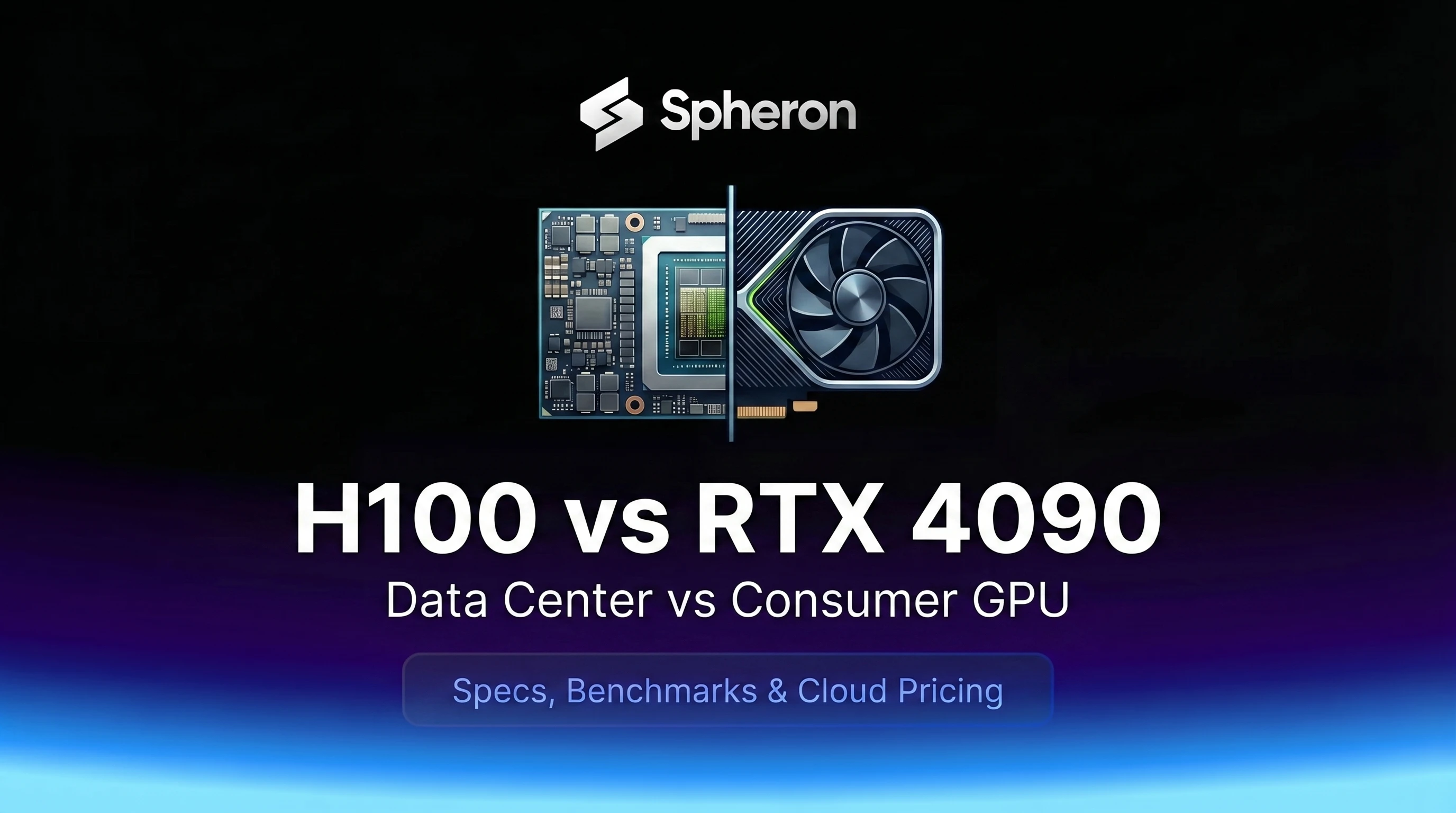
A team training a 7B model on an RTX 4090 hits a wall when they want to run the same job on a 70B model or scale to multi-GPU. The question becomes: rent an H100 for the training run, or buy another 4090? This post gives you the numbers to make that call, covering VRAM ceilings, inference throughput, cost per million tokens, and the training scenarios where the 4090 simply cannot compete.
Short answer: the 4090 wins for development, sub-13B inference, and cost-sensitive serving on smaller models. The H100 wins for 70B+ workloads, production serving, and anything requiring FP8 or NVLink.
Quick Answer
| Scenario | Best GPU | Why |
|---|---|---|
| Sub-13B dev and local inference | RTX 4090 | Lower $/hr, sufficient VRAM for 7B FP16 or 13B Q4 |
| 70B+ training or inference | H100 SXM5 | 70B Q4 needs 35 GB, exceeds 4090's 24 GB |
| QLoRA fine-tuning up to 20B | RTX 4090 | 24 GB handles most QLoRA workloads, lower hourly rate |
| Production multi-user serving | H100 SXM5 | ECC, MIG partitioning, NVLink, FP8 throughput |
Specs Side by Side
| Specification | RTX 4090 | H100 SXM5 |
|---|---|---|
| Architecture | Ada Lovelace (AD102) | Hopper (GH100) |
| VRAM | 24 GB GDDR6X | 80 GB HBM3 |
| Memory Bandwidth | 1,008 GB/s | 3,350 GB/s |
| FP16 Tensor TFLOPS | 165.2 | 1,979 |
| BF16 Tensor TFLOPS | 165.2 | 1,979 |
| FP8 Tensor TFLOPS | ~660 TFLOPS (no Transformer Engine) | 3,958 |
| Tensor Core Generation | 4th Gen | 4th Gen |
| NVLink | No | Yes (900 GB/s, NVLink 4.0) |
| MIG Support | No | Yes (up to 7 instances) |
| ECC Memory | No | Yes |
| Transformer Engine | No | Yes |
| TDP | 450W | 700W |
| PCIe Generation | Gen 4 x16 | Gen 5 (on PCIe variant) |
| Spheron On-Demand Price | From $0.72/hr | From $2.98/hr |
| Retail/Purchase Price | ~$1,599-$2,000 | ~$30,000+ |
Pricing fluctuates based on GPU availability. Spheron rates above are live as of 17 Sep 2026; other providers reflect their most recent published rates and may have changed. Check current GPU pricing → for live rates.
One clarification on FP8: the RTX 4090 has FP8 Tensor Core support (hence 1,321 AI TOPS), but it does not have NVIDIA's Transformer Engine. That is a hardware-plus-software pipeline specific to Hopper that automatically manages FP8 scaling factors across attention and feed-forward layers. The H100 reaches 3,958 TFLOPS on actual transformer operations through this pipeline. The 4090's FP8 is raw Tensor Core arithmetic without the engine that makes it practical for LLM workloads.
Also worth noting: the RTX 4090 has no NVLink whatsoever. The RTX 3090 had an NVLink bridge option, but NVIDIA removed it entirely on the 4090. Multi-GPU on a 4090 cluster is PCIe Gen 4 only.
What Fits: VRAM Ceiling by Model
| Model | 4090 FP16 | 4090 Q4 | H100 FP16 | H100 Q4 |
|---|---|---|---|---|
| Llama 3.1 8B | Yes (~16 GB) | Yes (~4 GB) | Yes | Yes |
| Llama 3.1 13B | No (~26 GB) | Yes (~7 GB) | Yes | Yes |
| Qwen3 32B | No (~64 GB) | Marginal (~20 GB weights, OOM with KV cache) | Yes | Yes |
| Llama 3.3 70B | No (~140 GB) | No (~35 GB) | No (~140 GB) | Yes (~35 GB) |
| Llama 3 405B | No | No | No (~810 GB) | No (~200 GB) |
For Llama 3.3 70B at Q4_K_M: model weights need roughly 35 GB (70B \* 0.5 bytes average = 35 GB). This exceeds the 4090's 24 GB completely. On the H100's 80 GB, it fits with 45 GB to spare for the KV cache. On the 4090, even two cards (48 GB combined via PCIe) can technically load it, but the PCIe bandwidth makes tensor parallelism impractical for real throughput.
For Qwen3 32B on the 4090: the Q4 weights (~20 GB) fit in 24 GB, but vLLM's default context lengths add several GB of KV cache on top, pushing past the limit. You can set --max-model-len 2048 to work around this, which is fine for short-context tasks but not practical for production serving. For the full model capacity matrix across GPUs, see GPU memory requirements for LLMs.
Training: Where the 4090 Cannot Go
For anything that fits in 24 GB, the 4090 is a capable fine-tuning GPU. QLoRA on models up to 20B, LoRA on models up to 13B, and full fine-tuning on models up to 3B all work fine. The RTX 4090 for AI/ML full specs and benchmarks covers these in detail.
The hard limits show up in three places.
NVLink absence. PCIe Gen 4 gives 32 GB/s per direction between GPUs. The H100's NVLink 4.0 gives 900 GB/s total bidirectional bandwidth. In an 8-GPU training cluster, the all-reduce operations that synchronize gradients across GPUs are bandwidth-limited. A 4090 cluster can do data parallelism (send gradients, not activations), but tensor parallelism and pipeline parallelism require bandwidth that PCIe cannot provide at scale. The H100's NVLink fabric is what makes 8-GPU tensor parallelism practical on 70B+ models.
No FP8 Transformer Engine. For training with FP8, the H100 reaches 3,958 TFLOPS on attention and feed-forward layers. The 4090 does not have this pipeline, so BF16 (165.2 TFLOPS) is its practical ceiling for training. For a detailed explanation of FP8 and the Transformer Engine, see our FP8 quantization guide.
Multi-node scaling. The H100 SXM5 form factor connects to NVSwitch via NVLink and supports InfiniBand for inter-node communication. The 4090 is single-node PCIe only. If your training job needs more than one physical machine, you need data center hardware.
Training throughput comparison for representative workloads:
| Workload | RTX 4090 | H100 SXM5 | 8x H100 SXM5 |
|---|---|---|---|
| Llama 3.1 8B QLoRA (tok/s) | ~520 | ~1,800 | ~12,000 |
| Llama 3.3 70B BF16 LoRA (tok/s) | Not possible | Not possible (single GPU) | ~38,000 |
| Llama 3.3 70B FP8 LoRA (tok/s) | Not possible | Not possible (single GPU) | ~62,000 |
Training benchmarks for 70B on 8x H100 from published MLPerf training v4.0 results and community benchmarks at rank 64 LoRA, 4K sequence length, gradient checkpointing. Single-GPU QLoRA estimates based on memory bandwidth ratios.
Inference: Where the 4090 Punches Above Its Weight
For single-user inference on 7B-13B models, the 4090's 1,008 GB/s bandwidth is genuinely competitive. Running Llama 8B Q4_K_M with llama.cpp or Ollama:
| Model | RTX 4090 (single user) | H100 SXM5 (single user) |
|---|---|---|
| Llama 3.1 8B Q4 | 80-120 tok/s | 350-450 tok/s |
| Llama 3.1 13B Q4 | 40-60 tok/s | 180-240 tok/s |
| Llama 3.3 70B Q4 | Not possible | 90-110 tok/s |
For personal/dev use on sub-13B models, 80-120 tok/s is interactive speed. Nobody needs 400 tok/s to iterate on prompts. The H100 is faster, but the 4090, from $0.72/hr, is more economical for solo development. Between the two sits a data center card with 48 GB of ECC memory, and our L40S inference benchmarks cover the throughput it delivers on the same 7B to 13B models.
The picture changes for multi-user serving with vLLM. At high batch sizes, the H100's bandwidth advantage compounds and its higher compute TFLOPS become relevant for prefill operations:
| Model | RTX 4090 (vLLM, batched) | H100 SXM5 (vLLM, batched) |
|---|---|---|
| Llama 3.1 8B FP16 | ~2,550 tok/s | ~8,000 tok/s |
| Llama 3.1 8B FP8 | N/A | ~12,000 tok/s |
| Llama 3.3 70B Q4 | N/A | ~1,500 tok/s |
For serving Llama 8B at scale, the cost-per-token picture depends on the hourly rate. See the next section for the full math.
The 4090's bandwidth (1,008 GB/s) is genuinely strong for a $0.72/hr GPU: it is the same bandwidth as a server-grade PCIe GPU that cost $8,000 a few years ago. For small-model dev inference, it holds its own.
Multi-GPU Reality: 8x 4090 vs 1x H100 vs 8x H100
When teams outgrow a single GPU, the choice gets more interesting.
| Configuration | Total VRAM | All-Reduce Bandwidth | Max Single Model | Monthly (40 hrs/wk) |
|---|---|---|---|---|
| 8x RTX 4090 (PCIe) | 192 GB | 32 GB/s (PCIe Gen 4) | ~70B Q4 (model parallelism required) | ~$704 |
| 1x H100 SXM5 | 80 GB | N/A (single GPU) | ~70B Q4 | ~$614 |
| 8x H100 SXM5 | 640 GB | 900 GB/s (NVLink 4.0) | 405B Q4 | ~$4,920 |
Monthly estimates frozen at the Spheron rates recorded on 25 May 2026: 8x H100 SXM5 at a $30.75/hr cluster rate (cheapest 8-GPU offer that day), 1x H100 SXM5 at $3.84/hr, 8x RTX 4090 at $0.55/hr x 8 = $4.40/hr. Live today: 8x H100 $23.84/hr, 8x RTX 4090 $5.76/hr.
Eight RTX 4090s via PCIe can technically load a 70B model across cards (via tensor parallelism or pipeline parallelism), but the 32 GB/s PCIe bottleneck makes tensor parallelism slow. What 8x 4090 does well: data-parallel inference of independent requests on sub-24B models, where each card handles separate requests without cross-GPU communication. For training workloads requiring gradient synchronization at scale, PCIe bandwidth is the bottleneck and performance falls significantly below NVLink clusters.
A single H100 SXM5 covers most teams: it handles 70B Q4 inference on a single card and provides ECC memory and MIG partitioning that 8x 4090 cannot. The 8x H100 cluster is for training 70B+ models in BF16 or FP8, or serving 405B+ models in production.
Cost Per Million Tokens: The Real Math
Worked example, frozen at the Spheron on-demand rates recorded on 25 May 2026.
Formula: Cost/M tokens = hourly_rate / (tokens_per_second x 3,600) x 1,000,000
Llama 3.1 8B, batched vLLM:
| Configuration | $/hr | tok/s | Cost/1M tokens |
|---|---|---|---|
| RTX 4090 on-demand | $0.55 | 2,550 | $0.060 |
| H100 SXM5 on-demand (FP16) | $3.84 | 8,000 | $0.133 |
| H100 SXM5 on-demand (FP8) | $3.84 | 12,000 | $0.089 |
At those 25 May 2026 on-demand prices, the RTX 4090 is cheaper per token for Llama 8B, even against the H100 at full batch throughput. The H100 FP8 narrows the gap to $0.089/M tokens but still costs more than the 4090. The H100's value shifts to workloads the 4090 cannot handle: models above 24 GB VRAM, FP8 training with the Transformer Engine, and high-concurrency production serving where its MIG and ECC features matter.
Llama 3.3 70B Q4, batched vLLM (single GPU):
| Configuration | $/hr | tok/s | Cost/1M tokens |
|---|---|---|---|
| H100 SXM5 on-demand | $3.84 | 1,500 | $0.711 |
| RTX 4090 | N/A | N/A | Not possible |
Owned RTX 4090 depreciation math:
- Hardware: $2,000 system (GPU + workstation) over 3 years = $0.076/hr in depreciation
- Electricity: $0.15/kWh x 450W = $0.068/hr at full load (assumes $0.15/kWh, adjust for your region)
- Total effective cost at 100% utilization: ~$0.144/hr
At 2,550 tok/s and $0.144/hr: $0.016/M tokens. Owned 4090 beats every rental option at 100% utilization. At 50% utilization (more realistic): fixed costs stay the same while billable hours halve, so effective rate is ~$0.288/hr = $0.031/M tokens. Still competitive. The break-even point against H100 rental depends on your actual utilization and the specific task.
The rental cost-per-token figures above are frozen at the Spheron rates recorded on 25 May 2026. Live on-demand rates today: RTX 4090 $0.72/hr, H100 $2.98/hr.
Pricing fluctuates based on GPU availability. Spheron rates above are live as of 17 Sep 2026; other providers reflect their most recent published rates and may have changed. Check current GPU pricing → for live rates.
For a full cost-per-token comparison across more GPU models and quantization levels, see GPU cost-per-token benchmarks for LLM inference 2026.
When the 4090 Wins
- Solo experimentation and prototyping on sub-13B models
- Single-user or low-concurrency inference at $0.060/M tokens (25 May 2026 rates), the cheapest on-demand rental option for sub-13B models
- QLoRA fine-tuning up to 20B parameters
- Hobbyist and researcher workloads where the priority is low hourly cost, not maximum throughput
- Always-on local development environments where owned hardware makes sense at high daily utilization
When the H100 Wins
- Training runs on 30B+ models, especially with FP8 via the Transformer Engine
- 70B+ inference in production: the H100 is the smallest single GPU that comfortably runs Llama 3.3 70B at Q4
- Production multi-user serving with ECC memory and MIG partitioning for multi-tenancy
- Multi-GPU clusters where NVLink bandwidth enables tensor parallelism
- Short-burst training runs: renting H100 on-demand only when you need it means no depreciation, no electricity costs, and no hardware commitment
For a detailed breakdown of the H100 SXM5 architecture including all precision tiers, see the H100 complete datasheet. For how the H100 compares to its predecessor, see the A100 vs H100 comparison.
Hybrid Play: 4090 for Dev, Spheron H100 for Training
The most cost-efficient pattern for small teams: keep a 4090 for daily development and fast iteration on sub-13B models, then rent H100 SXM5 on Spheron only for full fine-tuning runs.
Example monthly cost breakdown for a 3-person AI team, at the Spheron on-demand rates recorded on 25 May 2026:
| Scenario | Monthly Compute Cost |
|---|---|
| Rent RTX 4090 on Spheron for 8 hrs/day dev (20 days) | $0.55 x 160 hrs = $88 |
| Rent H100 SXM5 on Spheron for 20 hrs of training runs | $3.84 x 20 hrs = $76.80 |
| Total | ~$165/mo |
Compare that to renting an H100 full-time for all work (including idle dev hours):
- $3.84 x 24 hrs x 30 days = $2,764.80/mo
The hybrid approach cuts cost by 94% while still giving you H100 capability when the run actually needs it. For the fine-tuning setup itself, see our complete LLM fine-tuning guide.
You can rent H100 on Spheron on-demand with per-minute billing, meaning you only pay for the hours the training job actually runs. Current H100 pricing applies.
Training Runs: A Worked Example
A typical LoRA fine-tuning run on Llama 3.1 70B takes approximately 8-12 hours on 8x H100 SXM5, depending on dataset size and sequence length. At the $30.75/hr 8x H100 cluster rate recorded on 25 May 2026, a 10-hour run costs $307.50. That is less than the purchase cost of a single used RTX 4090.
For the same run on a 4090 cluster: 70B BF16 requires 8x H100 NVLink for reasonable throughput. An 8x 4090 PCIe cluster can technically run QLoRA on a smaller model but cannot handle 70B BF16 at useful speeds due to PCIe bandwidth. The workloads are not directly comparable.
For inference-only use on 70B models, the H100 SXM5 ($2.98/hr) is the single-GPU option. An 8x 4090 cluster ($5.76/hr) can technically serve 70B Q4 across cards via tensor or pipeline parallelism (model sharding across cards), but the 32 GB/s PCIe bottleneck makes this impractical for production throughput compared to a single H100's 80 GB on-card memory.
Related Comparisons
If you are deciding between generations of consumer GPUs, you can rent the RTX 5090 on Spheron or see the RTX 5090 vs RTX 4090 AI benchmark for a side-by-side with Blackwell's consumer GPU, including Qwen3 32B throughput and QLoRA fine-tuning up to 30B. Want the full spec table behind that comparison first? The NVIDIA RTX 5090 specs breakdown covers every number, from CUDA core count to FP4 Tensor throughput. If you are on the fence between the H100 and its predecessor, the A100 vs H100 breakdown covers the cost-per-token differences in more detail. And if 80 GB of HBM3 turns out not to be enough once you have committed to Hopper, the H100 vs H200 comparison walks through the memory upgrade path and when it actually pays off.
For the RTX 4090 on Spheron, see the RTX 4090 rental page.
Teams that develop on a 4090 and train on H100 on-demand get the best of both worlds: low daily dev costs and full data center capability when they need it. H100 SXM5 on Spheron → | Rent RTX 4090 → | View all GPU pricing →
Frequently Asked Questions
For models up to 7B in FP16, or up to 13B in Q4, the RTX 4090 is a reasonable substitute for development and single-user inference. For 70B+ models, multi-GPU tensor parallelism, production serving with SLAs, or FP8 training with the Transformer Engine, the RTX 4090 cannot replace the H100. The 24 GB VRAM ceiling and the absence of NVLink and ECC memory are hard limits, not configuration problems.
On the RTX 4090 (24 GB): Llama 3.1 13B in Q4 fits comfortably. Qwen3 32B at Q4/AWQ fits the weights (~20 GB) but runs out of memory for KV cache at default context lengths in vLLM. Llama 3.3 70B in any quantization does not fit. On the H100 SXM5 (80 GB): Llama 3.3 70B at Q4 fits with room for KV cache (~35 GB model weights). Llama 3 405B requires multiple GPUs even on the H100.
It depends on utilization. An owned RTX 4090 workstation ($2,000 hardware, 3-year life) costs roughly $0.14/hr in amortized hardware and electricity at full utilization. At 2,550 tok/s FP16 (batched vLLM), that comes to about $0.016/M tokens, far cheaper than any rental. But most teams are not at 100% GPU utilization. For burst workloads, training runs, or multi-GPU needs, renting H100 on-demand (Spheron: $2.98/hr) only when you need it often costs less than buying and underutilizing hardware.
No. The RTX 4090 has fourth-generation Tensor Cores that support FP8 arithmetic, which is reflected in its 1,321 AI TOPS figure. But it does not have the Transformer Engine, which is a hardware-plus-software pipeline specific to Hopper architecture GPUs (H100 and H200). The Transformer Engine automatically manages FP8 scaling factors across attention and feed-forward layers, enabling the H100 to hit 3,958 TFLOPS on actual transformer workloads. The 4090 cannot use this pipeline regardless of software version.
Develop on a 4090 (owned, or rented on Spheron at $0.72/hr) for day-to-day work on sub-13B models, prompt testing, and fast iteration. Rent H100 SXM5 on Spheron on-demand only for full fine-tuning runs that need the extra VRAM, FP8 throughput, or multi-GPU scaling. This hybrid approach avoids paying H100 rates during idle hours while giving you data center capability when the run actually needs it.