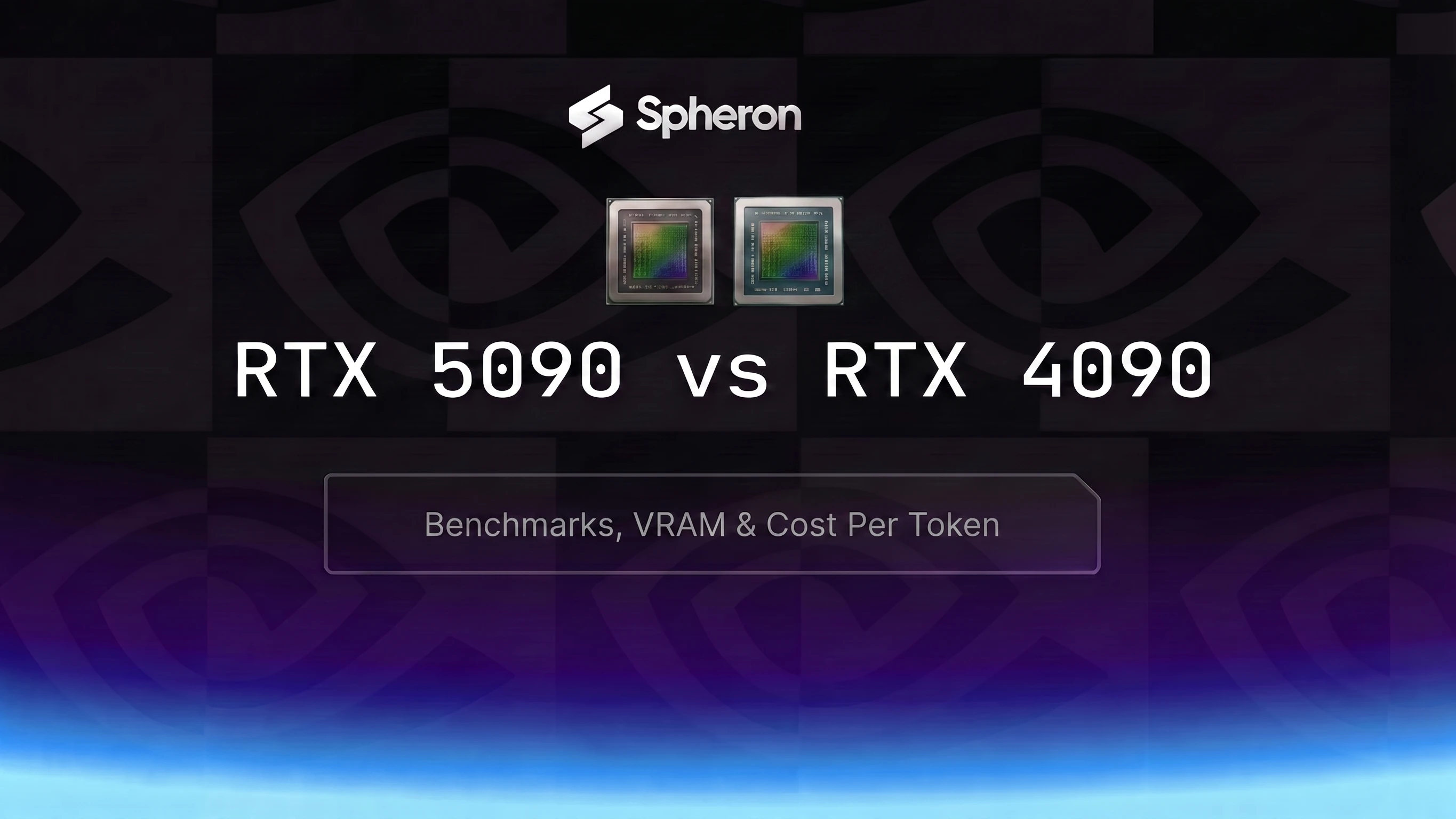
In the 5090 vs 4090 debate for AI, it starts with price: the RTX 5090 runs $0.86/hr on Spheron and the RTX 4090 runs $0.53/hr. That $0.33/hr gap is significant. What makes the comparison interesting is the 78% memory bandwidth difference (1,792 vs 1,008 GB/s) and 8GB more VRAM. Whether those specs justify the premium depends entirely on what model you're running and at what throughput.
For Llama 3.1 8B in FP16, the RTX 5090 delivers 3,500 tok/s vs 2,550 tok/s on the RTX 4090. But with current on-demand rates, the RTX 4090 costs $0.058/M tokens vs $0.068/M for the RTX 5090. The 4090 is both slower and cheaper per token for small models that fit in 24GB. The 5090 wins on throughput and on larger models. This post gives you the numbers to decide.
Quick Answer: RTX 5090 vs RTX 4090 for AI
| GPU | Best For | VRAM | Spheron Price | Verdict |
|---|---|---|---|---|
| RTX 5090 | 13B-32B inference, FP4 workloads, QLoRA up to 30B | 32GB GDDR7 | From $0.86/hr | Best for medium models and raw throughput |
| RTX 4090 | Sub-13B development, budget inference, cost-sensitive serving | 24GB GDDR6X | From $0.53/hr | Lowest cost per token for small models |
| Neither: use H100 | 70B+ models, ECC memory, NVLink multi-GPU | 80GB HBM | From $2.01/hr | Required for large models |
| Neither: use L40S | 30B-48B INT4, data center compliance needed | 48GB GDDR6 | ~$0.72/hr | More VRAM, EULA-compliant |
Prices as of 03 May 2026. Check current GPU pricing for live rates.
Want the full datasheet before the head-to-head? Our RTX 5090 specs breakdown covers every number behind this comparison.
Full Spec Comparison
| Specification | RTX 5090 | RTX 4090 | Notes |
|---|---|---|---|
| Architecture | Blackwell (GB202) | Ada Lovelace (AD102) | New die, new Tensor Core gen |
| CUDA Cores | 21,760 | 16,384 | +33% raw CUDA |
| Tensor Cores (generation) | 680 (5th Gen) | 512 (4th Gen) | 5th gen adds FP4 support |
| VRAM | 32GB GDDR7 | 24GB GDDR6X | +8GB unlocks 13B-32B models |
| Memory Bandwidth | 1,792 GB/s | 1,008 GB/s | Bandwidth drives token throughput for memory-bound inference |
| Memory Type | GDDR7 | GDDR6X | Neither is HBM: both are GDDR, not HBM2e/HBM3 |
| FP8 Support | Yes | Yes | Battle-tested in vLLM and TRT-LLM |
| FP4 Support | Yes | No | Blackwell-native; RTX 4090 cannot run FP4 |
| AI TOPS | 3,352 (FP4, sparse) | 1,321 (INT8, sparse) | Different precision baselines; compare at same precision |
| TDP | 575W | 450W | +28%; check PSU capacity |
| NVENC Generation | 10th Gen | 9th Gen | Rarely relevant for AI workloads |
| NVLink | No | No | Neither supports NVLink: multi-GPU tensor parallelism requires H100 SXM |
| PCIe Generation | Gen 5 x16 | Gen 4 x16 | PCIe 5.0 doubles host-to-GPU transfer bandwidth |
On the GDDR7 vs HBM distinction: Both the RTX 5090 and RTX 4090 use GDDR memory, not HBM. The RTX 5090 uses GDDR7, which has a significant bandwidth improvement over GDDR6X, but it is still categorically different from the HBM2e/HBM3 used in the H100. The RTX 5090's 1,792 GB/s is impressive for GDDR but sits at roughly 54% of the H100 SXM5's 3,350 GB/s HBM3 bandwidth. This matters for very large batch workloads where HBM bandwidth compounds.
Which Models Actually Fit
RTX 5090: 32GB GDDR7
| Model | Precision | VRAM Required | Fits? |
|---|---|---|---|
| Llama 3.1 8B | FP16 | ~16GB | Yes |
| Llama 3.1 8B | FP8 | ~8GB | Yes |
| Llama 3.1 8B | INT4 | ~4GB | Yes |
| Llama 3.3 13B | FP16 | ~26GB | Yes (tight, limit context) |
| Llama 3.3 13B | INT4 | ~7GB | Yes |
| Qwen3 32B | FP16 | ~64GB | No |
| Qwen3 32B | Q4/AWQ | ~20GB | Yes |
| Llama 3.3 70B | FP16 | ~140GB | No: use H100 or H200 |
| Llama 3.3 70B | INT4 | ~35-40GB | No: use H100 or H200 |
| FLUX.1 Dev | BF16 | ~26GB | Yes |
| SDXL | FP16 | ~8-12GB | Yes |
RTX 4090: 24GB GDDR6X
| Model | Precision | VRAM Required | Fits? |
|---|---|---|---|
| Llama 3.1 8B | FP16 | ~16GB | Yes |
| Llama 3.1 8B | FP8 | ~8GB | Yes |
| Llama 3.1 8B | INT4 | ~4GB | Yes |
| Llama 3.3 13B | FP16 | ~26GB | No: exceeds 24GB |
| Llama 3.3 13B | INT4 | ~7GB | Yes |
| Qwen3 32B | FP16 | ~64GB | No |
| Qwen3 32B | Q4/AWQ | ~20GB | Marginal: fits weights, OOM at default context. Use --max-model-len 2048 |
| Llama 3.3 70B | FP16 | ~140GB | No: use H100 or H200 |
| Llama 3.3 70B | INT4 | ~35-40GB | No: use H100 or H200 |
| FLUX.1 Dev | BF16 | ~24-26GB | Marginal: fits with memory-efficient attention (xFormers/SDPA); default diffusers pipeline may OOM |
| SDXL | FP16 | ~8-12GB | Yes |
On Qwen3 32B on the RTX 4090: The model weights at Q4/AWQ are roughly 18-20GB, which fits in 24GB. The problem is the KV cache. At default context lengths in vLLM (typically 4K-32K tokens), the KV cache adds several GB on top of model weights, pushing total VRAM usage over 24GB. The fix is to set --max-model-len 2048 in vLLM, which limits the KV cache footprint. This works for short-context use cases but is not practical for production serving at standard context lengths. For the full model capacity matrix, see GPU memory requirements for LLMs. For a detailed walkthrough of AWQ quantization and how to deploy Qwen3 32B in production, see our AWQ quantization guide for LLM deployment.
Inference Benchmarks: vLLM Performance
For the best vLLM configuration on consumer GPUs, see our vLLM production deployment guide for recommended serving flags and batch size tuning.
| Model | Precision | GPU | Framework | Tokens/sec | VRAM Used | $/hr | Cost/1M tokens |
|---|---|---|---|---|---|---|---|
| Llama 3.1 8B | FP16 | RTX 5090 | vLLM | ~3,500 | ~18GB | $0.86 | ~$0.068 |
| Llama 3.1 8B | FP16 | RTX 4090 | vLLM | ~2,550 | ~18GB | $0.53 | ~$0.058 |
| Qwen3 32B | AWQ (Q4) | RTX 5090 | vLLM | ~1,100 | ~22GB | $0.86 | ~$0.217 |
| Qwen3 32B | AWQ (Q4) | RTX 4090 | vLLM | ~650 | ~22GB | $0.53 | Marginal (OOM at default context) |
| FLUX.1 Dev | BF16 | RTX 5090 | Diffusers | ~5.5 img/min | ~26GB | $0.86 | ~$0.0026/img |
| FLUX.1 Dev | BF16 | RTX 4090 | Diffusers | ~4.0 img/min | ~24GB† | $0.53 | ~$0.0022/img |
RTX 5090 throughput from community vLLM runs and Spheron internal testing. RTX 4090 throughput from published llama.cpp and vLLM benchmarks. Cost calculated at on-demand pricing as of 03 May 2026. †FLUX.1 Dev on RTX 4090 requires memory-efficient attention (enable_xformers_memory_efficient_attention() or SDPA backend in diffusers); default pipeline settings may OOM.
For Llama 3.1 8B, the RTX 4090 at $0.058/M tokens is about 15% cheaper per token than the RTX 5090 at $0.068/M. The RTX 5090's higher throughput does not offset its higher hourly rate for models that fit in 24GB. The bandwidth advantage of the RTX 5090 becomes economically relevant when you move to 13B+ FP16 models or need the extra VRAM headroom for Qwen3 32B. For sub-7B models at INT4 quantization, both cards are largely bandwidth-saturated at small batch sizes, and the RTX 4090's lower rate wins outright.
FP4 note: FP4 support in vLLM for RTX 5090 is currently in preview. Benchmark numbers for FP4 workloads assume --quantization fp4 and a Blackwell-compatible vLLM build. Check vLLM release notes for stable support status before relying on FP4 in production. For performance benchmarks and the quantization workflow for FP4 on Blackwell, see FP4 quantization on Blackwell GPUs.
Fine-Tuning Benchmarks: QLoRA Throughput
For a complete walkthrough of QLoRA setup, hyperparameters, and dataset preparation, see our complete LLM fine-tuning guide.
| Model | Training Method | RTX 5090 (tok/s) | RTX 4090 (tok/s) | Max Model Size |
|---|---|---|---|---|
| Llama 3.1 8B | QLoRA INT4 (Unsloth) | ~720 | ~520 | 8B on both |
| Llama 3.1 13B | QLoRA INT4 (Axolotl) | ~480 | OOM at FP16, works at INT4 (~400 tok/s) | 13B on 5090; INT4 only on 4090 |
| Largest model supported | QLoRA INT4 | ~30B (Qwen3 32B at Q4) | ~13B (constrained by 24GB at INT4+grad) | 5090 wins on ceiling |
The RTX 5090's 32GB headroom makes a real difference for fine-tuning: you can run Llama 3.1 13B at FP16 precision with LoRA adapters without hitting VRAM limits, whereas the RTX 4090 needs INT4 quantization to fit. The ~38% throughput improvement (720 vs 520 tok/s for 8B QLoRA) is consistent with the bandwidth-bound nature of QLoRA, though the full 78% bandwidth advantage does not translate directly to throughput due to compute and memory-copy overhead during the backward pass.
Cost Per Million Tokens: The Real Math
Using live Spheron on-demand pricing as of 03 May 2026:
Formula: Cost/M tokens = (hourly rate) / (tokens per second x 3600) x 1,000,000
| Model | Precision | GPU | $/hr | tok/s | Cost/1M tokens |
|---|---|---|---|---|---|
| Llama 3.1 8B | FP16 | RTX 5090 | $0.86 | 3,500 | $0.068 |
| Llama 3.1 8B | FP16 | RTX 4090 | $0.53 | 2,550 | $0.058 |
| Qwen3 32B | AWQ Q4 | RTX 5090 | $0.86 | 1,100 | $0.217 |
| Qwen3 32B | AWQ Q4 | RTX 4090 | $0.53 | 650 | Not recommended (context limited) |
| FLUX.1 Dev | BF16 | RTX 5090 | $0.86 | 5.5 img/min | $0.0026/img |
| FLUX.1 Dev | BF16 | RTX 4090 | $0.53 | 4.0 img/min† | $0.0022/img |
The RTX 4090 at $0.53/hr wins on cost-per-token for FP16 workloads that fit in 24GB: $0.058/M tokens vs $0.068/M for Llama 3.1 8B. The RTX 5090 wins on raw throughput (35-46% more tok/s) and becomes the only practical option for 13B+ FP16 models and Qwen3 32B AWQ at standard context lengths. If your budget is fixed and your model fits in 24GB, the RTX 4090 delivers better value per token. If you need maximum throughput or larger VRAM headroom, the RTX 5090 is worth the $0.33/hr premium. For a broader benchmark across more GPU models and workload types, see GPU cost-per-token benchmarks for LLM inference 2026.
Pricing fluctuates based on GPU availability. The prices above are based on 03 May 2026 and may have changed. Check current GPU pricing → for live rates.
When the RTX 5090 Wins
- 13B-32B parameter models: The extra 8GB VRAM moves you from "marginal" to "comfortable" for models in this range. Llama 3.3 13B fits at FP16. Qwen3 32B at AWQ fits with room for KV cache.
- FP4 workloads (Blackwell-native): Only Blackwell GPUs support FP4. When tooling matures, FP4 will deliver roughly 2x throughput over FP8 on the same GPU. The RTX 4090 cannot participate in FP4 inference at all.
- High-volume inference on 13B+ models: The RTX 5090 is the only single-GPU option for Llama 3.3 13B at FP16 or Qwen3 32B at AWQ with practical context lengths. For models that fit only on the 5090, there is no cost comparison to make.
- QLoRA fine-tuning up to 30B: The 32GB VRAM lets you run 13B QLoRA at FP16 precision. The 4090 requires INT4 for anything beyond 8B, adding quantization overhead and reducing gradient quality.
- FLUX and diffusion at high throughput: 5.5 img/min vs 4.0 img/min is a 38% throughput difference. The RTX 4090 result requires memory-efficient attention (xFormers/SDPA) to stay within 24GB; the default diffusers pipeline may OOM without it. If your constraint is turnaround time rather than cost-per-image, the RTX 5090 finishes batch jobs significantly faster and runs FLUX.1 Dev BF16 without any memory workarounds.
Start your work on an RTX 5090 GPU rental on Spheron with per-minute billing and no minimum commitment.
When the RTX 4090 Still Wins
- Lowest absolute cost for sporadic small-model inference: If you're running sub-7B models at low concurrency with significant idle time, the $0.33/hr savings and lower cost-per-token at INT4 favor the 4090. At batch size 1 with intermittent requests, GPU utilization is low on both cards and the absolute hourly savings matter more than throughput.
- Ada Lovelace driver maturity: The RTX 4090 has been in data centers and developer machines for two years. The driver stack, CUDA toolkit compatibility, and software ecosystem around Ada Lovelace are more tested than early Blackwell consumer deployments. If you're seeing edge-case driver issues on RTX 5090, the 4090 is more predictable.
- Local buy vs rent analysis: At an MSRP of ~$1,599 for the RTX 4090 vs $2,000+ for the RTX 5090, the on-prem cost differential is meaningful for permanent workstations. The cloud rental gap at $0.33/hr is also significant, though the RTX 4090's lower cost-per-token for small models makes it attractive in cloud contexts too.
- Development and prototyping at low utilization: If you're iterating on prompts, testing fine-tuned model outputs, or exploring a new architecture, you don't need 3,500 tok/s. You need 500 tok/s and a quick feedback loop. The 4090 is perfectly capable and $0.33/hr cheaper.
Book an RTX 4090 GPU rental on Spheron for development and low-volume inference.
Decision Framework: Which Card for Your Use Case
| Profile | Primary Workload | Recommended Card | Why |
|---|---|---|---|
| Hobbyist | Ollama local inference, sub-13B models, weekend experiments | RTX 4090 | Lowest hourly rate, sufficient for 7B-13B INT4 workloads |
| Indie Hacker | Production API serving sub-13B models, cost-sensitive | RTX 4090 | 15% lower cost-per-token for Llama 3.1 8B FP16 at $0.53/hr adds up at volume |
| Agency / Studio | Batch image generation, FLUX pipelines | RTX 5090 | 38% more images per hour; throughput matters when deadlines are tight |
| Startup | 30B inference or fine-tuning pipeline | RTX 5090 | Only card that runs Qwen3 32B at practical context lengths |
When to Skip Both: L40S, A100, and H100
L40S (48GB GDDR6): If your model is in the 30B-70B range at INT4, the L40S provides 48GB of VRAM for ~$0.72/hr. This is more VRAM than the RTX 5090 at a similar or lower price point for many workloads. The L40S is also NVIDIA's data center GPU line, so it avoids the GeForce EULA restrictions that technically prohibit consumer GPU use in commercial data center deployments. For detailed vLLM benchmarks on L40S, see NVIDIA L40S for AI inference. Rent L40S on Spheron.
A100 80GB (HBM2e): The A100 80GB provides 80GB of HBM2e memory and NVLink connectivity, making it the right choice for 70B parameter inference at FP16 or large-batch INT4 workloads where HBM bandwidth matters. On Spheron, A100 instances start at $0.45/hr spot. The memory subsystem is fundamentally different from consumer GDDR: HBM delivers higher total bandwidth for large model serving and enables true multi-GPU tensor parallelism via NVLink. Rent A100 on Spheron.
H100 (HBM2e/HBM3): For 70B+ models at production scale, ECC memory requirements, or multi-GPU NVLink tensor parallelism, the H100 is the correct choice. The PCIe variant at $2.01/hr handles 70B FP8 inference on a single GPU. For a detailed comparison of the RTX 5090 against the H100 and B200, see our RTX 5090 vs H100 vs B200 guide. For the H100's full precision tier breakdown across SXM5, PCIe, and NVL, see our full H100 spec table. If you're deciding between a consumer GPU and renting H100 time in the cloud, the H100 vs RTX 4090 comparison breaks down the full economics including cost-per-million-token math and the hybrid 4090-dev/H100-train workflow. Rent H100 on Spheron.
RTX PRO 6000 (96GB GDDR7): If you need more than 32GB on a single Blackwell card, the RTX PRO 6000 on Spheron is the only option in this tier. With 96GB of GDDR7 and ECC memory, it runs 70B FP8 and 32B FP16 models that cannot fit on the RTX 5090 or RTX 4090. For a direct two-way comparison of the RTX 5090 against the RTX PRO 6000 Blackwell, see RTX 5090 vs RTX PRO 6000 for AI (2026). For real 30B AWQ and 70B FP8 throughput numbers on that card, see our RTX PRO 6000 throughput numbers writeup.
Both cards are available on Spheron with bare-metal access, per-minute billing, and no contracts. Compare live on-demand and spot rates, then deploy in minutes.
Frequently Asked Questions
It depends on your model size. For sub-13B models that fit in 24GB, the RTX 4090 at $0.53/hr has lower cost-per-token than the RTX 5090 at $0.86/hr: the lower price outweighs the throughput advantage. The RTX 5090 wins on raw throughput (35-46% more tok/s), on 13B-32B models that need more than 24GB headroom, and on any workload where speed matters more than $/token. For small-model cost-sensitive serving, the RTX 4090 is the better buy.
For Llama 3.1 8B in FP16 on vLLM, the RTX 5090 delivers approximately 35-46% more tokens per second than the RTX 4090. The bandwidth gap (1,792 vs 1,008 GB/s) is the primary driver. For Qwen3 32B in AWQ, the RTX 5090's larger VRAM also means lower quantization pressure and higher throughput. The 5090's 32GB gives Qwen3 32B Q4 comfortable headroom for KV cache, whereas the 4090's 24GB fits the model weights (~20GB) but OOMs at default context lengths.
For Llama 3.1 8B in FP16 using current Spheron on-demand pricing: the RTX 4090 costs approximately $0.058 per million tokens and the RTX 5090 costs approximately $0.068 per million tokens. The RTX 4090 is the lower-cost option for small models that fit in 24GB. Check [current GPU pricing](/pricing/) for up-to-date rates as spot pricing can significantly improve these numbers. For Qwen3 32B AWQ, the RTX 5090 is the only single-GPU option at a reasonable cost; the 4090's 24GB fits the model weights but OOMs at default context lengths.
RTX 5090 (32GB): Llama 3.1 8B FP16 (~16GB), Mistral 7B FP16 (~14GB), Qwen3 32B AWQ/Q4 (~20GB). RTX 4090 (24GB): Llama 3.1 8B FP16 (~16GB), Mistral 7B FP16 (~14GB), Qwen 32B Q4 is marginal (~20GB model but OOM with full KV cache at default context). Neither card runs Llama 3.3 70B at any quantization. See [GPU memory requirements for LLMs](/blog/gpu-memory-requirements-llm/) for full model capacity tables.
Yes. The RTX 5090 uses the Blackwell GB202 die and has native FP4 support via 5th-generation Tensor Cores, identical to the B200. The RTX 4090 (Ada Lovelace) does not support FP4. In practice, FP4 advantage is forward-looking: most production models use FP8 or AWQ INT4 today. The FP4 benefit grows as Blackwell-native quantization tools like MXFP4 become widely supported in vLLM and TRT-LLM.
Rent an H100 when: (1) your model exceeds 32GB at your target precision: 70B models at INT4 need ~35GB and won't fit either consumer card; (2) you need NVLink for multi-GPU tensor parallelism; (3) you need ECC memory for production-critical inference with SLA guarantees; (4) you're running large concurrent batch workloads where HBM bandwidth advantage compounds. For sub-30B inference and development workflows, consumer cards typically win on cost-per-token. See [H100 GPU rental on Spheron](/gpu-rental/h100/) for current rates.
For local LLM work the 5090 vs 4090 choice comes down to model size and budget. The RTX 5090 (32GB, 1,792 GB/s) runs 13B-32B models and delivers 35-46% more tokens per second, so it wins when speed or VRAM headroom matters. The RTX 4090 (24GB, 1,008 GB/s) is the cheaper card per token for sub-13B models that fit in 24GB. If you only run small models on a budget the 4090 wins; if you need to serve 32B models or want maximum throughput, the 5090 is worth the premium.